
Why does my invoice print as «Invoice» and not «Tax Invoice»?
If your invoice prints with the title «Invoice» and no VAT number or VAT line, the reason is almost always that the «The company is VAT-registered» option is off. A new account starts with it off.
If your company is registered for VAT
- Open General Settings → Settings → Tax & E-Invoicing.
- Turn on «The company is VAT-registered» at the top of the tab — Image 1.
- The VAT number and Tax (%) fields appear; fill them in.
- Press Save. From then on, VAT is charged on new invoices and they print as a «Tax Invoice».
What about invoices issued before?
An invoice issued while the option was off was issued without VAT, and it stays that way. To add VAT to it:
- If it can still be edited (no receipt recorded on it): edit it, pick the products again or type the VAT rate, and save.
- If it can no longer be edited: cancel it and issue a new invoice after turning the option on.
Notes
- An invoice that carries VAT always prints as a «Tax Invoice», even if the option is turned off after it was issued.
- On Saudi e-invoicing (ZATCA) accounts an invoice may print as a «Simplified Tax Invoice» when the customer has no VAT number; that is correct, not a fault.
- The option is explained in full in the article «The company is VAT-registered: what this option means and when to turn it off».
Screenshots
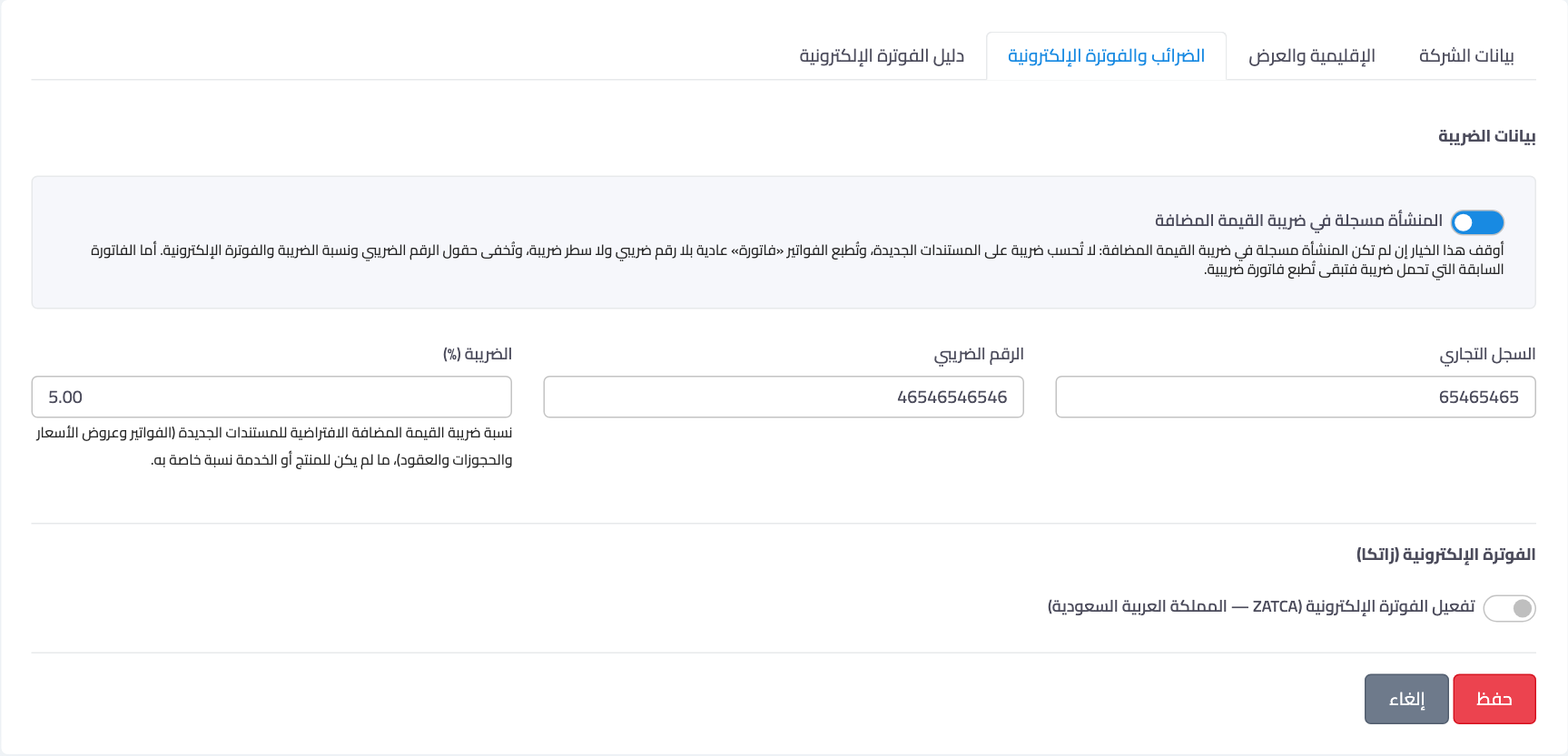
Figure 1
— «The company is VAT-registered» switch at the top of the Tax tab
Try what you just read on your own data
Open a free 7-day trial — no credit card, with your own company link in minutes.