
Contacts and contact roles
Contacts are a single database of everyone your business deals with: customers, suppliers, clients, brokers and others. A contact is recorded once and then used by Sales, Purchasing and the other modules — so data is never duplicated or contradictory.
The contact list
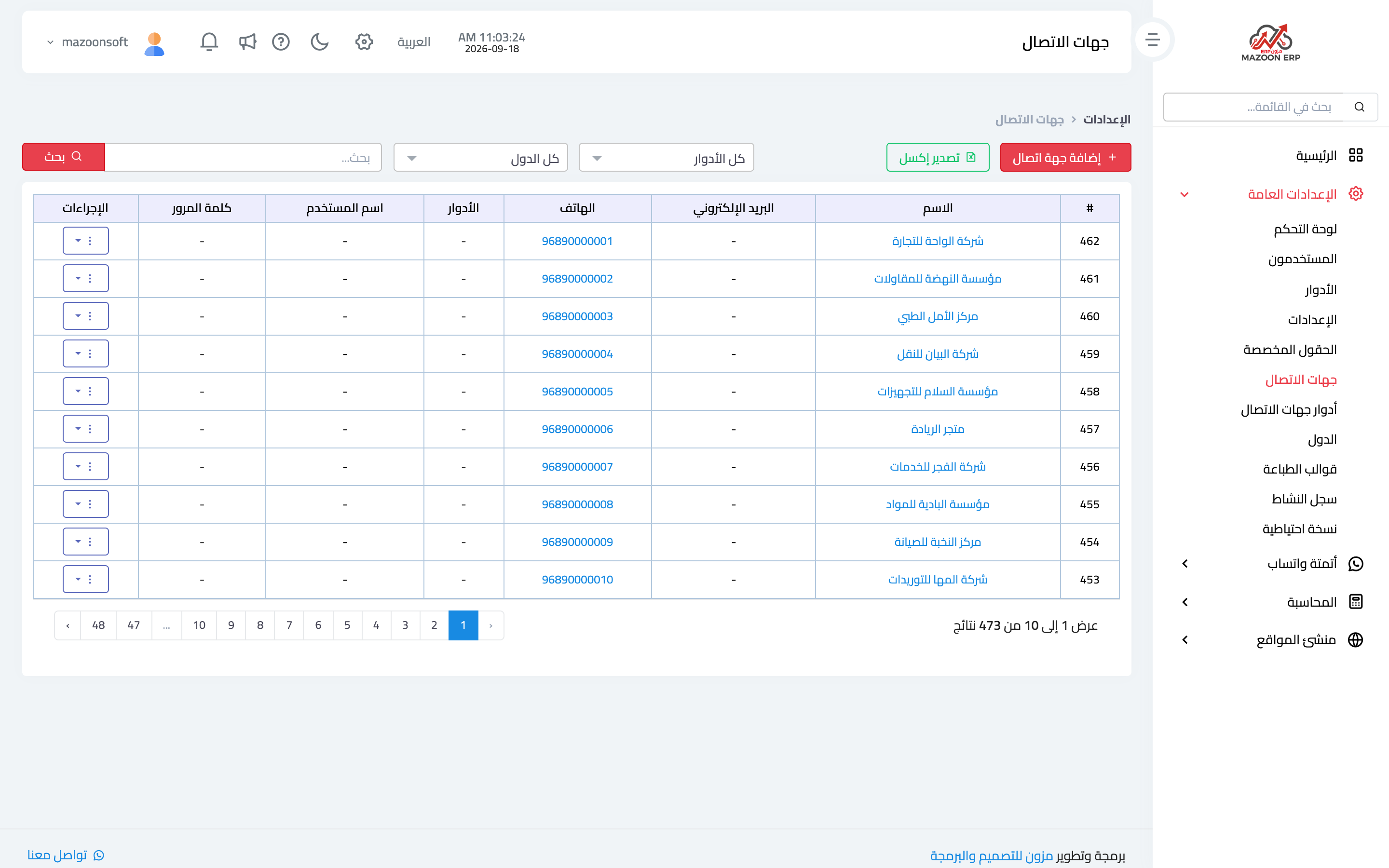
From General Settings, open the Contacts card. The list appears as in image 1. Above the table: search by name, filter by role, filter by country, and an Export to Excel button that exports whatever the filters currently show.
The columns are name, email, phone and roles, plus username and password for the client portal: they appear for contacts that have a portal login, and are where you reset that password.
Adding a contact
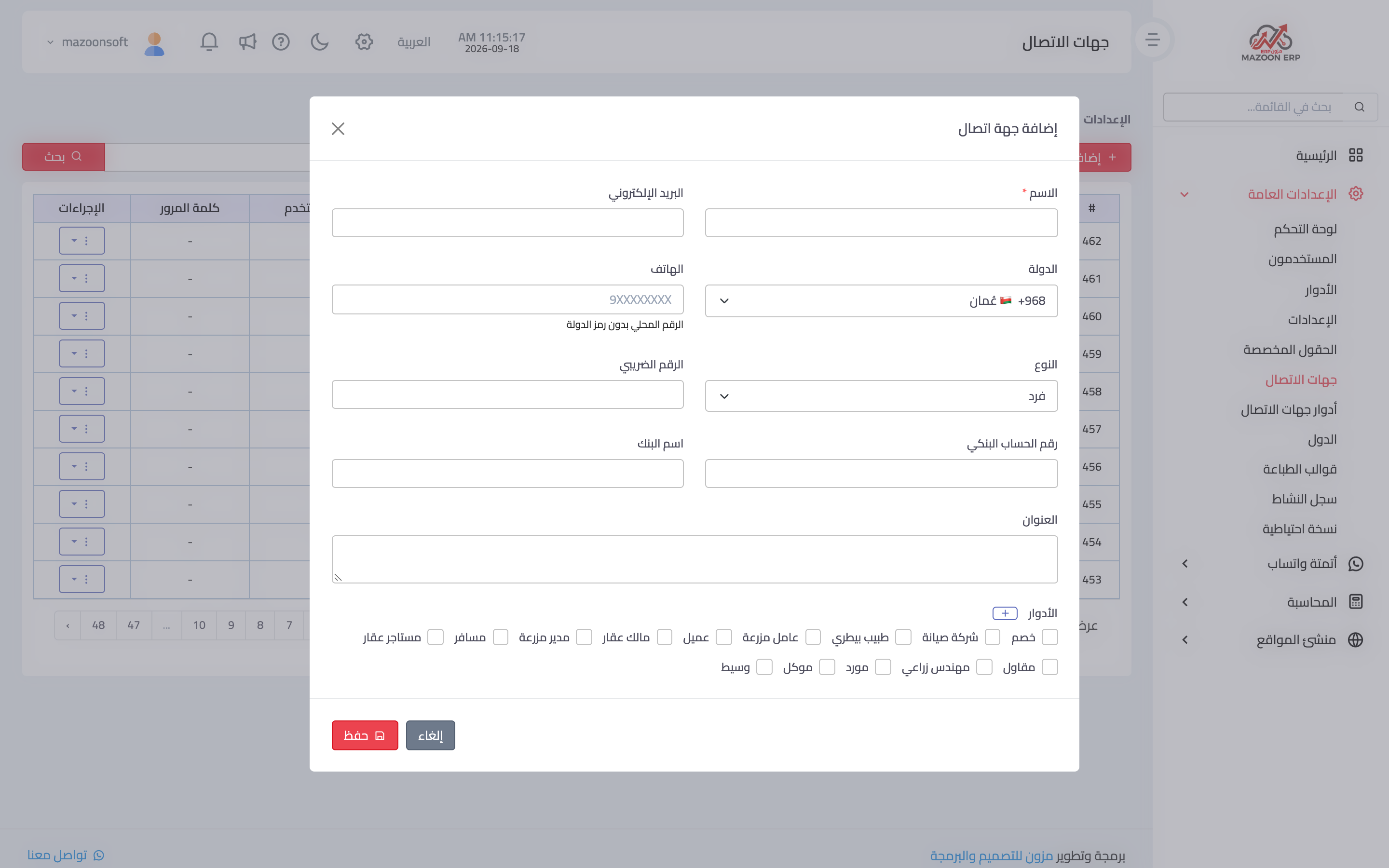
Press Add Contact to open the dialog in image 2. Only the name is required; fill the rest as needed:
- Country and phone — write the number in local form without the country code, which comes from the country field. The default country is set in the regional settings.
- Type — individual or company.
- Tax number — used on tax invoices.
- Bank account number and bank name — useful for contacts you pay.
- Roles — pick one or more. A single contact can be both a customer and a supplier, and that is intentional.
Roles are what make a contact appear in the right place: without the customer role it will not appear in the customer list of a sales invoice, and without the supplier role it will not appear on a purchase bill. The most common question we get — "why isn't this customer in the list?" — is answered by that line.
Contact roles
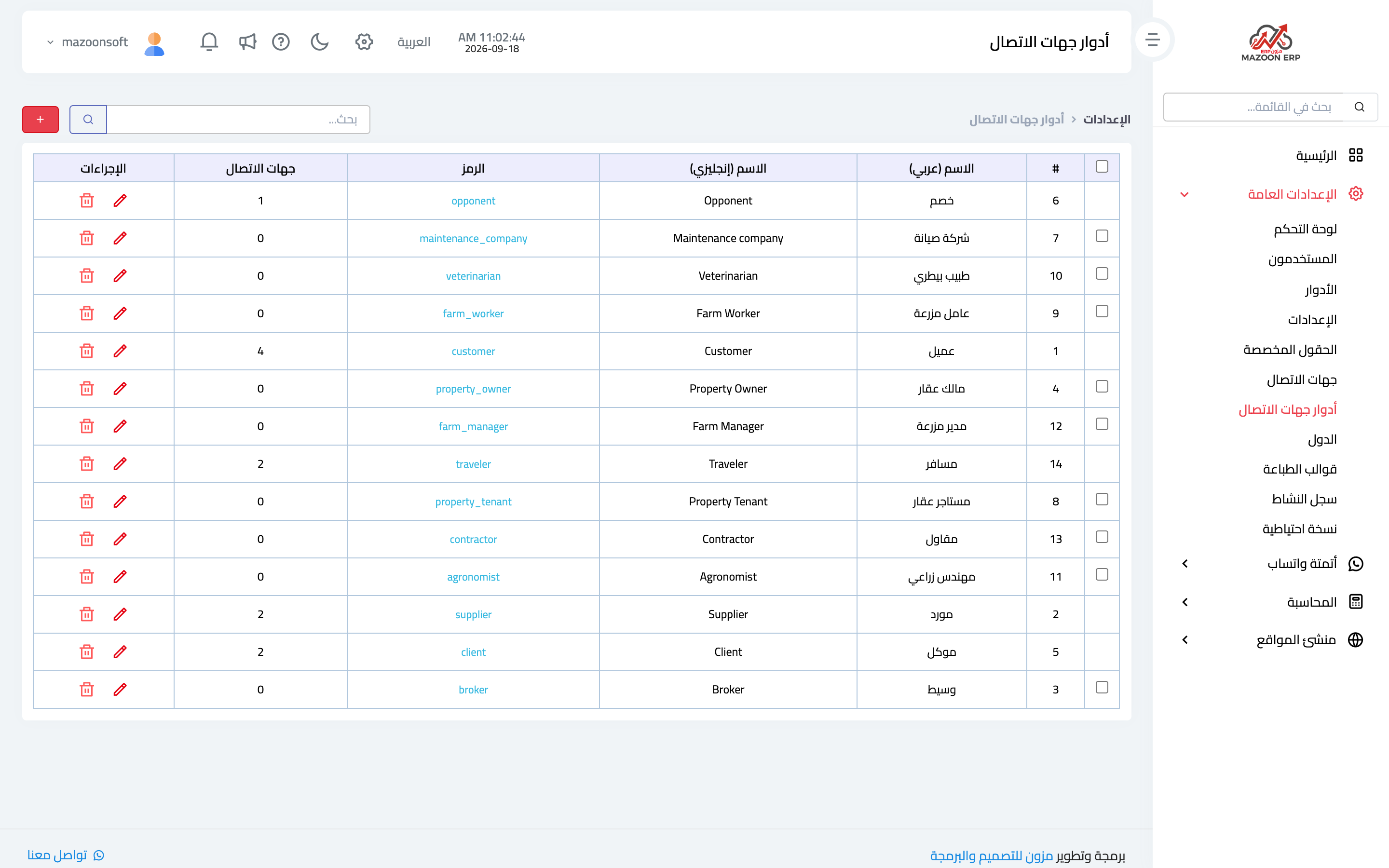
The Contact Roles card lists the available classifications, as in image 3: Arabic and English names, the code, and how many contacts hold each role.
Core roles — customer, supplier, client, opponent, property owner, property tenant, broker, maintenance company — are protected, because the modules rely on their codes, so they cannot be deleted. Roles you add yourself can be deleted as long as they are unused; that is why the bulk-delete checkbox only appears next to roles whose contact count is zero.
A tip
Agree on how names are written from the start — the full company name, say, rather than a different abbreviation per employee. Reports are grouped by contact, and the same company entered twice under two names becomes two separate figures for one customer.
Screenshots
Try what you just read on your own data
Open a free 7-day trial — no credit card, with your own company link in minutes.