
What is the difference between My Account and the company settings?
A common mix-up: a user opens My Account looking for the company logo, or opens Settings to change their password. The rule is simple: My Account is yours alone; Settings belongs to the whole company.
My Account — yours alone
Open General Settings → My Account (the page is titled Profile) — image 1. It has only two sections:
- Profile Information — the name shown on screens and in the activity log, and the email you sign in with.
- Update Password — the current password, then the new one twice.
Nothing you change here is visible to anyone else or affects how your colleagues work.
Settings — the company's
Open General Settings → Settings — image 2. It holds what applies to everyone:
- The company name, logo and letterhead details.
- Currency and decimal places.
- Timezone and country.
- Tax and e-invoicing.
- Turning branches on.
A change here shows up immediately for every user and on every invoice and report.
Notes
- My Account is open to every user with no special permission; Settings needs the edit settings permission and may not appear for you at all.
- Changing your email in My Account changes the address you sign in with — make sure it is one you actually receive mail on before saving.
- Forgot your password and cannot sign in? Ask the system administrator to reset it from Users; it cannot be done from My Account.
- To change an employee's details — salary or department — the place is HR, not My Account; a user and an employee are two different records.
Screenshots
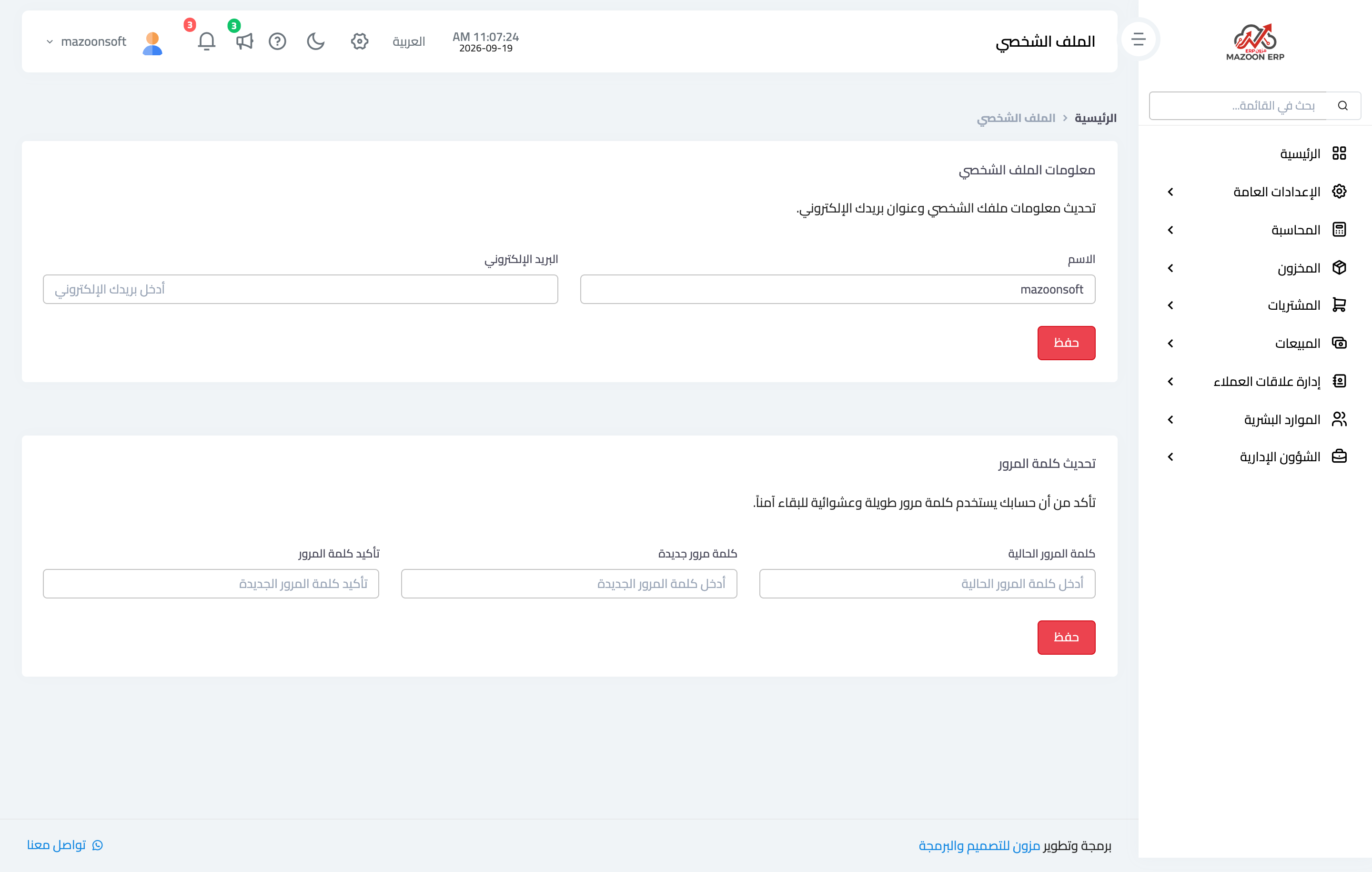
Figure 1
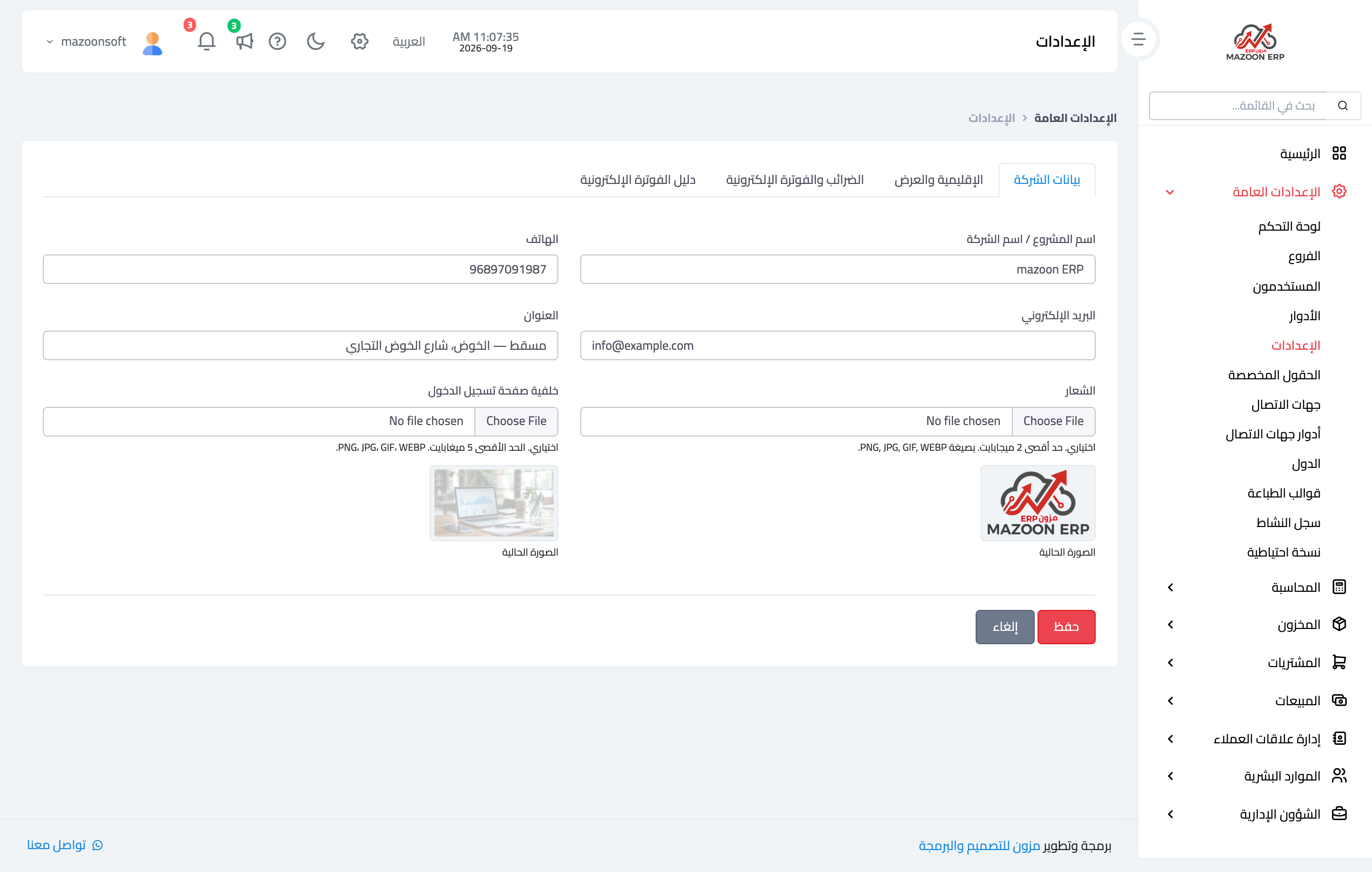
Figure 2
Try what you just read on your own data
Open a free 7-day trial — no credit card, with your own company link in minutes.