
How do I set the currency and the number of decimal places?
Currency and decimal places are among the first things to set and the hardest to change later: every amount in the system is displayed and rounded according to them.
Steps
- Open General Settings → Settings → Regional & Display — image 1.
- Currency (Arabic): the symbol shown beside amounts while the interface is in Arabic.
- Currency (English): the symbol while the interface is in English — "OMR" for example.
- Decimal places: choose 2 (1.25), 3 (1.253) or 4. The Omani rial and Kuwaiti dinar use three, the Saudi riyal and the dirham two.
- Save. The choice applies immediately to every money field, display and report across the system.
Notes
- Set the decimals before entering any balances or invoices. Reducing them after data has piled up means old amounts get rounded on display, and report totals then differ from what you previously approved.
- The currency here is a display symbol for the organisation, not a conversion between currencies. The online store has its own Currencies screen that lets a visitor see prices in more than one.
- Do not put a long word in the currency field; it is appended to every amount in every table, and length breaks column layout.
- This same screen holds the timezone and the default country, both organisation-wide as well.
Screenshots
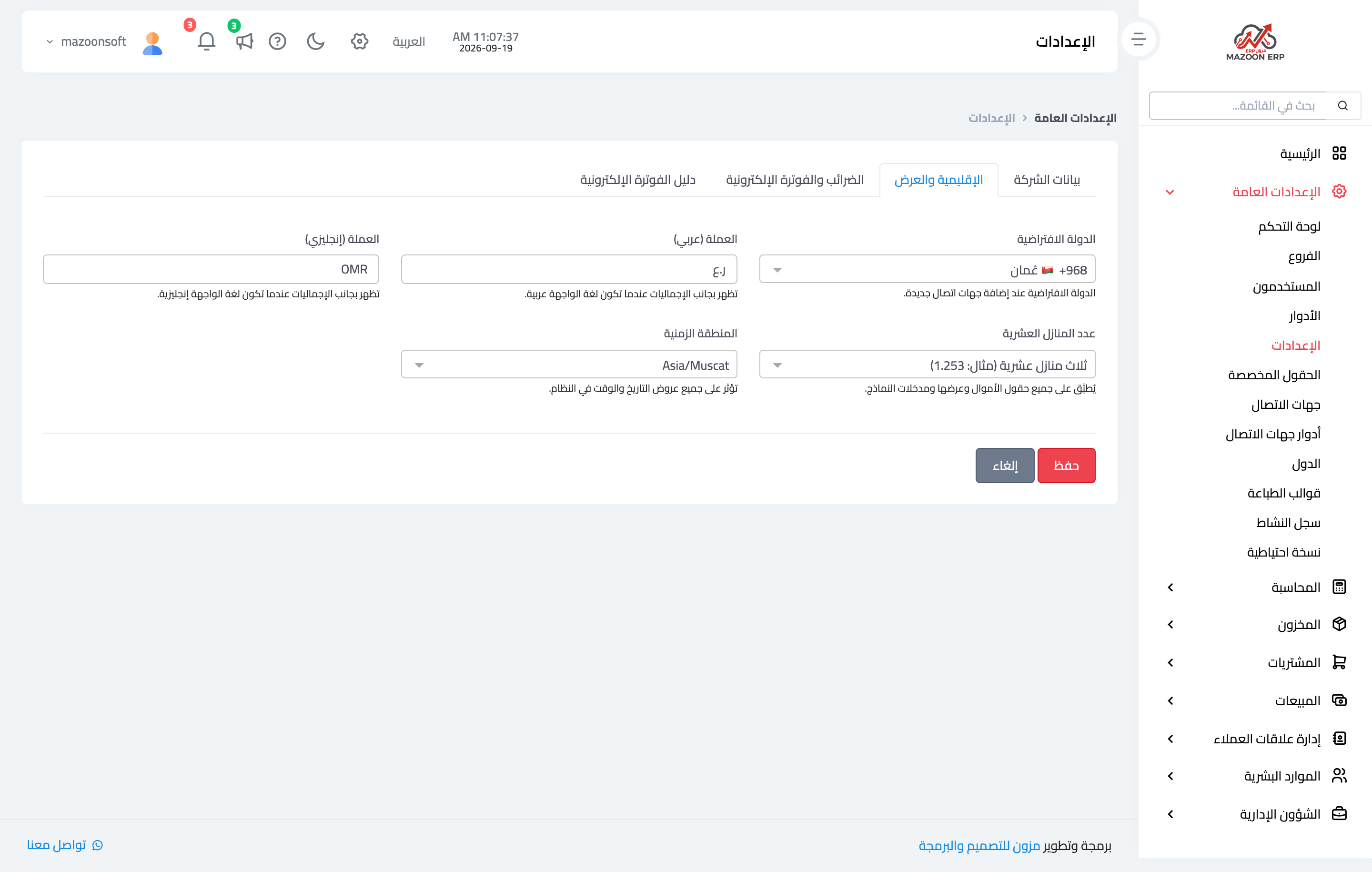
Figure 1
Try what you just read on your own data
Open a free 7-day trial — no credit card, with your own company link in minutes.