
Tax and e-invoicing
The Tax & E-Invoicing tab covers three things: your company's tax registration details, the fallback tax rate, and enabling e-invoicing for the Saudi Zakat, Tax and Customs Authority (ZATCA).
Opening the tab
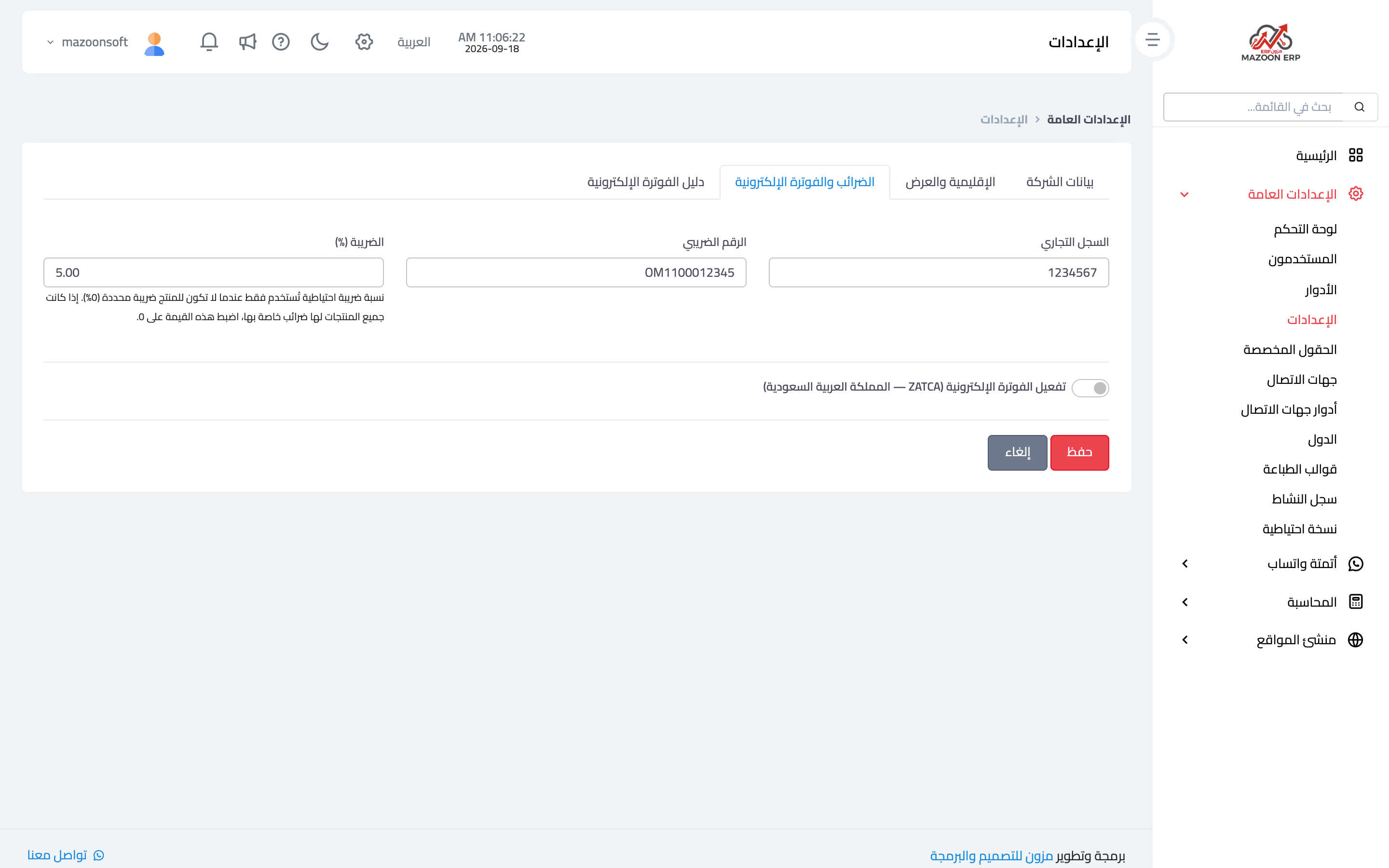
From General Settings, open the Settings card, then the Tax & E-Invoicing tab, as in image 1.
Commercial register and tax number
Your official registration details. The tax number in particular is required to activate phase one of e-invoicing; without it the system stays in the "needs a tax number" state.
Tax rate (%)
This is a fallback rate only: the system uses it when a product has no tax rate of its own. If every product carries its own rate, set this field to zero so no unintended tax is added to a product whose rate was never defined.
Enabling ZATCA e-invoicing
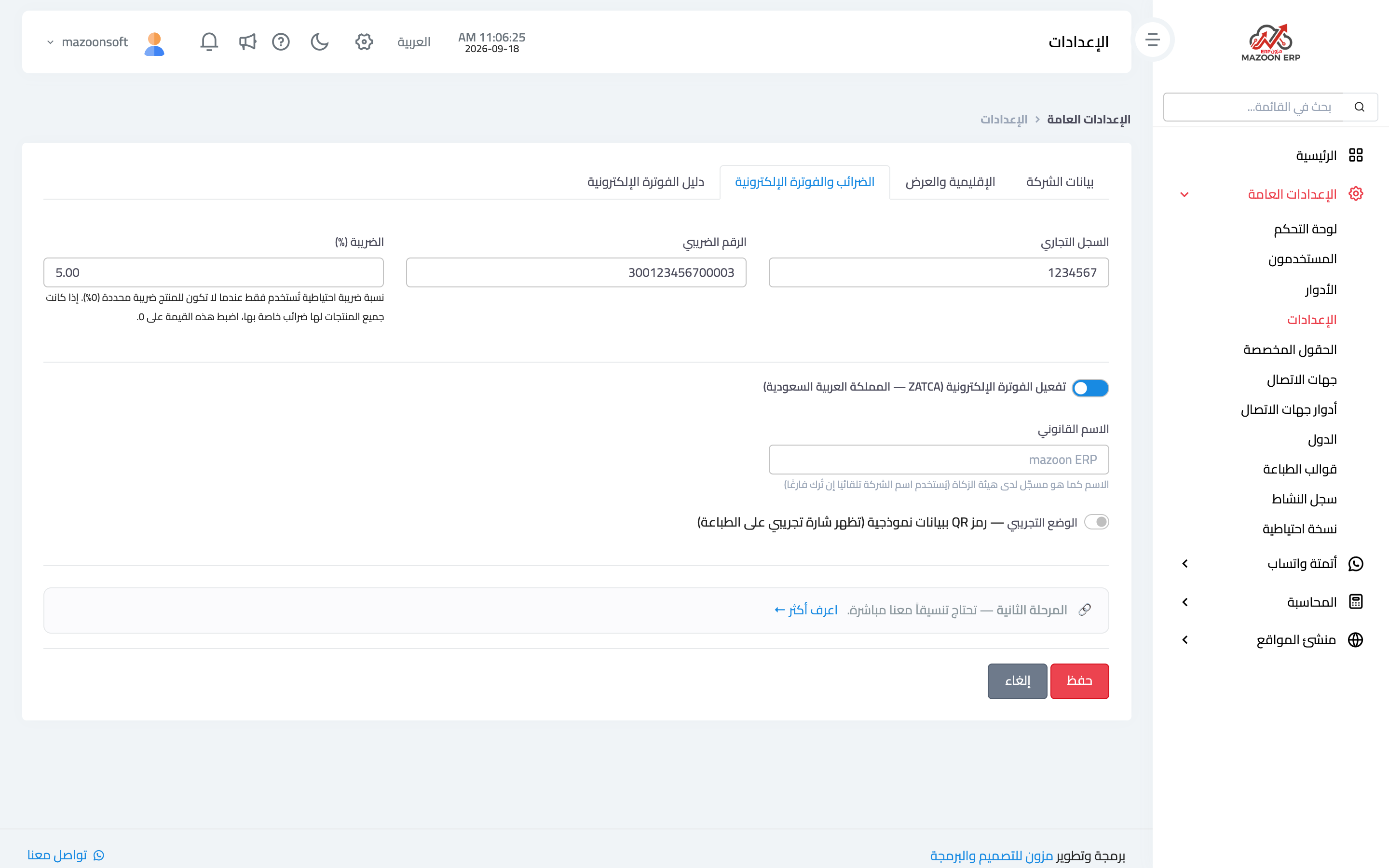
The switch is for businesses subject to e-invoicing rules in Saudi Arabia. Turning it on reveals extra fields, as in image 2:
- Legal name — the name as registered with the authority. Left empty, the company name is used automatically.
- Business activity and the national address of the establishment — building number, street, district, city, postal code, additional number and region, as in the national address proof. Phase two needs them.
- Phase and Invoices you issue — shown only once the Mazoon team enables phase two for your account, together with the Fatoora portal link card at the end of the tab.
- Demo mode — generates a QR code from sample data and marks printouts with a test badge. Use it for trials only, and switch it off before issuing real invoices.
Above these fields, a status card appears once saved, with one badge for phase one and one for phase two, telling you at a glance what is still missing.
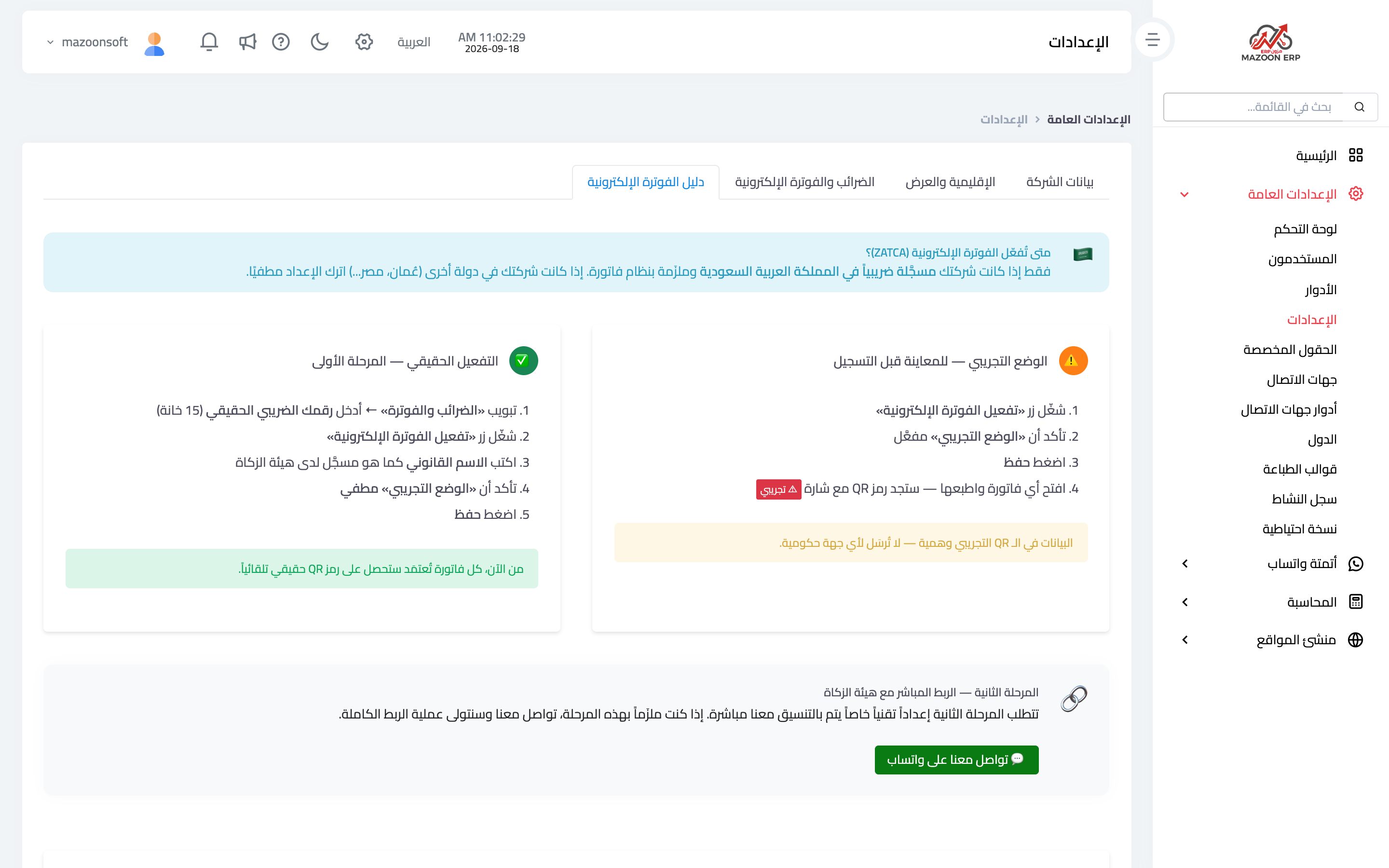
Phase one versus phase two
- Phase one — issuing invoices in the approved format with a QR code. It is activated from this page as soon as the switch is on, the tax number is entered and demo mode is off.
- Phase two — direct integration with the authority's systems. The Mazoon team enables it for your account first; you then complete the national address, choose phase two and link yourself with a one-time password (OTP) from the Fatoora portal. From then on invoices are sent to ZATCA automatically. The full steps are in the article «How do I enable e-invoicing and the QR code?».
The neighbouring E-Invoicing Guide tab explains both phases in more detail inside the system itself, as in image 3.
If your business is outside Saudi Arabia
Leave the ZATCA switch off. Tax details and the tax rate keep working as usual on invoices and reports, with no extra obligations.
Screenshots
Try what you just read on your own data
Open a free 7-day trial — no credit card, with your own company link in minutes.