
Custom fields
Every business has data no off-the-shelf system covers: a membership number, a licence expiry date, an internal customer classification. Custom fields let you add those fields to system screens yourself, with no programming: they appear on the form and are saved with the rest of the data.
Where to find them
From General Settings, open the Custom Fields card. The page lists the fields defined so far, with a filter by entity and a search by name, plus an Add Custom Field button.
Adding a field
The add page opens as in image 1:
- Entity — the screen the field belongs to: contact, employee, legal case, property, vehicle, student and so on. The list only offers entities from the modules enabled for your business.
- Field name (slug) — a technical English name without spaces, such as
membership_no. It is used internally and never shown to users. - Field type — text, long text, number, date, select, multi-select, yes/no, image or file.
- Arabic label and English label — what appears above the field on screen.
- Options — shown for the select and multi-select types: write one option per line.
- Validation rules — extra conditions on the input, such as
max:255. - Default value — pre-filled when the form opens.
- Sort order — the field's position among the other custom fields; lower comes first.
The four switches at the bottom
- Required — the form will not save while the field is empty.
- Active — clearing it hides the field from the screens without losing what was already recorded in it.
- Searchable — the field is included in searches.
- Filterable — the field appears among list filters.
Tips
- Do not make a field required after a lot of data has been recorded without it, or you will have to fix old records the next time each one is edited.
- Use a select rather than free text whenever the values are limited — free text means the same value typed ten different ways, and filtering stops working.
- When a field is no longer needed, deactivate it instead of deleting it; deleting removes the values stored in it.
Screenshots
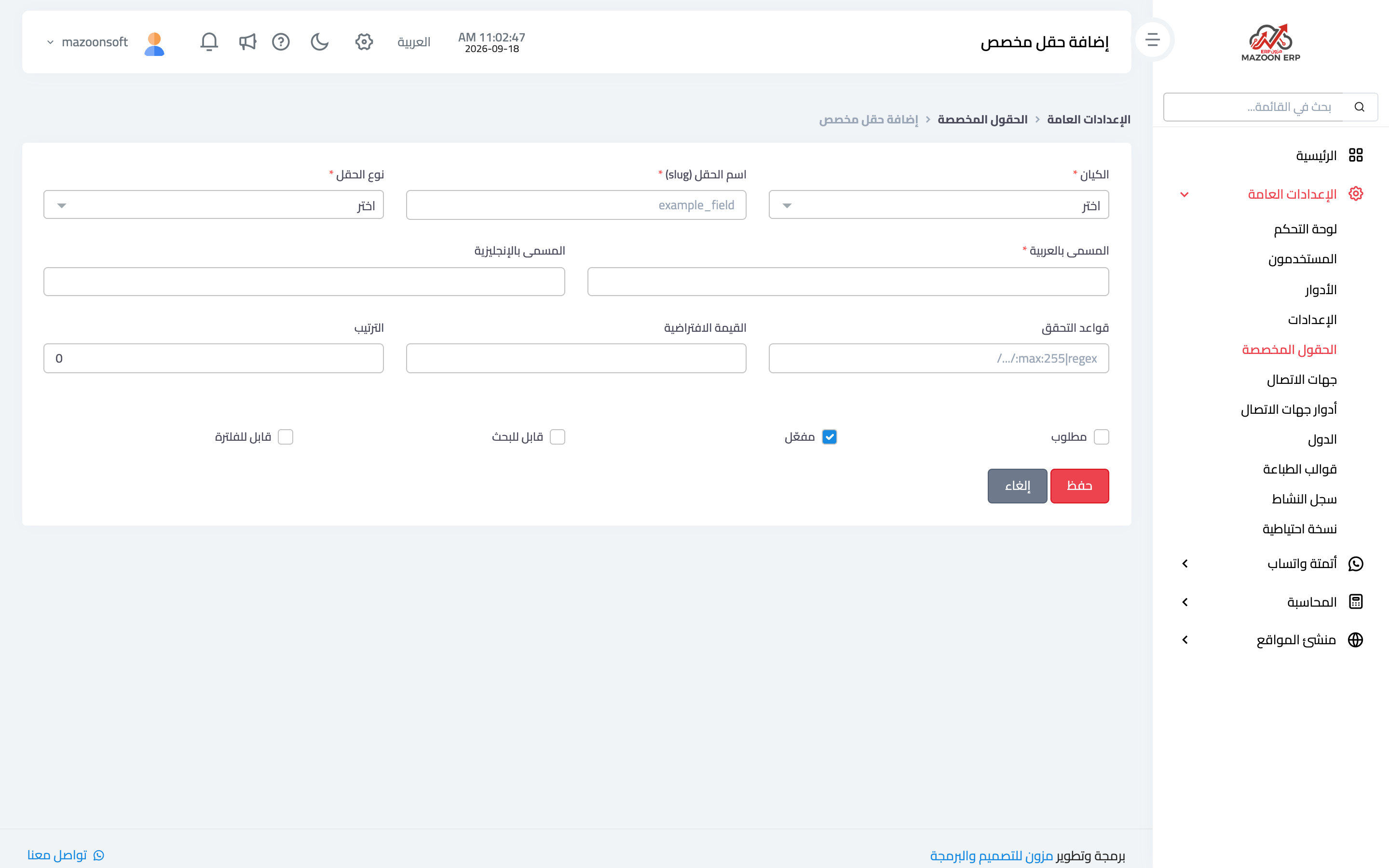
Figure 1
— The add-custom-field page: entity, type, labels and switches
Try what you just read on your own data
Open a free 7-day trial — no credit card, with your own company link in minutes.