
What is the Countries list for, and how do I set the default country?
The Countries list is not a geography list — it is the list of international dialling codes a user picks from when entering a phone number for a customer, a supplier or a contact. Each row carries the flag, the code (+968 for example) and the name — image 1.
Why it matters
- A number is stored together with its country code, so it comes out correct on invoices and reports.
- WhatsApp relies on that code to turn a local number into international format before sending; a wrong code means a message that never arrives.
- The default country is pre-selected in every new customer, supplier or contact form, which means less typing and fewer mistakes.
Steps
- Open General Settings → Countries.
- To add one, press + Add Country and enter the code (the dialling code without the + sign), the Arabic and English names, and the flag.
- To make a country the default, press Set as default on its row; it turns into a green Default badge.
- Use the two icons in the Actions column to edit or delete.
Notes
- The code is the dialling code itself and doubles as the country's identifier, so changing it after contacts are linked to it is not advisable.
- The default country cannot be deleted; set another one first.
- A country linked to contacts, customers or suppliers cannot be deleted — a message tells you what is blocking it.
- The list is deliberately short, covering the Gulf and the region; add only what you need rather than loading every country in the world.
Screenshots
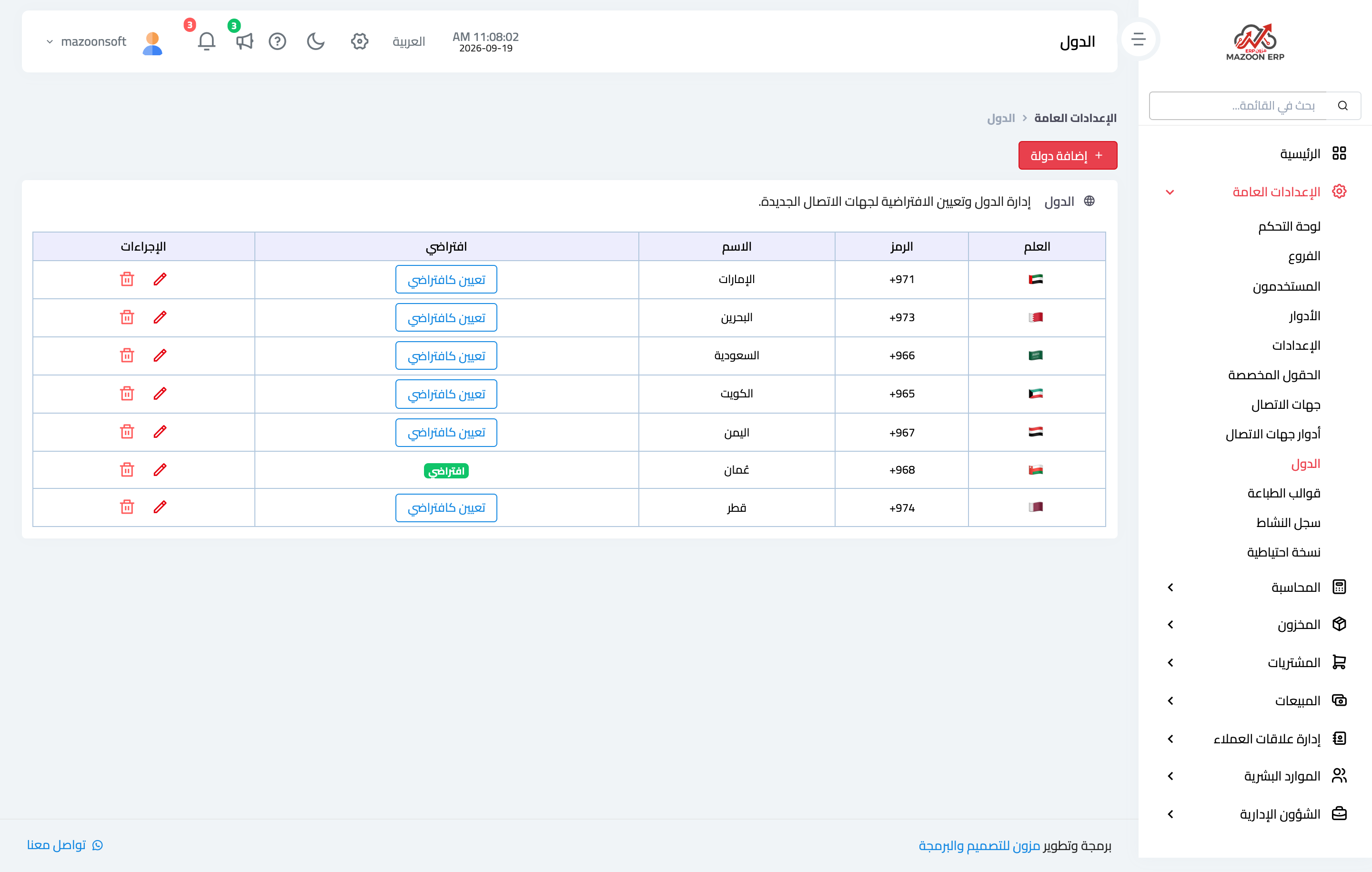
Figure 1
Try what you just read on your own data
Open a free 7-day trial — no credit card, with your own company link in minutes.