
What are custom fields and when do I need them?
Every business keeps data the standard form does not cover: a credit limit for a customer, a uniform size for an employee, a meter number for a rental unit. Custom fields let you add that data yourself — no development work — so it appears inside the entity's own form and is saved with it.
Where to find it
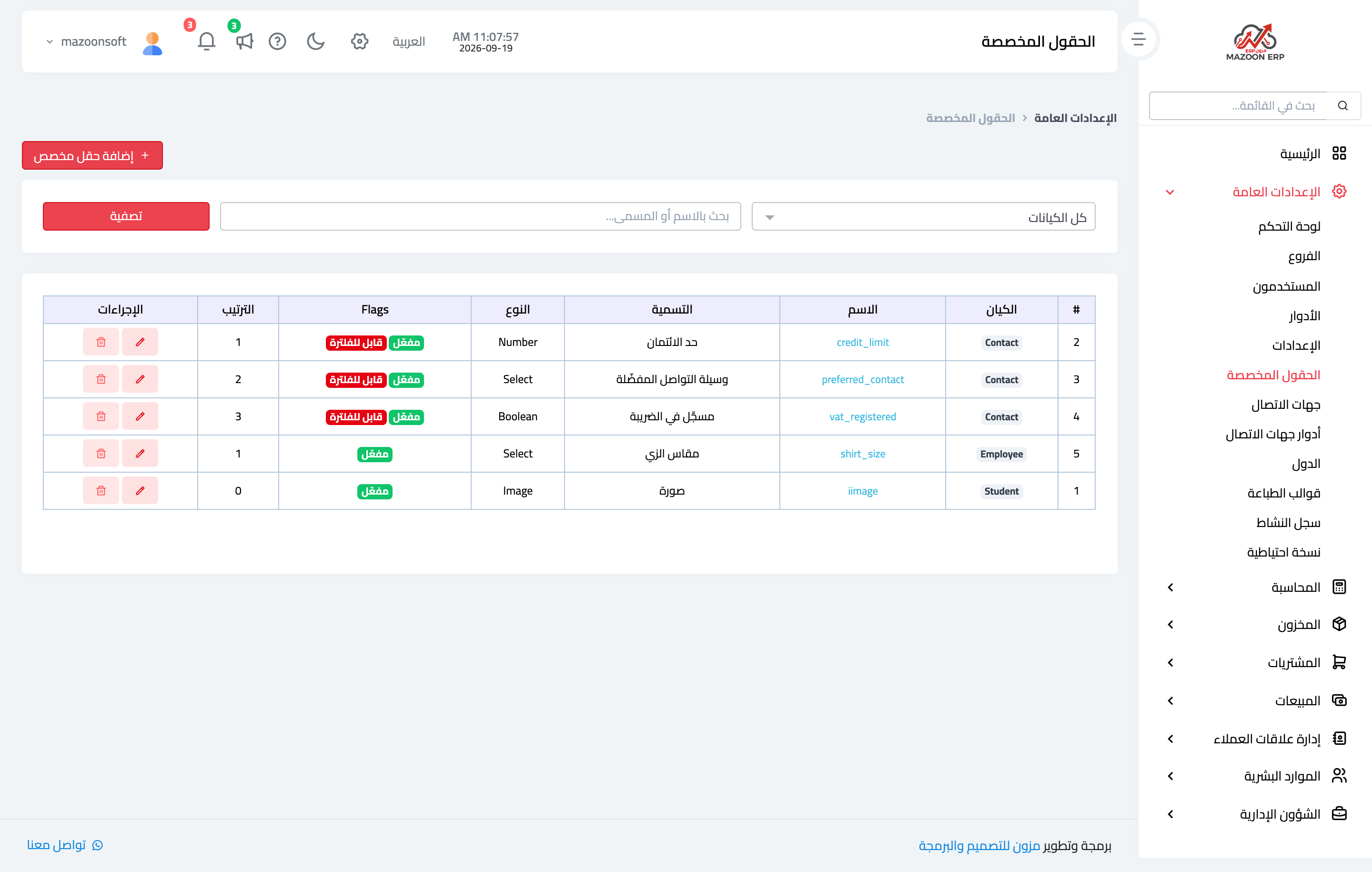
Open General Settings → Custom Fields. The table lists every field you have added: the entity it belongs to, its slug, its label, its type and its status — image 1.
Which entities are supported?
- Contacts and Employees — available in almost every setup.
- Entities from the modules you have enabled only: properties, units and lease contracts; vehicles and rentals; legal cases and execution files; farms, sections, flocks and trees; and students.
The Entity dropdown only shows what belongs to a module enabled on your subscription, so a missing entity means its module is off.
What can a field hold?
Nine types: short text, long text, number, date, select, multi-select, yes/no, image and file.
Notes
- A custom field belongs to one entity; a field added to contacts does not show up on employees, and vice versa.
- Deactivating a field hides it from forms without erasing values already saved, which is safer than deleting when you are unsure.
- Do not add a custom field for something the system already provides — read the form carefully first so the same data does not live in two places.
- To make a field searchable or filterable in the entity's list, see the next article.
Screenshots
Try what you just read on your own data
Open a free 7-day trial — no credit card, with your own company link in minutes.