
How do I add a new contact role?
Contact roles are how you classify external parties: customer, supplier, broker, property owner, client, maintenance company. The system ships with ready-made roles, and you add whatever suits your business.
Steps
- Open General Settings → Contact Roles — image 1.
- Review the existing roles first; enabling a new module adds its own automatically ("property owner" with Property Rental, "client" and "opponent" with Legal).
- To add one, enter the Arabic name, the English name and the code (lowercase English with underscores), then save.
- The role appears immediately in the contact form for you to tick.
Notes
- Do not add a role merely for internal classification; the role changes where the contact appears in the system's lists. For plain classification use a custom field instead.
- Do not delete a role in use; contacts tied to it lose their place in the lists that depend on it.
- Roles that ship with modules are referenced by those modules by name, so renaming them is safe but deleting them is not.
- A single contact carries more than one role, so there is no need for a combined role like "customer and supplier".
Screenshots
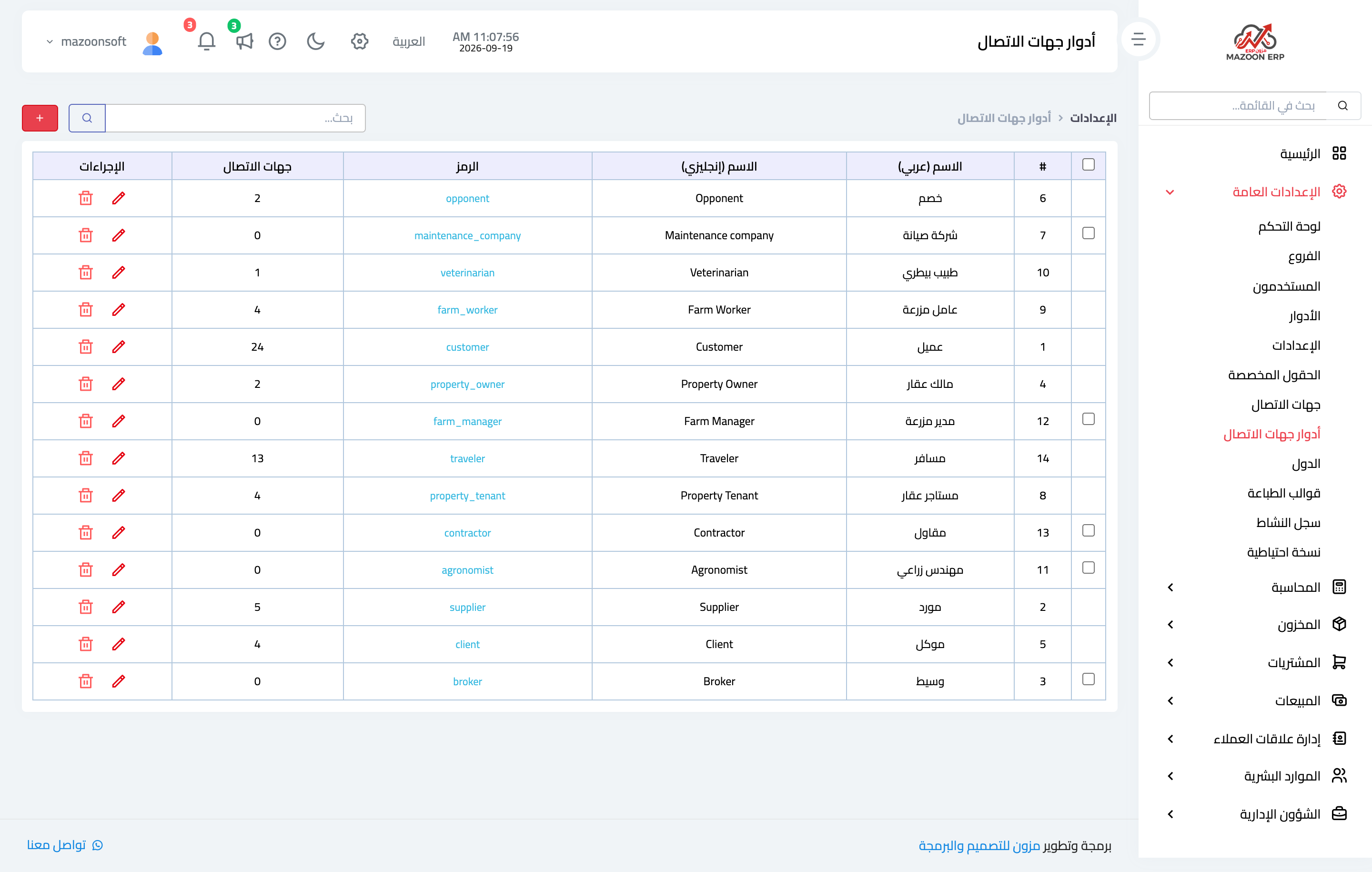
Figure 1
Try what you just read on your own data
Open a free 7-day trial — no credit card, with your own company link in minutes.