
How do I add a custom field and make it searchable and filterable?
Adding a field takes two minutes, but three options in the form decide whether it stays a box you fill in or becomes something you can search by later.
Steps
- Open General Settings → Custom Fields and press + Add Custom Field — image 1.
- Pick the Entity — contact, employee, legal case, rental unit and so on.
- Type the Field Name (slug) in lowercase letters with underscores, e.g. credit_limit. It is a fixed technical name the user never sees, and it is best not changed once data exists.
- Pick the Field Type: text, long text, number, date, select, multi-select, yes/no, image, file.
- Fill in the Arabic Label (required) and the English Label; these are what the user sees, according to their language.
- For select and multi-select an Options box appears — enter one option per line.
- Set the four checkboxes at the bottom, then press Save.
What the four checkboxes mean
- Required — the record cannot be saved unless the field is filled. Use it carefully: it blocks every new record, not just incomplete ones.
- Active — on by default. Turning it off hides the field from forms without deleting stored values.
- Searchable — includes the field's value in the entity list's general search box.
- Filterable — gives the field its own dropdown or box among the list filters.
The last two work in the contacts, employees, legal cases, execution files and students lists. Each field's status shows in the flags column of the table — image 2.
Notes
- Sort Order places the field among the other custom fields in the form; lower comes first.
- Default Value fills new records only and never touches existing ones.
- Validation Rules is an advanced box that accepts Laravel rules such as max:255; leave it empty if you are unsure.
- Make a field filterable when its values are limited (select or yes/no), and searchable when it holds free text.
Screenshots
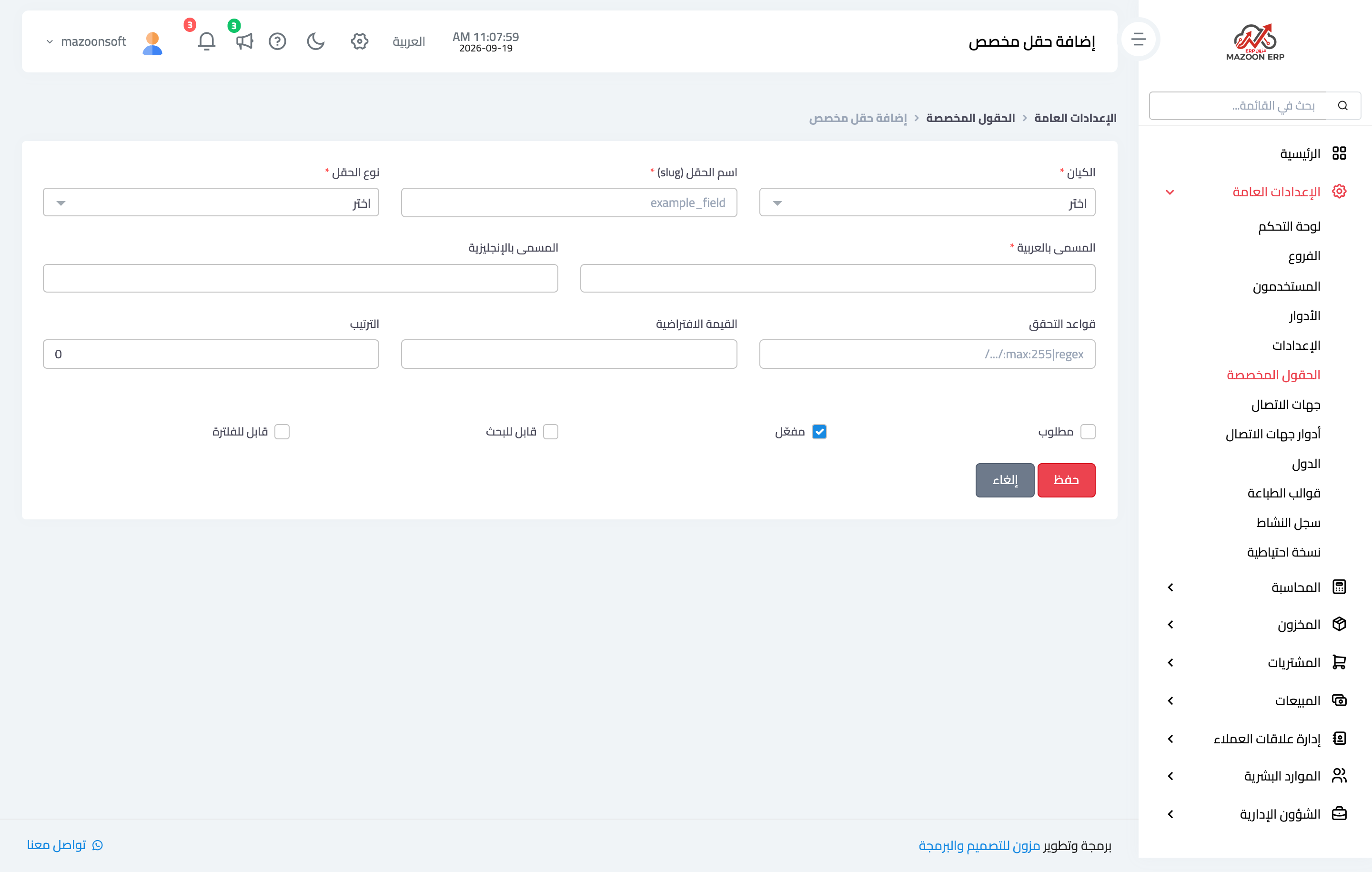
Figure 1
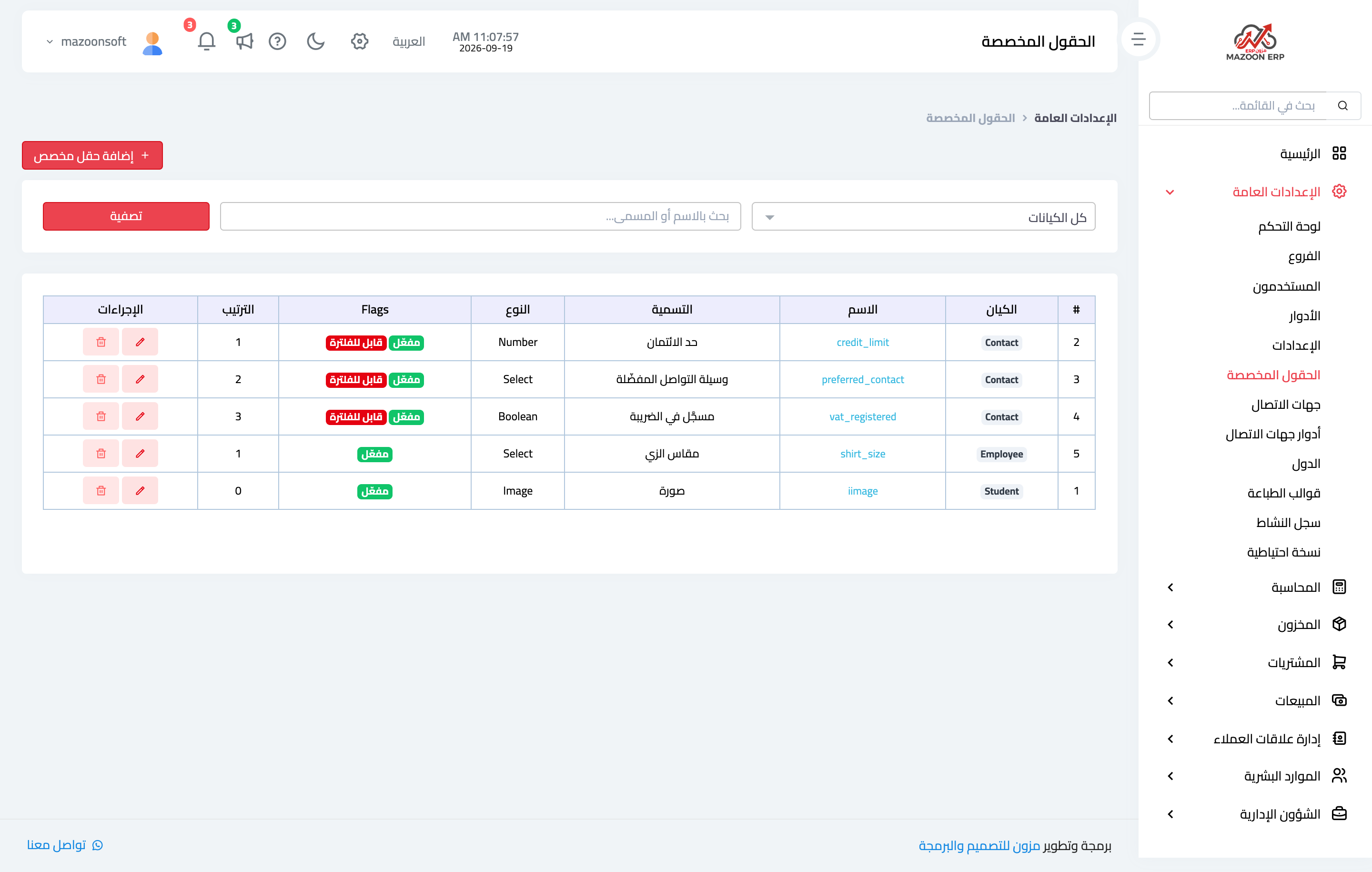
Figure 2
Try what you just read on your own data
Open a free 7-day trial — no credit card, with your own company link in minutes.