
What is the accounting entries language and when should I change it?
When you record a transaction — a customer payment, a contract activation, a cancelled document — the system writes a journal entry on its own, with a line describing it such as “Receipt from customer” or “Reversal”. The accounting entries language is the language that description is written in.
Why this setting exists
The journal is an official record read by accountants and auditors, and it should be in one language. If each description followed the screen language of whoever recorded it, Arabic and English would mix in the same ledger. This setting gives your business one fixed language for its entry descriptions, whatever screen language each employee works in.
Where to find it
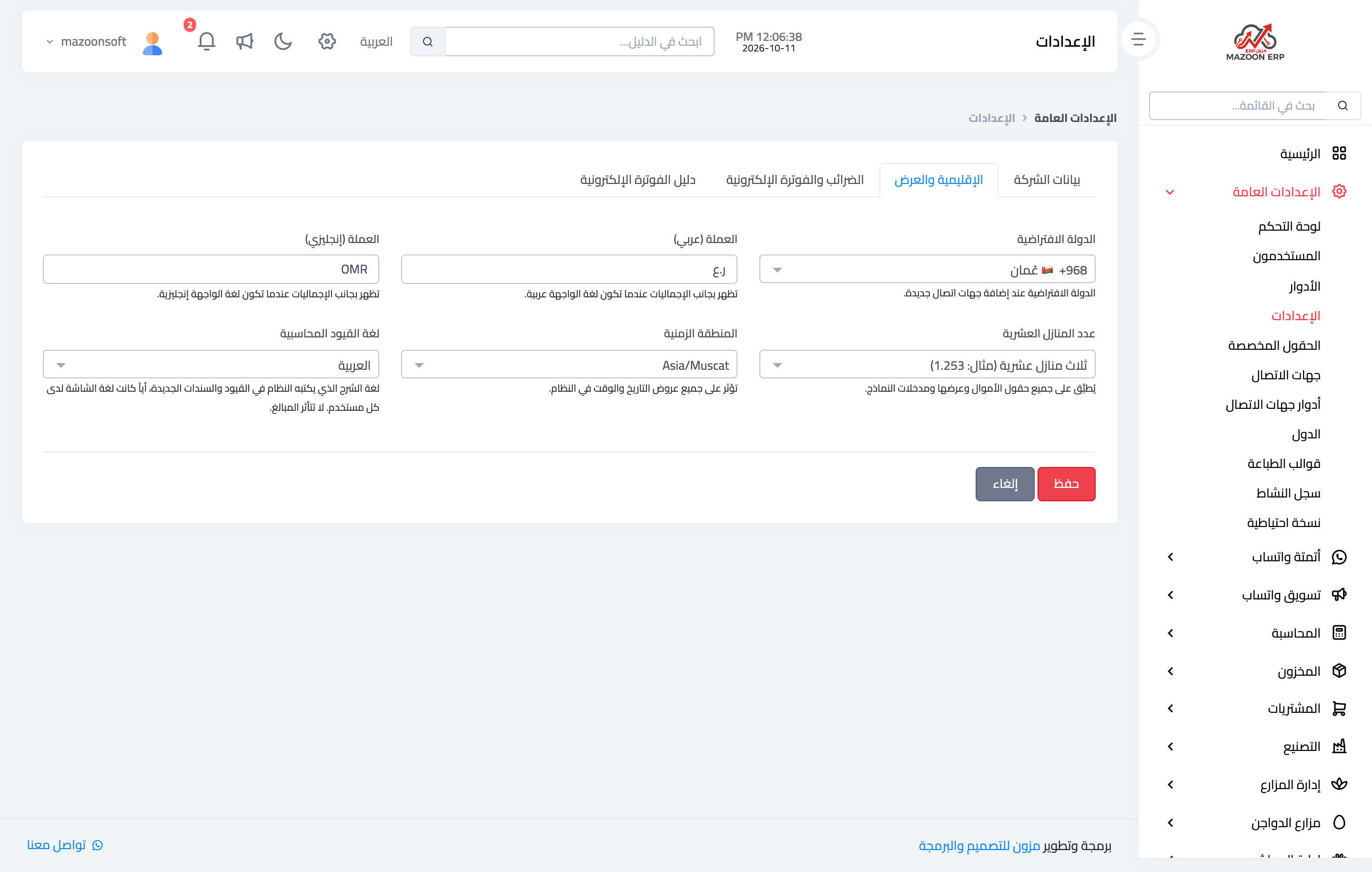
- Open General Settings → Settings, then the Regional & Display tab — Figure 1.
- In Accounting entries language choose Arabic (the default) or English.
- Press Save.
What changes and what does not
- Changes: the language of the descriptions the system writes on new entries and receipts only.
- Does not change: amounts, accounts, debits and credits, balances and financial reports.
- Does not change: your screen language or your colleagues'; everyone keeps seeing the screens in their own language.
- Does not change: what you type yourself, such as a product, customer or add-on name; it appears as you wrote it.
If you change it later
- Old entries keep the language they were written in; new ones use the new language.
- If you edit an old document — a receipt, for example — its entry description is rewritten in the new language.
- If you cancel an old document, the reversal is written in the new language, so one line may mix both, such as “Reversal: إيصال …”.
Notes
- Choose the language once, when you start using the system, so the whole ledger stays in one language.
- Choose the language of the people who read the books — the accountant and the auditor — not that of each employee.
Screenshots
Try what you just read on your own data
Open a free 7-day trial — no credit card, with your own company link in minutes.