
Regional and display settings: currency, decimals and timezone
Regional settings control how numbers and dates look across the whole system: which currency amounts are shown in, how many decimal places they use, and which timezone transactions are recorded against. Set them before recording any financial transaction, because changing them later changes how everything already recorded is displayed.
Opening the tab
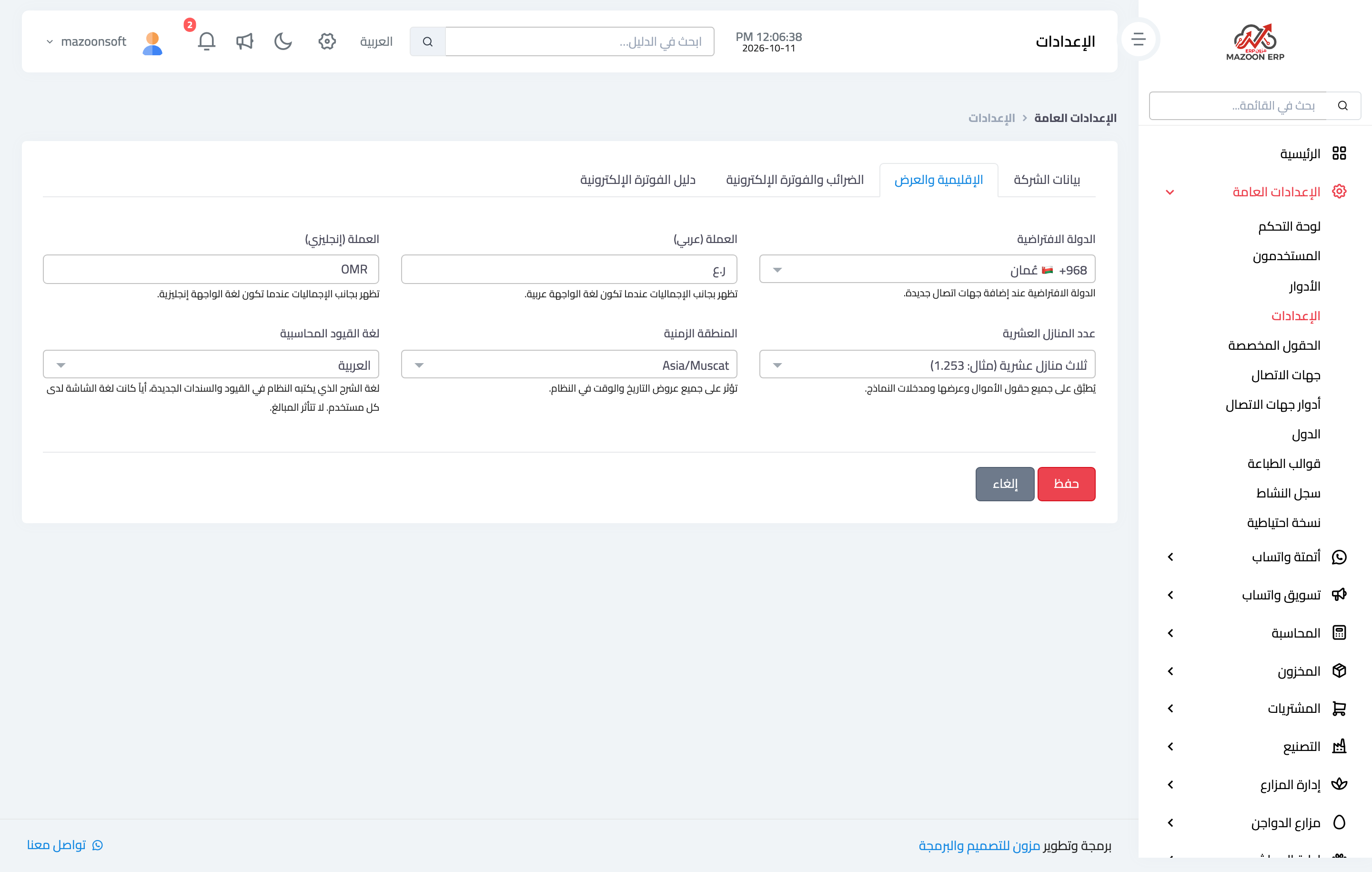
From General Settings, open the Settings card, then the Regional & Display tab, as in image 1.
Default country
The country selected automatically when a new contact is added. Setting it correctly saves a step every time a contact is created. The list itself is managed from the Countries card.
Currency in Arabic and English
The currency has two separate fields: the first is shown next to totals when the interface language is Arabic (for example ر.ع), the second when it is English (for example OMR). Fill both, so amounts never appear without a currency after a language switch.
Decimal places
The field accepts two, three or four decimals, and applies to every money field in the system: on-screen displays, reports, form inputs and printed documents.
- Two — the norm for most currencies, for example 1.25.
- Three — required for currencies such as the Omani rial and the Kuwaiti and Bahraini dinar, for example 1.253.
- Four — rare; used where unit prices need more precision.
Choosing two decimals for a three-decimal currency means losing the third digit in display and rounding — check this field before anything else.
Timezone
This affects every date and time display: document creation times, the activity log, and reports filtered between two dates. Choose the timezone of the country you actually operate in, not the server's.
Accounting entries language
The language the system uses for the descriptions it writes on new journal entries and receipts, such as “Receipt from customer” or “Reversal”, whatever language each user works in. The default is Arabic; choose English if the people who read your books work in English. It changes no amount and no account; see “What is the accounting entries language and when should I change it?” for the details.
After saving
Press Save, then open any screen with amounts on it to confirm the currency symbol and decimals look right. If you have the system open in other browser tabs, refresh them to pick up the change.
Screenshots
Try what you just read on your own data
Open a free 7-day trial — no credit card, with your own company link in minutes.