
How do I transfer stock between two warehouses?
Moving goods from one warehouse to another does not change the total stock value, only where it sits. It has its own screen that issues from the first and receives into the second in a single movement.
Steps
- Open Inventory → Stock transfers — Figure 1 — then New transfer.
- Choose the from warehouse and the to warehouse — Figure 2 — and set the date.
- Add the items and their quantities; the system shows the available balance in the source warehouse next to each one.
- Write the notes — including who received the goods and the vehicle number if the move is between distant branches.
- Press Save then Approve, and only then do the quantities actually move in the stock ledger.
Notes
- A transfer creates no accounting entry because the stock value has not changed; if it has changed, what you have is an adjustment, not a transfer.
- Approve the transfer on the day the goods arrive rather than the day they left if there are days between the two; otherwise the quantity shows in a warehouse it has not reached.
- Check the effect in the stock ledger; it shows both movements, the issue and the receipt.
Screenshots
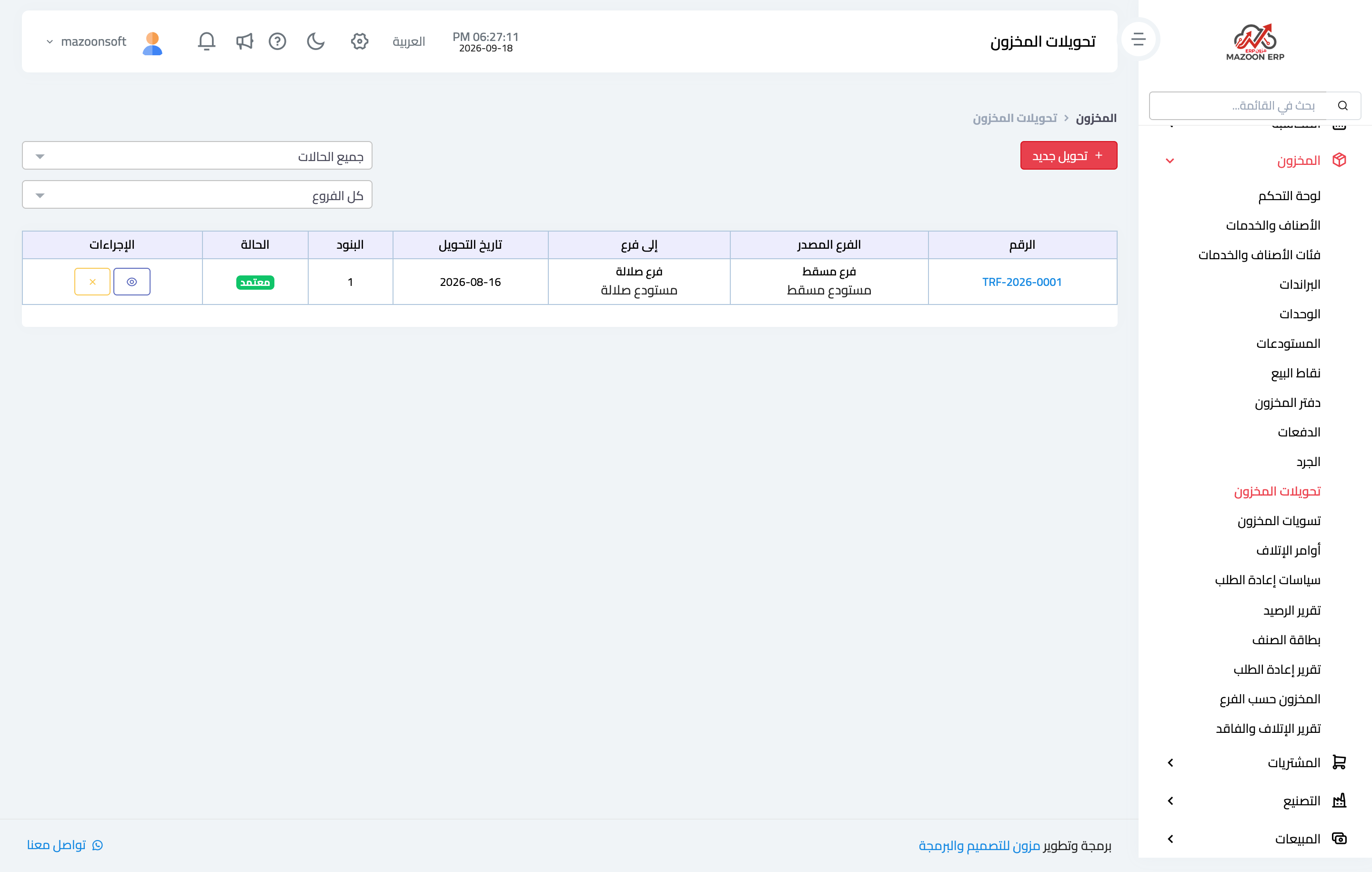
Figure 1
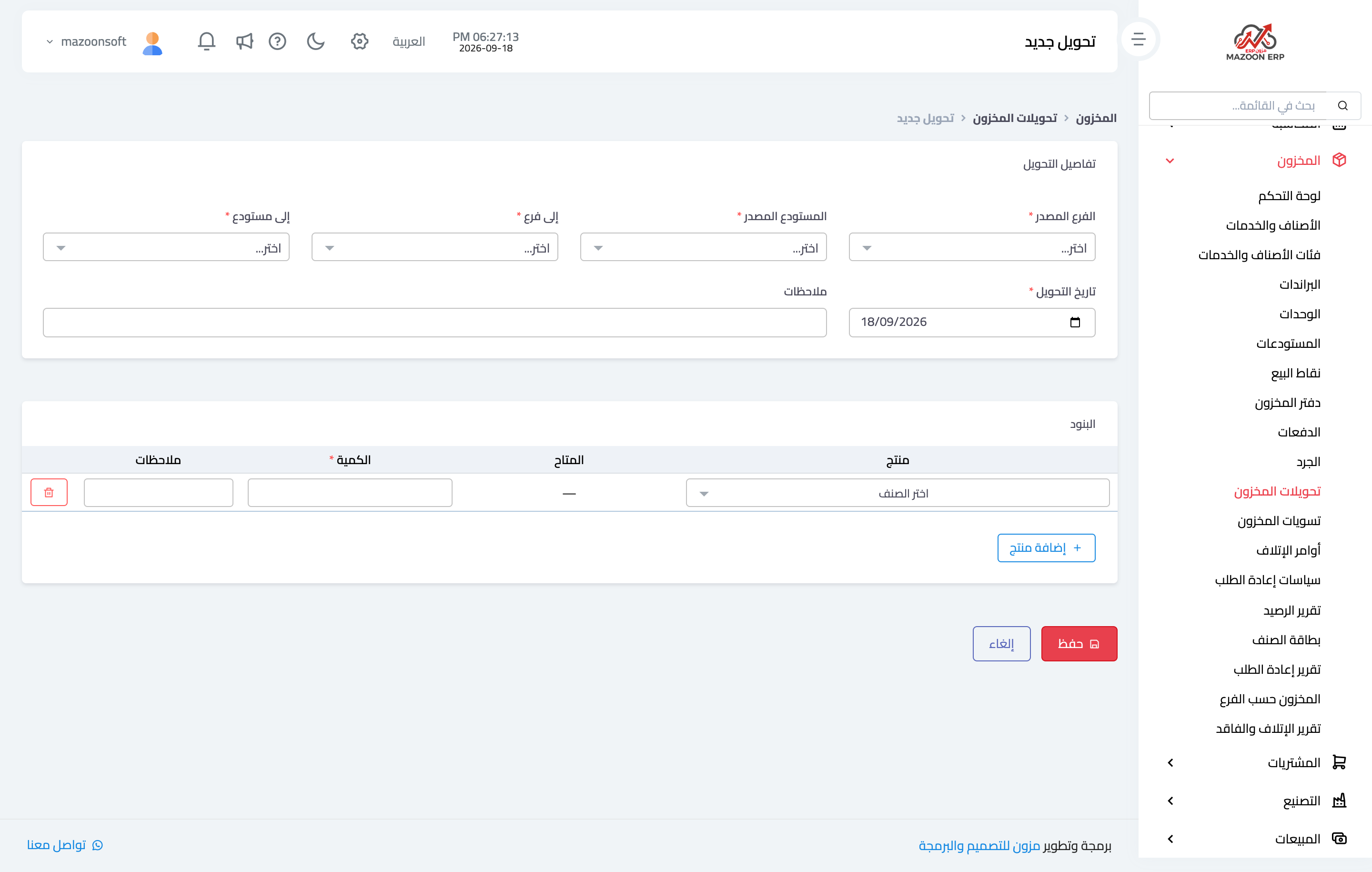
Figure 2
Try what you just read on your own data
Open a free 7-day trial — no credit card, with your own company link in minutes.