
How do I run the monthly payroll?
The payroll is not typed by hand; the system builds it from the employees’ contracts, attendance, advances, and adjustments. Your job is to get those inputs right before generating it.
Before generating
- Check that every employee has an active contract; anyone without one does not enter the payroll.
- Close the month’s attendance; the absence deduction and the overtime are computed from it.
- Approve the month’s bonuses, deductions and advances; anything left pending is not counted.
Steps
- Open HR → Monthly payroll — Figure 1 — then Add payroll.
- Choose the month and year, and the branch if you want a payroll for one branch, then Generate.
- The system shows a table of every employee — Figure 2 — with the basic salary, the earnings, the deductions, and the net pay.
- Review anyone with a low or negative net; they point to an attendance error or an advance whose instalment is larger than the salary can bear.
- Press Approve, then Pay, and set the payment method and the reference (the bank transfer number).
- On payment the system creates the accounting entry and deducts the advance instalments from their balances automatically.
Notes
- A draft payroll can be deleted and regenerated; if you fix a figure after generating, regenerate so the fix takes effect.
- A paid payroll cannot be edited; the correction is a bonus or a deduction in the following month.
- Print the payroll register and send it to the bank, and keep a copy with the payment authorisation in the archive.
Screenshots
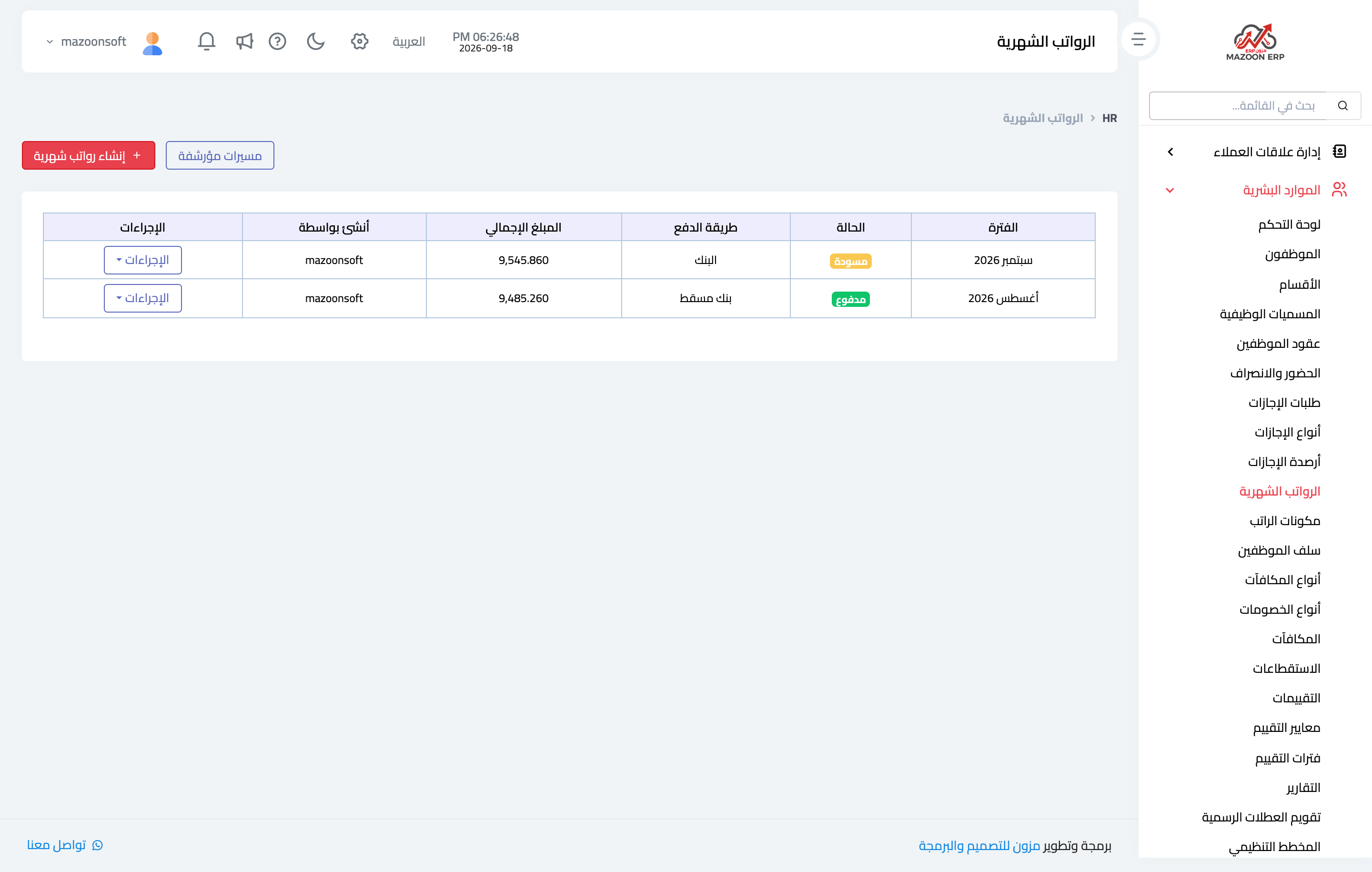
Figure 1
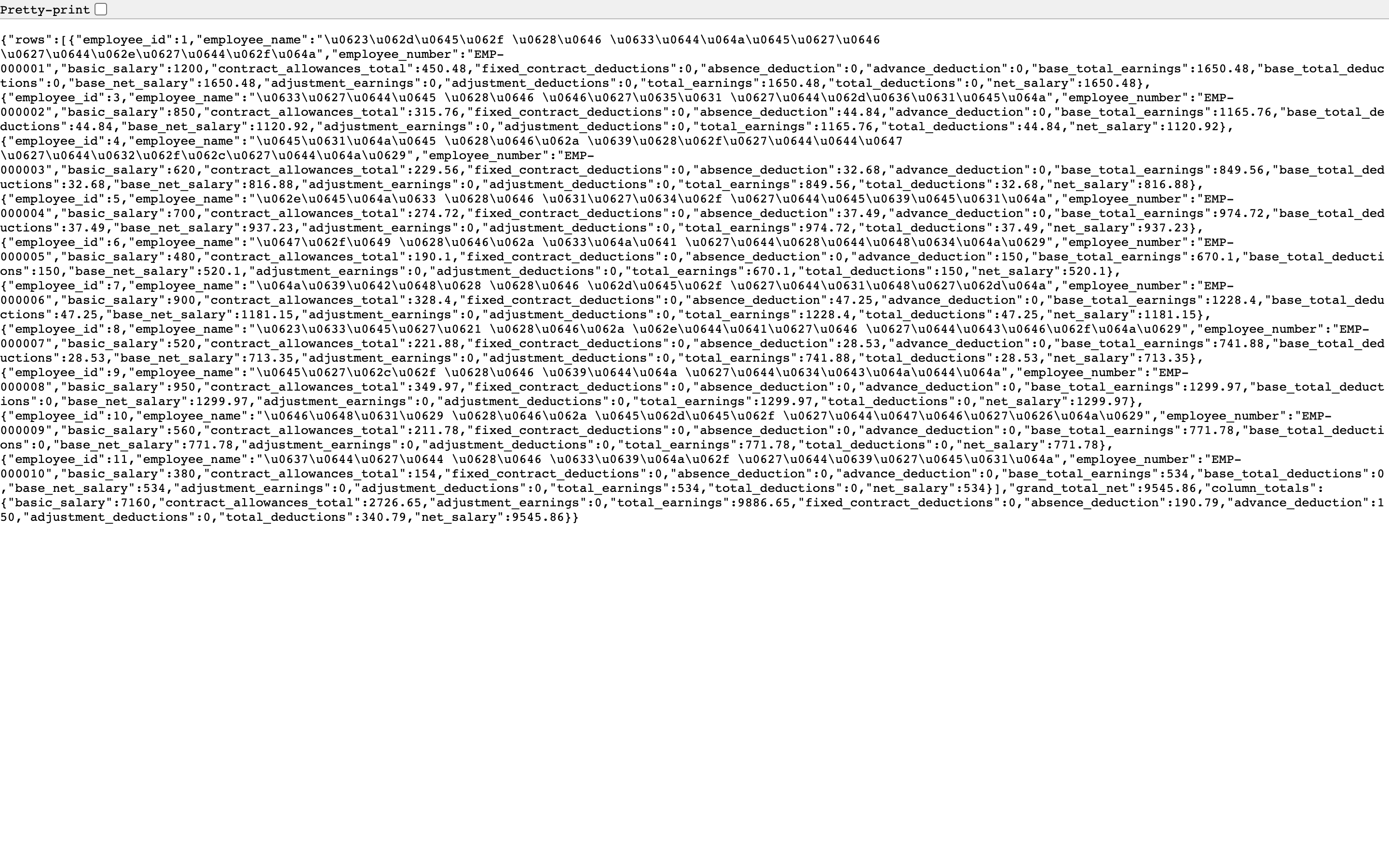
Figure 2
Try what you just read on your own data
Open a free 7-day trial — no credit card, with your own company link in minutes.