
How do I issue a sales invoice and record its receipt?
The sales invoice is for selling goods out of stock: it draws down the quantity and computes the cost of sales, unlike the services invoice.
First: the invoice
- Open Sales → Sales invoices — Figure 1 — then Add invoice.
- Choose the customer, the branch, and the warehouse — Figure 2 — the quantities come out of that warehouse, so choose it carefully.
- Add the items: search by name or barcode, then enter the quantity. The system shows the available balance next to each item.
- Review the discount, the tax, and the total, then Save.
- Press Approve — only then are the quantities drawn from stock and the accounting entry created.
Second: the receipt voucher
- Open Sales → Receipt vouchers — Figure 3 — then Add voucher.
- Choose the customer, and the system lists their unpaid invoices — Figure 4.
- Allocate the amount received across the invoices. This is where the common mistake happens: an unallocated voucher sits on the customer’s account and the invoice stays open.
- Set the payment method and the actual date of receipt, then Save.
Notes
- An invoice with a receipt voucher against it cannot be edited or cancelled; delete the voucher first.
- Record the voucher on the date the money arrived, not the invoice date; that gap is the difference between accrual and cash in the reports.
- For over-the-counter sales use the point of sale; it creates the invoice, the voucher, and the stock movement in one step.
Screenshots
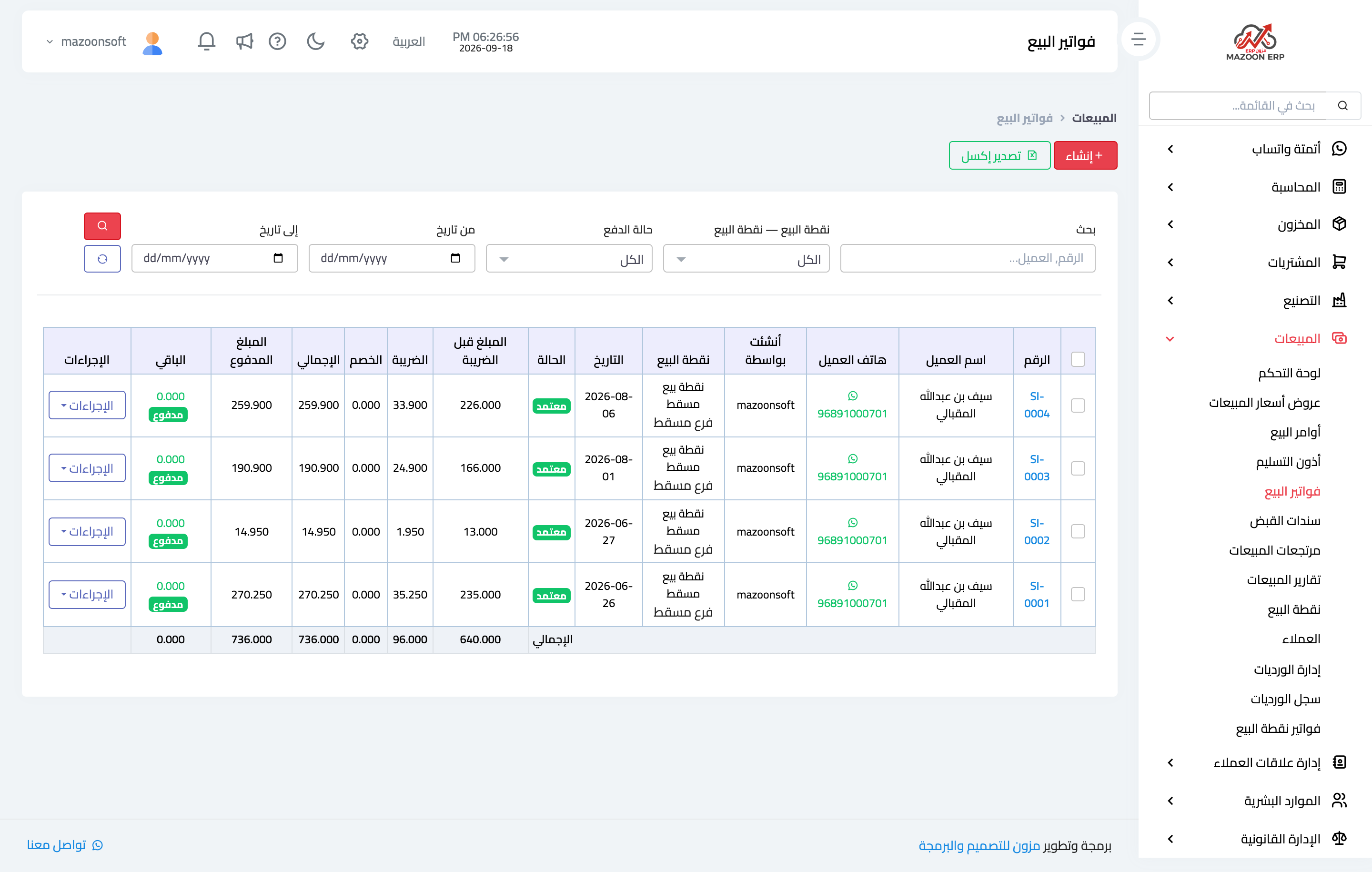
Figure 1
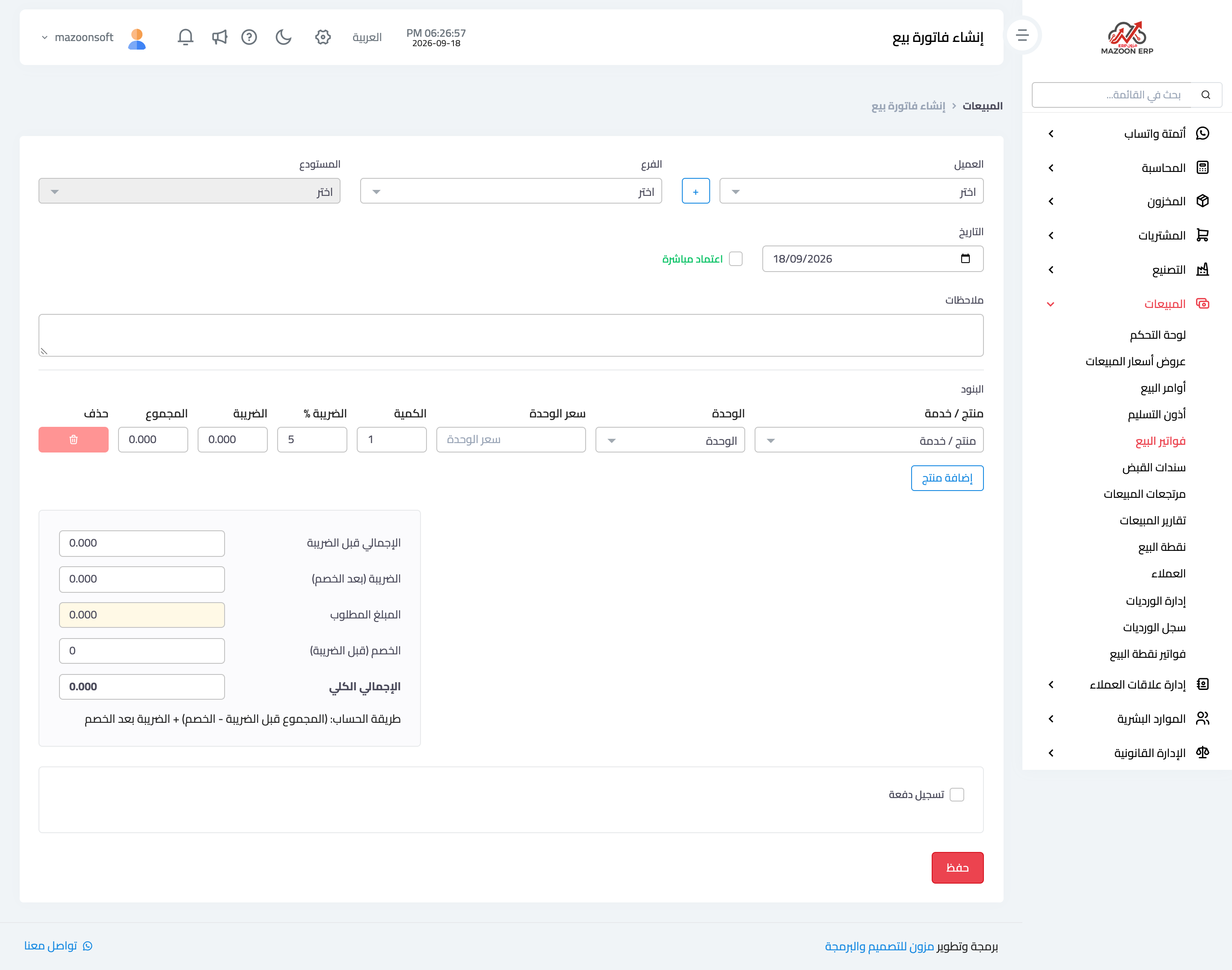
Figure 2
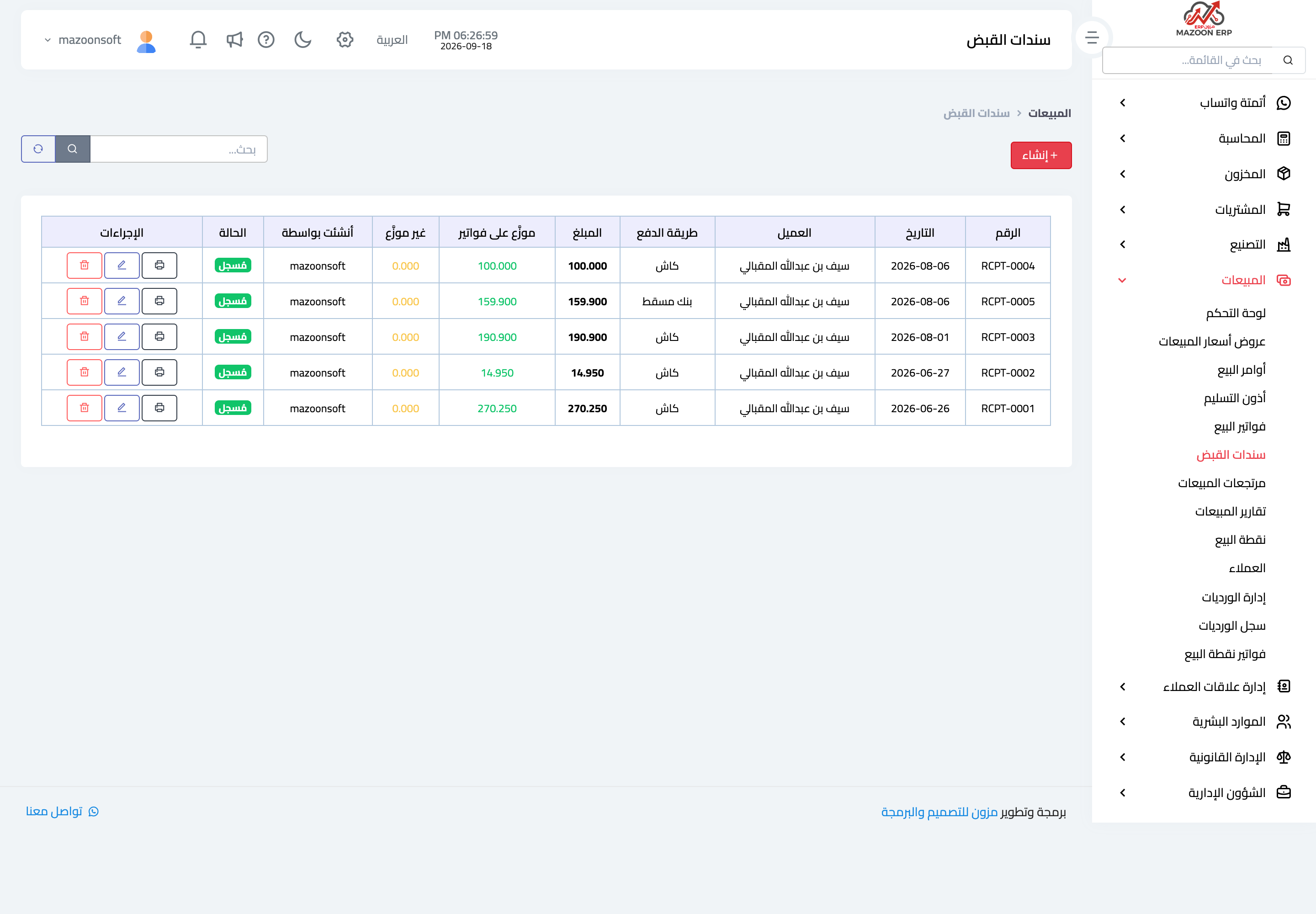
Figure 3
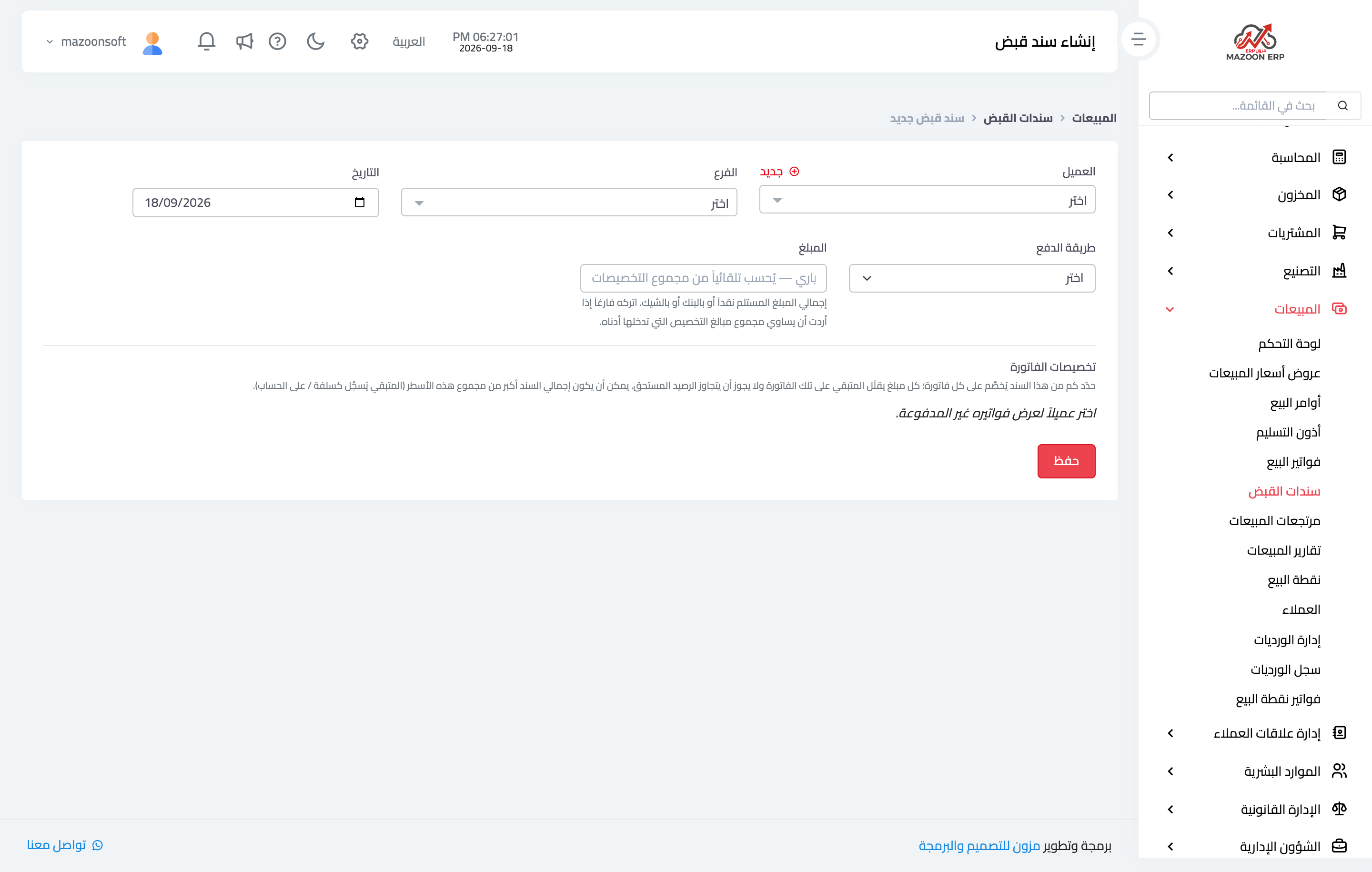
Figure 4
Try what you just read on your own data
Open a free 7-day trial — no credit card, with your own company link in minutes.