
How do I run a stocktake?
A stocktake compares what is physically in the warehouse with what the system says, then settles the difference. It is not the same as a stock adjustment: a stocktake covers the whole warehouse, an adjustment covers a single item that something happened to.
Steps
- Open Inventory → Stocktake — Figure 1 — then press New stocktake.
- Choose the warehouse and the date — Figure 2. At the moment of creation the system captures the book quantity of every item, so later movements do not disturb it.
- Print the count sheet and take it to the warehouse, then count the items and write the physical quantity against each.
- Key the quantities in, and the system computes the difference per line automatically: a surplus or a shortage.
- Review the large differences before approving; most of them are a miscount or an item sitting somewhere else, not a real shortage.
- Press Approve. The system then creates the adjustment movements and the accounting entry together, and the balance matches reality.
Notes
- Stop issues and receipts in that warehouse while counting; any movement mid-count spoils the comparison.
- An approved stocktake cannot be reversed; review before pressing, and leave it as a draft while you are still checking.
- Count fast-moving items monthly and the rest once a year; counting everything in one go gets postponed forever.
Screenshots
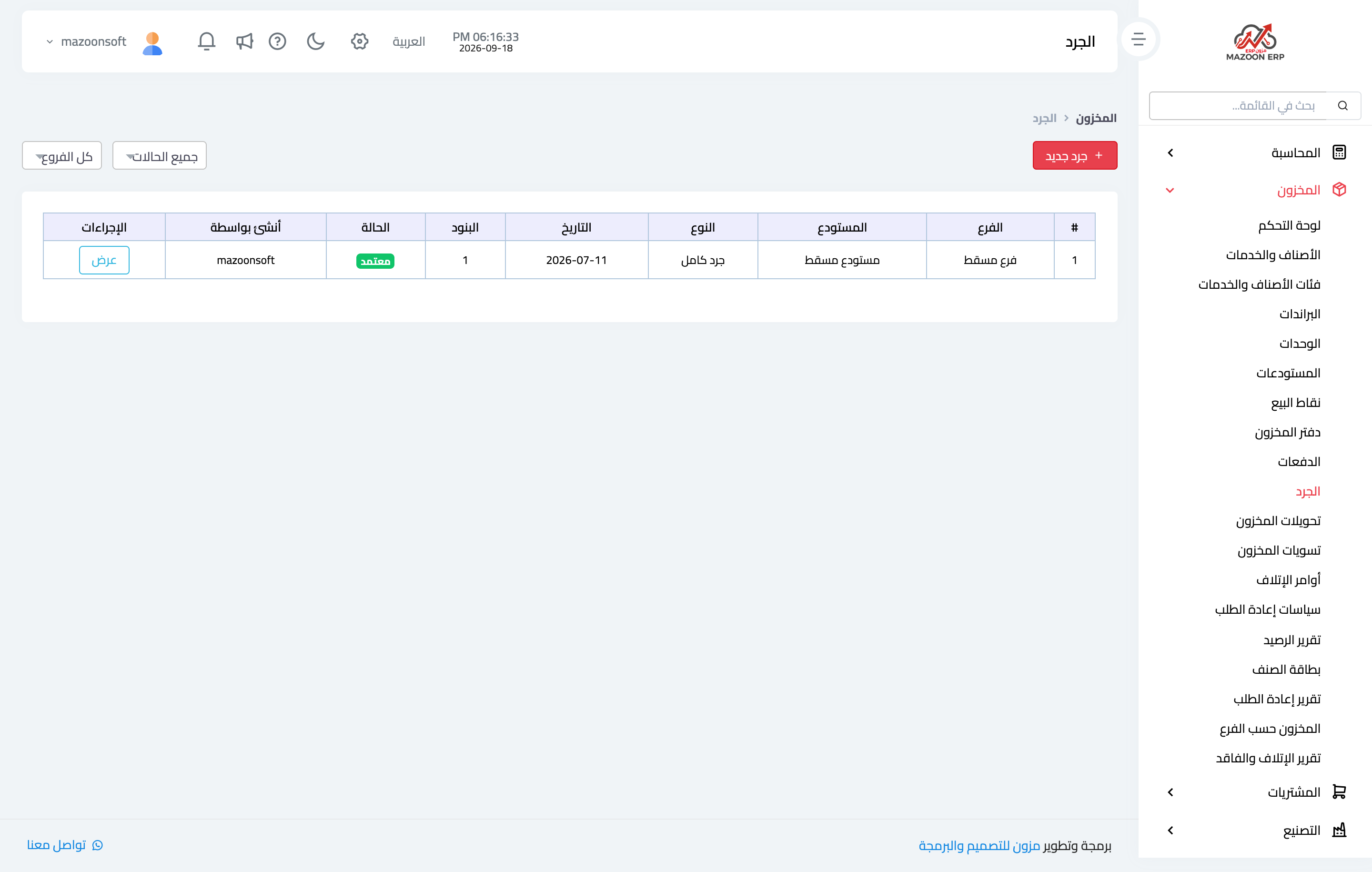
Figure 1
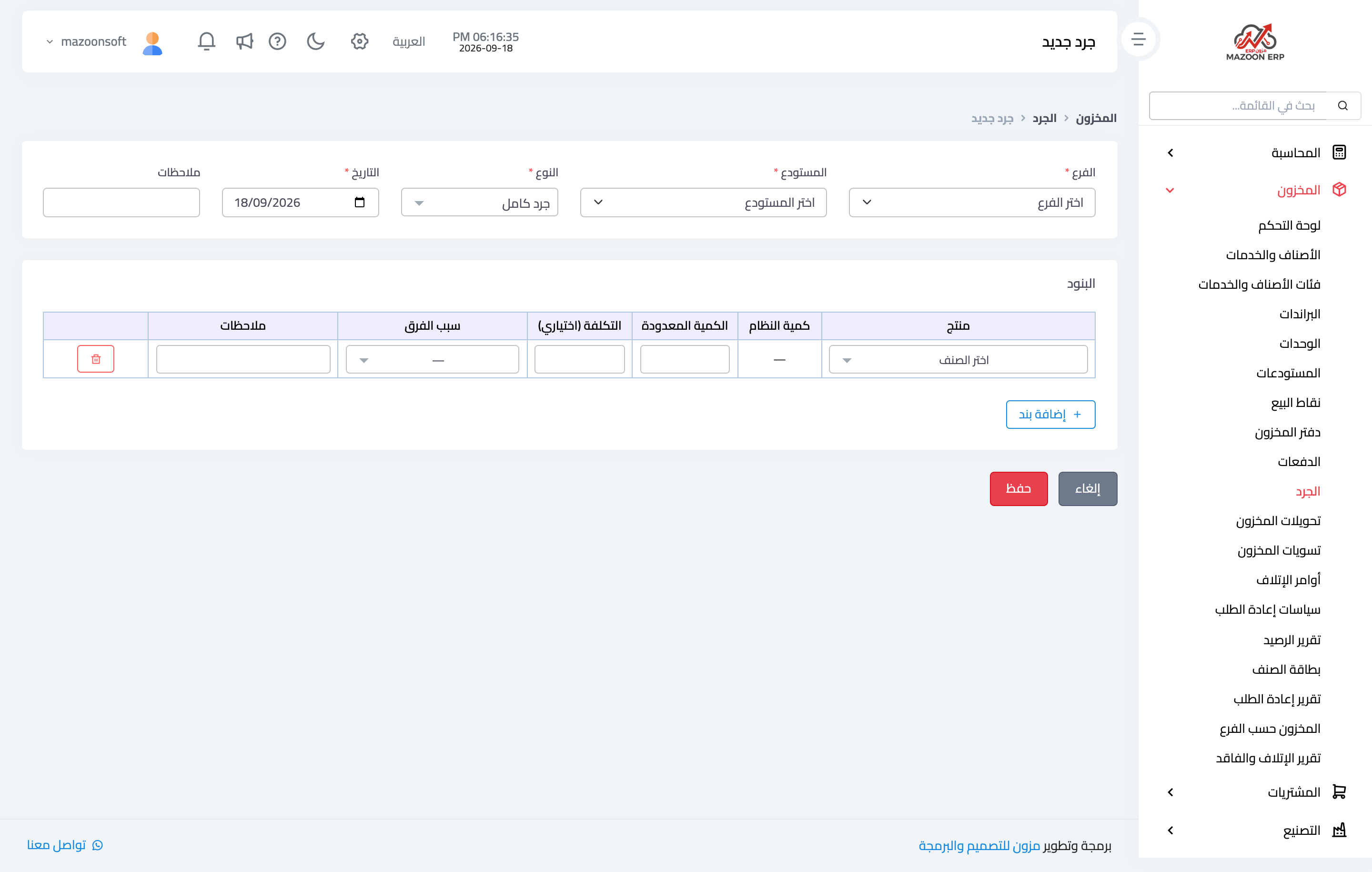
Figure 2
Try what you just read on your own data
Open a free 7-day trial — no credit card, with your own company link in minutes.