
How do I enter the opening balances when starting up?
The first accounting task when moving onto the system is entering the opening balances: what you own and what you owe at the moment you start. Skipping this step leaves every report short, months later.
When to enter them
Choose a single start date and hold to it — the first day of the financial year or the first day of a month. Everything before it is summarised into an opening balance; everything after it is entered as an ordinary document.
Steps
- Open Accounting → Opening balance — Figure 1 — then Add.
- Set the date — Figure 2 — the same start date for every line.
- Enter the accounts line by line, each balance in the debit or credit column.
- Watch the two totals at the bottom; the system will not save an opening balance that does not balance.
- Press Save then Approve; the opening entry is created and the balances appear in the reports.
What goes into it
- Cash: the till balance and every bank account as it stands on the bank statement.
- Customers and suppliers: the total owed to and by you. For invoice-level detail, enter the open invoices as documents instead of one aggregate figure.
- Stock: its value only here; the quantities are entered from the inventory screen, not this one.
- Fixed assets: at their book value after accumulated depreciation, not at original cost.
- Capital and retained earnings: usually what balances the entry.
Notes
- Do not put revenues or expenses in the opening balance; they are temporary accounts closed into retained earnings.
- Enter it once only; repeating it doubles the balances and is not discovered until late.
- Check the trial balance straight after approving and compare it with your old books before starting daily work.
- Do not begin entering daily invoices before the opening balance is approved, or you will lose track of what is before and what is after.
Screenshots
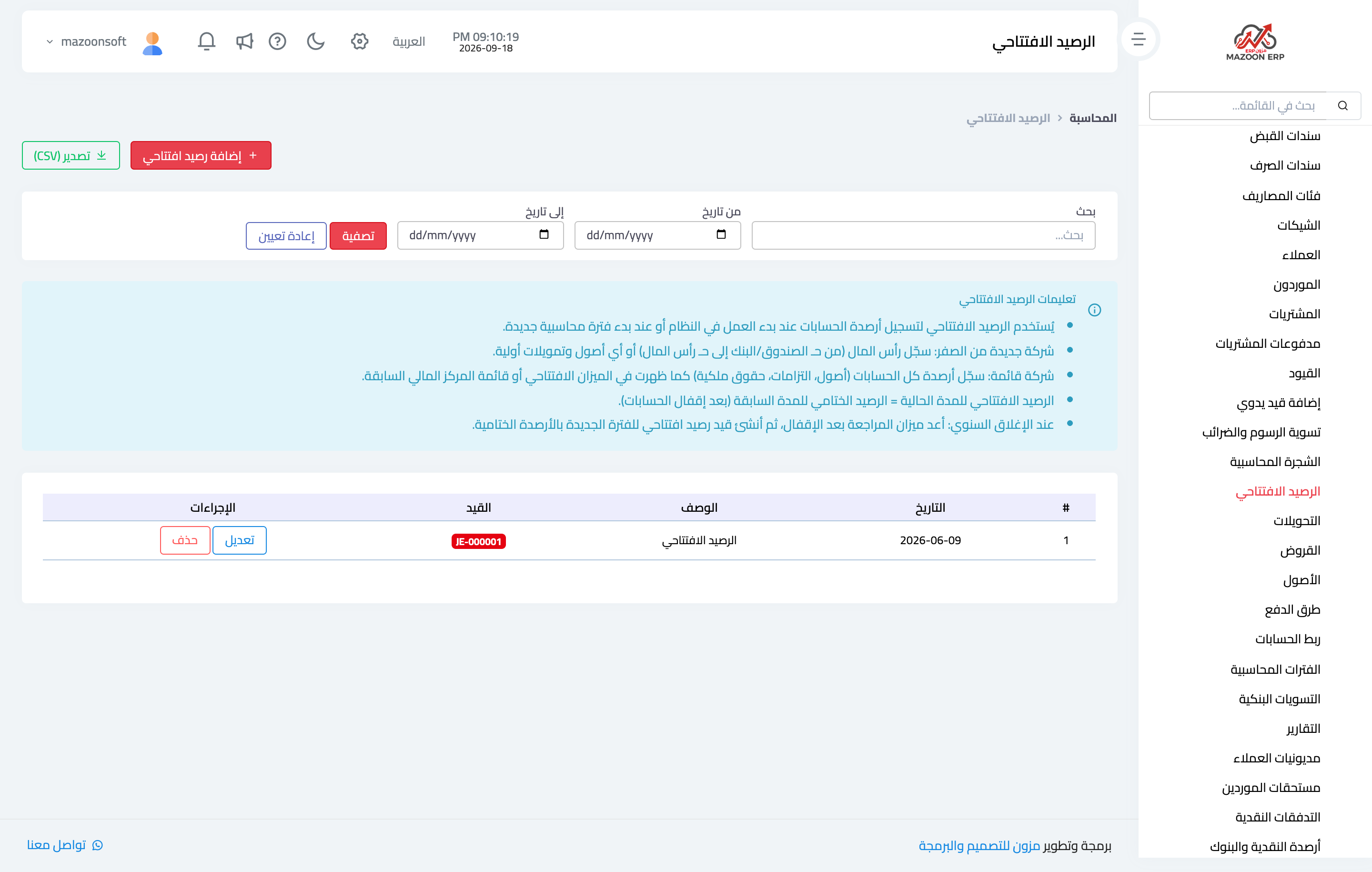
Figure 1
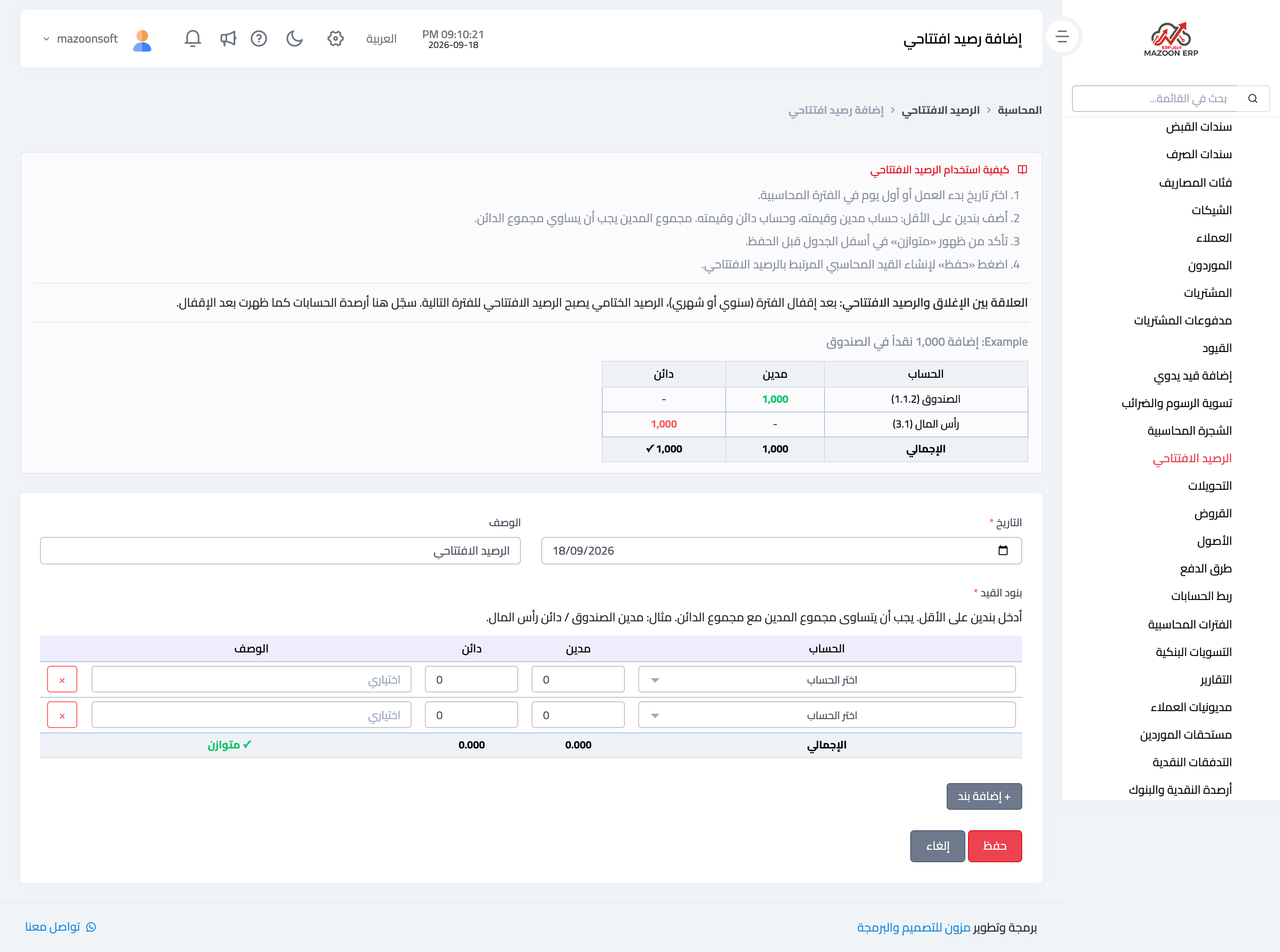
Figure 2
Try what you just read on your own data
Open a free 7-day trial — no credit card, with your own company link in minutes.