
How do I pull a customer statement and find the overdue accounts?
Two different questions, each with its own report: how much does this customer owe and what have they done? — answered by the statement. And which of my customers are overdue? — answered by the receivables ageing report.
A statement for one customer
- Open Accounting → Reports, then the Account & Contact Reports tab, and choose Contact Statement — Figure 1.
- Choose the type (customer, or supplier for a supplier statement), then the customer, and set from and to dates (by default: the start of the current month to today), then press search.
- The statement shows the opening balance (what the customer owed before the period starts), then their movements by date: sales and accounting invoices, other modules’ documents such as rental contracts and workshop invoices, receipt vouchers, payments and returns, then the closing balance, which is what the customer owes at the end of the period.
- If the customer has vehicle rental deposits, they appear below the statement in a separate Security deposits held section: a deposit is held for the customer and returned to them, so it does not reduce the balance they owe.
- Press Print (opens a page with your company letterhead) or Export Excel (CSV) to send it to the customer when chasing payment or reconciling.
Which customers are overdue
- Open Reports → Receivables ageing — Figure 2.
- The report spreads the balances across buckets: not yet due, then 1–30 days, then 31–60, and so on — and the further right the column, the harder the collection.
- Start with the oldest column rather than the largest amount; old debt is the debt at risk.
Notes
- The ageing report is only as accurate as the due dates on the invoices; leave the due date equal to the invoice date and everyone looks overdue.
- A voucher not allocated to invoices makes a customer appear both a debtor and a creditor; allocate the vouchers first, then read the report.
- The statement shows only the movements of the selected period; everything before it is summed in the opening balance, so choose a period that starts from the first dealings if you want every movement.
- Send the statement with the reminder; it shortens the argument and exposes an error on either side.
Screenshots
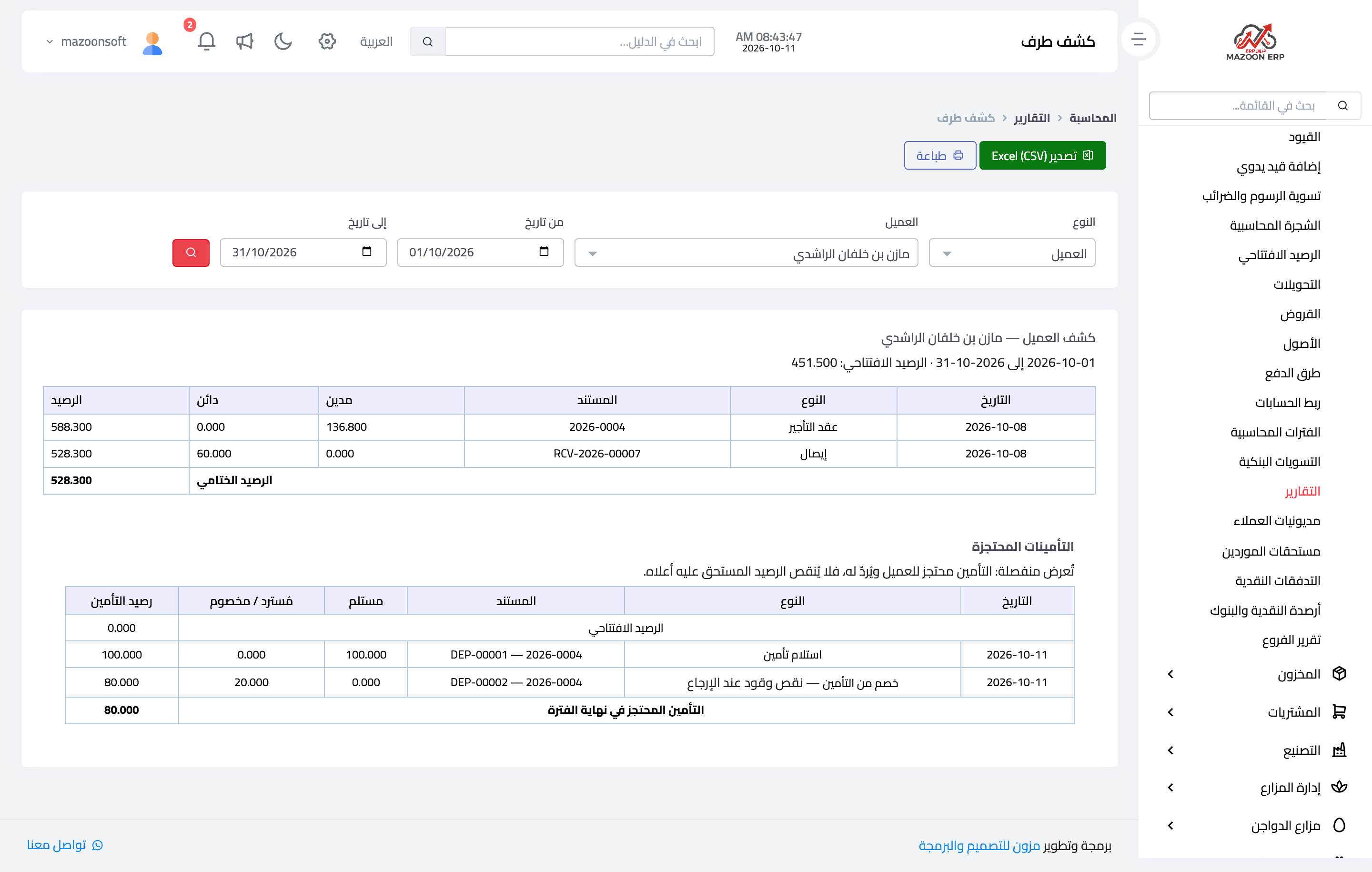
Figure 1
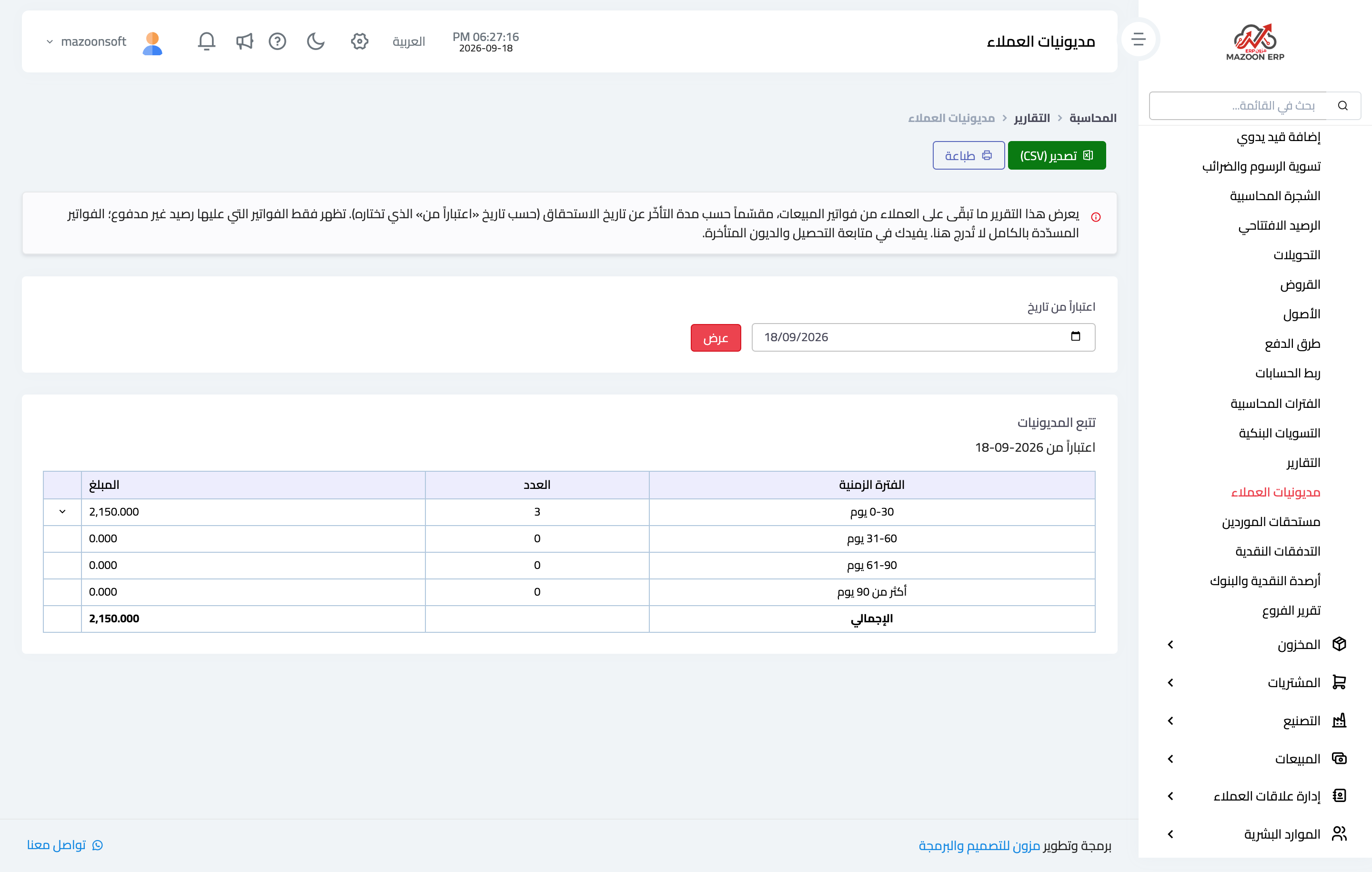
Figure 2
Try what you just read on your own data
Open a free 7-day trial — no credit card, with your own company link in minutes.