
How do I run a full purchase cycle?
The purchase cycle is four screens in sequence: purchase request → purchase order → goods receipt → supplier bill. Each is built from the one before it, so you never key the same thing twice.
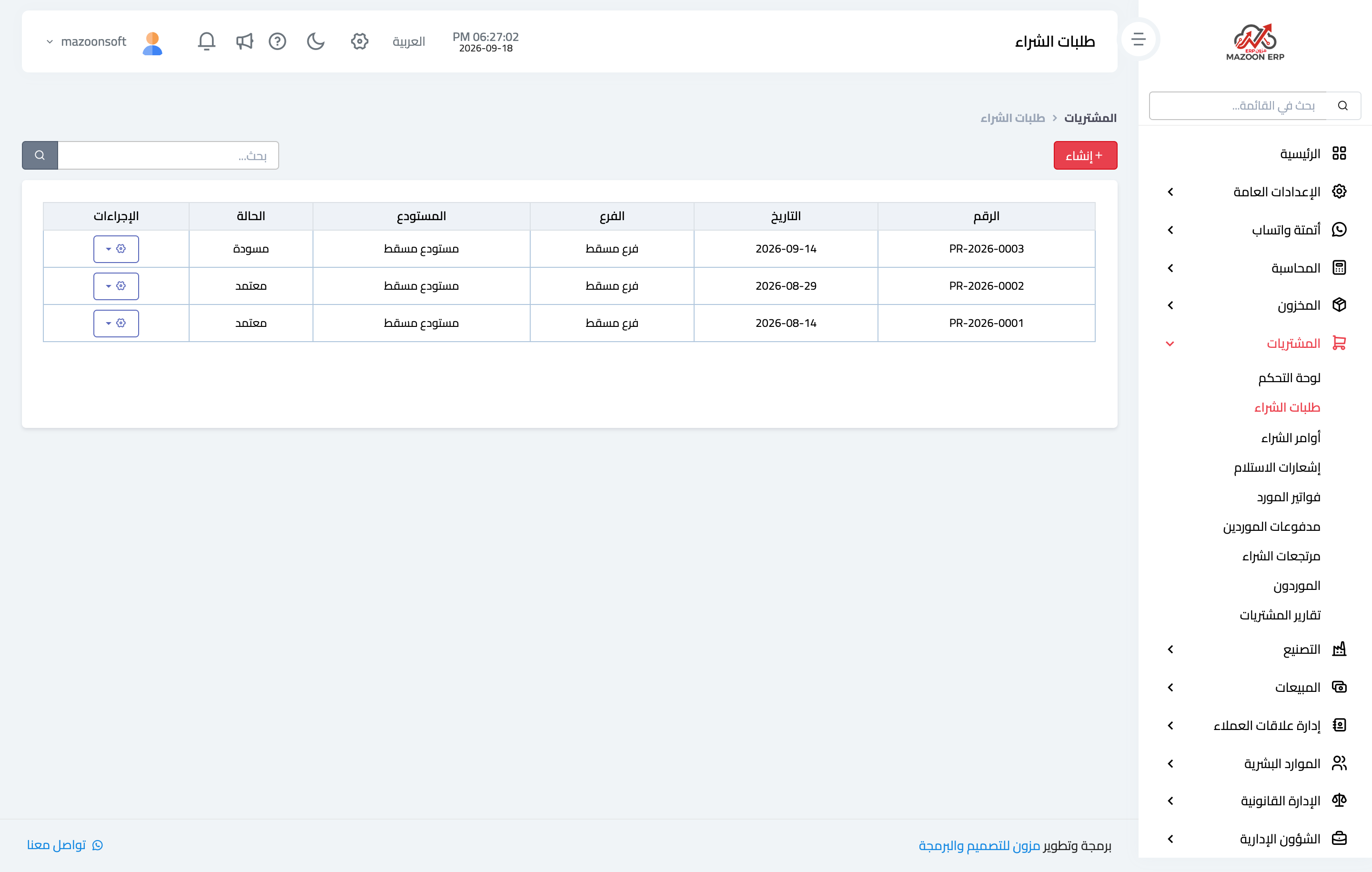
1) The purchase request
From Purchasing → Purchase requests — Figure 1. This is an internal request: which items are short and how many, with no supplier yet. Approve it to move to the next step.
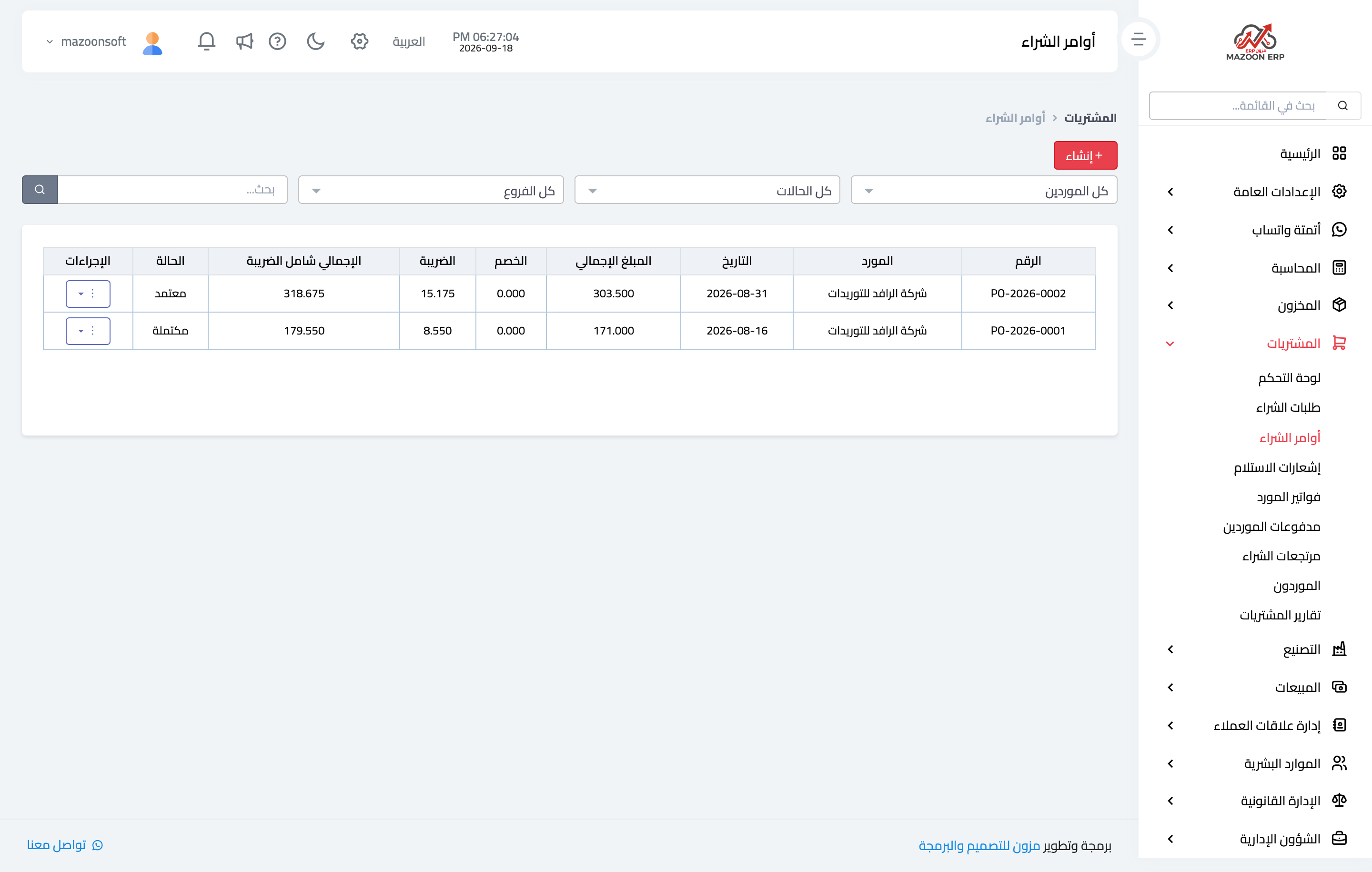
2) The purchase order
From Purchase orders — Figure 2 — create an order from the approved request, then set the supplier, the prices, and the expected delivery date. This is the document you send to the supplier.
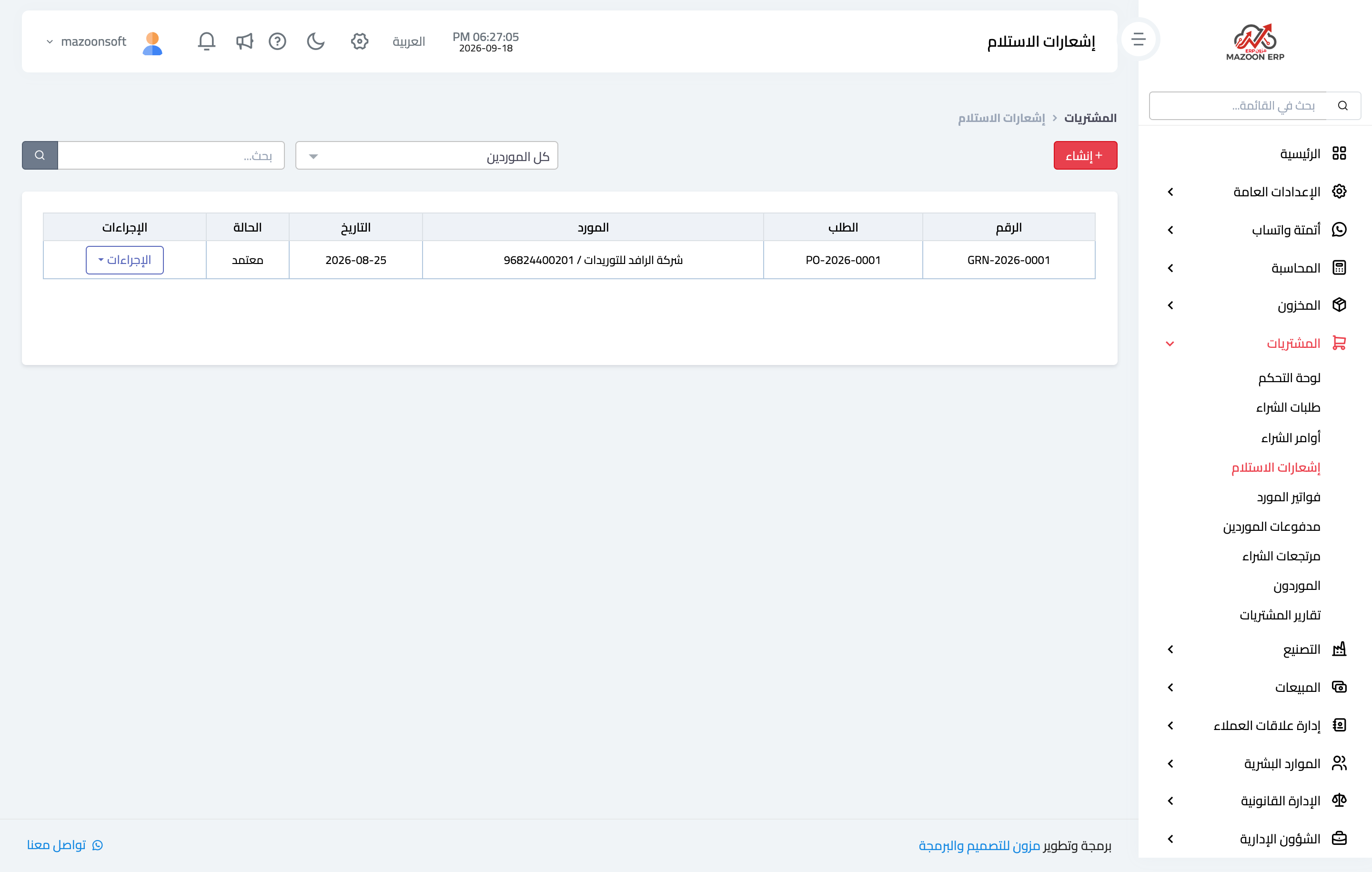
3) The goods receipt
When the goods arrive, open Goods receipts — Figure 3 — and create one from the purchase order. Enter the quantity actually received, not the quantity ordered; partial delivery is normal and the system tracks the remainder. On approval the receipt brings the stock in.
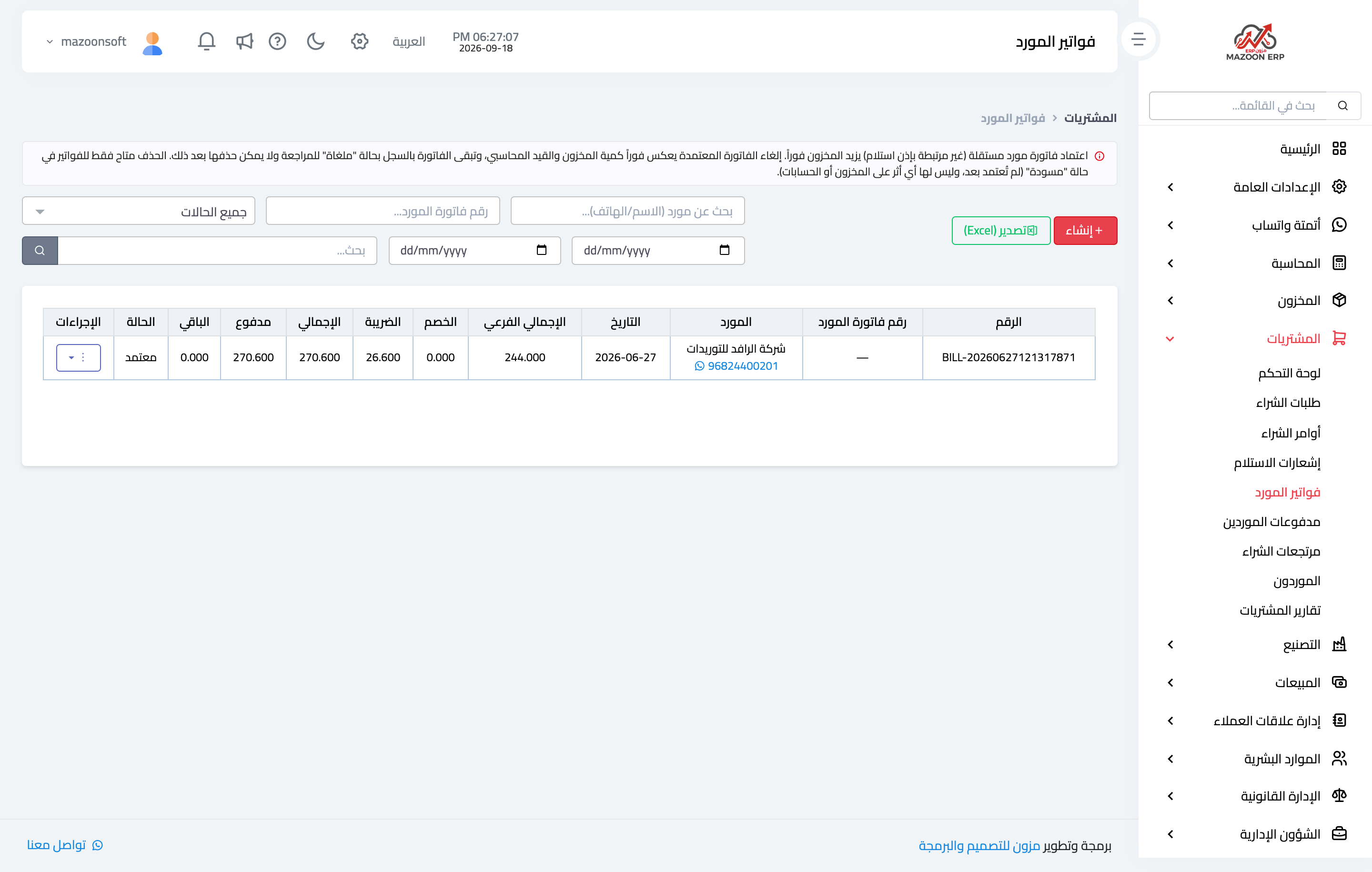
4) The supplier bill
From Supplier bills — Figure 4 — create the bill from the receipt and enter the supplier’s own bill number exactly as it appears on the paper. On approval it shows in the supplier payables and the accounting entry is created.
Notes
- Stock comes in with the goods receipt, not the bill; if the goods arrive and the bill is late, record the receipt straight away.
- Do not skip steps; a bill entered directly with no order and no receipt loses you the tracking of the remainder and the comparison of prices against what was agreed.
- The system blocks a repeated bill with the same supplier and the same number; that is your guard against paying twice.
Screenshots
Try what you just read on your own data
Open a free 7-day trial — no credit card, with your own company link in minutes.