
How do I create a new services invoice?
The services invoice is for anyone selling a service rather than goods: a law office, consultancy, maintenance, subscriptions. Unlike a sales invoice, it does not touch stock.
Steps
- Open Accounting → Service invoices, then press Add service invoice — Figure 1.
- Choose the contact (the customer); if they are not on file, add them first from the contacts screen.
- Set the invoice date and the due date; the gap between them is the credit period the receivables ageing report is built on.
- Add the lines: service description, quantity, price, tax rate, and the revenue account the line posts to.
- Add a discount if there is one, then review the pre-tax total, the tax amount, and the grand total.
- Press Save, then Approve — only on approval is the accounting entry created and the amount added to the customer’s balance.
- When it is collected, open Service invoice payments and record the payment — Figure 2 — and the balance drops automatically.
Invoices in instalments
If the customer will pay in stages, enable instalments on the invoice and set their number and dates. The system builds a schedule that appears on the Instalments screen and warns you about the overdue ones.
Notes
- Do not use a services invoice to sell goods; it does not draw down stock or compute cost of sales.
- An invoice with a receipt voucher against it cannot be edited or deleted; delete the voucher first.
- Set the revenue account on the service once, and it comes through on every later invoice, so the revenue shows itemised in the income statement.
Screenshots
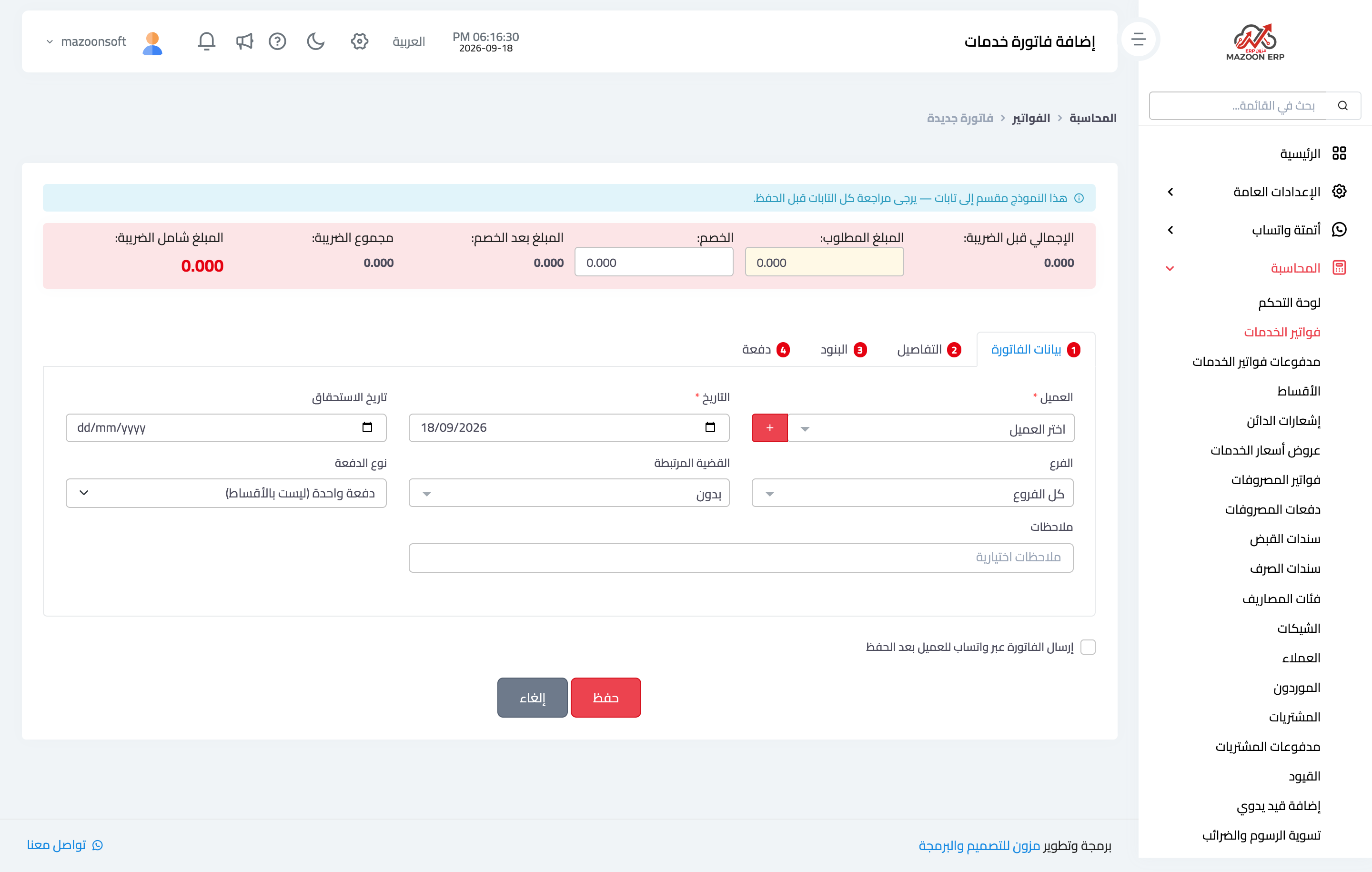
Figure 1
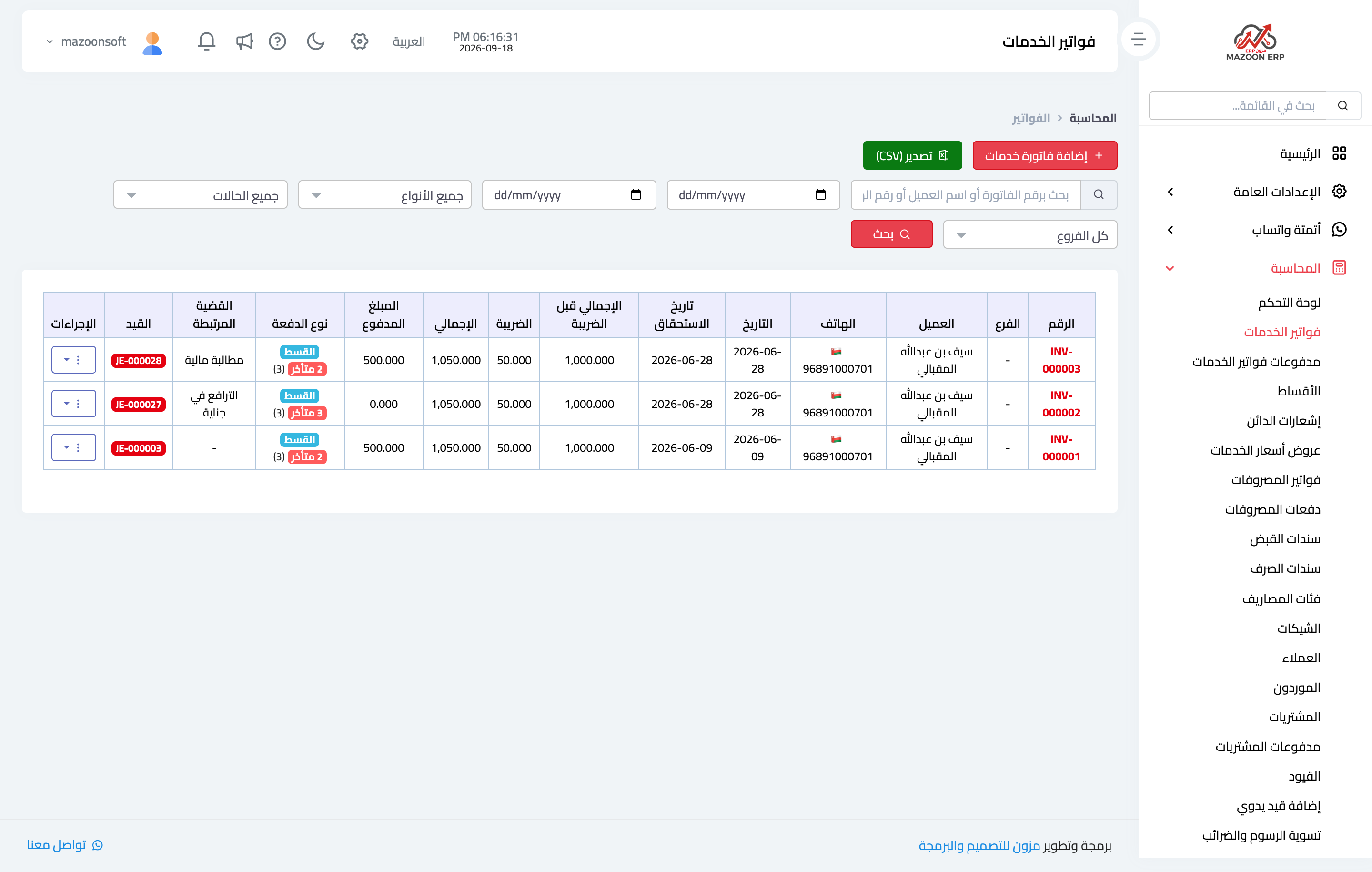
Figure 2
Try what you just read on your own data
Open a free 7-day trial — no credit card, with your own company link in minutes.