
How do I transfer an amount from one account to another?
Depositing cash from the till into the bank, drawing from the bank into the till, or moving an amount between two bank accounts — all of these are a transfer, and they have their own screen that saves you writing a manual entry.
Steps
- Open Accounting → Transfers — Figure 1 — then press New transfer.
- Choose the from account — Figure 2 — the one whose balance goes down, then the to account, the one that goes up.
- As soon as an account is chosen the system shows its balance on the selected date, so you can confirm the amount is there before saving.
- Enter the amount and the date, and the reference if there is one (the deposit slip or transfer number).
- Attach the deposit slip or the bank advice in the attachment field — this is what saves you at the bank reconciliation months later.
- Write the description and press Save. The system creates the accounting entry itself and ties it to the transfer.
Notes
- A transfer is not for settling a customer or a supplier; those have the receipt voucher and the payment voucher, which tie the amount to the invoice.
- Transfers run between cash accounts only (tills and banks); to move between other accounts use a manual journal entry.
- Record the transfer on the date the bank actually moved it, not the date you keyed it, or your balance will diverge from the bank statement.
Screenshots
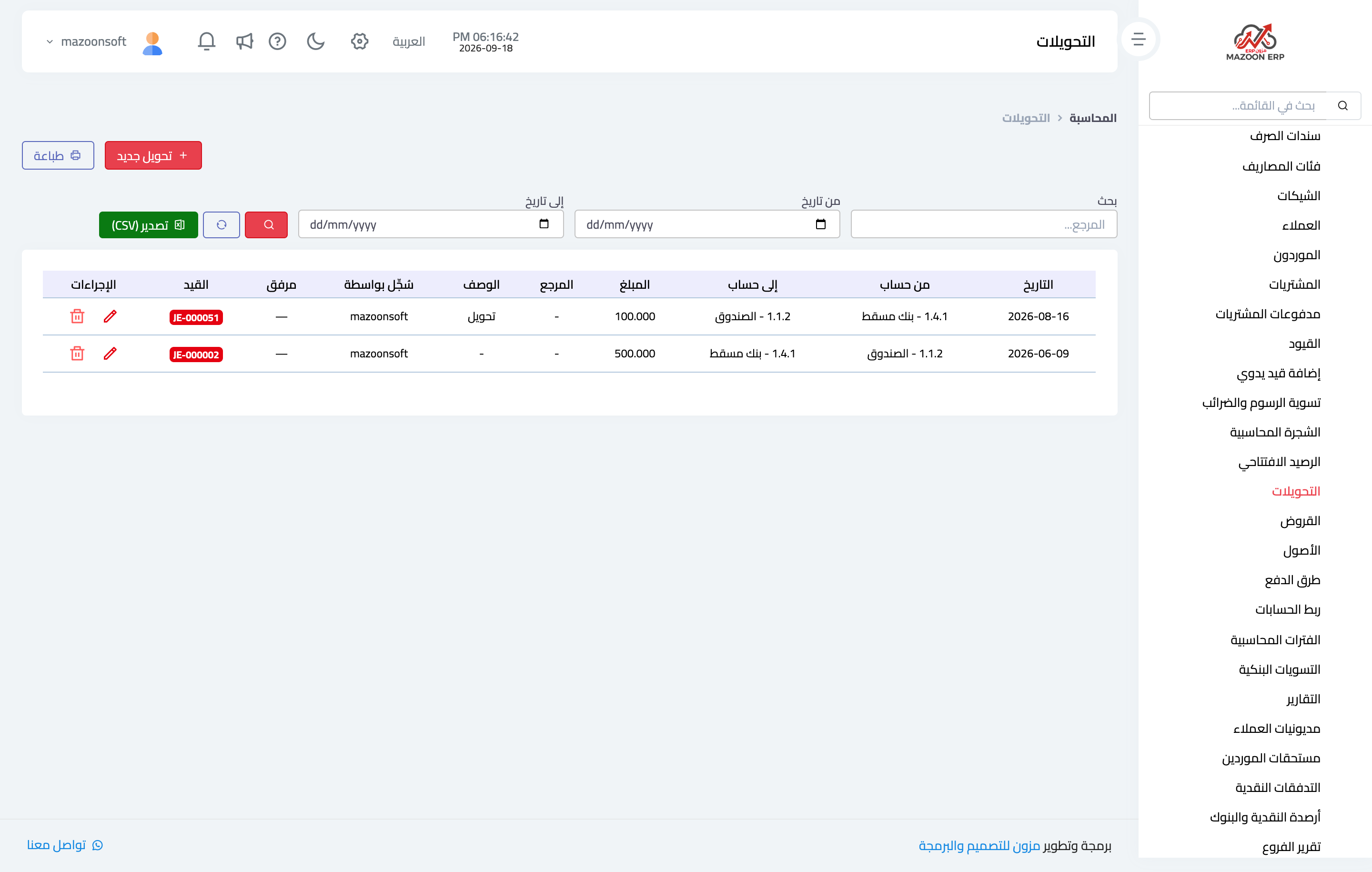
Figure 1
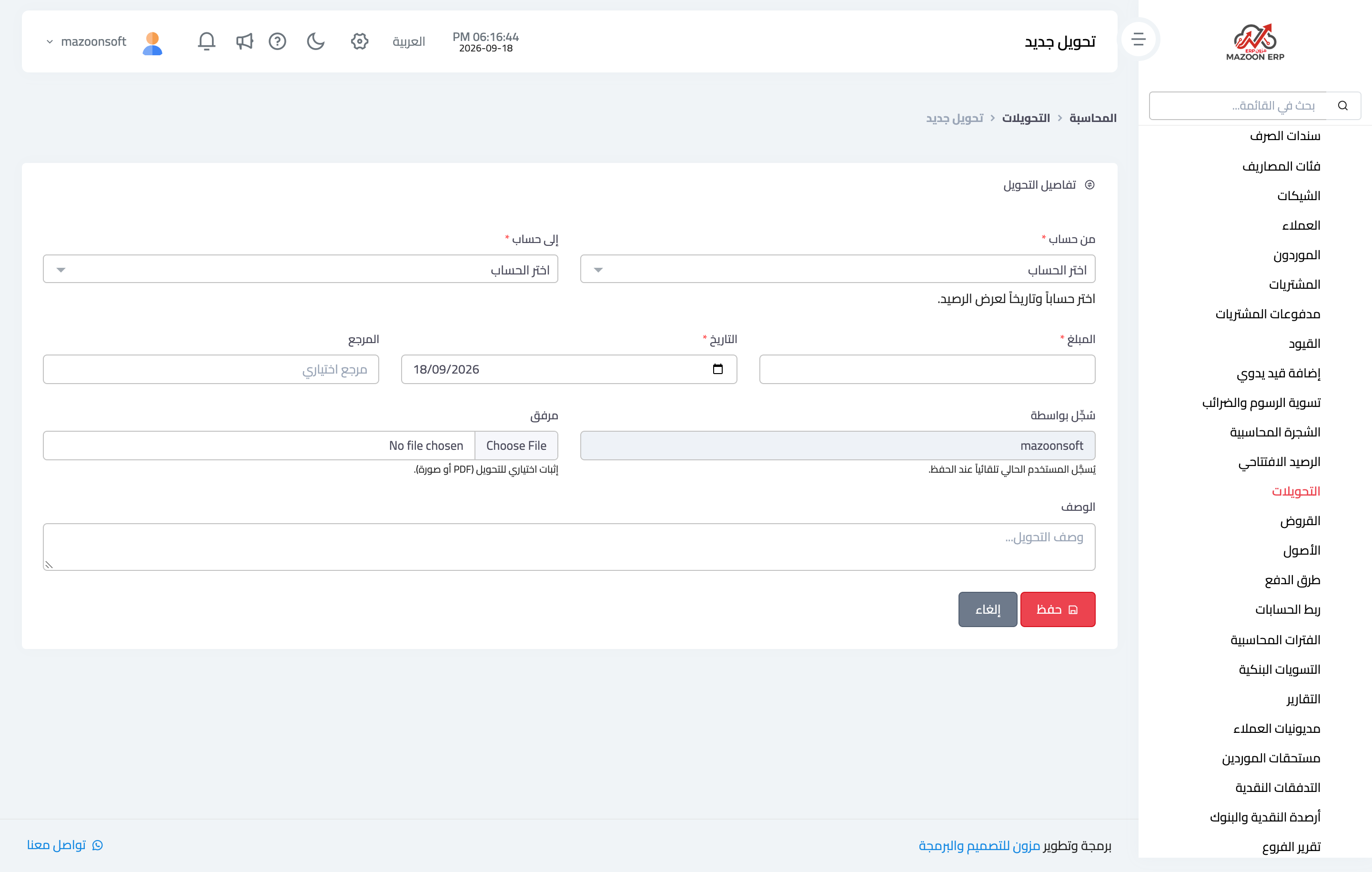
Figure 2
Try what you just read on your own data
Open a free 7-day trial — no credit card, with your own company link in minutes.