
How do I write off damaged or expired stock?
Damaged stock is not deleted from the system; it is scrapped with a document that takes it out of stock and records its value as a loss. That is what separates it from a stock adjustment: here you know the reason and you own it.
Steps
- Open Inventory → Scrap orders — Figure 1 — then New order.
- Choose the warehouse and add the items and quantities — Figure 2.
- Write the reason plainly: expiry, breakage, transit damage, poor storage.
- Attach a photograph if you can, then Save and Approve.
- On approval the quantity leaves and an entry is created: debit scrap expense / credit stock.
When to use which of the three
- Scrap — you know the item, the quantity, and the reason, and the damaged goods are in front of you.
- Adjustment — the balance is wrong for some older reason and you want to correct it.
- Stocktake — you count the whole warehouse and settle the differences in one go.
Notes
- Approve the scrap when it happens, not at year end; stock inflated with damaged goods gives you wrong purchasing decisions.
- Restrict the scrap permission to one responsible person; it is a direct route to taking goods off the books.
- Review the scrap report monthly; a rise against one item means a fault in storage or in the quantity you buy.
Screenshots
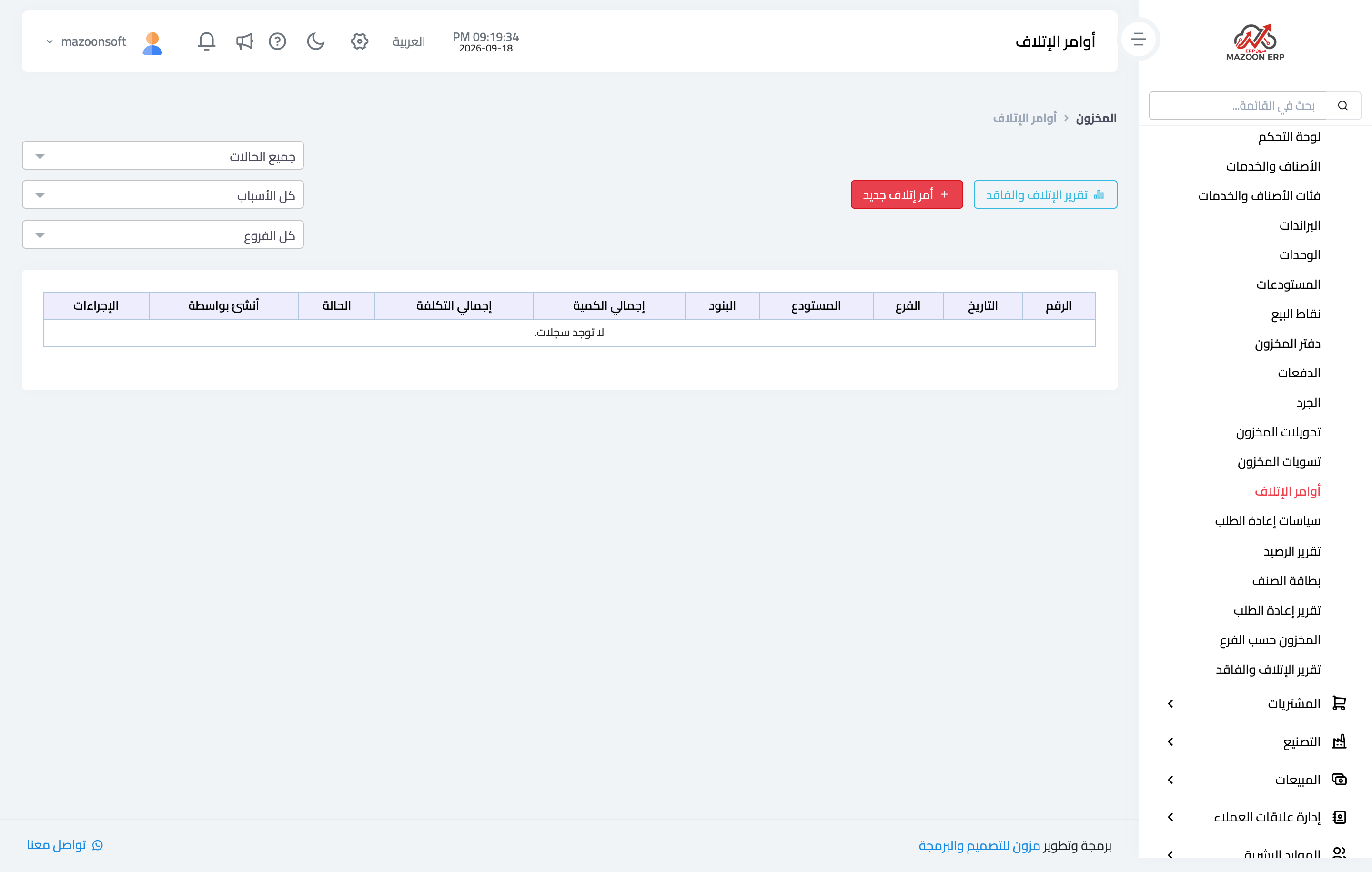
Figure 1
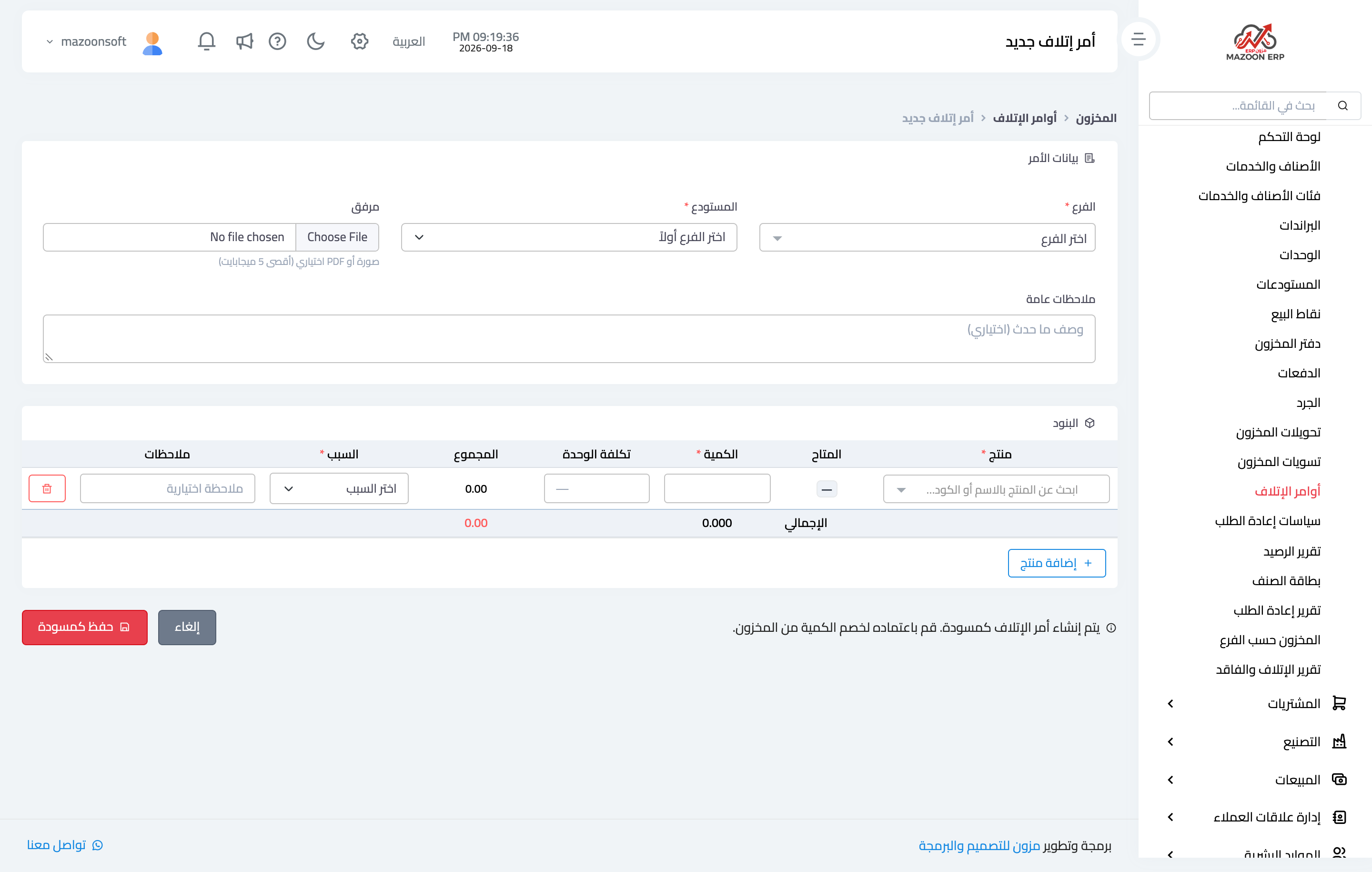
Figure 2
Try what you just read on your own data
Open a free 7-day trial — no credit card, with your own company link in minutes.