
How do I add a fixed asset and compute its depreciation?
A fixed asset is something you buy to use for years rather than to sell: a vehicle, a machine, furniture, equipment. It is not recorded as a one-off expense; its cost is spread across its useful life — and that is depreciation.
Steps
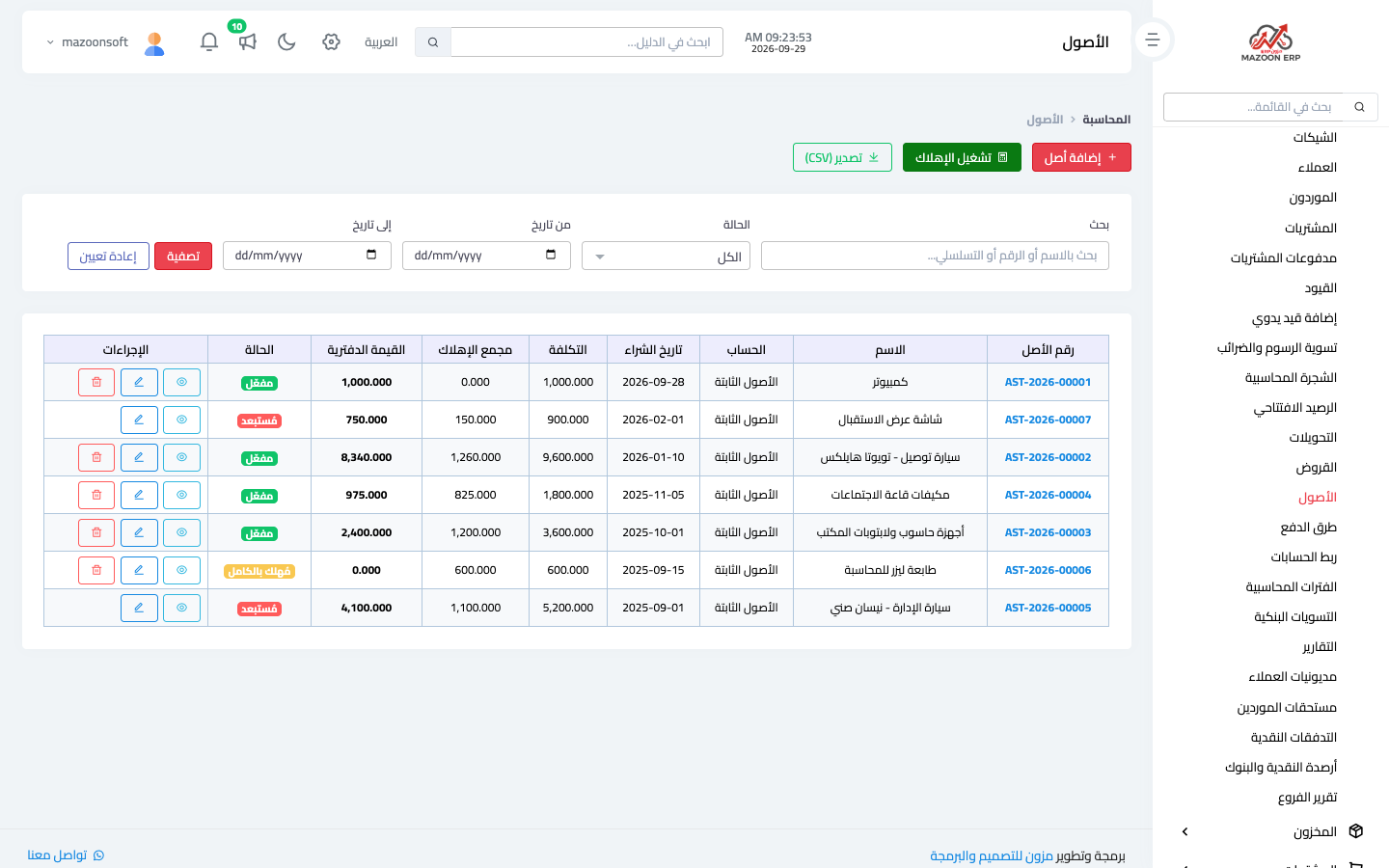
- Open Accounting → Assets — Figure 1 — then Add asset.
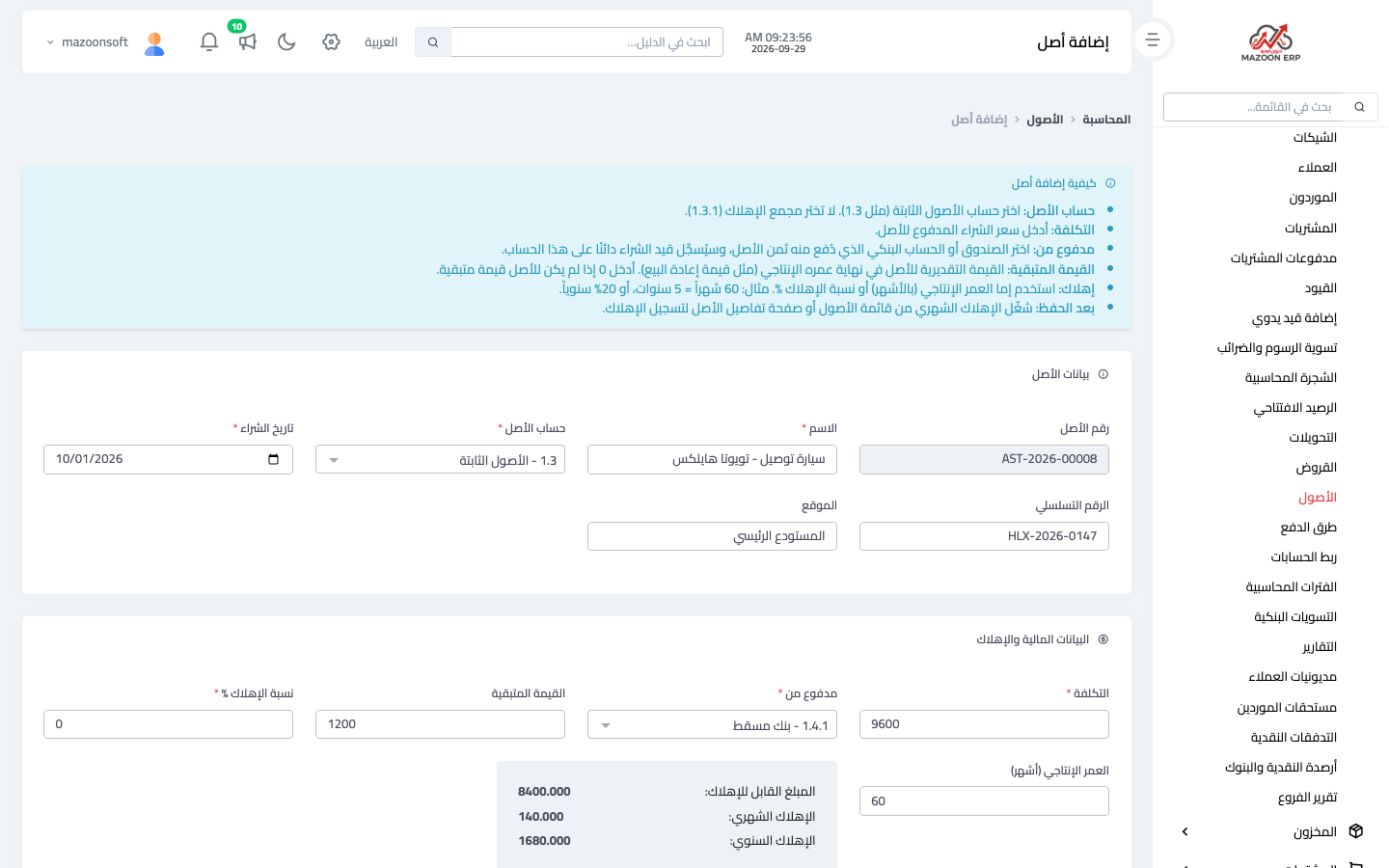
- Enter the name, choose the asset account (fixed assets), and enter the purchase date and the cost — Figure 2.
- Choose Paid from: the cash box or bank account you paid from.
- Enter the useful life in months (60 months = five years), and the residual value if you expect to sell it at the end of its life.
- Save. The purchase entry is posted: debit the asset account / credit the account you paid from.
How depreciation is calculated
Straight line: (cost − residual value) ÷ useful life in months. A vehicle costing 9,600 with a 60-month life and a residual value of 1,200 depreciates by 140 a month. If you leave the useful life empty and enter an annual depreciation rate instead, the monthly amount is worked out from the rate.
Recording depreciation every month
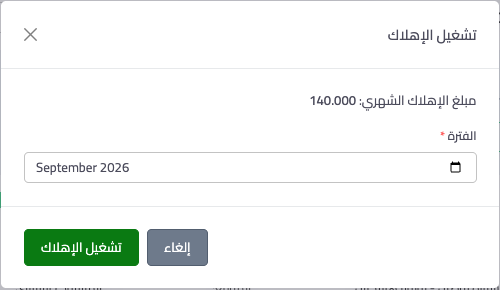
Depreciation is not recorded automatically. At the end of each month open the asset, press Run depreciation and pick the month — Figure 3 — or run it for all assets at once from the assets list. An entry dated the last day of that month is posted: debit depreciation expense / credit accumulated depreciation. The expense shows in the income statement and the asset's book value goes down; the original cost is never touched.
Notes
- Don't record the purchase as a payment voucher against an expense; the first year then looks like a loss and the following years like profit.
- Check the cost, asset account and purchase date before saving; they cannot be changed afterwards.
- A small purchase (a cheap printer) isn't worth treating as an asset; set a threshold and stick to it.
- When you sell or scrap an asset, don't delete it; press Dispose so its accumulated depreciation is closed and the gain or loss shows.
Screenshots
Try what you just read on your own data
Open a free 7-day trial — no credit card, with your own company link in minutes.