
How do I prepare the VAT return?
The system does not ask you to compute the tax by hand; it gathers it from the invoices and purchases recorded in the period. Your job is to review the figures before filing.
Steps
- Open Accounting → Reports → VAT return — Figure 1.
- Set the from and to dates to match the tax period (usually a quarter), then press search.
- The report shows three figures: output tax (from your sales), input tax (from your purchases), and the net tax due, which is the difference.
- Under each figure is a table of the invoices that produced it — invoice number, customer, taxable base, and tax amount. Review it line by line.
- Press Export CSV or Print to attach with the return or keep in your files.
- After paying, open Fee and tax settlement — Figure 2 — and record the amount paid so the tax balance closes in the books.
What to check before filing
- That every invoice in the period is approved; a draft does not enter the return.
- That the tax rate is right on exempt and non-exempt items.
- That supplier bills carry their tax numbers; tax on a bill without one is not deductible.
- That returns and credit notes are recorded on their correct dates; they reduce the output tax of the period they are dated in. An invoice cancelled by a credit note stays in its own period at its full value, and the note appears as a negative in the period it was issued.
Notes
- The report mirrors what you entered; if a figure looks wrong, the fault is in an invoice, not in the report.
- Keep a printed copy of every return with its payment receipt in the electronic archive folder.
- Do not close the accounting period before the return is approved; you may still need to amend an invoice.
Screenshots
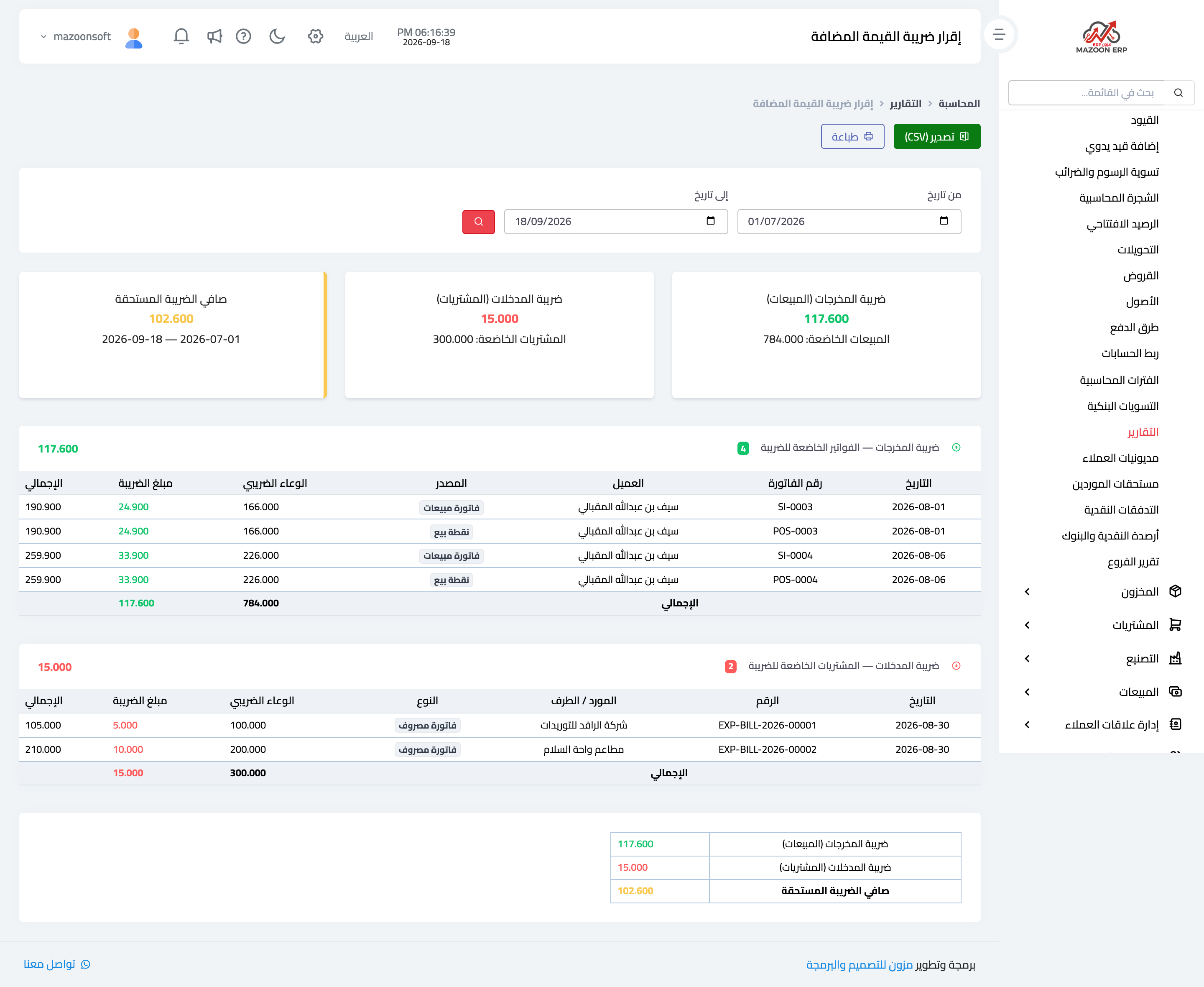
Figure 1
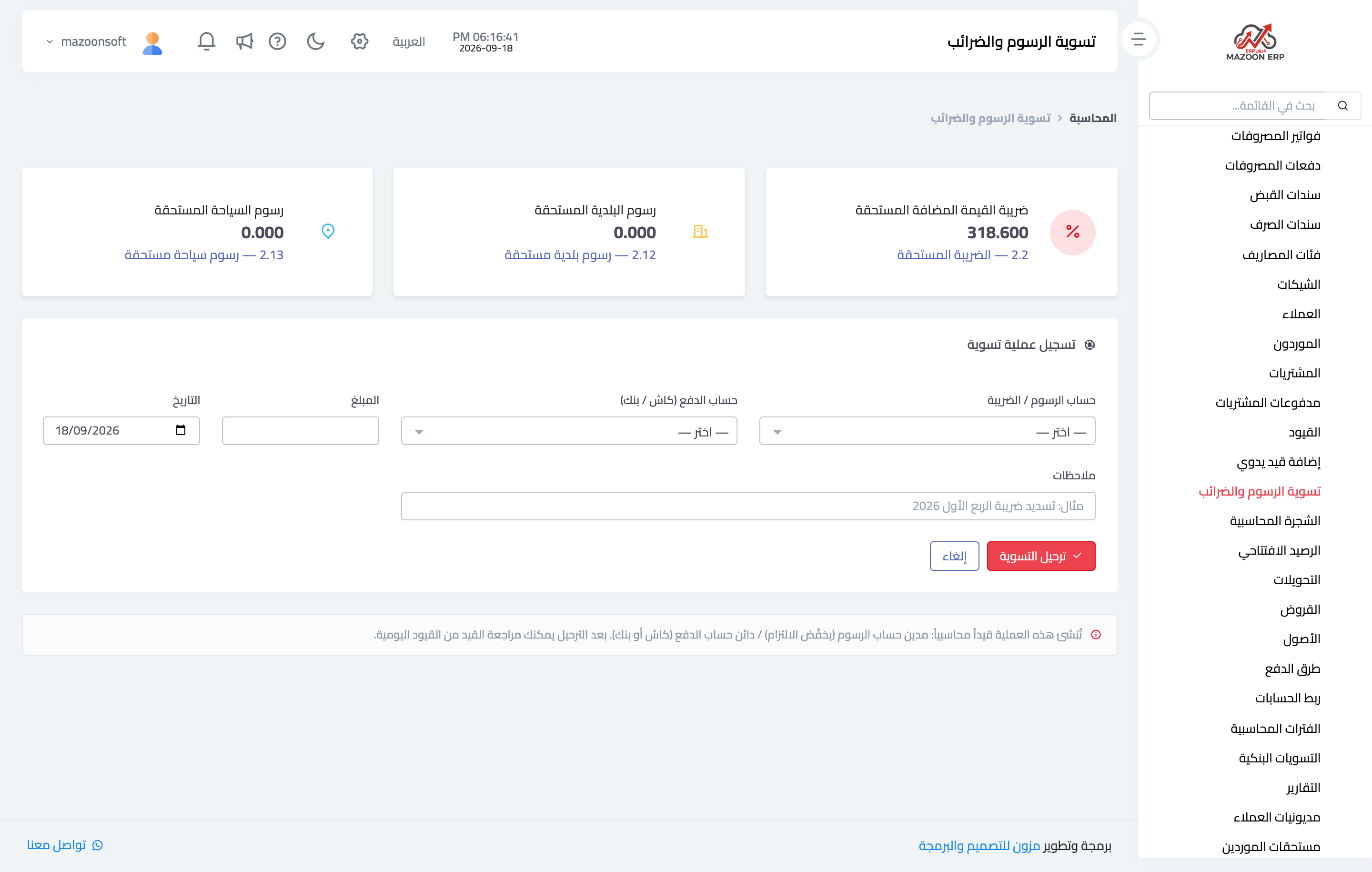
Figure 2
Try what you just read on your own data
Open a free 7-day trial — no credit card, with your own company link in minutes.