
How do I add an account to the chart and close a period?
Two tasks the accountant does alone and should not leave to a data-entry clerk: adding an account, and closing a period.
Adding an account
- Open Accounting → Chart of accounts — Figure 1 — and review the chart before adding; the account you want usually already exists.
- Press Add account — Figure 2 — and choose the parent account; from it the account inherits its type and its place in the reports.
- Enter the name in both languages. The code is generated by the system and is not typed by hand — this is what prevents clashing codes.
- Set whether it is a group account (holding accounts beneath it) or a posting account (entries land on it directly), then Save.
Closing an accounting period
A closed period — Figure 3 — refuses any new document dated inside it, and that is the point: to protect figures you have approved and filed a return or a balance sheet on.
Open Accounting periods and press Close against the period. It can be reopened when needed, but do not make a habit of it.
When to close a period
- After every invoice and voucher of the month is approved.
- After the bank reconciliation and the monthly depreciation entry.
- After filing the period’s tax return, not before.
Notes
- Do not create an account per customer or supplier; they have their own screens, and the chart is for classification, not for names.
- Do not delete an account that has movement; deactivate it, so it leaves the lists while its history stays in the reports.
- Close each month on time; a document keyed with an old date changes a report you already showed your manager or the authorities.
Screenshots
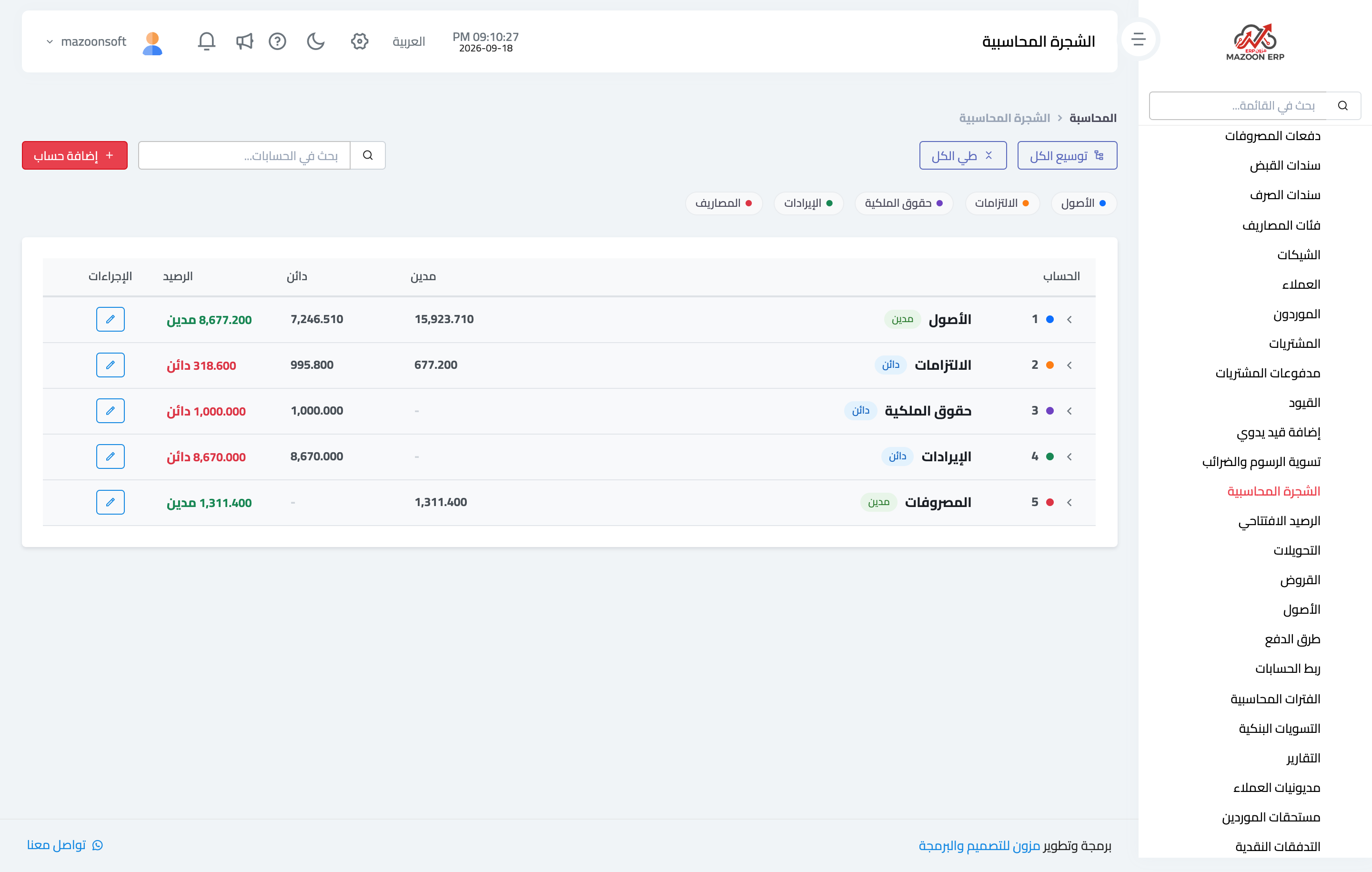
Figure 1
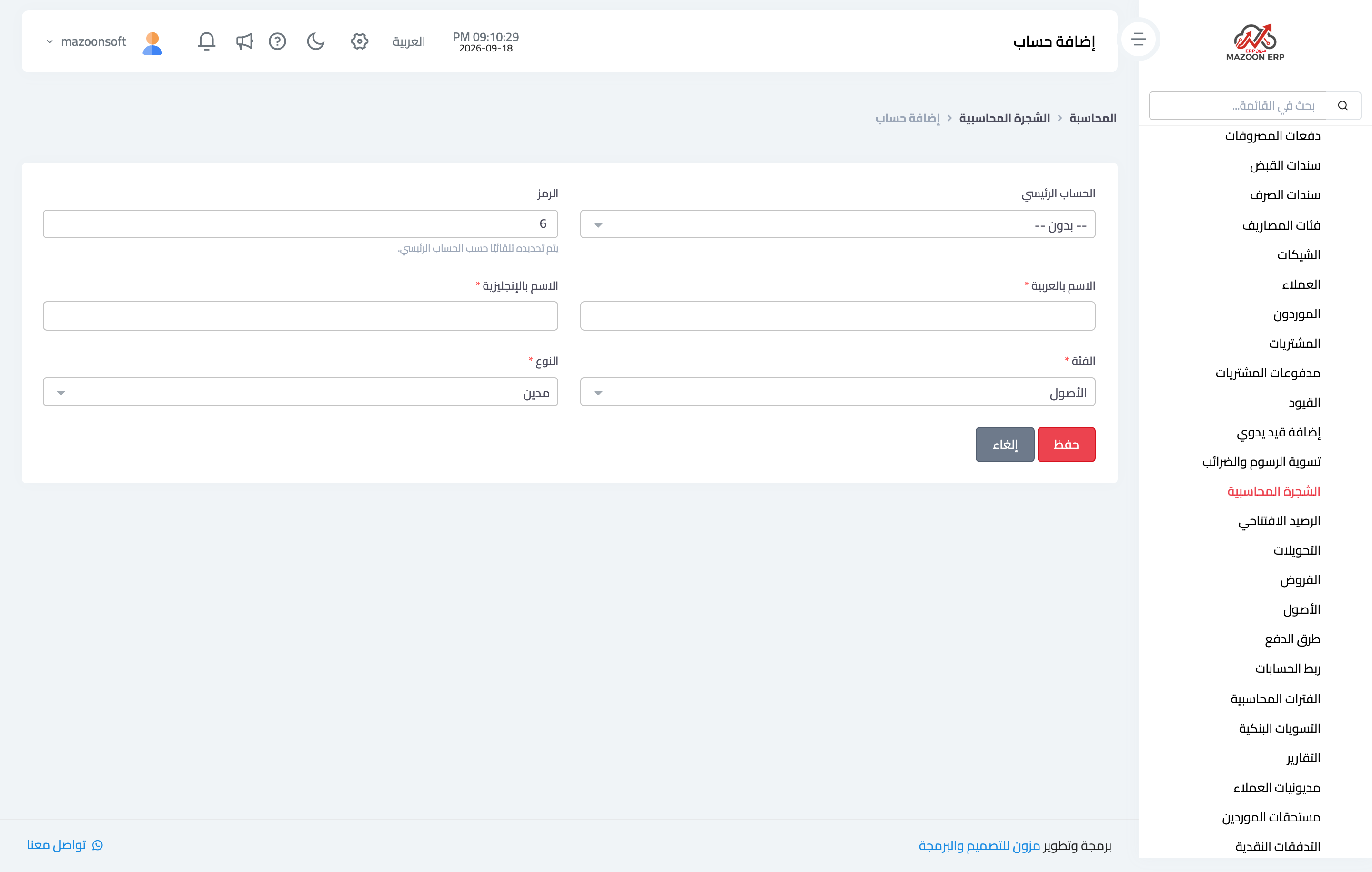
Figure 2
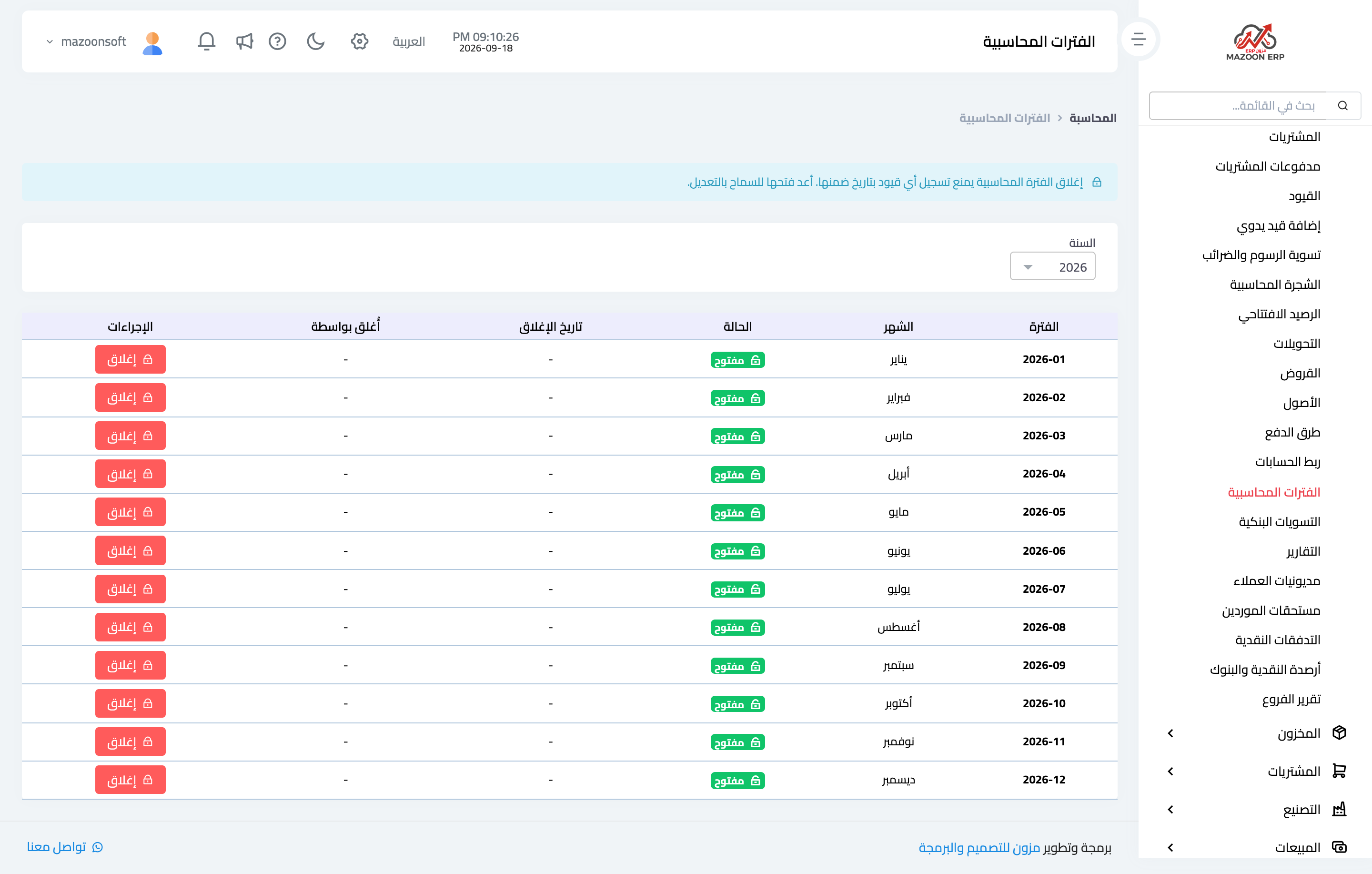
Figure 3
Try what you just read on your own data
Open a free 7-day trial — no credit card, with your own company link in minutes.