
How do I record a sales return against an invoice?
The customer brought goods back. A return puts them into stock and reverses their financial effect, and it is always tied to the original invoice so a quantity that was never sold cannot be returned.
Steps
- Open Sales → Sales Returns and press + Create — image 1.
- Under Select Invoice, type the invoice number or the customer name and pick from the results.
- The invoice lines load automatically, each showing invoice qty, returnable and return qty.
- Enter a return qty only on the lines coming back, leaving the rest at zero.
- Set the date and the warehouse the goods will go back into.
- Write the return reason, then Save.
The returnable column
It does not show the invoiced quantity but what is still returnable after subtracting earlier, non-cancelled returns. The same piece cannot come back twice, and once a line is fully returned you get "No items available for return".
Notes
- A return is saved as a draft and moves nothing; approval is what puts the goods back and posts the entry — see the next article.
- A return cannot exist without an invoice; it is always dependent.
- A return on an invoice blocks both editing and cancelling that invoice until the return is deleted.
- The reason is free text but appears in the returns report, so make it useful: "wrong size" teaches more than "returned".
- To undo a whole deal, cancelling is faster; a return is for some lines or some quantities.
- A draft can be edited and deleted; an approved return can only be cancelled.
Screenshots
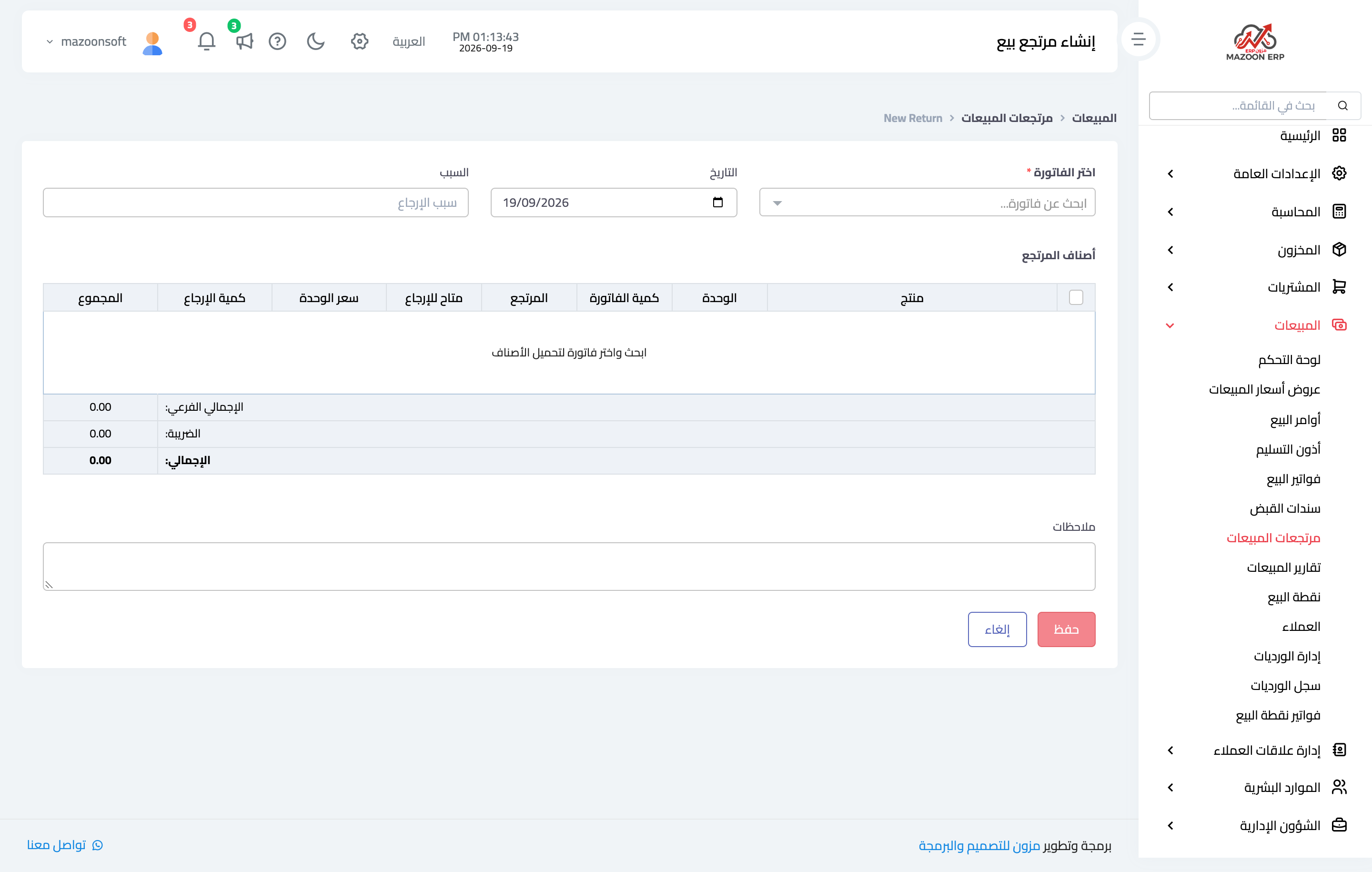
Figure 1
Try what you just read on your own data
Open a free 7-day trial — no credit card, with your own company link in minutes.