
How do I open a POS shift and start selling?
You open POS and find a message: "Open a shift to start POS selling." This is not an obstacle but the basis of cash accounting: every sale belongs to a shift, and every shift has an opening float, a closing count and someone responsible.
Steps
- Open Sales → POS.
- Pick the terminal from the list.
- Enter the opening cash — what is really in the drawer before the first sale.
- Press Open shift.
The screen opens and you are ready to sell. The top bar shows the location, the terminal, and the date and time.
The rules that govern shifts
- One shift per user. With a shift open on another terminal you cannot open a second — close the first.
- One shift per terminal. If the device already has another employee's shift open, the system refuses unless you hold the permission to manage other people's shifts.
- Trying to open a shift on a terminal where you already have one simply returns you to yours rather than creating another.
- You cannot use a terminal assigned to a specific employee if that employee is not you.
Shift management
The Sales → Shift Management screen lists every open shift: terminal, branch, user, opening time and duration since it opened — image 1. It also offers a Force Close button, for whoever holds the permission, for a shift somebody forgot to close.
Notes
- Enter the opening cash accurately; an error here shows up as a difference at close of day.
- Open a fresh shift each day and never leave one running for days — the duration column exposes that instantly.
- A shift ties the cash to the device and the employee, and is what makes a cash difference explainable.
- A terminal with no warehouse will not work; link one under Inventory → POS Terminals.
- Closing a shift permanently blocks cancelling any of its sales — see the cancellation article.
Screenshots
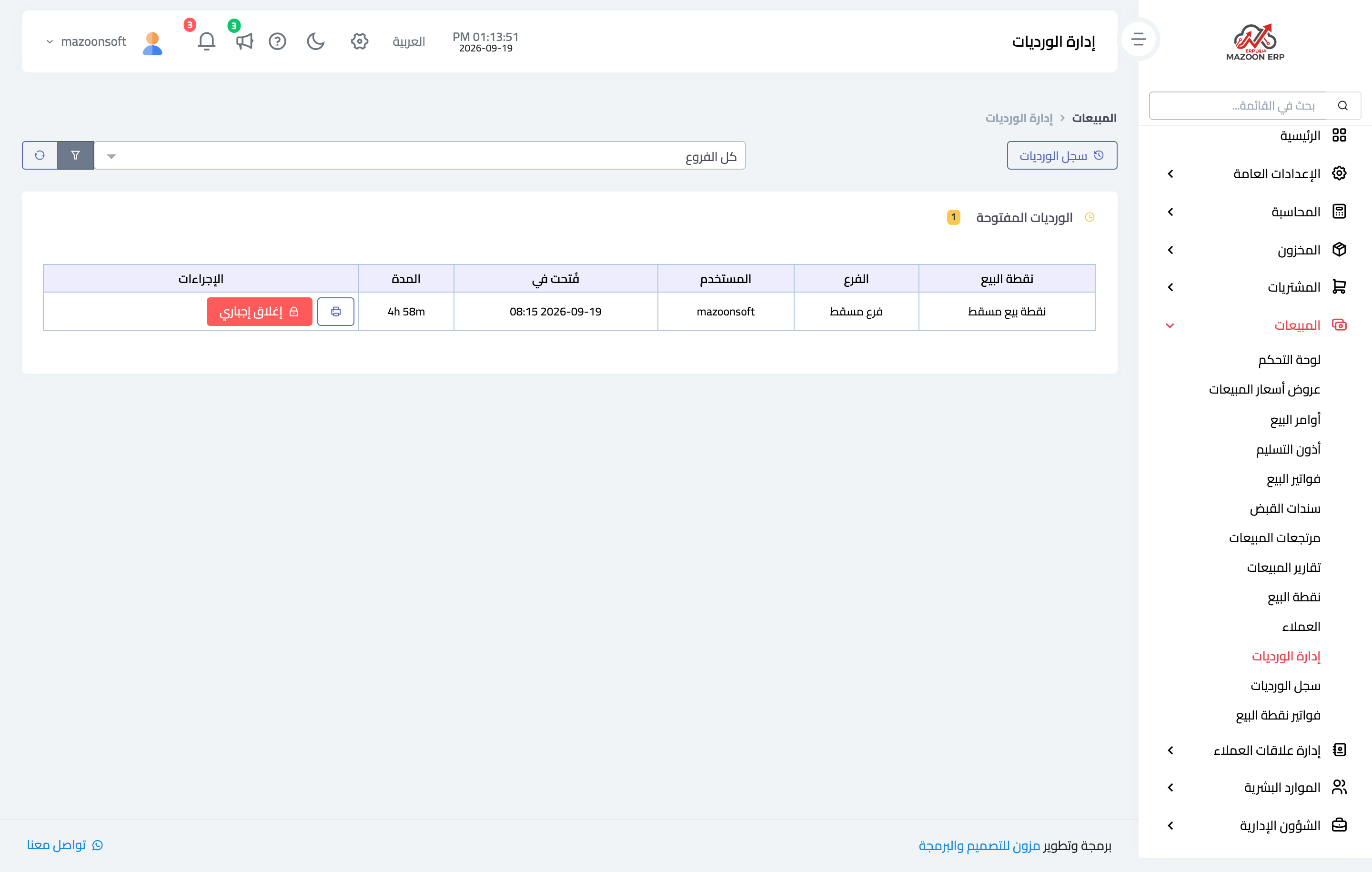
Figure 1
Try what you just read on your own data
Open a free 7-day trial — no credit card, with your own company link in minutes.