
How do I create a sales invoice, and what really happens on approval?
The invoice is the one document you cannot do without in the sales cycle, and the only one that touches both stock and accounting.
Steps
- Open Sales → Sales Invoices and press + Create — image 1.
- Pick the customer, branch and warehouse.
- Set the date and the due date — the latter is what makes the invoice show as overdue later.
- Enter the lines: product or service, quantity, unit price and tax. The system shows available stock and the stock deduction in the base unit under the line.
- Add a discount (before tax) if any.
- If the customer is paying now, switch on Record Payment and choose the payment method, the deposit account and the amount — the receipt is created automatically with the invoice.
- Press Save, or tick Approve immediately to save a step.
What approval does
A draft records nothing. Press Approve and all of the following happens in one indivisible operation — if any part fails, everything rolls back:
- The system checks the quantities are available in the warehouse.
- It checks the fiscal period is not closed; if it is, approval is refused with a plain message.
- It deducts the quantities from stock and writes them to the stock ledger.
- It creates the journal entry: sales revenue, the customer receivable and the tax.
- It updates the invoiced figure on the sales order if the invoice came from one.
Stock is never deducted twice: an invoice created from a delivery note skips the deduction, because the note already did it.
Notes
- Review the invoice while it is a draft — that is the last moment you can edit freely.
- Approval is protected against duplication; pressing twice, or from two tabs, never creates two entries.
- Bulk approval from the list goes through exactly the same path, so it never skips a posting.
- Services deduct no stock, so they can be invoiced without a balance.
- After approval use Print for the full invoice or Print Roll for a thermal receipt printer.
- An approved invoice can never be deleted — cancelling is the only option. See the next two articles.
Screenshots
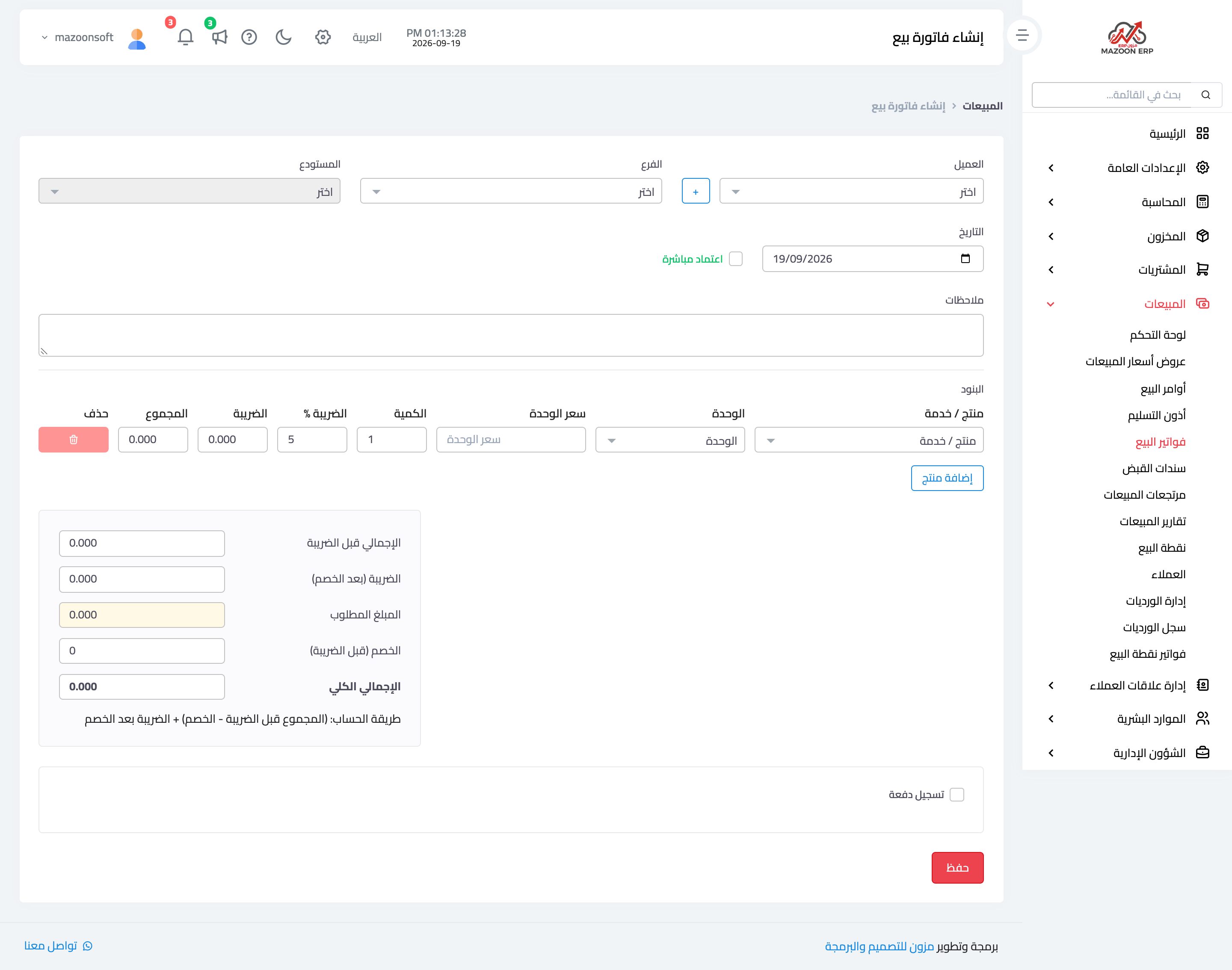
Figure 1
Try what you just read on your own data
Open a free 7-day trial — no credit card, with your own company link in minutes.