
Overview of the Sales module
The Sales module covers the whole selling journey: from quotation to invoice to collection, plus point of sale for direct selling. Every step leaves its mark on stock and accounting automatically.
The sales dashboard
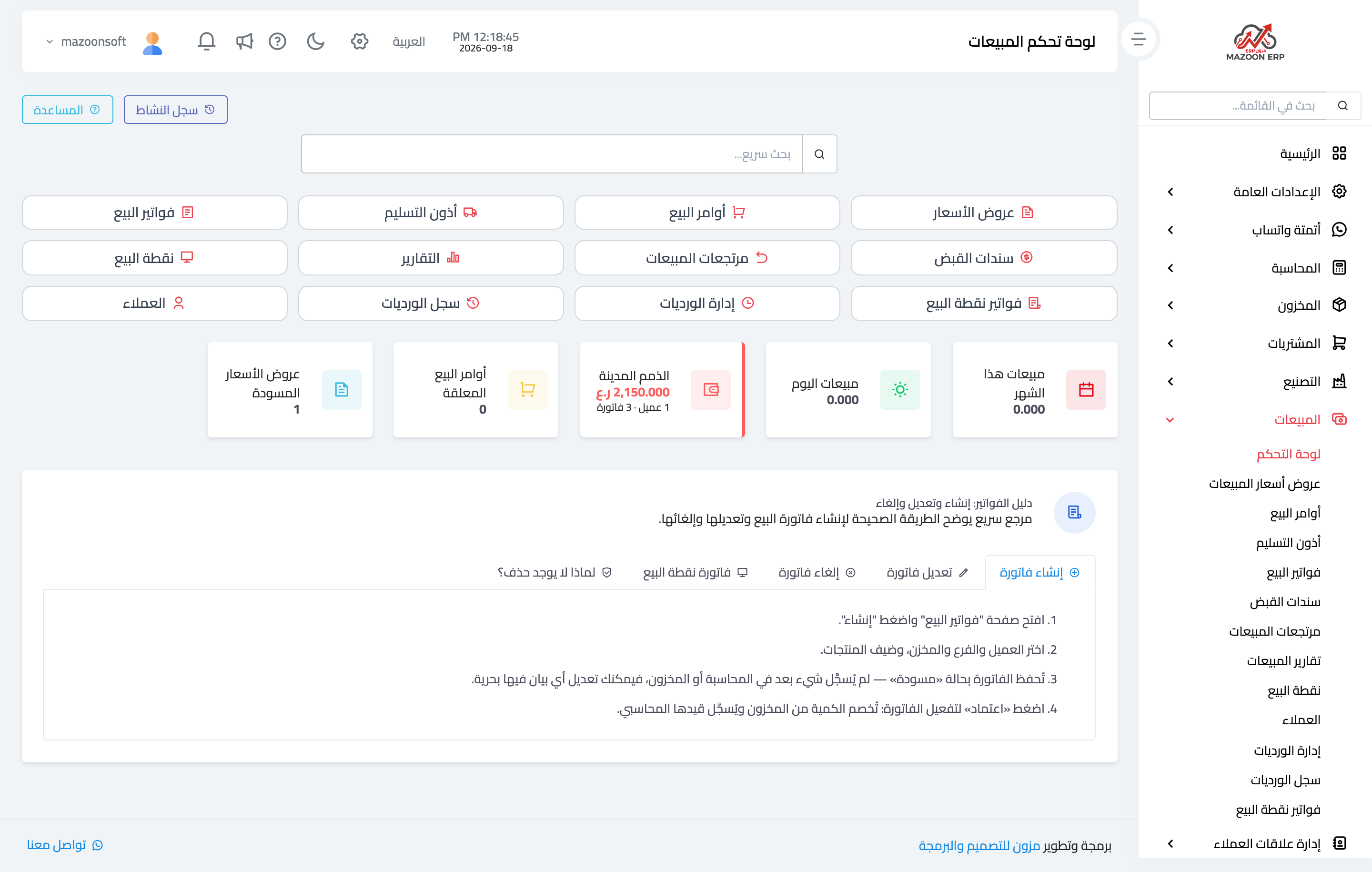
In the sidebar choose Sales, then Dashboard — image 1. At the top are the screen cards: quotations, sales orders, delivery notes, sales invoices, receipt vouchers, sales returns, reports, point of sale, POS invoices, shift management, shift history and customers.
Below them are quick indicators: this month's sales, today's sales, receivables (how many customers and invoices), pending sales orders and draft quotations.
The selling cycle
- Quotation — what you will supply and for how much, with no accounting or stock effect.
- Sales order — after the customer accepts: a commitment to supply.
- Delivery note — goods physically leaving the warehouse.
- Sales invoice — the financial claim; approving it deducts stock and creates the entry.
- Receipt voucher — collecting the invoice, fully or partly.
- Sales return — when a customer sends goods back.
Not every business needs every step: a retail shop sells straight from the point of sale, while a project company goes through the full cycle.
The rule that governs every document
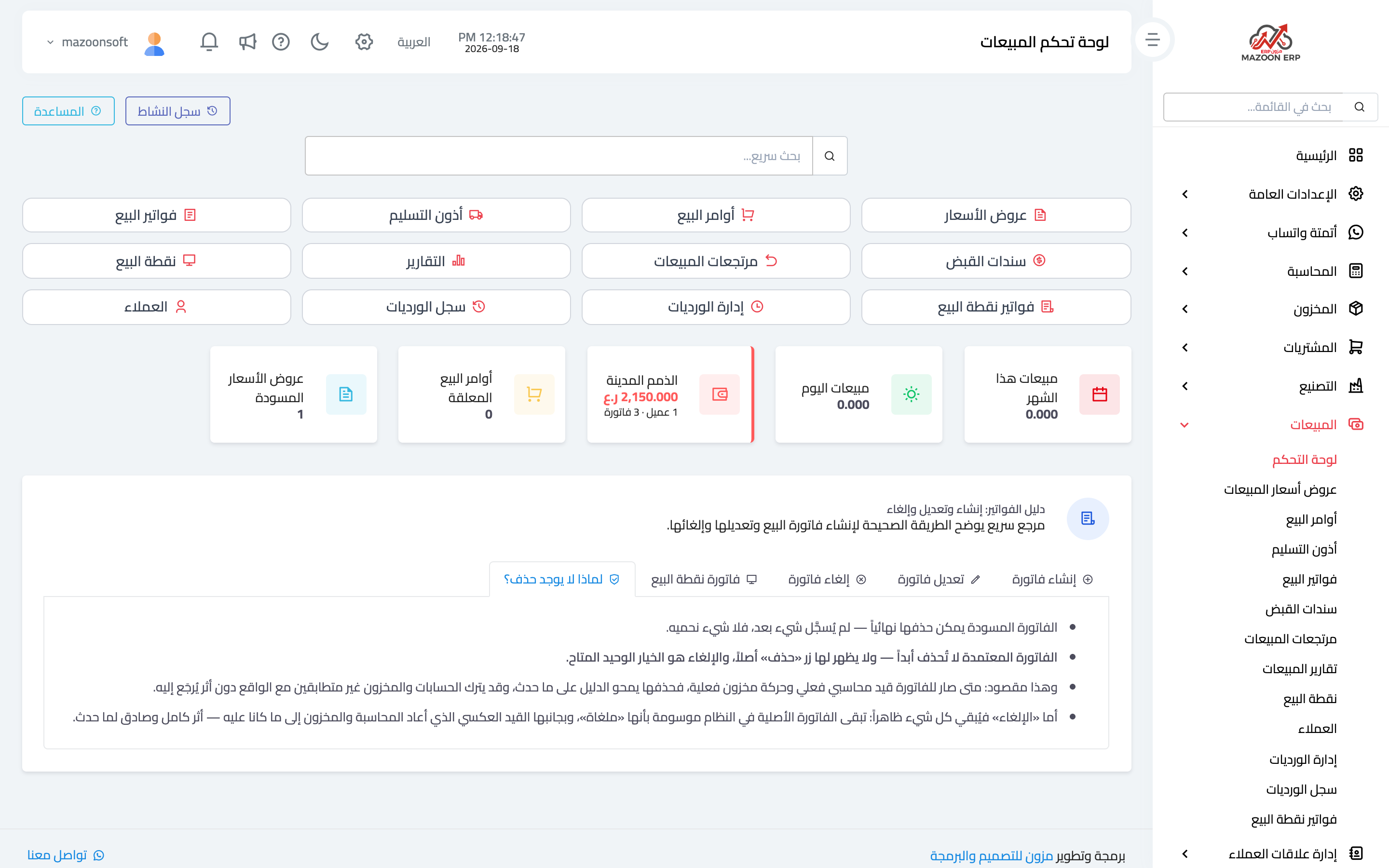
At the top of the sales dashboard is a built-in guide, "Invoice guide: create, edit and cancel" — image 2 — summarising a rule worth memorising:
- A document is first saved as a draft: nothing is posted to accounting or inventory, so edit it freely.
- Approval is what activates the effect: stock is deducted and the entry is created.
- A draft can be deleted; an approved document can never be deleted — cancelling is the only option, and it reverses everything posted while keeping the trail visible.
The reason is plain: once money or stock has actually moved, silently erasing history leaves your books and stock out of step with reality, with no way to trace why.
How it connects to the other modules
- Inventory — approving an invoice or completing a POS sale reduces the balance.
- Accounting — a receivable, revenue and tax, then collection through a receipt voucher.
- Contacts — a customer is a contact with the customer role; if one is missing from the list, check its role.
Recommended order for getting started
- Define items and prices in Inventory.
- Confirm the payment methods in Accounting (cash box and banks).
- Set up points of sale and their shifts if you sell directly.
- Run one full cycle on a single invoice before training the team on it.
Screenshots
Try what you just read on your own data
Open a free 7-day trial — no credit card, with your own company link in minutes.