
Sales invoices: create, approve, edit and cancel
The sales invoice is the document that turns a sale into a number in your accounts and a movement in your stock. Understanding the difference between draft and approved prevents most of the problems that reach our support desk.
The invoice list
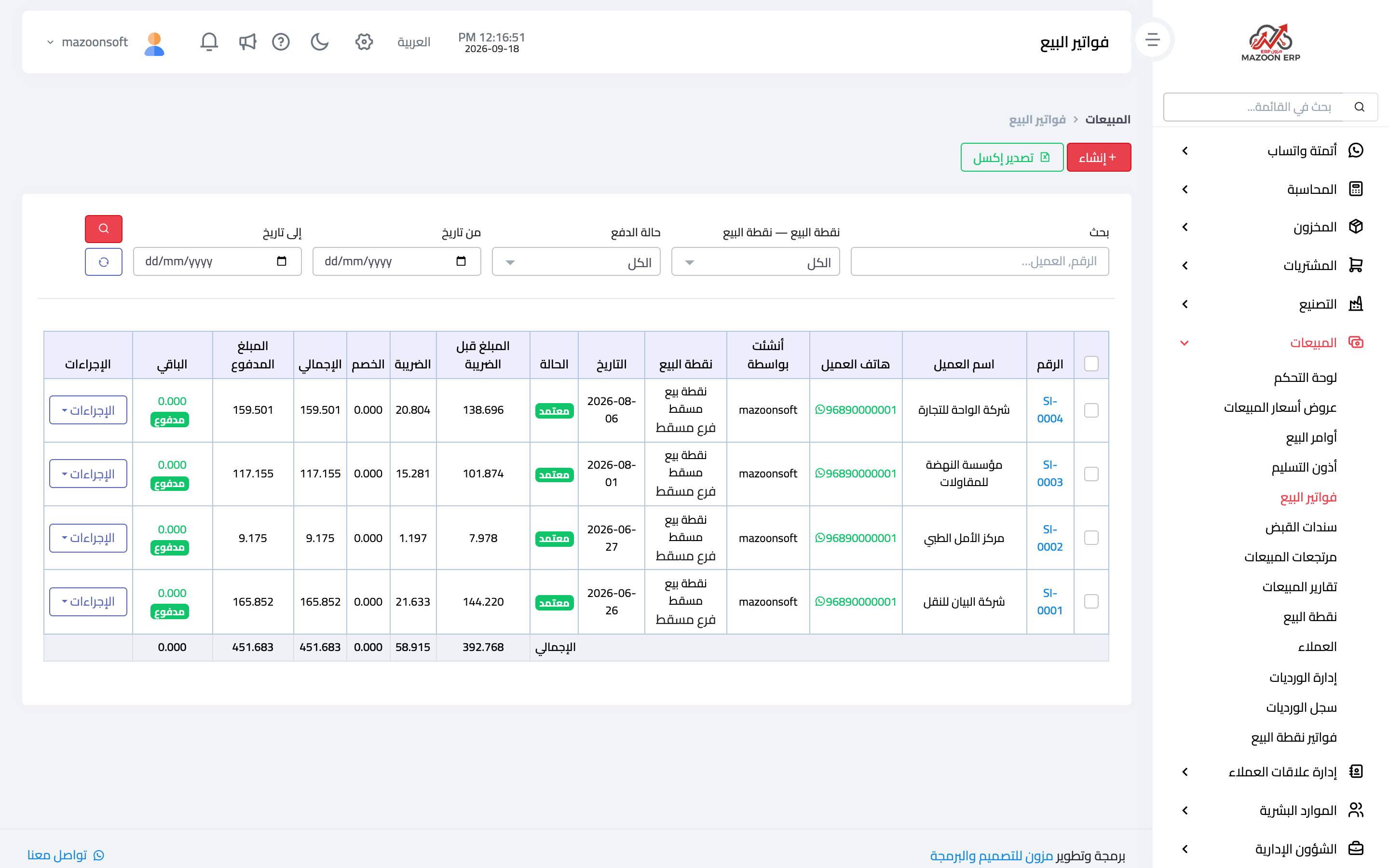
From the sales dashboard open the Sales Invoices card — image 1: invoice number, customer, date, total, paid amount and status (draft, approved, cancelled), with search by number or customer, filters for POS terminal, payment status and date, and the Excel export and bulk print buttons below the filters.
Creating an invoice
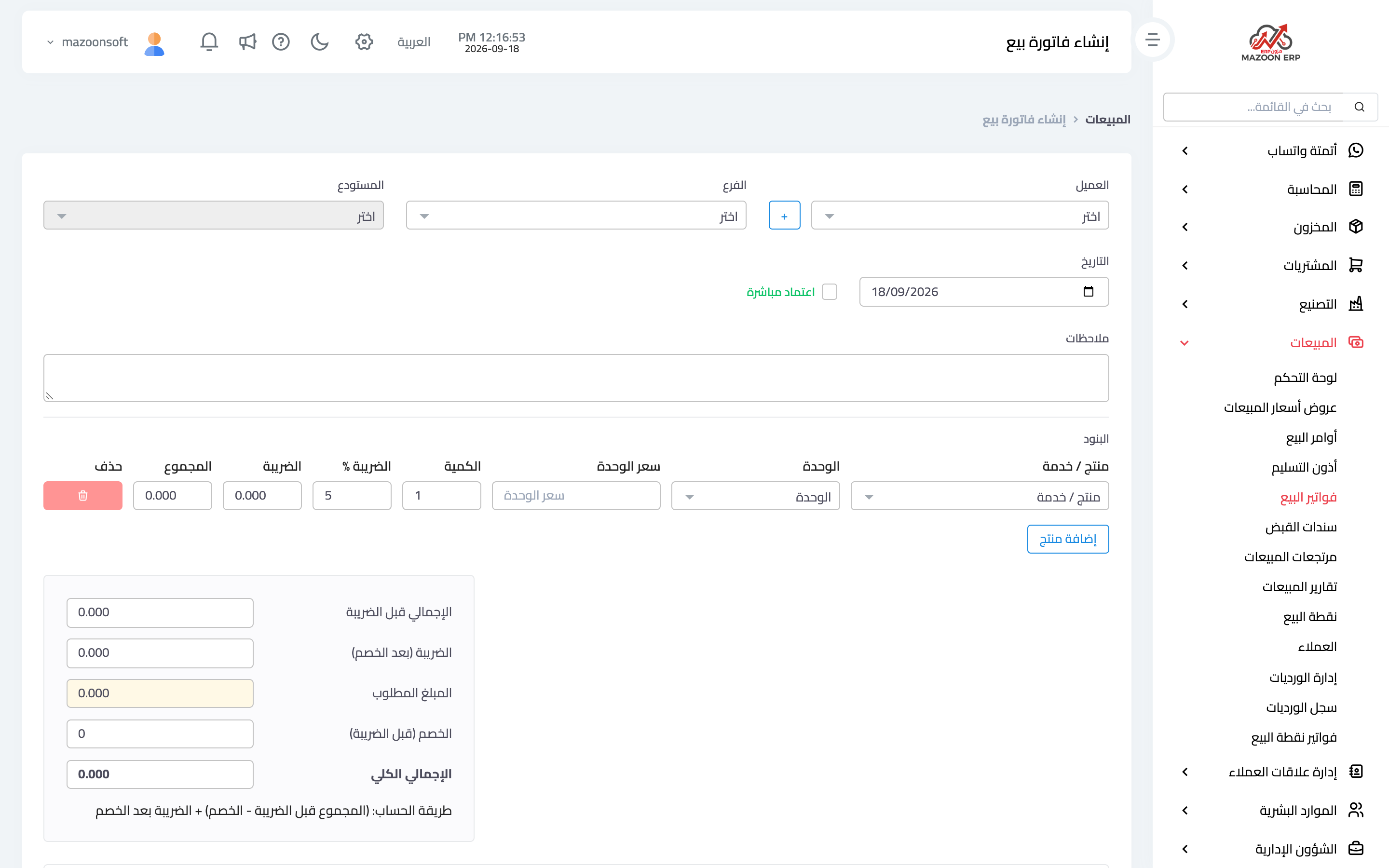
Press Create as in image 2:
- Customer, branch and warehouse — quantities will be deducted from that warehouse on approval.
- Date and due date.
- Lines — find the item by name, code or barcode, then set quantity, price, discount and tax.
- Totals are calculated automatically: before tax, discount, tax and grand total.
The invoice is saved as a draft: nothing is posted to accounting or inventory yet, so you can change anything freely, or delete it outright if it is no longer needed.
Approval
Press Approve to activate the invoice: quantities leave the warehouse and the accounting entry is created (a receivable on the customer, revenue, and tax if any).
Never approve before reviewing the lines and quantities; approval is the line between a freely editable document and one with a real effect.
Editing after approval
The rule, as the built-in guide on the sales dashboard summarises it:
- Approved with no payment and no return — the Edit button is available directly.
- With a payment — delete the receipt voucher first so it returns to unpaid; editing then becomes available, and you record the correct payment afterwards.
- With a sales return — remove the return first, because editing rebuilds the lines from scratch and would break the link between the return and the original line.
- A POS invoice — never edited directly; handle it by cancelling the sale, as described in the point-of-sale article.
Cancelling
Cancelling is available for approved invoices only, and it automatically reverses everything posted: the entry is reversed and the quantity returns to stock. A cancelled invoice stays visible, marked "cancelled", beside its reversing entry — and it can never be edited, reopened or paid.
To correct a mistake on an approved invoice that cannot be edited: cancel the wrong one and create a new, correct invoice.
Why an approved invoice cannot be deleted
Because deleting erases the evidence: an invoice with a real accounting entry and a real stock movement, once deleted, leaves the books and the stock out of step with reality and no trace of why. Cancelling keeps the whole story: the original document, the reason, and the reversing entry.
Screenshots
Try what you just read on your own data
Open a free 7-day trial — no credit card, with your own company link in minutes.