
Delivery notes, receipt vouchers and sales returns
Three documents surround the invoice: a delivery note records goods leaving, a receipt voucher records money arriving, and a sales return handles what comes back.
Delivery notes
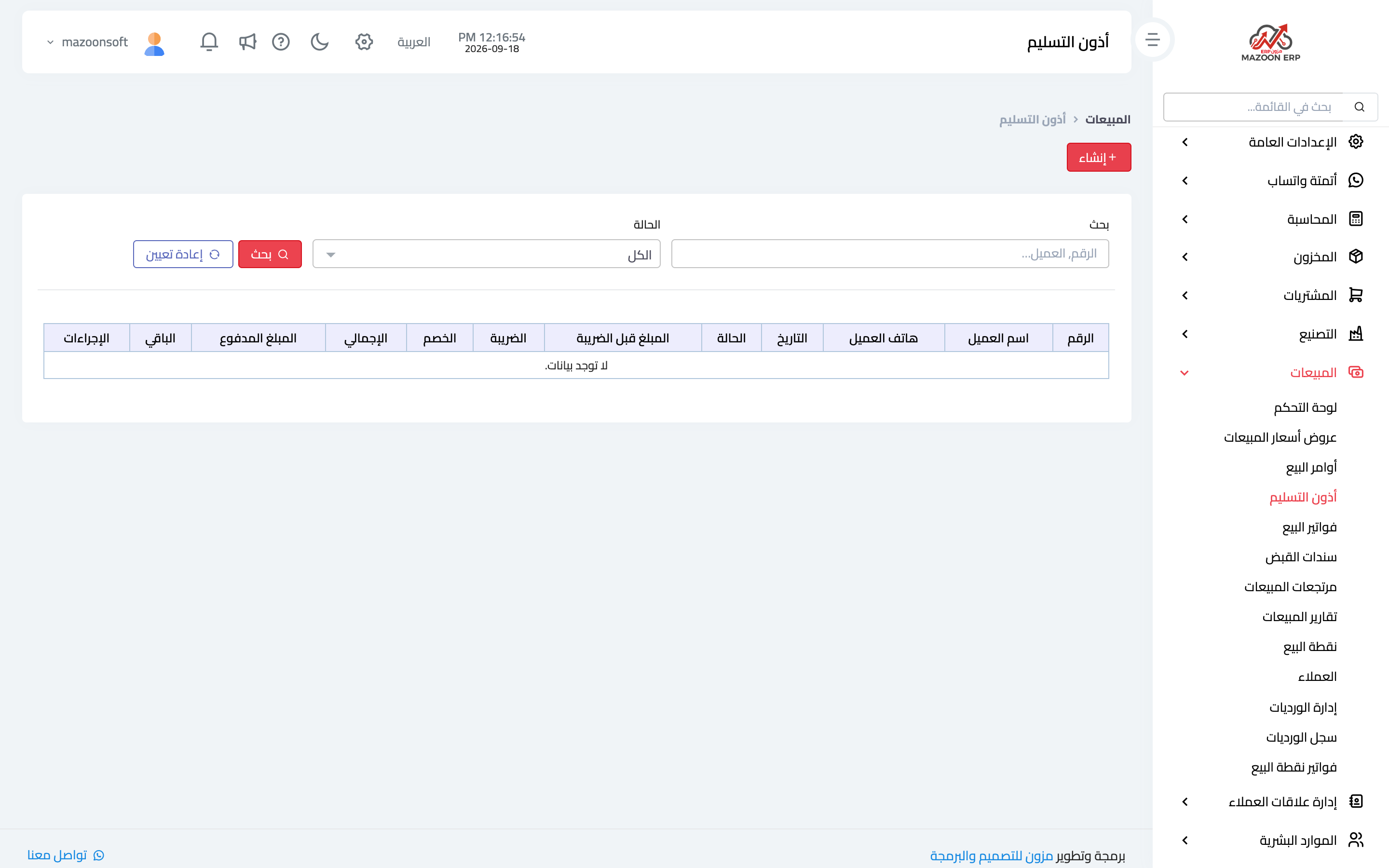
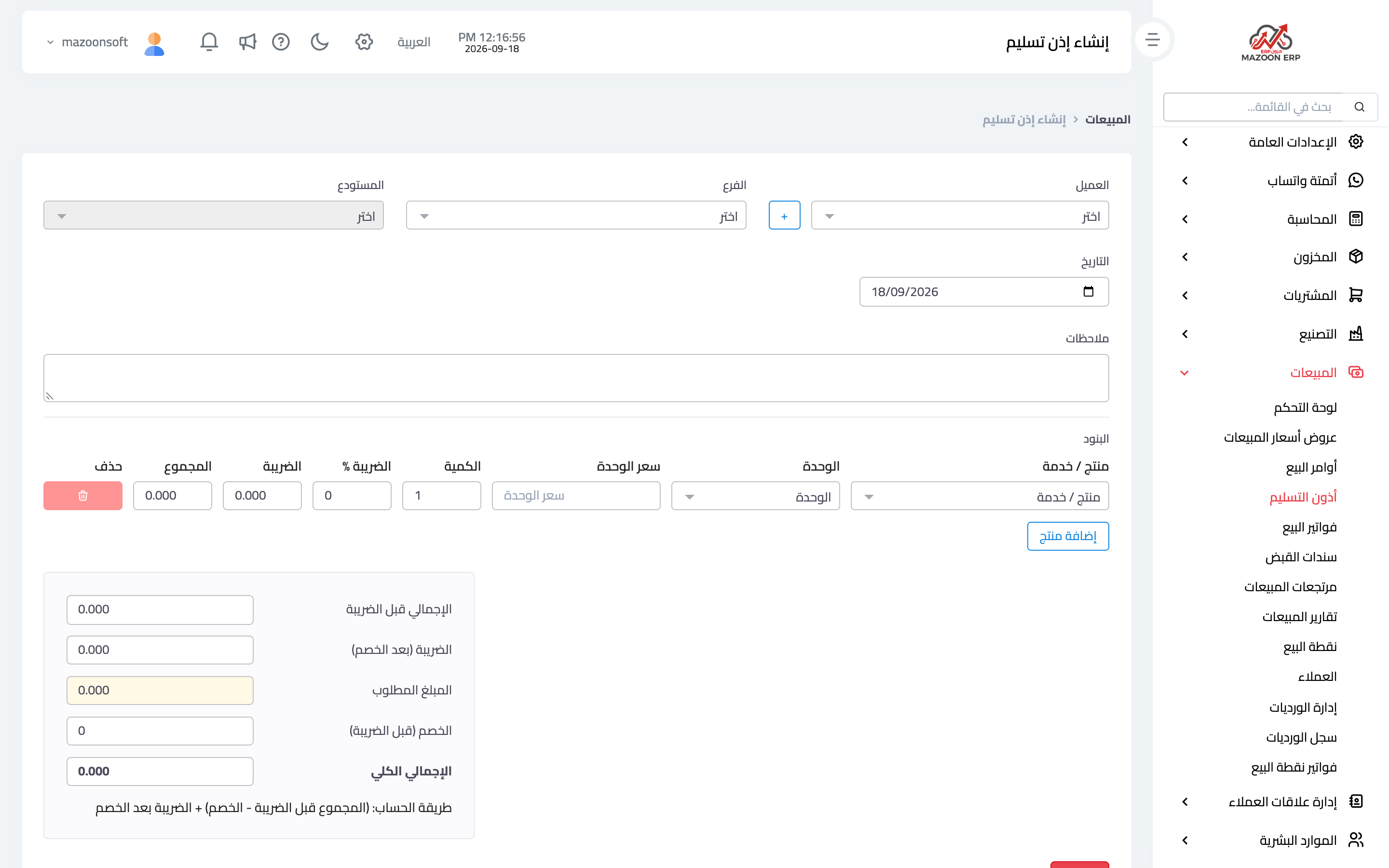
A delivery note is what the recipient signs on handover. From the sales dashboard open the Delivery Notes card — image 1 — then Add as in image 2: customer, the related sales order or invoice, warehouse, the items and quantities delivered, and the recipient's details.
Its value shows most in credit sales and staged delivery: you know what was actually handed over and what remains, and you keep a signed document that settles any later dispute about receipt.
Receipt vouchers
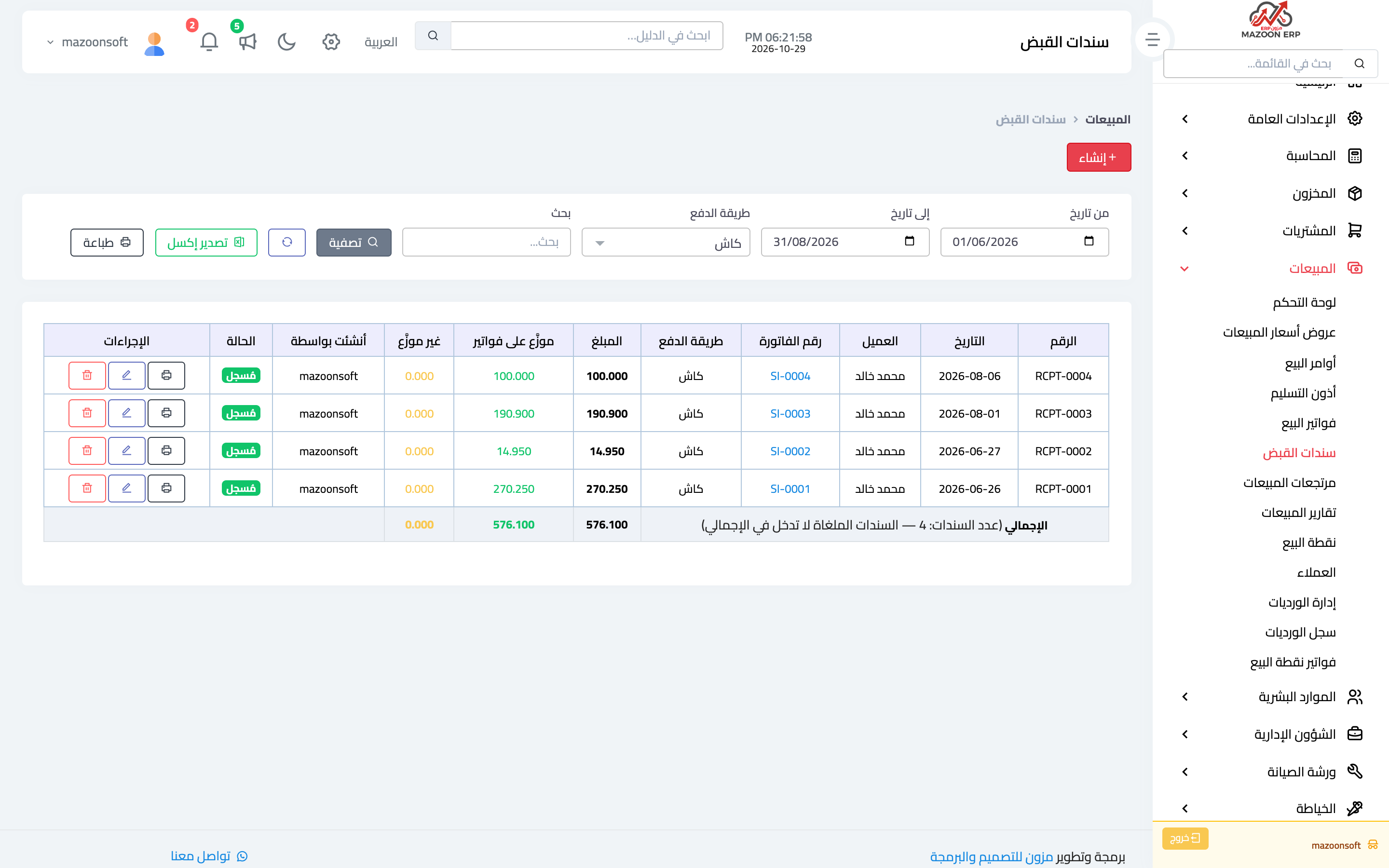
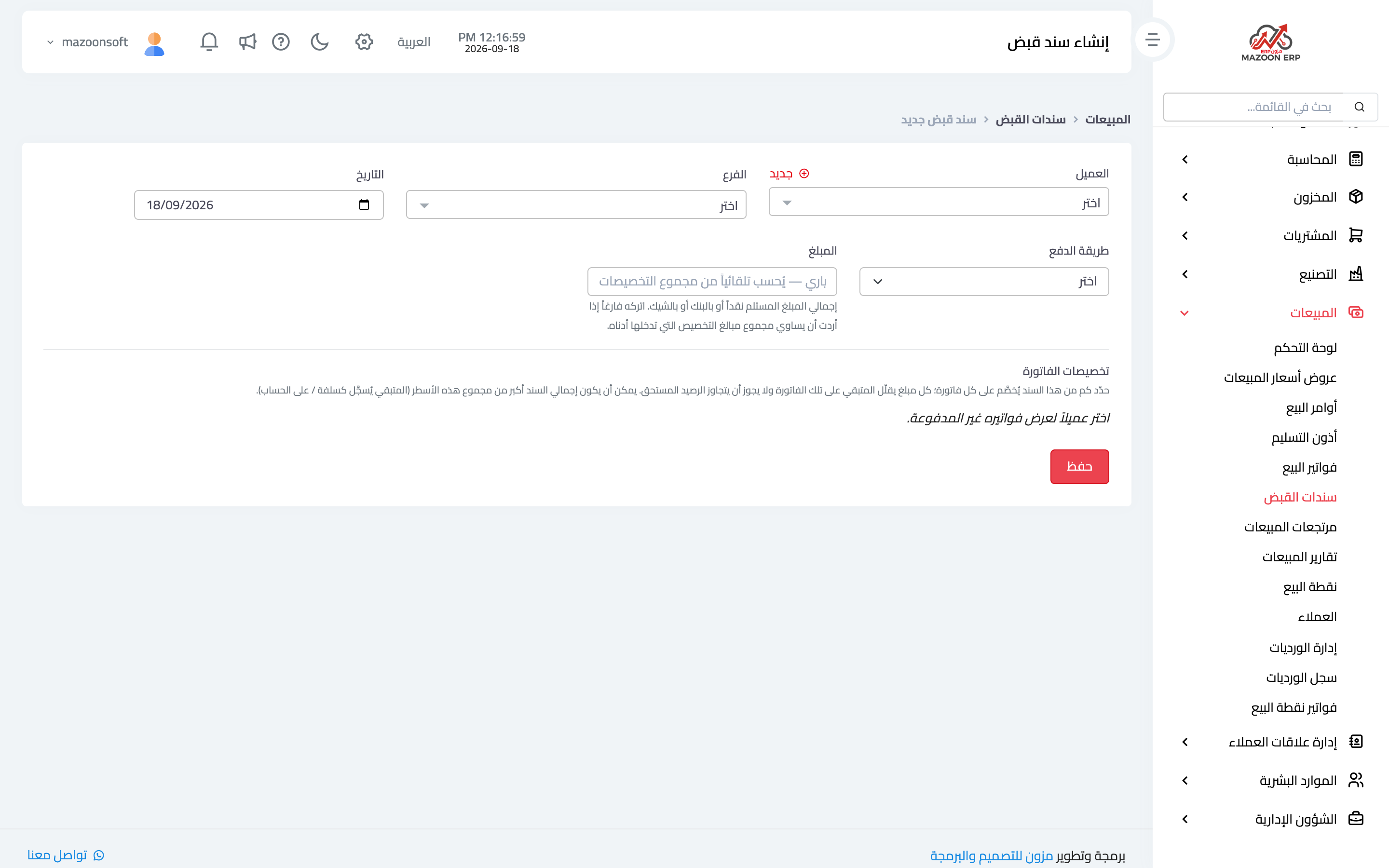
The Receipt Vouchers card — image 3 — shows what has been collected from customers. To record a collection press Add as in image 4:
- Customer — their unpaid invoices appear.
- Amount, payment method and date.
- Allocation across invoices — which invoice this money settles, and by how much.
- An optional reference such as a transfer or cheque number.
Allocating a collection to its invoices is what keeps receivables and aging correct. An unallocated collection shows as a credit balance for the customer while their invoices stay open — the single biggest cause of "this statement is wrong" complaints.
Following up collections: filters, totals and printing
The receipt voucher list has a filter bar at the top — image 3 — that answers questions such as "how much did we collect by Visa this month?":
- From date and To date — by the voucher's own date, not the invoice date.
- Payment method — cash, Visa or a particular bank.
- Search by voucher number, reference, customer name or invoice number.
The Invoice Number column shows which invoices each voucher was allocated to; clicking a number opens that invoice. Below the table a Total row adds up the amount, the allocated and unallocated parts and the number of vouchers for everything that matches the filter — not only the page on screen — and leaves cancelled vouchers out.
The Print and Export Excel buttons use the same filter: print the collection statement for the chosen period and payment method with its totals, or download it to reconcile against the bank statement or the card terminal report.
Sales returns
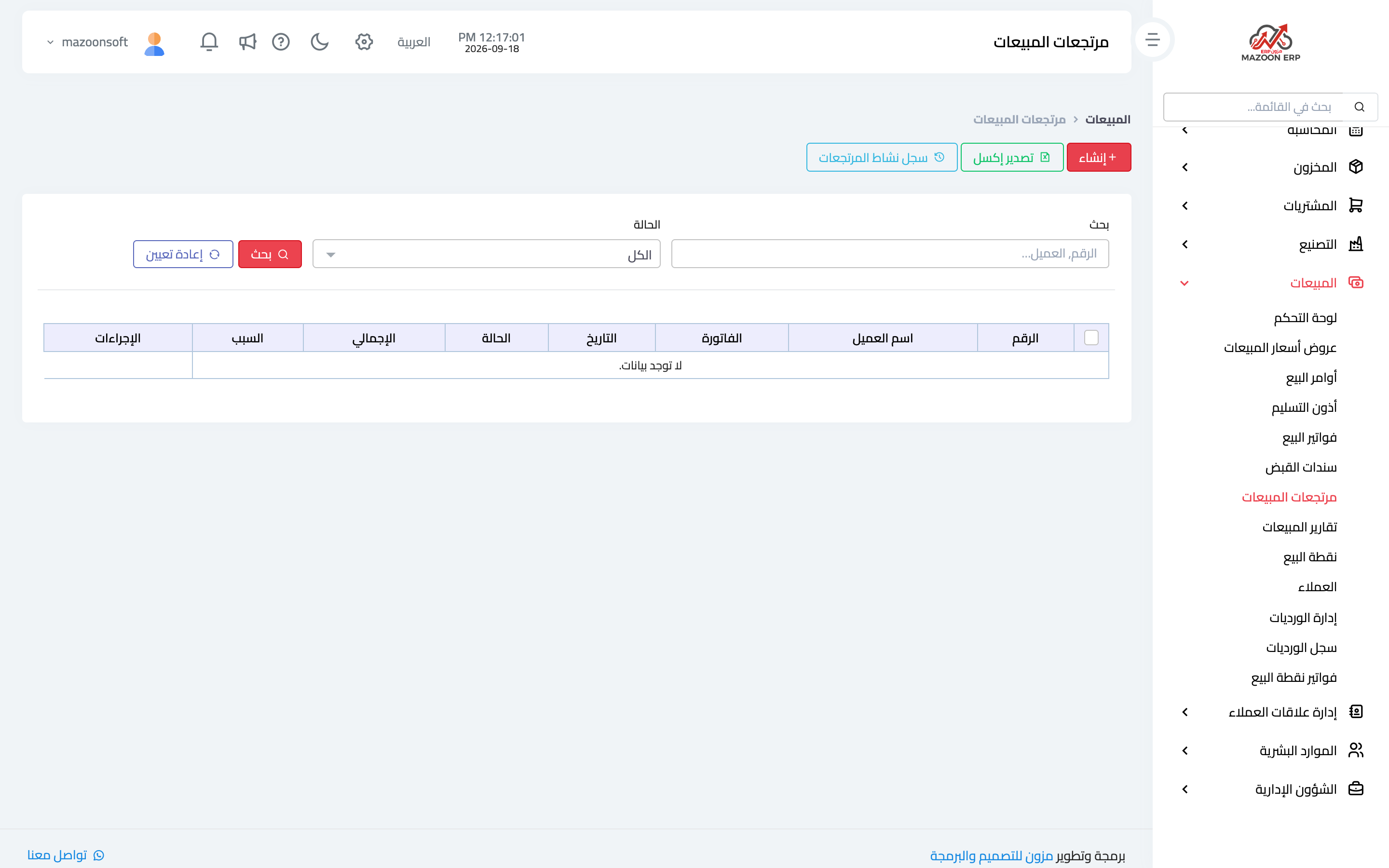
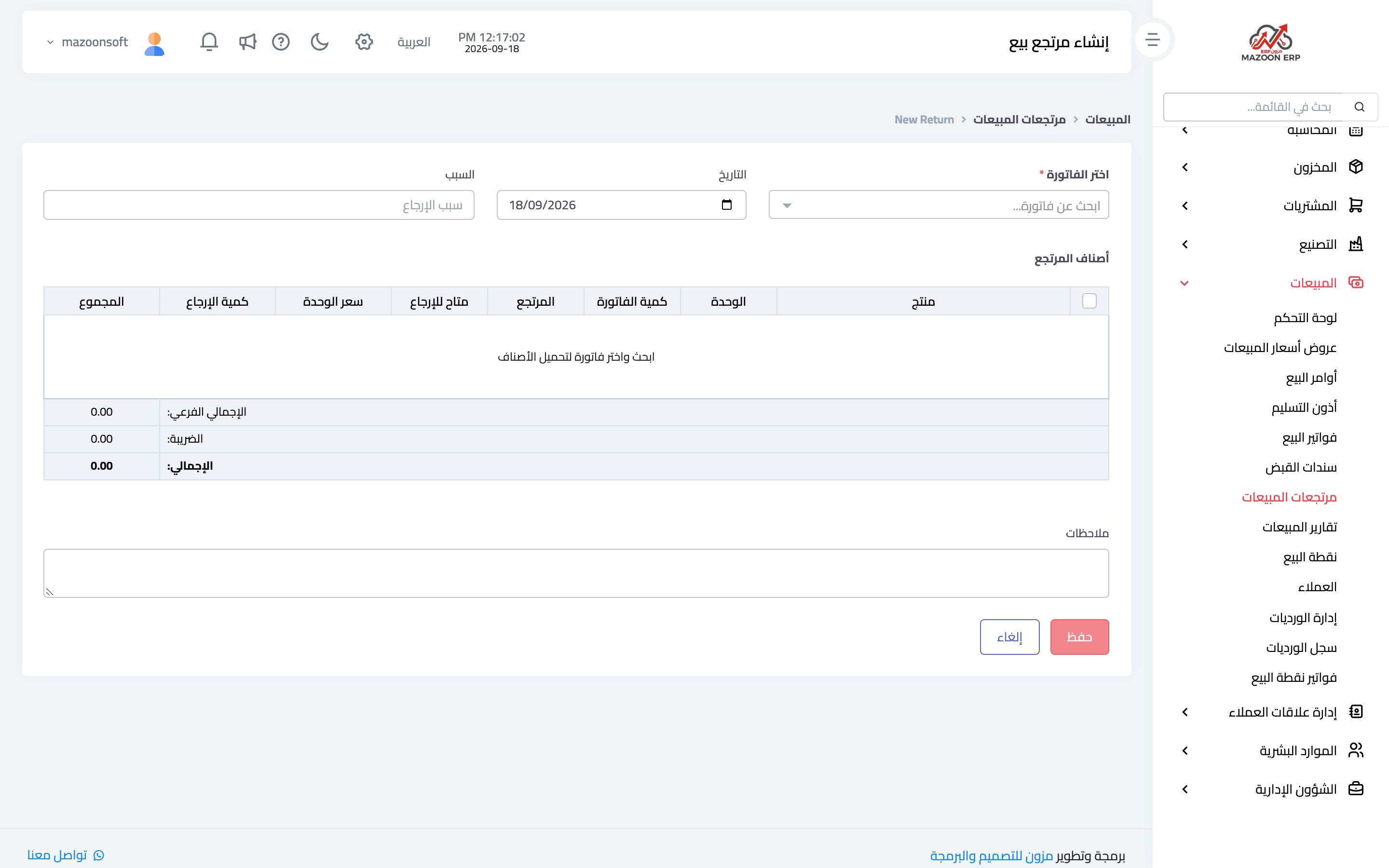
When a customer sends goods back, record a sales return. From the Sales Returns card — image 5 — press Add as in image 6: search for the original invoice, then choose the items and quantities returned, the reason, and how the money is refunded if it is a cash refund.
On approval: quantities go back into stock, an entry reduces revenue and the customer's balance, and the return appears linked to its invoice.
Two important warnings
- Never handle a return by editing the invoice or with a stock adjustment: the first breaks the link, the second fixes stock and leaves the customer's account wrong.
- An invoice with a return against it cannot be edited until the return is removed — deliberately, to keep the lines consistent.
The right order for the common case
- Approve the invoice.
- Hand over the goods with a delivery note.
- Collect the money with a receipt voucher allocated to the invoice.
- If anything comes back, record a return against that same invoice.
Screenshots
Try what you just read on your own data
Open a free 7-day trial — no credit card, with your own company link in minutes.