
How do I cancel an approved invoice, and what exactly gets reversed?
Cancelling is not deleting. The invoice stays in the list as cancelled, and everything approval posted is reversed — nothing is left half-done.
Steps
- Open the invoice from Sales → Sales Invoices — image 1.
- Press Cancel.
- Confirm the warning: "Are you sure? This will reverse the journal entries." For a POS invoice the warning is broader, because it covers the receipt and the stock as well.
What gets reversed
- The journal entry — a reversing entry undoes the revenue, the receivable and the tax.
- Stock — the quantities return to the warehouse they left.
- The receipt — on a POS invoice every linked receipt is deleted, including all legs of a split payment, not just the first.
- The invoice status — becomes cancelled, and it can never again be edited, reopened, or take a payment.
When the system refuses
- It has a sales return. The return already gave part of the goods back, so cancelling afterwards would double-credit the returned portion. Delete the return first.
- A POS invoice whose shift is closed. That shift's cash has been counted and reconciled, so it cannot be changed retroactively.
- A POS invoice without the permission. Cancelling one is a separate permission from cancelling ordinary invoices.
- The invoice is a draft. Cancelling means nothing — delete it.
Notes
- Cancellation is protected against concurrency; two simultaneous requests never reverse the entry twice or return the stock twice.
- Bulk cancel from the list runs the same logic and never skips the reversal.
- If the mistake is one line's quantity or price, a return is more precise than a cancellation; cancelling is for the whole deal.
- Check the activity log afterwards to record who cancelled and when.
- Numbers are never reused; a cancelled invoice keeps its number for itself, and that is deliberate.
Screenshots
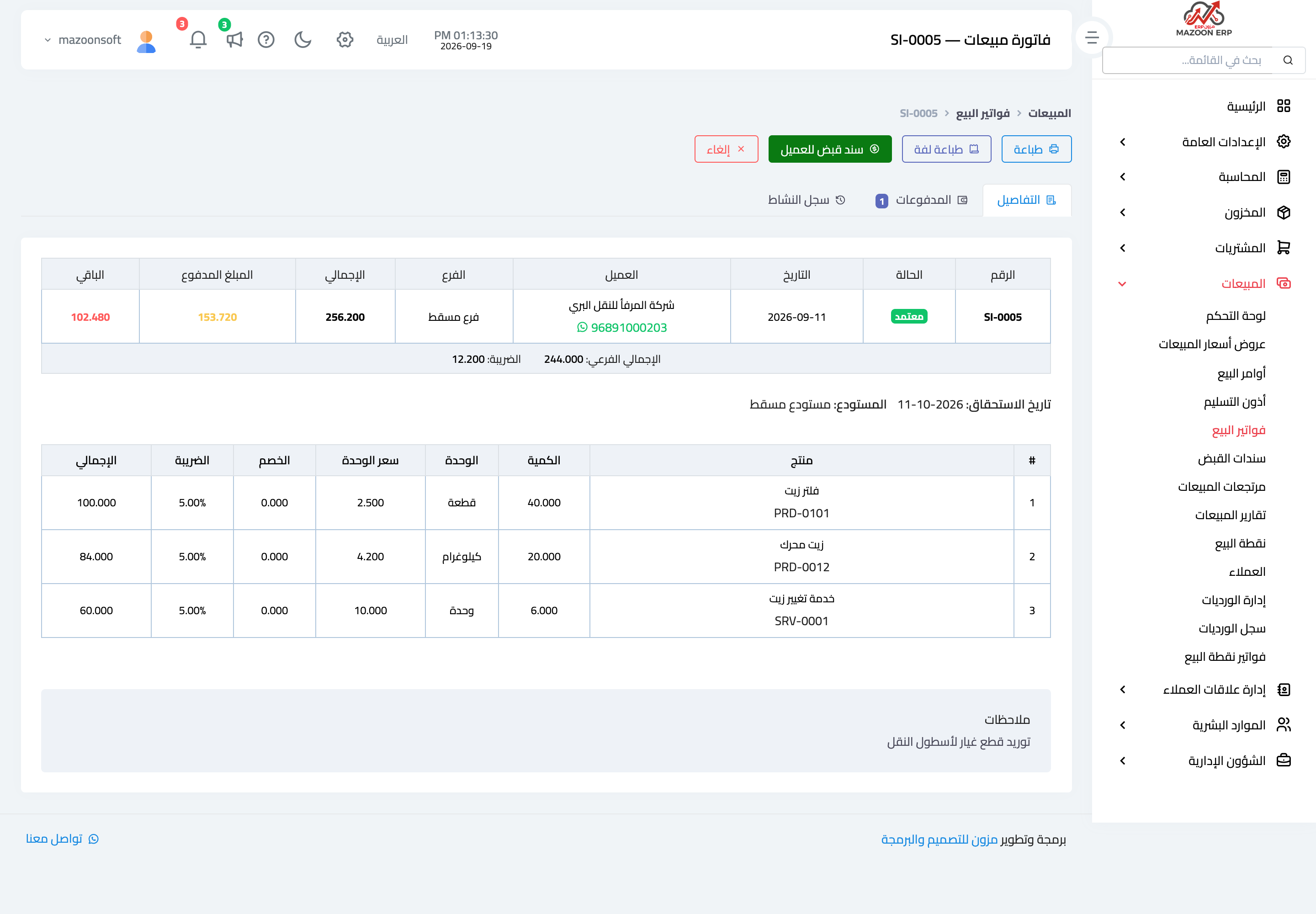
Figure 1
Try what you just read on your own data
Open a free 7-day trial — no credit card, with your own company link in minutes.