
One receipt across several invoices, and paying on account
A customer transfers one amount covering three invoices. Recording it three times distorts the bank statement and loses the transfer reference. The answer is the Sales Receipts screen.
Steps
- Open Sales → Sales Receipts and press + Create — image 1.
- Choose the customer, and their unpaid invoices load automatically.
- Set the date and the branch.
- Choose the payment method and the deposit account, and enter the reference — the transfer or cheque number.
- Enter the receipt's total amount.
- Under invoice allocations, type the amount settled against each invoice, or press Pay beside one to fill in its whole balance.
- Press Save.
Paying on account
The allocations do not have to add up to the receipt amount. If the amount is larger, the difference stays unallocated as a credit for the customer to use on later invoices. That is paying on account, and it fits advance payments and order deposits.
The system names the receipt type accordingly: invoice when fully allocated, on account when nothing is allocated, and mixed when it is partly allocated.
Notes
- No invoice can be allocated more than its balance; the excess is refused with a plain message.
- Allocations to a cancelled or unapproved invoice are refused.
- The allocations cannot exceed the receipt amount — you cannot distribute money you did not collect.
- One customer's invoice cannot be allocated to another customer's receipt; the check is automatic.
- Always fill in the reference — it is what ties the receipt to the bank statement at reconciliation.
- Receipts and their allocations show in the Sales Receipts list — image 2 —, and each one can be printed for the customer. Its Invoice Number column shows which invoices each receipt was allocated to, and clicking a number opens that invoice.
- For a single invoice, the Payments tab inside it is quicker.
Screenshots
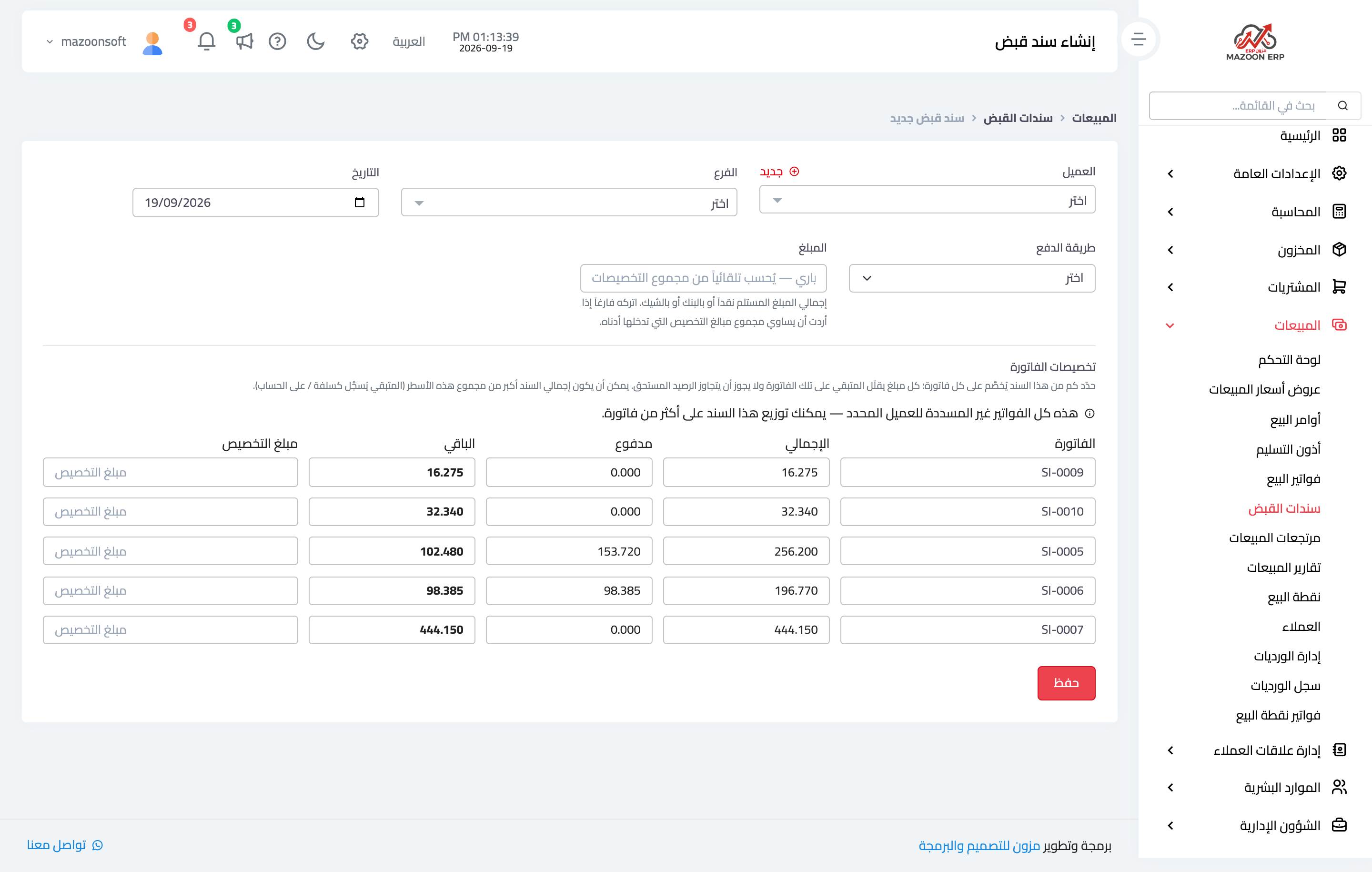
Figure 1
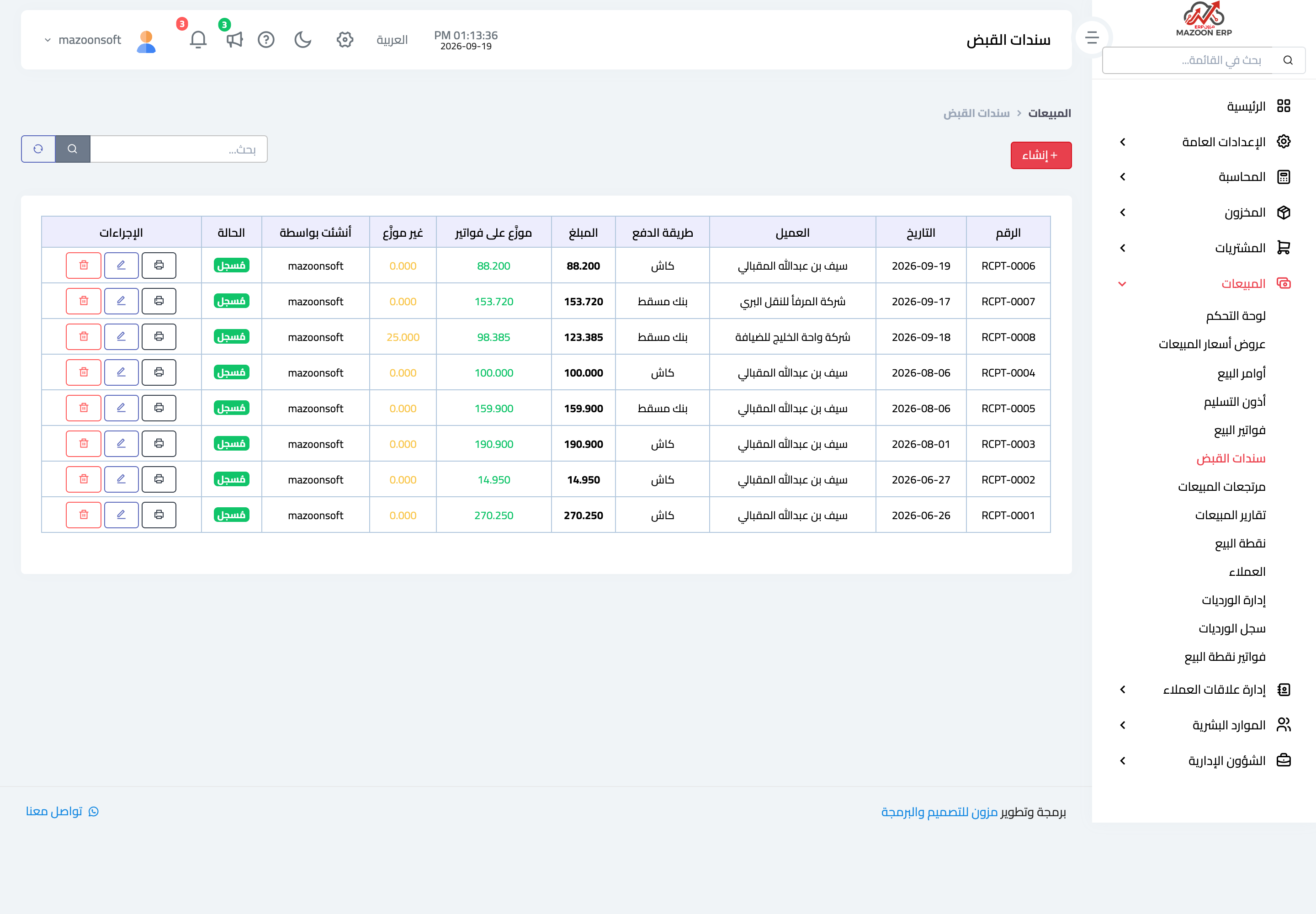
Figure 2
Try what you just read on your own data
Open a free 7-day trial — no credit card, with your own company link in minutes.