
Why can’t I edit this sales invoice?
The Edit button is missing, or a message stops you. This is not a fault but a deliberate guard: editing an invoice rebuilds its lines from scratch, and whatever was built on them could collapse.
The four things that block editing
- The invoice has a payment. The message: "Cannot edit invoice because it has payments. Please delete all payments first." — delete the receipts from the Payments screen, then edit.
- It has a sales return against it. The return's lines are linked to the invoice's lines; rebuilding them breaks the link and detaches the quantities. Delete the return first.
- It came from POS. It can never be edited and has no escape hatch, because its stock is recorded against the sale itself rather than the invoice, and its receipt cannot be deleted.
- It is cancelled. A cancelled invoice cannot be edited, reopened, or take a new payment.
So when does editing work?
- A draft — edit anything; nothing has been posted.
- Approved with no payment and no return — the Edit button is available directly, the system re-posts stock and the journal entry at the new values, and reconciles the invoiced figure on the sales order by the delta rather than the whole amount.
And why is there no delete?
An approved invoice has no delete button at all. Deleting it would leave a hole in the number sequence and a dangling entry in the accounts. The alternative is Cancel, which reverses everything and keeps the record visible. A draft is deleted outright, because it posted nothing.
Notes
- This explanation lives inside the system too: Sales → Dashboard, the Invoice Guide: Create, Edit & Cancel panel — image 1.
- If the change is only a note or a due date, do not cancel the invoice; check your permissions first.
- Record the payment after confirming the invoice is right, not before; the order of operations saves you deleting receipts.
- If a quantity was wrong, a sales return for the difference is cleaner than editing a paid invoice.
Screenshots
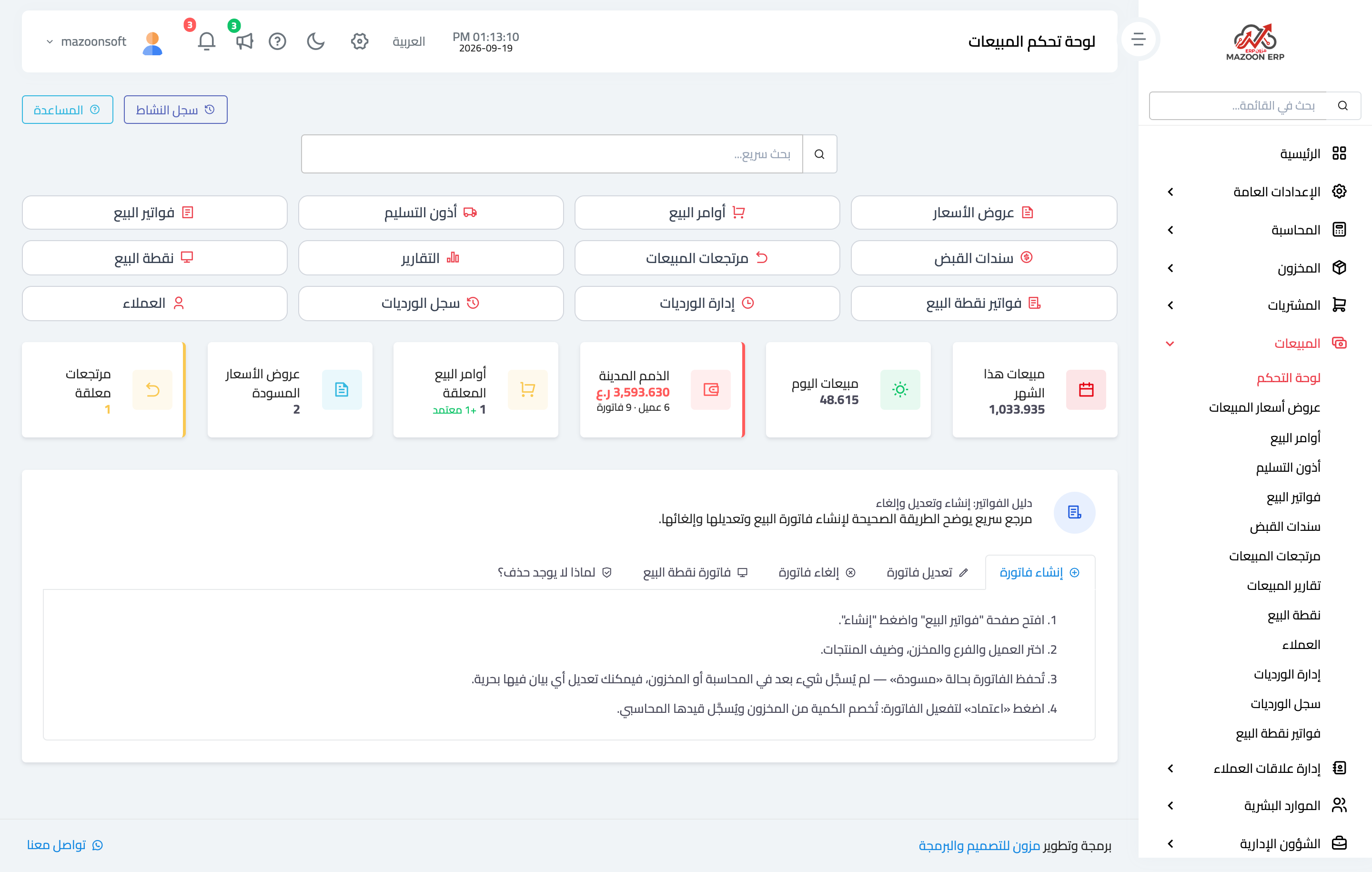
Figure 1
Try what you just read on your own data
Open a free 7-day trial — no credit card, with your own company link in minutes.