
Delivery notes: when you need one and how to create it from an order
A delivery note documents goods leaving the warehouse. You need one when delivery and invoicing come apart: you ship today and invoice at month end, or you ship in instalments against one invoice.
Creating one
- Open Sales → Delivery Notes and press + Create — image 1. Or open the sales order and press Create Delivery to have it pre-filled.
- Check the customer, branch and the warehouse the goods will really leave from.
- Set the date to the actual day of despatch.
- Review the line quantities — the single most important step; see the notes.
- Save, then open the note and press Approve.
Approval deducts stock
A draft moves nothing. On approval the stock is really deducted and the matching reservation on the sales order is released. No journal entry is created — revenue is booked by the invoice, not by the note.
Then use Create Invoice from the note when it is time to bill, and that invoice does not deduct stock again.
Notes
- Most important: when creating a delivery note from a sales order, the system proposes the full ordered quantity every time and does not subtract what was already delivered. On a second partial delivery, edit the quantities by hand or the goods leave stock twice.
- Check the stock ledger after approval to confirm what went out.
- An approved note cannot be deleted, only cancelled, and cancelling returns the quantity to stock.
- You cannot deliver more than the available quantity in the note's warehouse.
- If you invoice and deliver at the same moment, do not create a note at all — the invoice alone is enough and deducts stock.
- Print the note for the customer's driver to sign; that is the copy proving receipt.
Screenshots
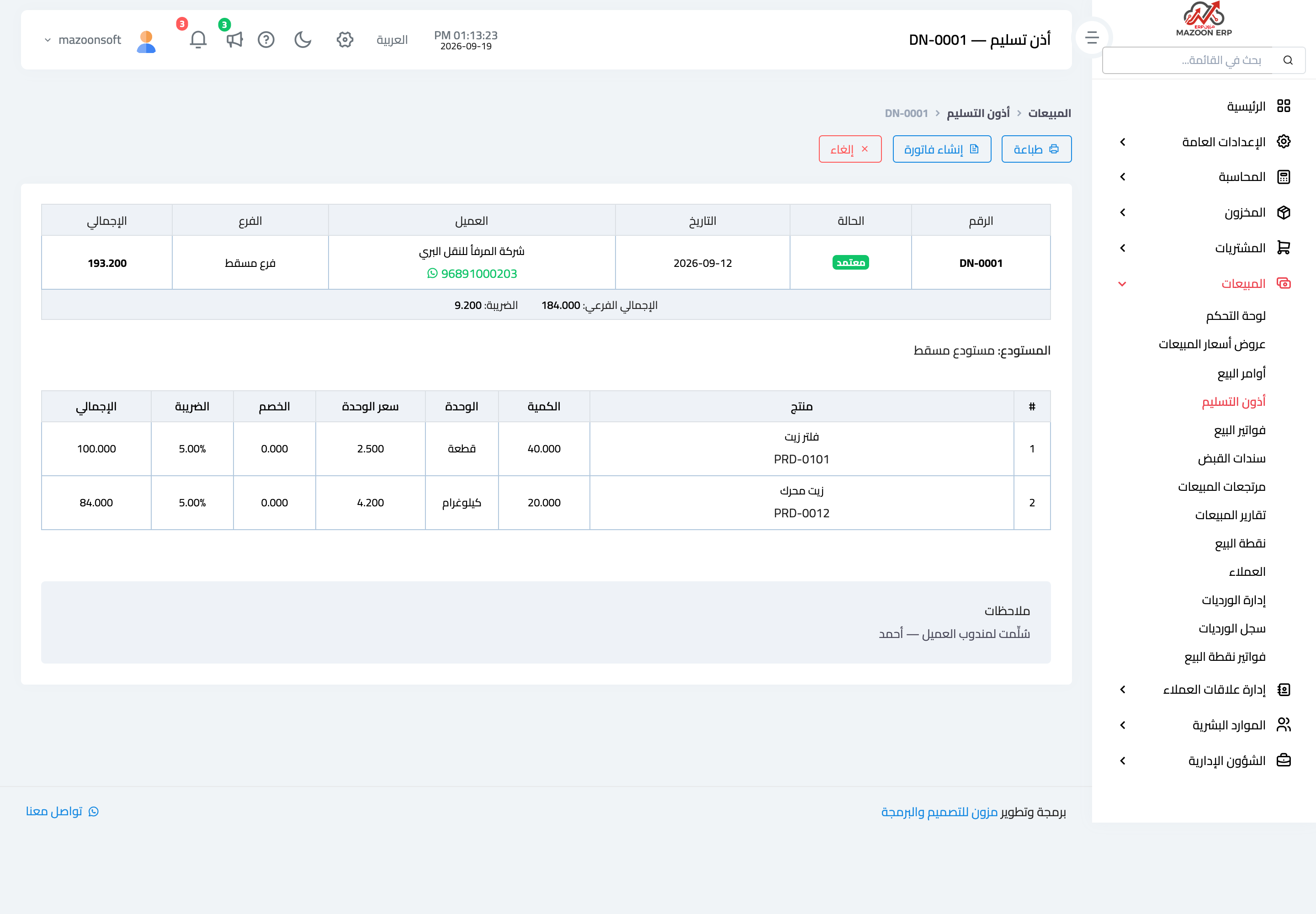
Figure 1
Try what you just read on your own data
Open a free 7-day trial — no credit card, with your own company link in minutes.