
How is late return billed? Grace period and late hours
When a customer returns the vehicle after the agreed time, the office needs a clear rule: is the lateness charged, and how much? This article explains how the system bills late time in a daily contract, the settings that control it, and where the calculation appears for staff and customers.
The rule in short
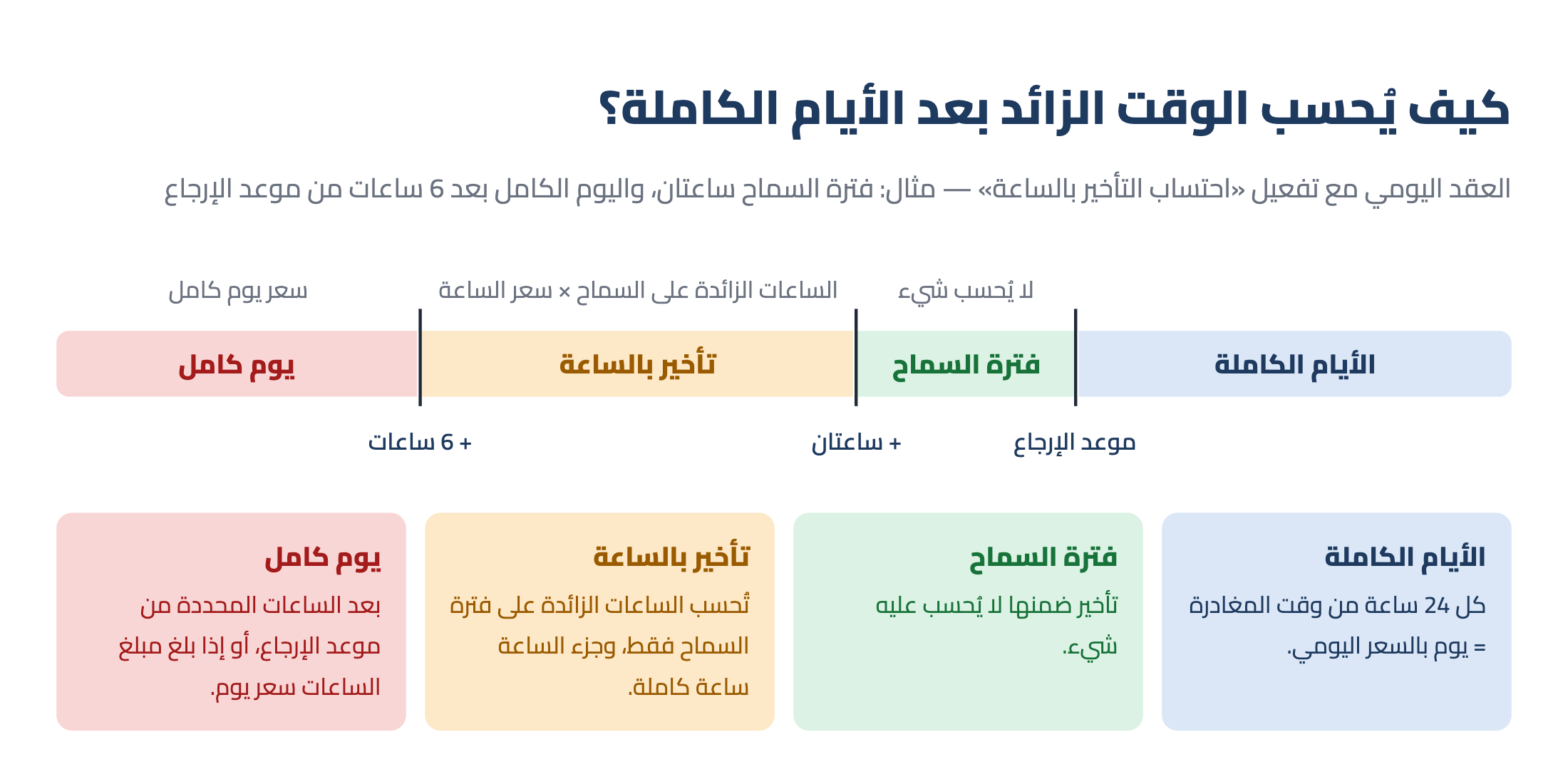
The system splits the contract into full days (24 hours from departure each), then looks at the time left over after the last full day, as in Image 1:
- Within the grace period: nothing is charged.
- Beyond the grace period: if the office turned on «Bill late hours by the hour», only the hours beyond the grace period × hourly rate; part of an hour counts as a full hour.
- Lateness past the number of hours the office set from the return time, or the hours cost as much as a day: one full day is charged instead, so lateness never costs more than a day.
- Hourly billing off, or the vehicle has no hourly rate: a full day as soon as the grace period is exceeded, as the system always worked.
Example
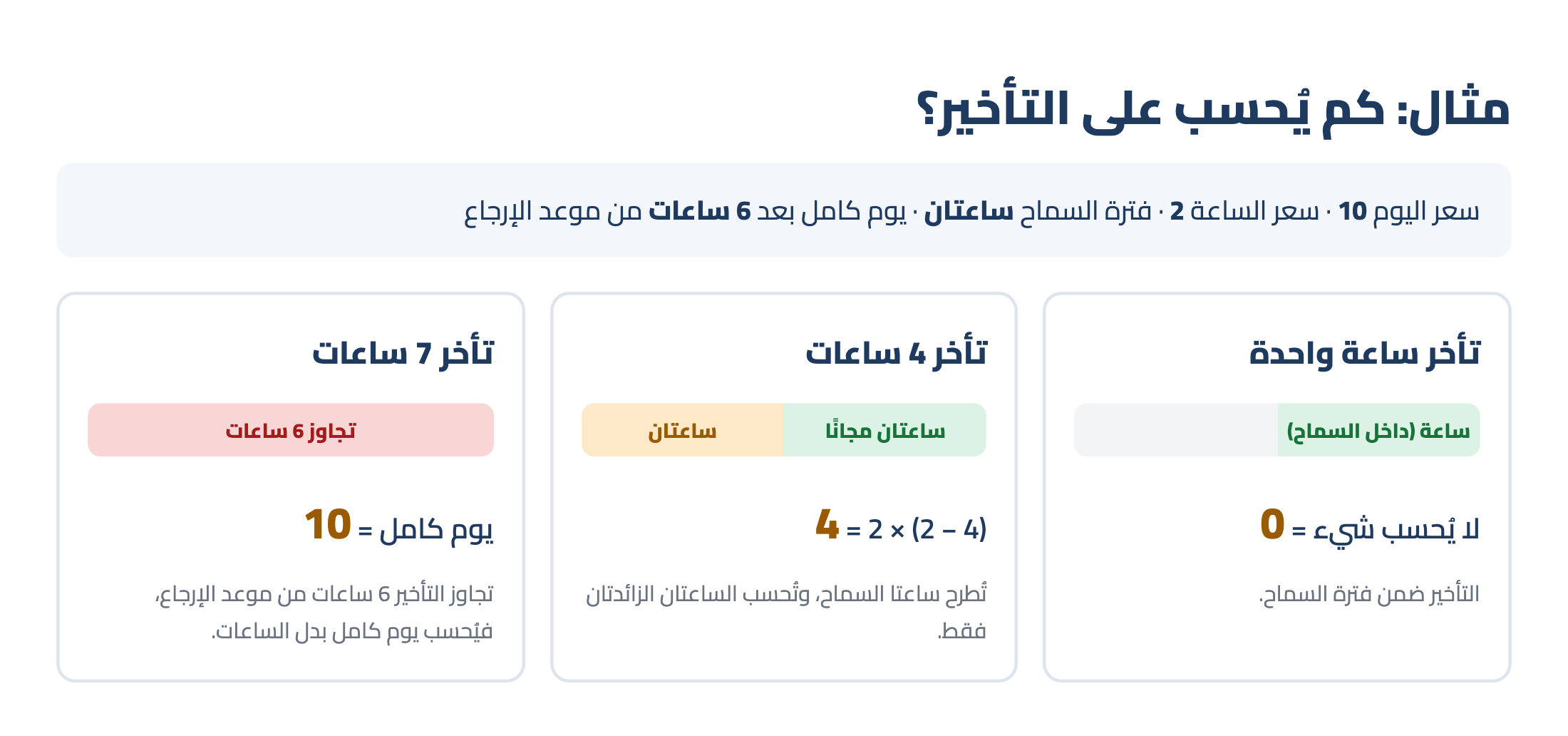
Daily rate 10, hourly rate 2, grace period 2 hours, and a full day after 6 hours from the return time (Image 2):
- 1 hour late: within the grace period, so nothing is charged.
- 4 hours late: the 2 grace hours are taken off, so (4 − 2) = 2 hours × 2 = 4.
- 7 hours late: past 6 hours from the return time, so one full day = 10.
So grace hours are always free: they are never charged, whatever the lateness.
Setting it up
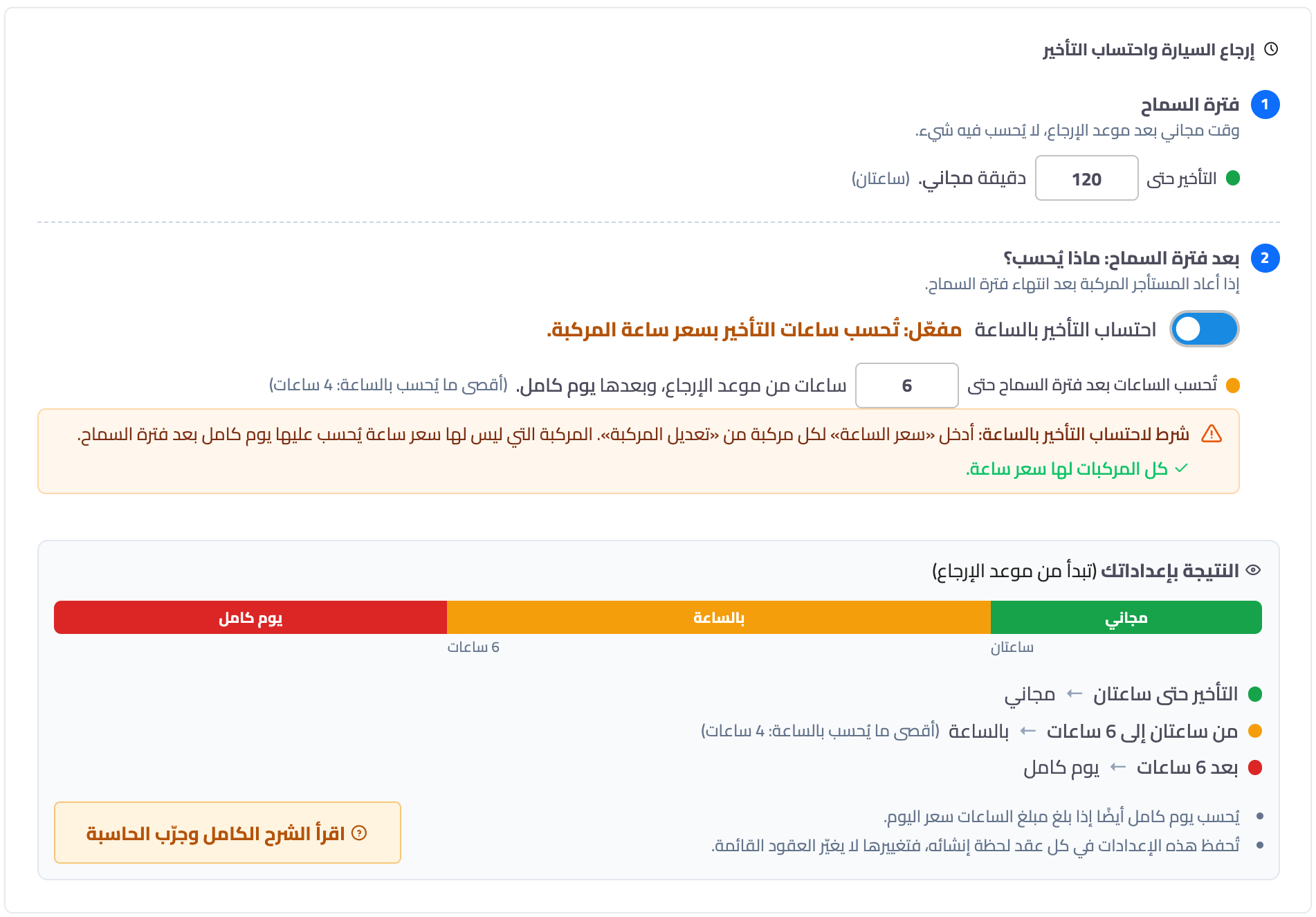
Go to Vehicle Rental → Office Settings, General tab, card «Contract return and late billing» (Image 3):
- Grace period: type the minutes in «Lateness up to … minutes is free» — the time allowed after the return time with nothing charged.
- After the grace period: what is charged? Turn on «Bill late hours by the hour» to charge lateness by the hour instead of a full day, then type the hours in «Hours after the grace period are charged up to … hours from the return time, then a full day», e.g. 6 hours.
- The result with your settings: a bar that shows at once where lateness is free, where it is charged by the hour, and when a full day starts.
The full day must start after the grace period, otherwise no time is left to charge by the hour; so the system refuses that combination with a message explaining why.
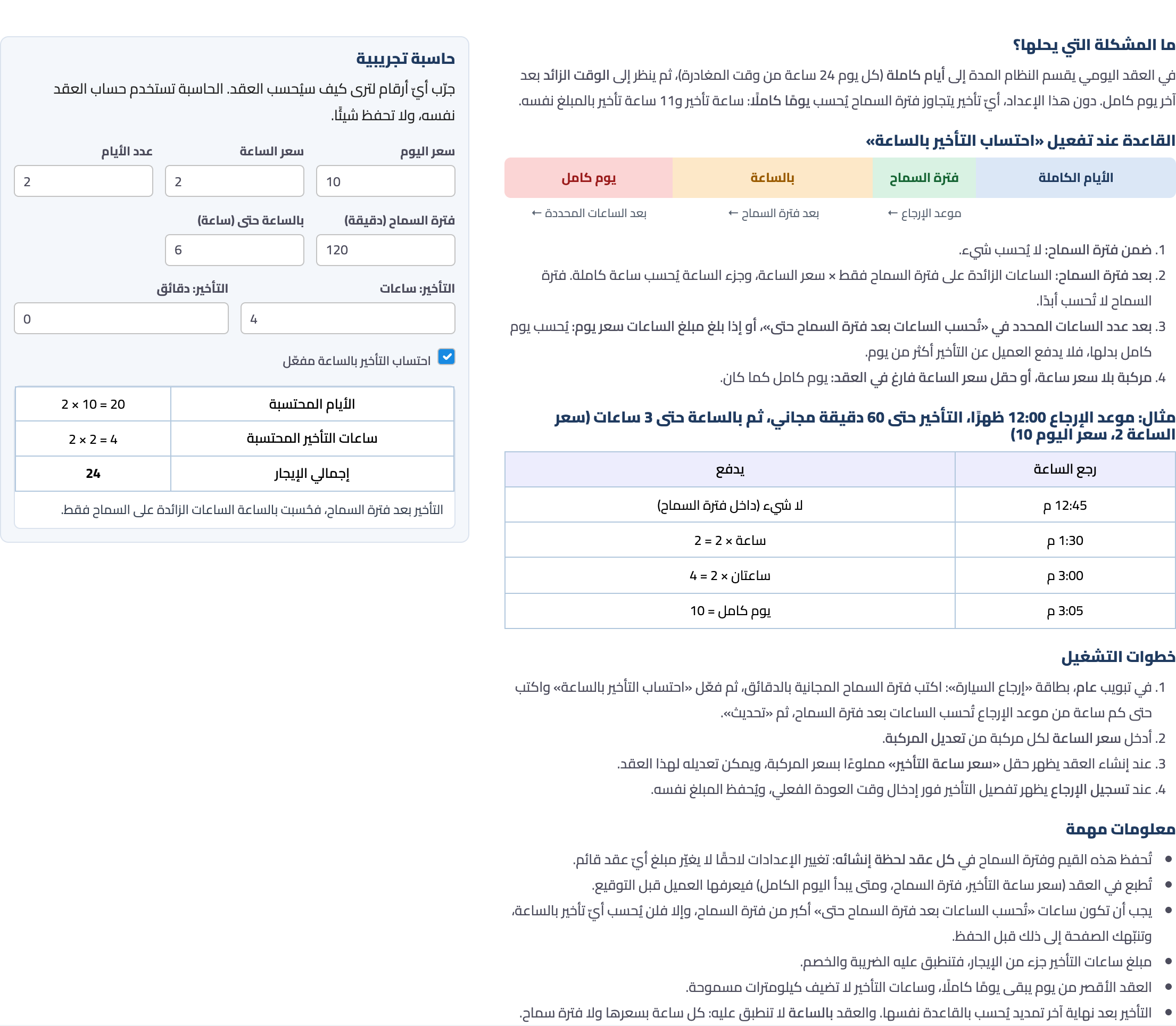
The «Read the full explanation and try the calculator» button opens the «How lateness is billed» tab (Image 4): the rule with a diagram and examples, and a calculator where you type the daily rate, hourly rate, grace period and lateness and see the amount at once — using the very same calculation as the contract, without saving anything.
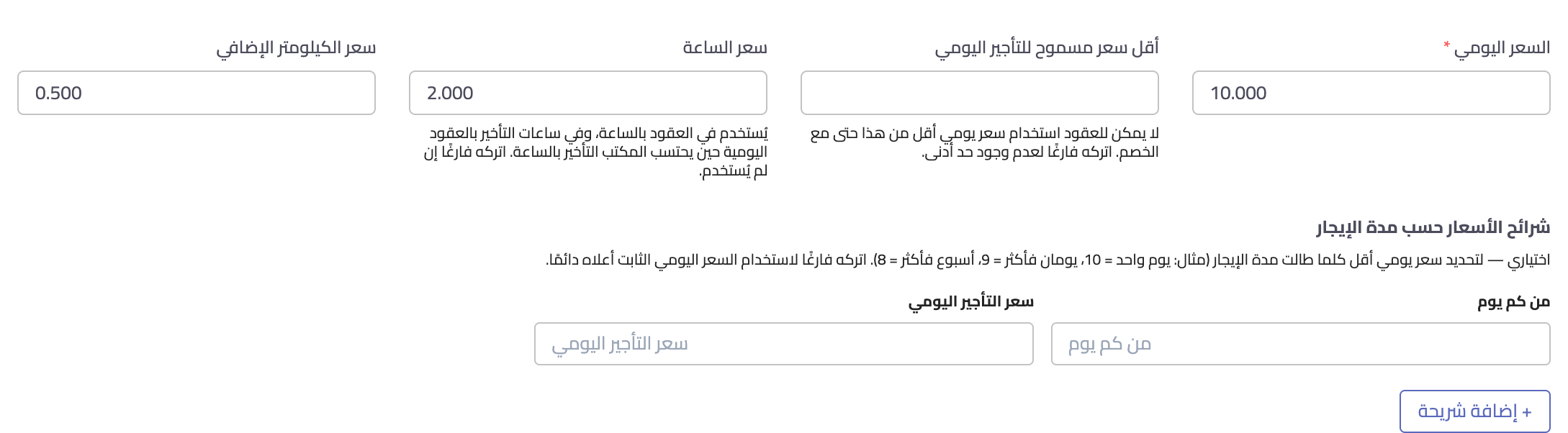
Then enter the hourly rate of each vehicle from Edit vehicle (Image 5). If a vehicle has no hourly rate, the late hour rate stays empty on its contracts and a full day is charged — unless staff type a rate for that contract. The same rate is used for hourly contracts: switching a contract to «Hourly» fills it in instead of the daily rate.
On the contract: the rules are known up front
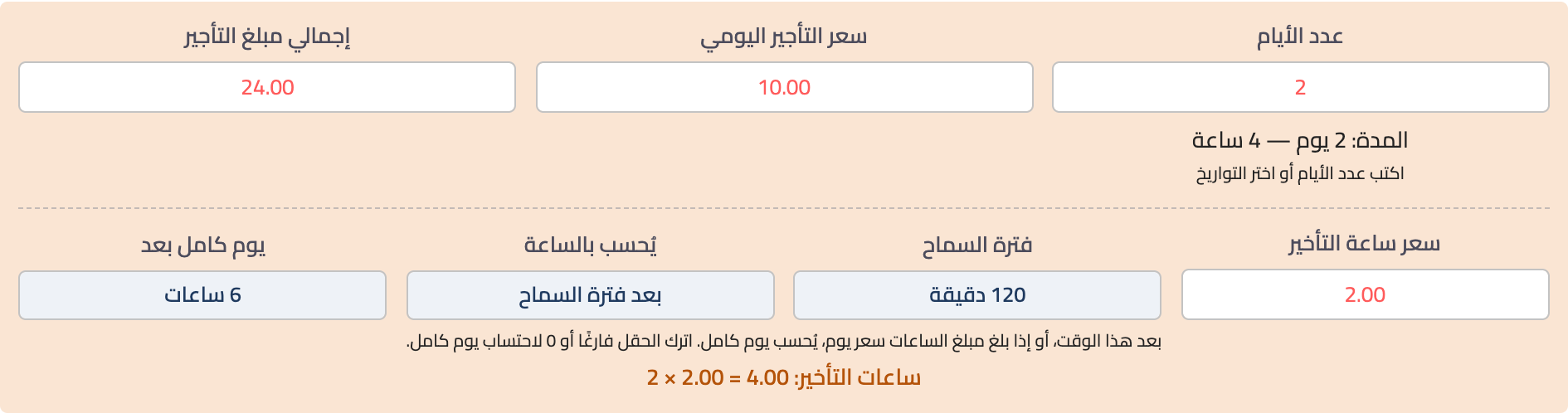
When creating a contract, a «Late hour rate» row appears under the number of days and the rate, filled from the vehicle, next to the grace period and when the full day starts (Image 6). If the expected return time goes past the full days by more than the grace period, the late-hours line appears and its amount is added to the rent.
The late hour rate can be changed for that contract, but not below the vehicle's hourly rate; leaving it empty or 0 charges a full day instead of hours.
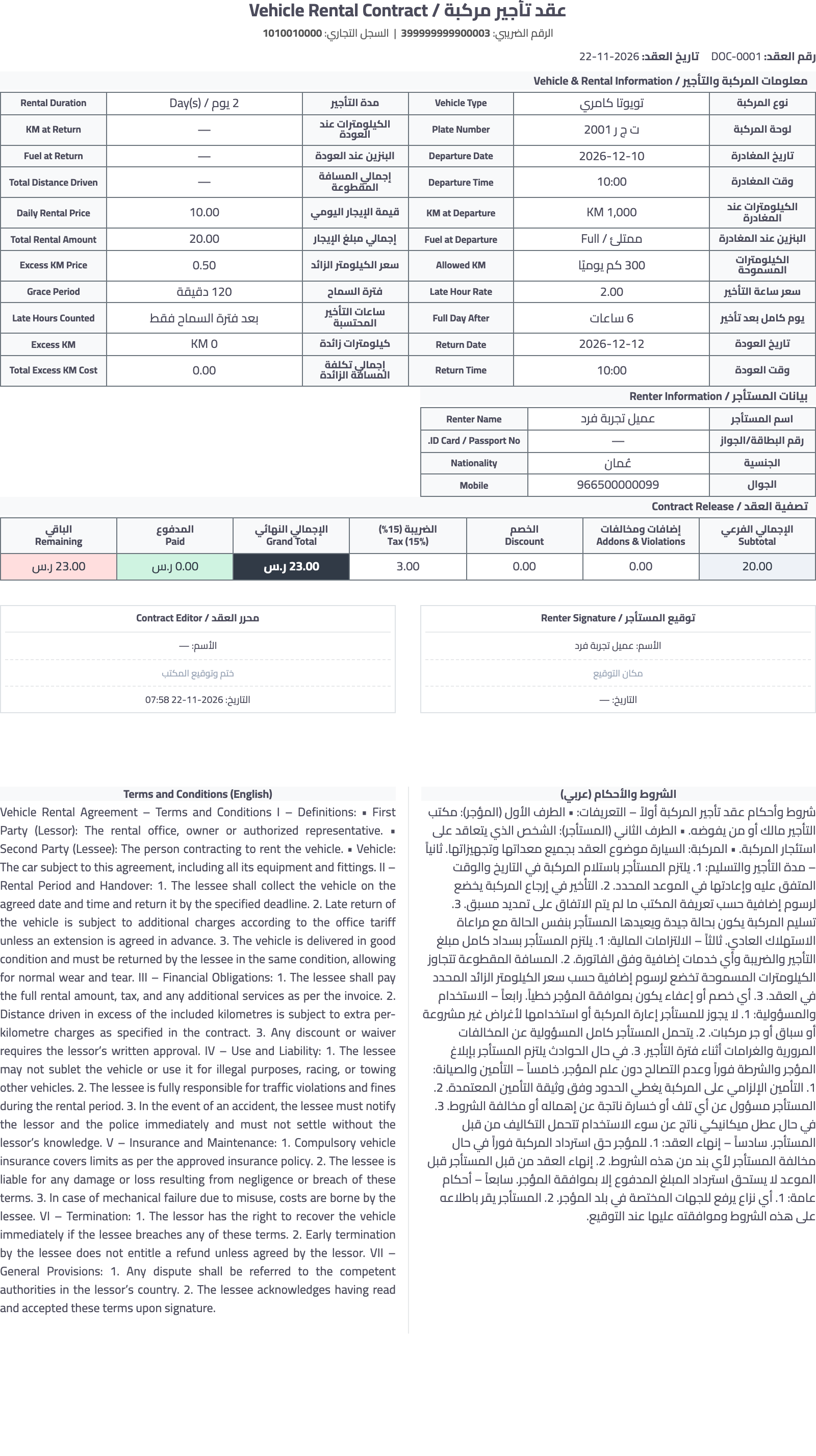
These rules are printed on the contract itself (Image 7) — late hour rate, grace period, «Full day after … hours» and «Late hours counted: after the grace period only» — so the customer knows them before signing.
Important: these values and the grace period are saved into each contract when it is created, so later changes to the office settings never change the amount of an existing contract.
When closing the contract (return)
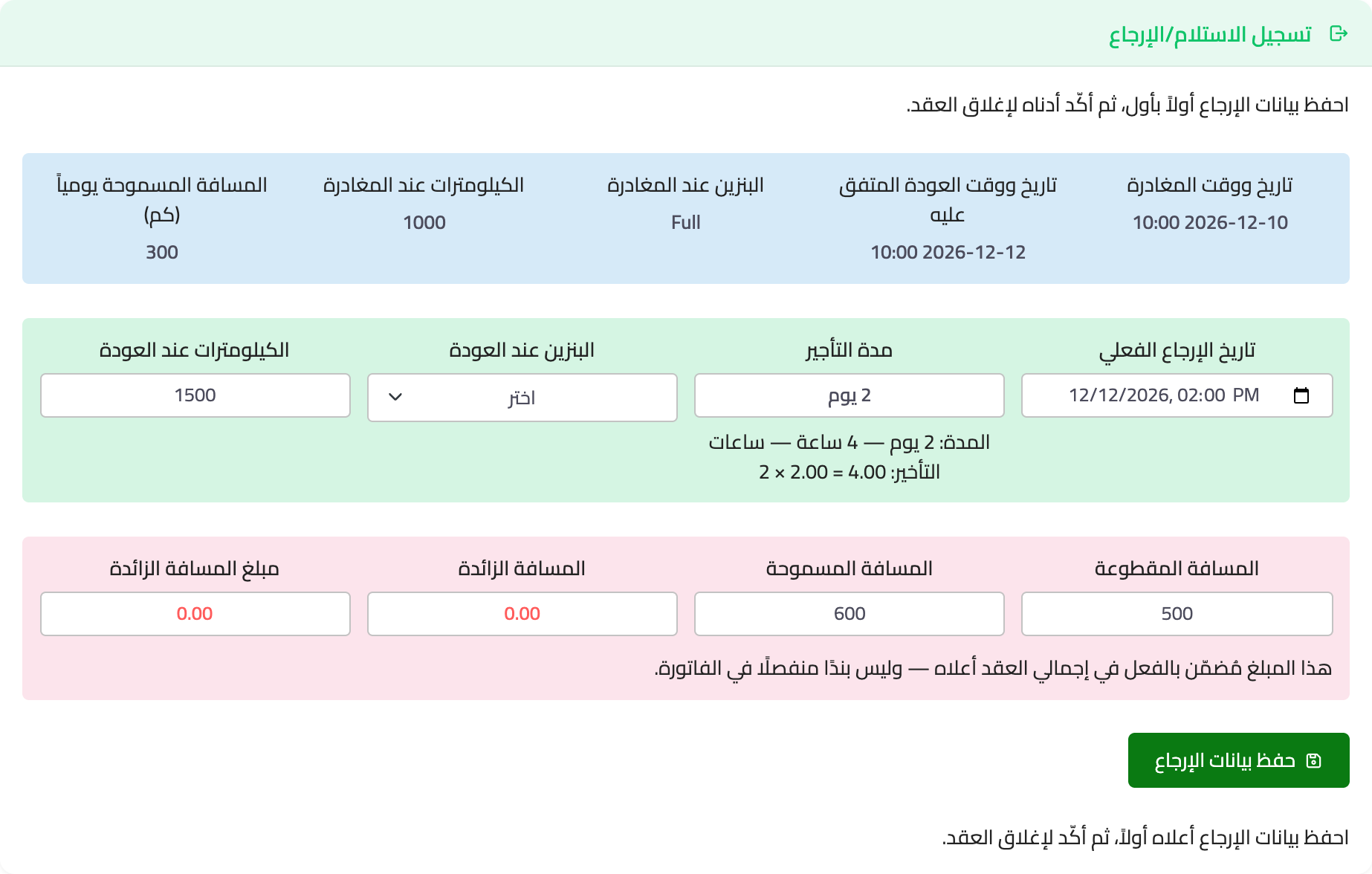
In the Register return tab, as soon as the actual return date and time are entered, the duration breakdown and the late-hours line appear (Image 8), e.g. «Duration: 2 days — 4 hours — Late hours: 2 × 2 = 4» with the example settings above. After Save return details the same amount is saved on the contract and shows in the financial summary and the print.
The late-hours amount is part of the total rent, so tax and discount apply to it like the rest of the rent, and it is posted in accounting as a «rent adjustment» entry dated on the actual return. With e-invoicing on, the difference is posted with today's date and a debit note is issued for the same amount.
FAQ
- A contract shorter than one day? It is charged as one full day; late hours only count after at least one full day.
- Do late hours add km allowance? No, the allowance stays on full days. If the lateness turns into a full day, that day's allowance is added.
- Extended contracts? Lateness after the end of the last extension follows the same rule.
- Hourly contracts? This rule does not apply: every hour or part of it is charged at the hourly rate, with no grace period.
- Contracts created before the setting was turned on? They keep the full-day rule they were created with. A draft edited after the setting is turned on takes the current settings, since it has not started yet.
Screenshots
Try what you just read on your own data
Open a free 7-day trial — no credit card, with your own company link in minutes.