
How do I log vehicle maintenance and take it out of service?
A maintenance log is not paperwork for its own sake; it is how you find out which vehicle is eating its profit in the workshop, and when to sell it.
Logging maintenance
- Open Vehicle Rental → Maintenance — Figure 1 — then Add maintenance record.
- Pick the vehicle and the type (periodic or repair), and write a clear title such as “oil and filter change — 10,000 km”.
- Enter the scheduled or performed date, the cost, the odometer at service and the vendor.
- Set the status: scheduled, in progress, performed or cancelled. Then save.
Taking the vehicle out of service
- For a known period: add a blackout period on the vehicle with start and end dates.
- For an open-ended stay: open Edit vehicle and change the status to maintenance — Figure 2 — then set it back to available when it returns.
A maintenance record whose status is in progress shows the vehicle as Maintenance in the vehicle list automatically, until you set it to completed or cancelled. This is display only and does not block bookings; to take the vehicle out of service, use one of the two ways above.
Notes
- Record the odometer at service every time; it is what makes periodic maintenance follow usage rather than the calendar.
- Log the cost even when it is small; the yearly total is what exposes the loss-making vehicle.
- Schedule periodic work in quiet weeks, not in season; a car in the workshop on a holiday costs you twice.
Screenshots
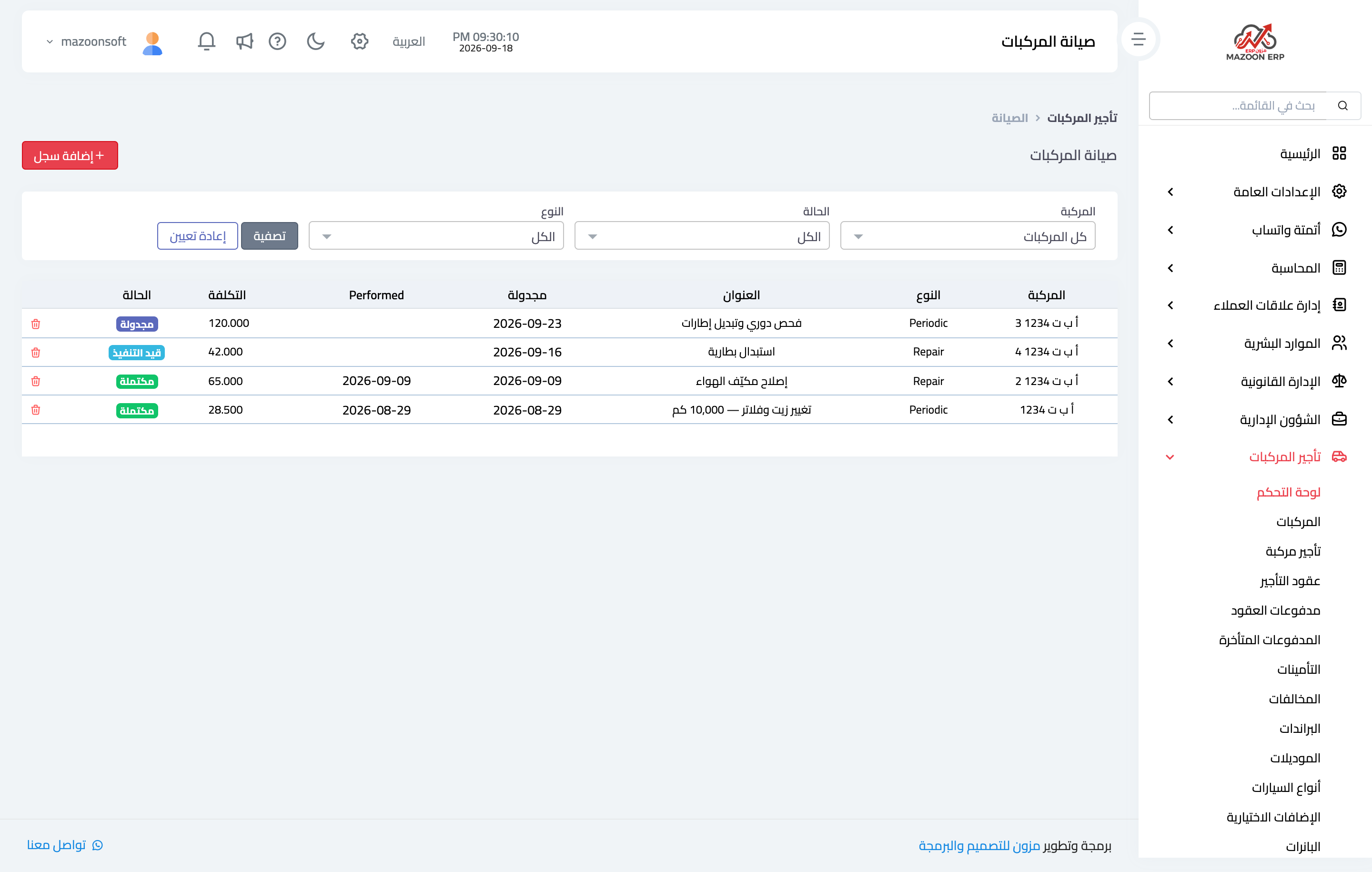
Figure 1
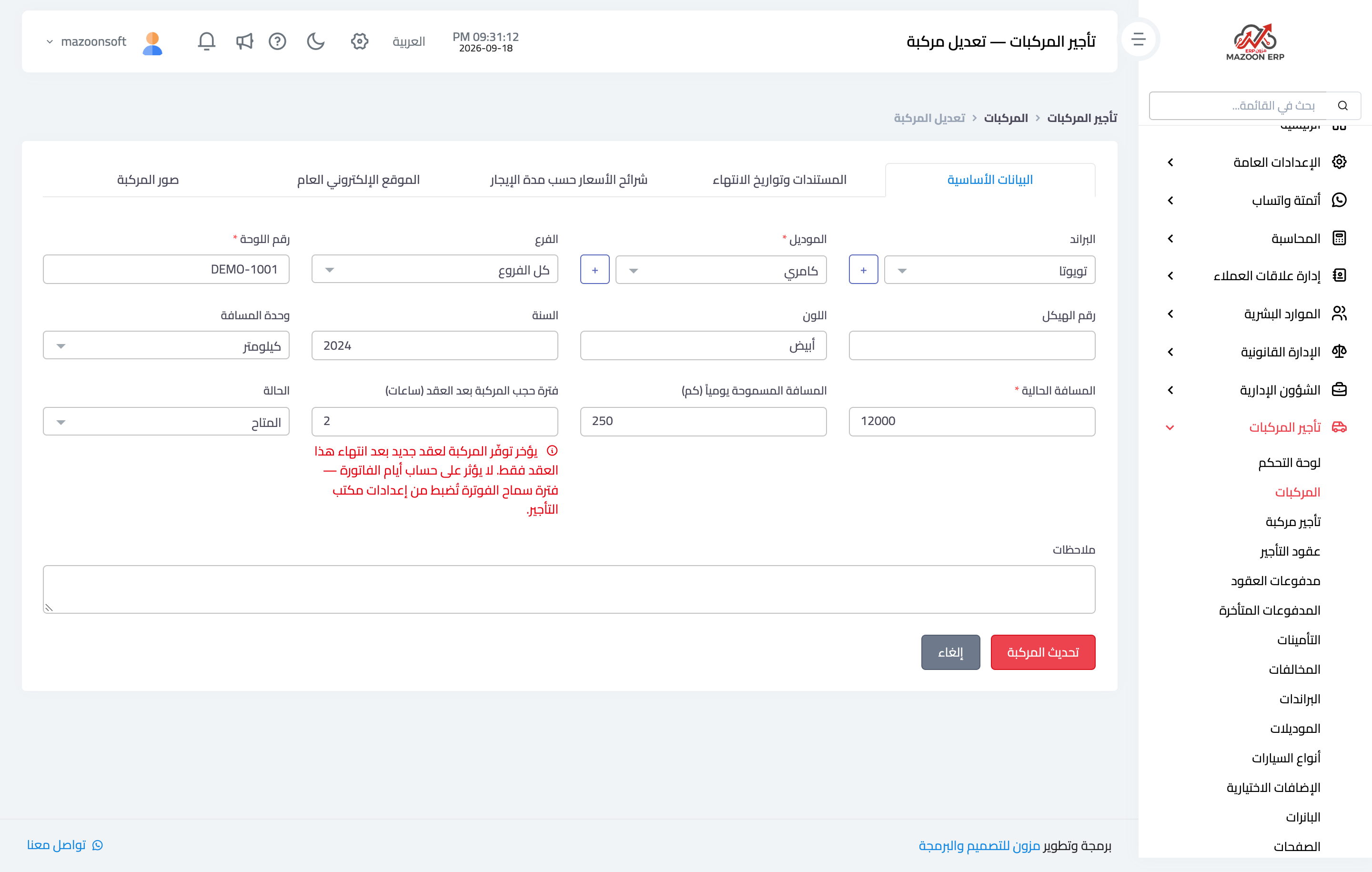
Figure 2
Try what you just read on your own data
Open a free 7-day trial — no credit card, with your own company link in minutes.