
Collection, security deposits, and violations
Losses in a rental office rarely come from the price. They come from three things: a payment never collected, a deposit released too early, and a fine that arrives after the customer has gone. Each has its own screen.
Contract payments
A payment is recorded from the financials tab inside the contract with its amount, date, and method, and a contract accepts several payments.
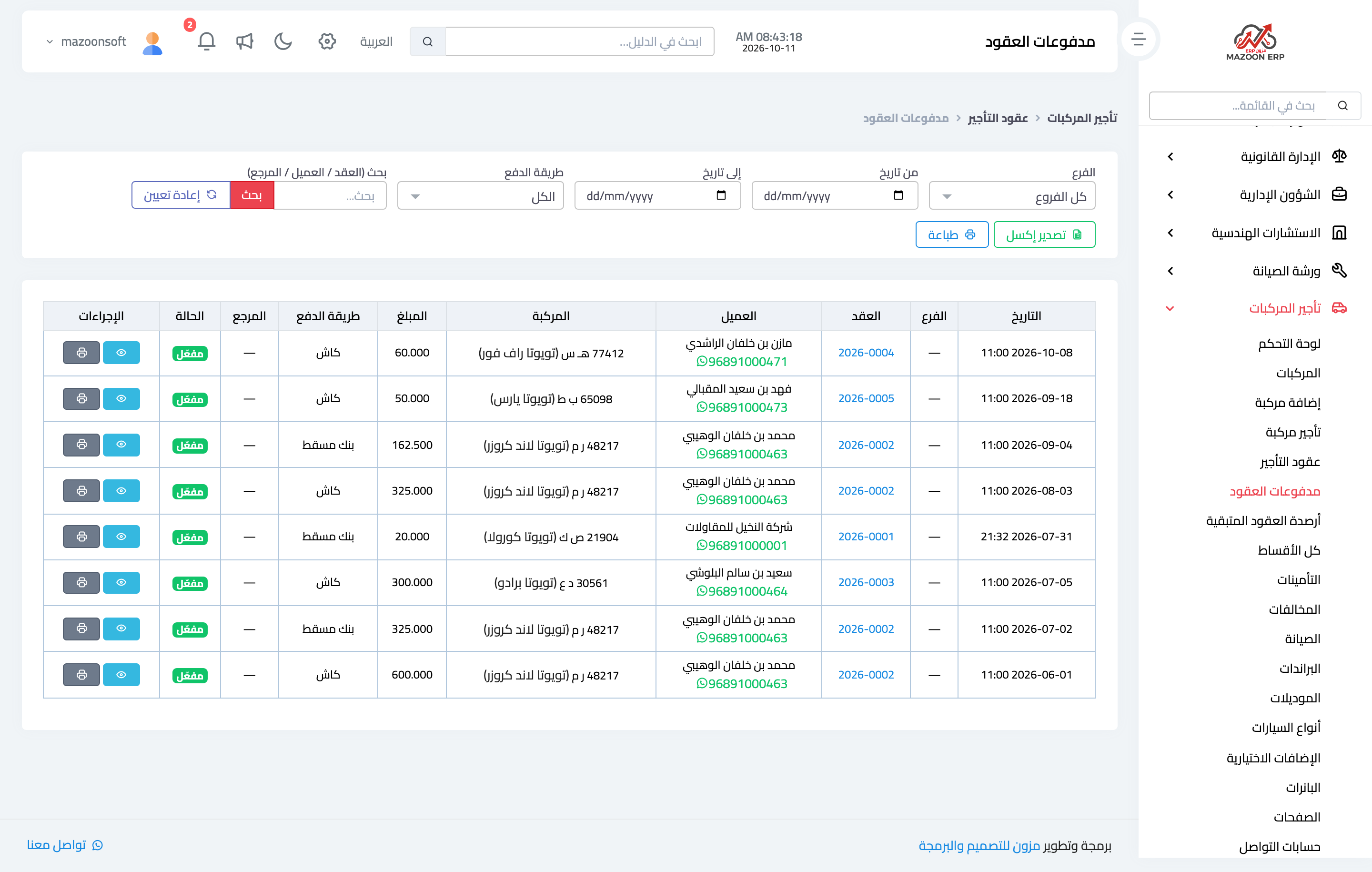
The Contract payments screen — Figure 1 — gathers everything collected in the office whatever contract it belongs to: date, contract, customer, amount, payment method, and reference. It is the cash review screen, with filtering and export.
Remaining contract balances
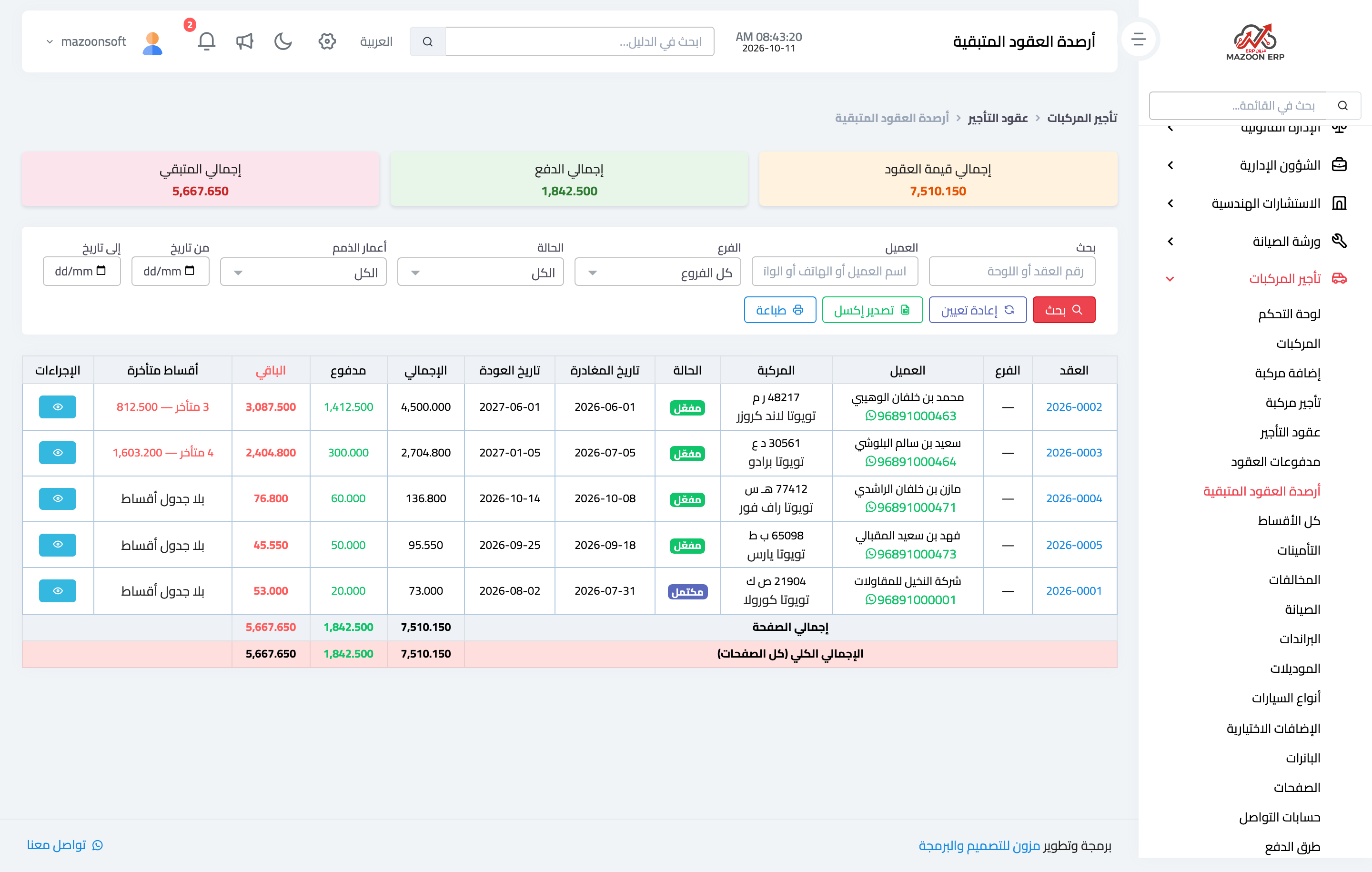
Remaining contract balances — Figure 2 — is the other face of it: every contract with a balance, its overdue instalments, the customer’s WhatsApp to reach them directly, an aging filter, export and print.
Working through this screen once a week usually returns more than a price increase would.
Instalments
For long contracts — monthly and above — an instalment schedule sits at the top of the contract’s Financial tab: it splits the amount into instalments with due dates and applies payments to them automatically, so it is clear which instalment has fallen due and which is late, instead of one opaque figure. The All installments screen gathers every contract’s instalments in one place.
Security deposits
A deposit is money taken from the customer but not owned: it is a guarantee, refunded when the vehicle comes back sound, or reduced by the cost of damage or a fine, or forfeited entirely in extreme cases.
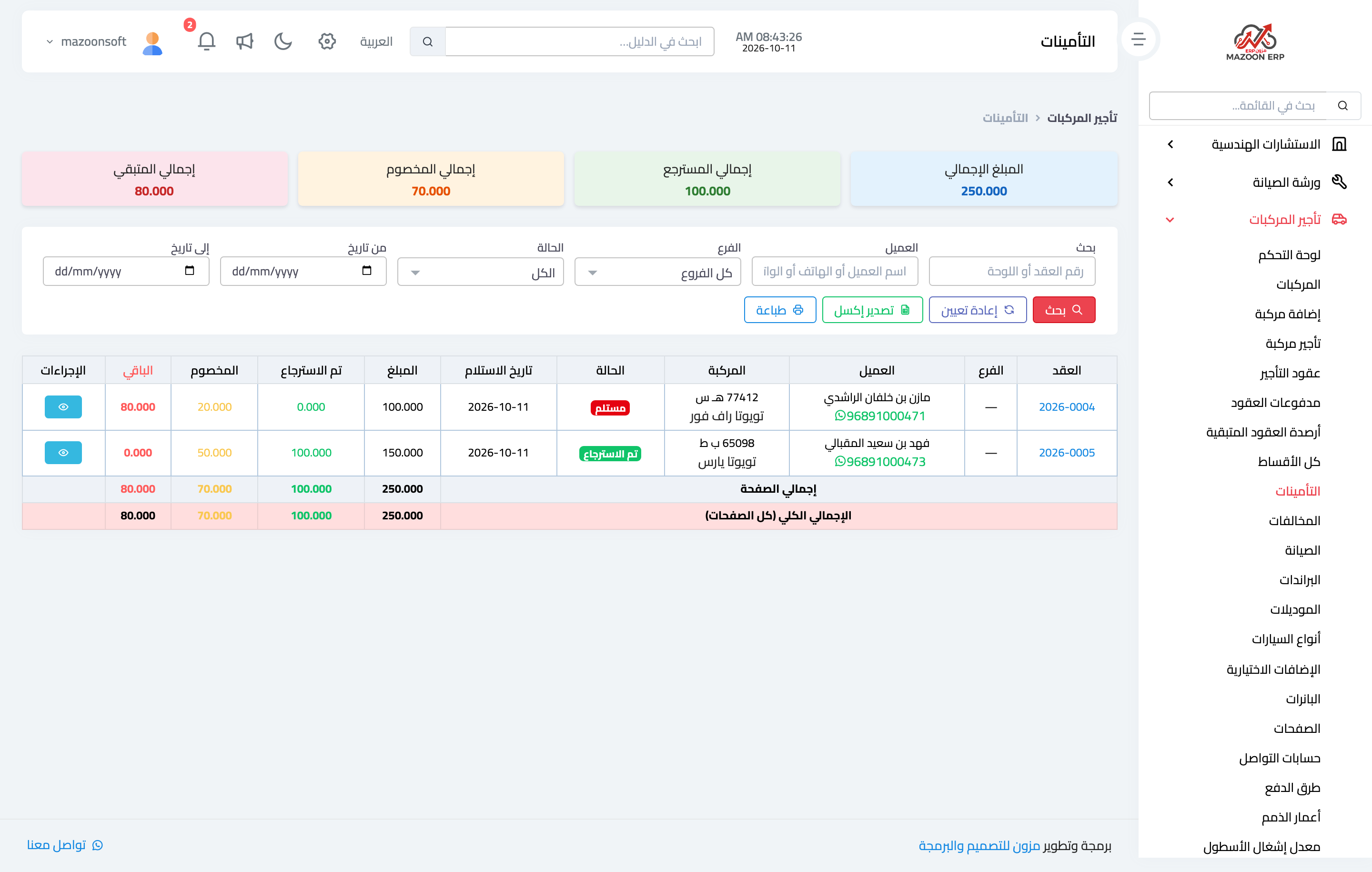
A deposit is opened from the Deposit button at the top of the contract page, and the Security deposits screen — Figure 3 — gathers all of them with each one’s state: held, refunded, or partially deducted.
Every movement on a deposit is recorded with its reason and payment method and has a printed voucher, so no argument arises over an amount deducted without explanation. The deposit is posted to a liability account, not to revenue; only what is deducted from it becomes income.
Violations
A traffic fine reaches the office in its own name, because the office owns the vehicle, but whoever incurred it was the renter at the time. Hence the problem: how do you know who was driving on a given day?
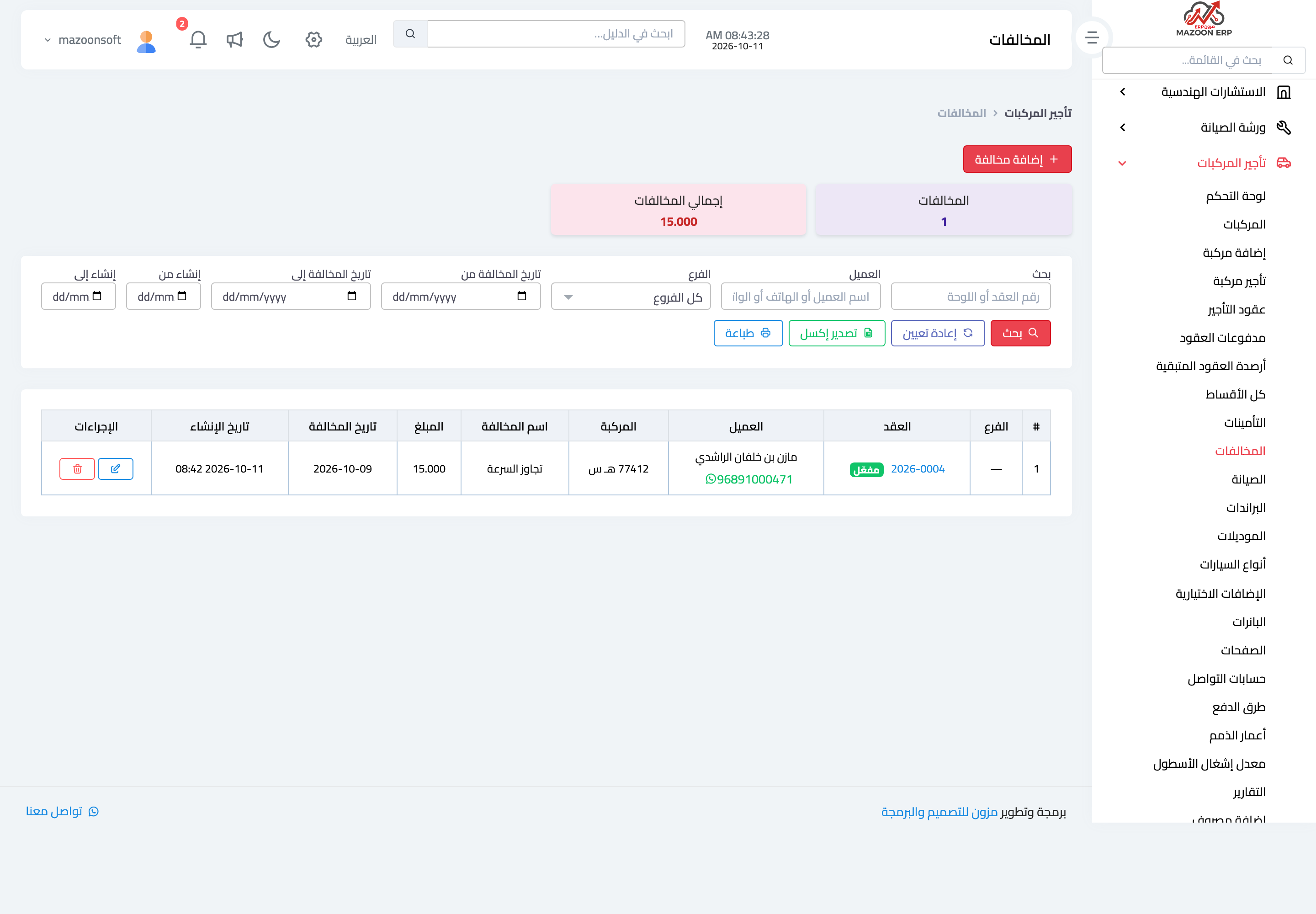
The Violations screen — Figure 4 — solves it: record the fine with its number, date, amount, and vehicle, and the system ties it to the contract open on that date, so it appears on the contract’s violations tab and is added to its total.
The fine is thereby charged to whoever incurred it, either collected in the final settlement or deducted from the deposit.
Notes
- Do not refund the deposit on the day of return; a fine can arrive a week later, and waiting the customary period is safer.
- Record the reason for every deduction at the time of deduction, not a week later.
- Review remaining contract balances weekly; a recent arrear is collectable, and grows harder the longer it sits.
Screenshots
Try what you just read on your own data
Open a free 7-day trial — no credit card, with your own company link in minutes.