
How do I organise brands, models and vehicle types?
Before the fleet grows, set up the three lists every vehicle is built on: the brand, the model under it, and the vehicle type visitors filter by on the website.
Brands
- Open Vehicle Rental → Brands — Figure 1.
- Add the brand with its Arabic and English name, and upload its logo if you want it shown on the storefront.
Models
- Open Models — Figure 2 — and add each model under its brand.
- Do not merge brand and model into one name; keeping them apart is what makes the reports and filters work.
Vehicle types
- Open Vehicle types — Figure 3 — and add the categories you actually sell by: sedan, 4WD, economy, family, luxury.
- A single vehicle can carry more than one type; a large 4WD can sit in both “4WD” and “family”.
Notes
- Vehicle types are the filter buttons above the fleet page on the website, so keep the list short and meaningful to a customer.
- You can add a brand or model from inside the vehicle form with the + button, without losing what you typed.
- Standardising the names early saves a painful clean-up at a hundred vehicles.
Screenshots
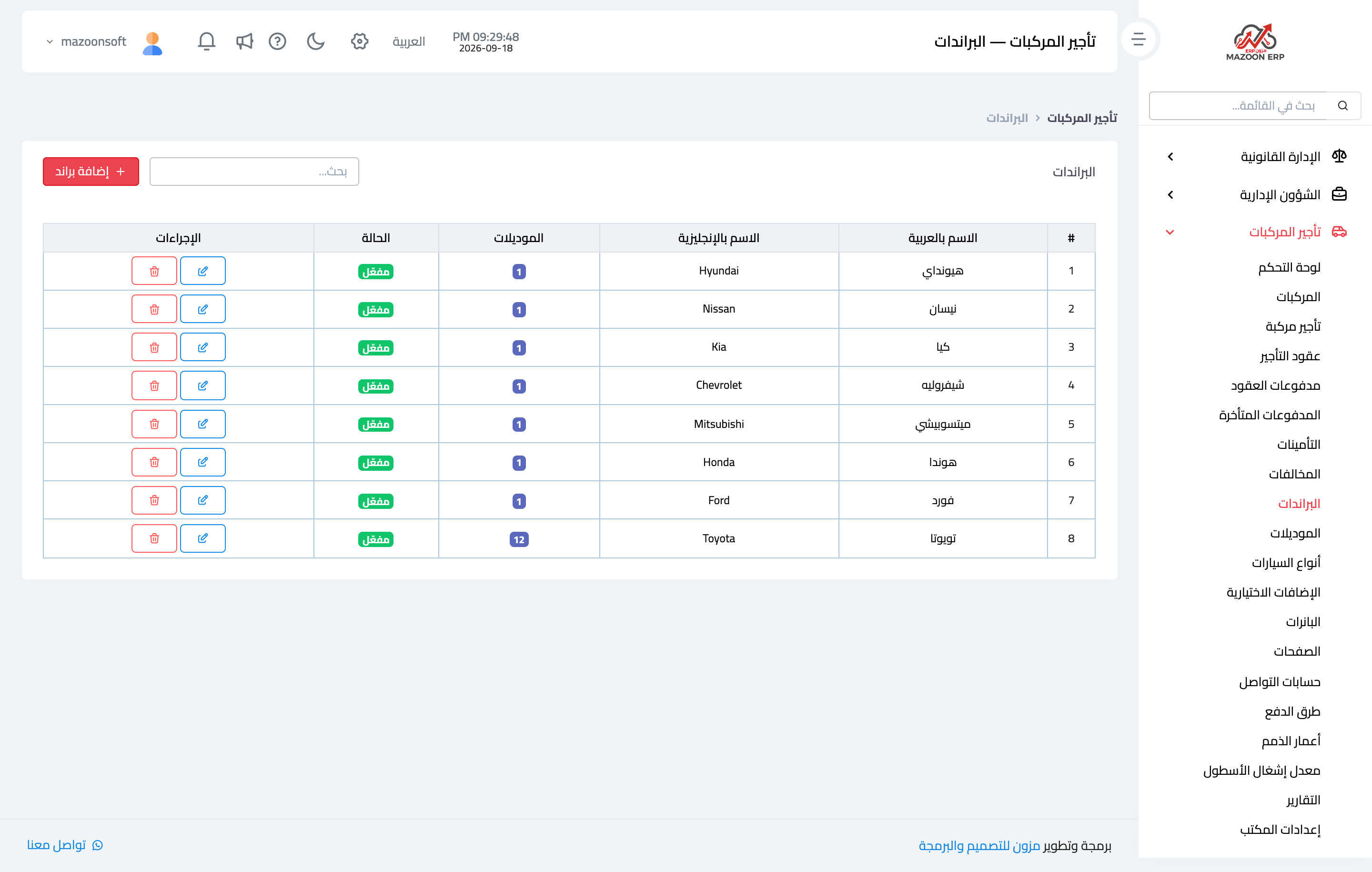
Figure 1
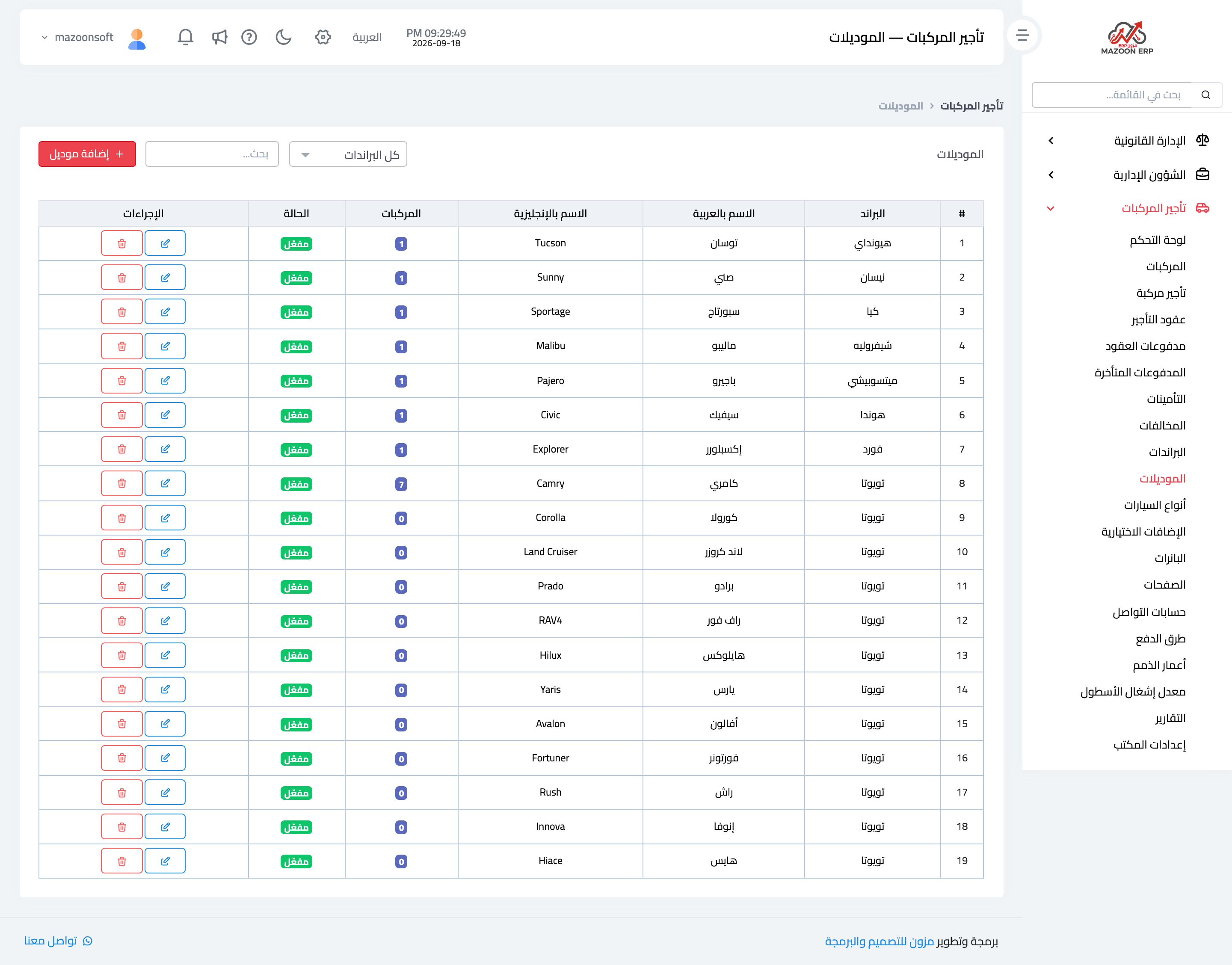
Figure 2
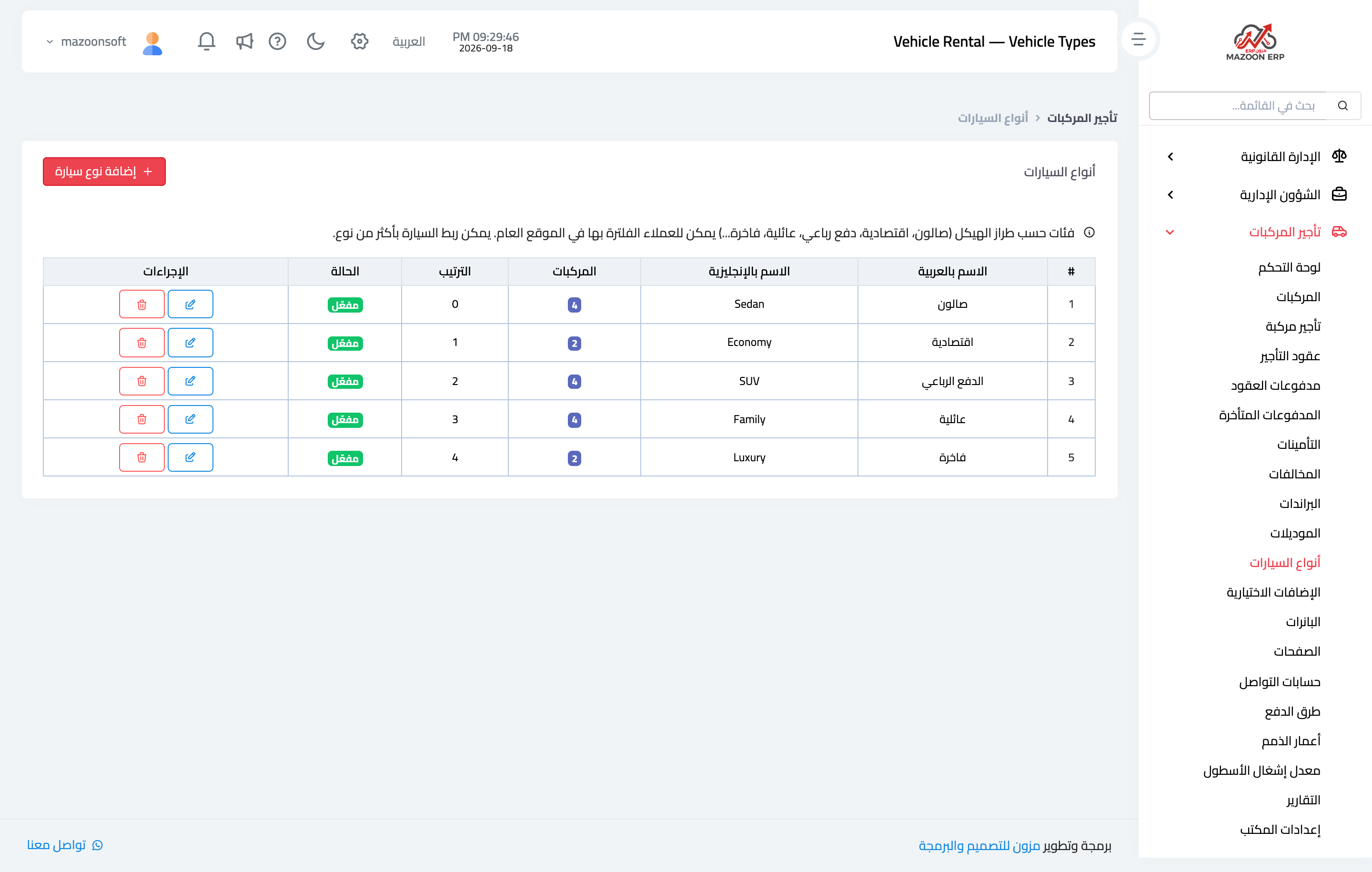
Figure 3
Try what you just read on your own data
Open a free 7-day trial — no credit card, with your own company link in minutes.