
How do I record a payment on a contract and follow up on arrears?
Every amount a customer pays is recorded against their contract, and from these payments come the remaining balance, the instalment allocation and the arrears reports.
Recording a payment
- Open the contract, then the Financial tab — Figure 1.
- If the contract has an instalment schedule, press Pay on the instalment due, or the Record a payment of another amount link for a different amount. Without a schedule the payment form is shown directly.
- Enter the amount, date and payment method, then save.
- The financial summary updates at once: total paid and remaining amount, and the payment is applied to the oldest unpaid instalment.
- Print the receipt for the customer from the print button on that payment row.
Following payments and arrears
- Contract payments — Figure 2 — lists every payment with its date and method, a link to the contract and the customer’s WhatsApp, with search, Excel export and print.
- Remaining contract balances — Figure 3 — lists every contract with a balance, an Overdue installments column with their count and amount, an aging filter, export and print. It is the collection clerk’s daily worklist.
- All installments lists overdue and soon-due instalments across all contracts, and you can pay from it directly.
- For the age of the debt open Aging from the Vehicle Rental dashboard.
Notes
- Enter the real payment date, not today’s; cash reports are built on the voucher date, not the contract date.
- A deposit paid at booking is recorded like any other payment; only its date differs.
- Do not record the security deposit here; it has its own screen, and mixing them inflates your income with money that is not yours.
- Check remaining contract balances before renting another vehicle to a customer who still owes.
Screenshots
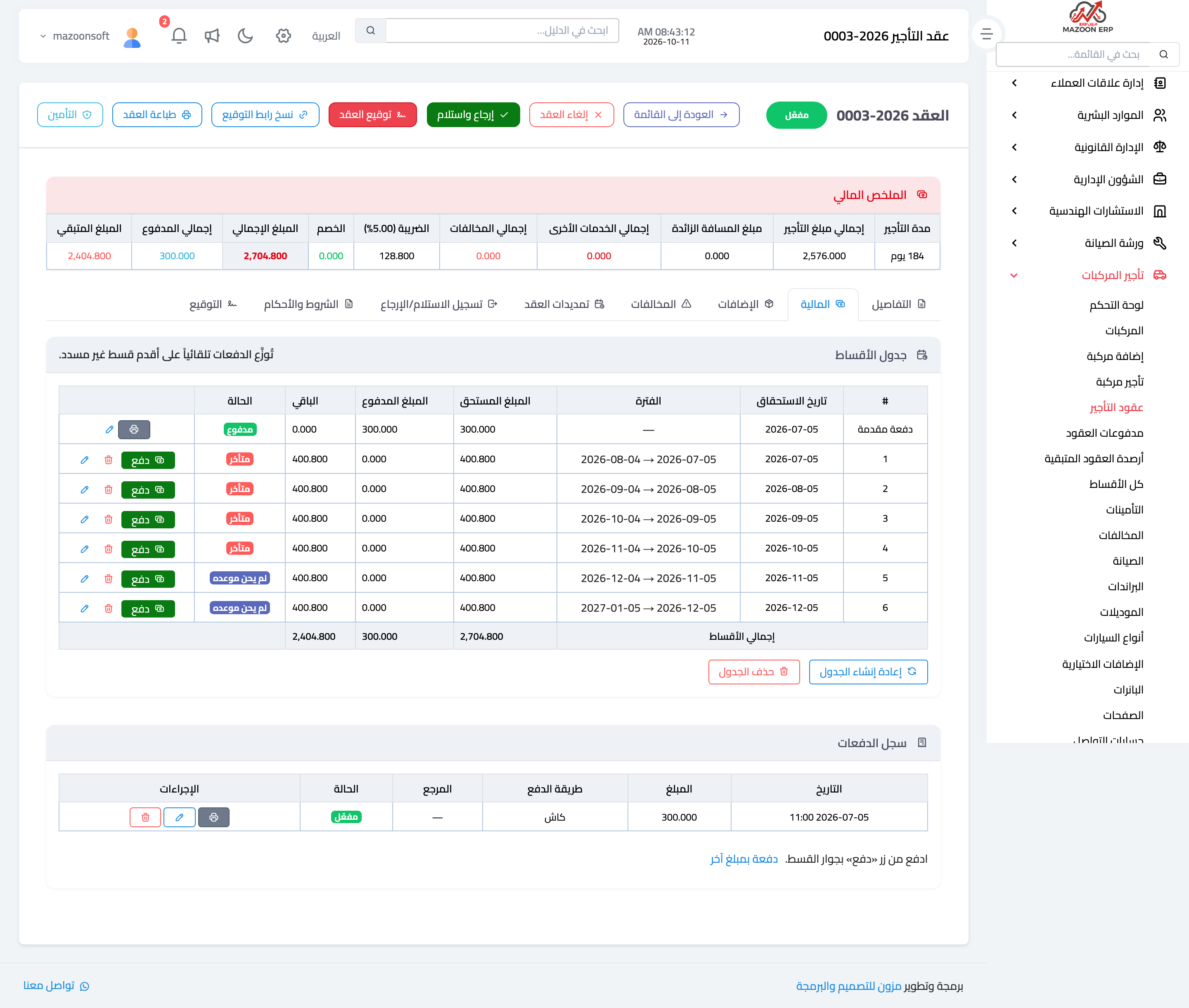
Figure 1
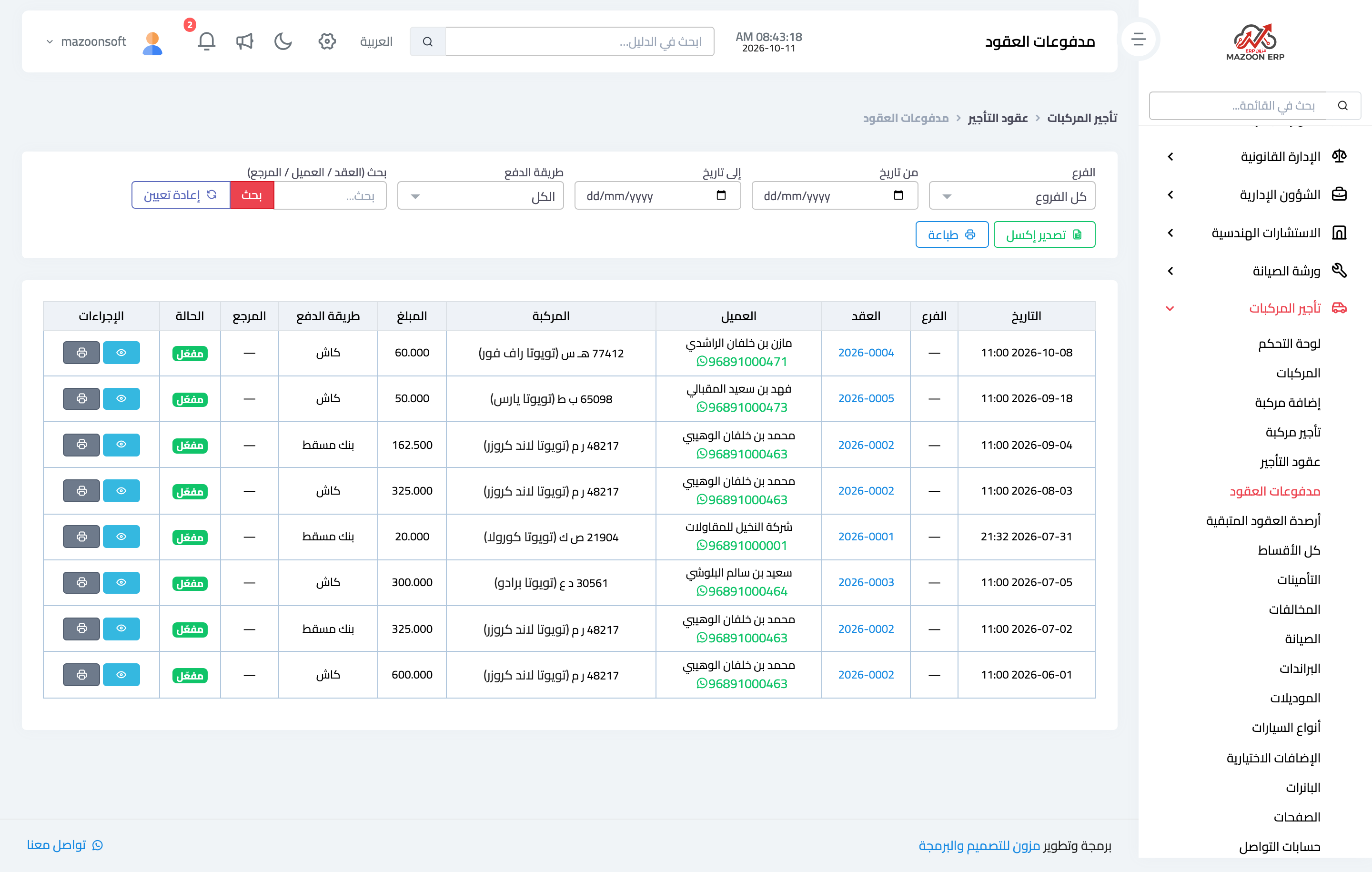
Figure 2
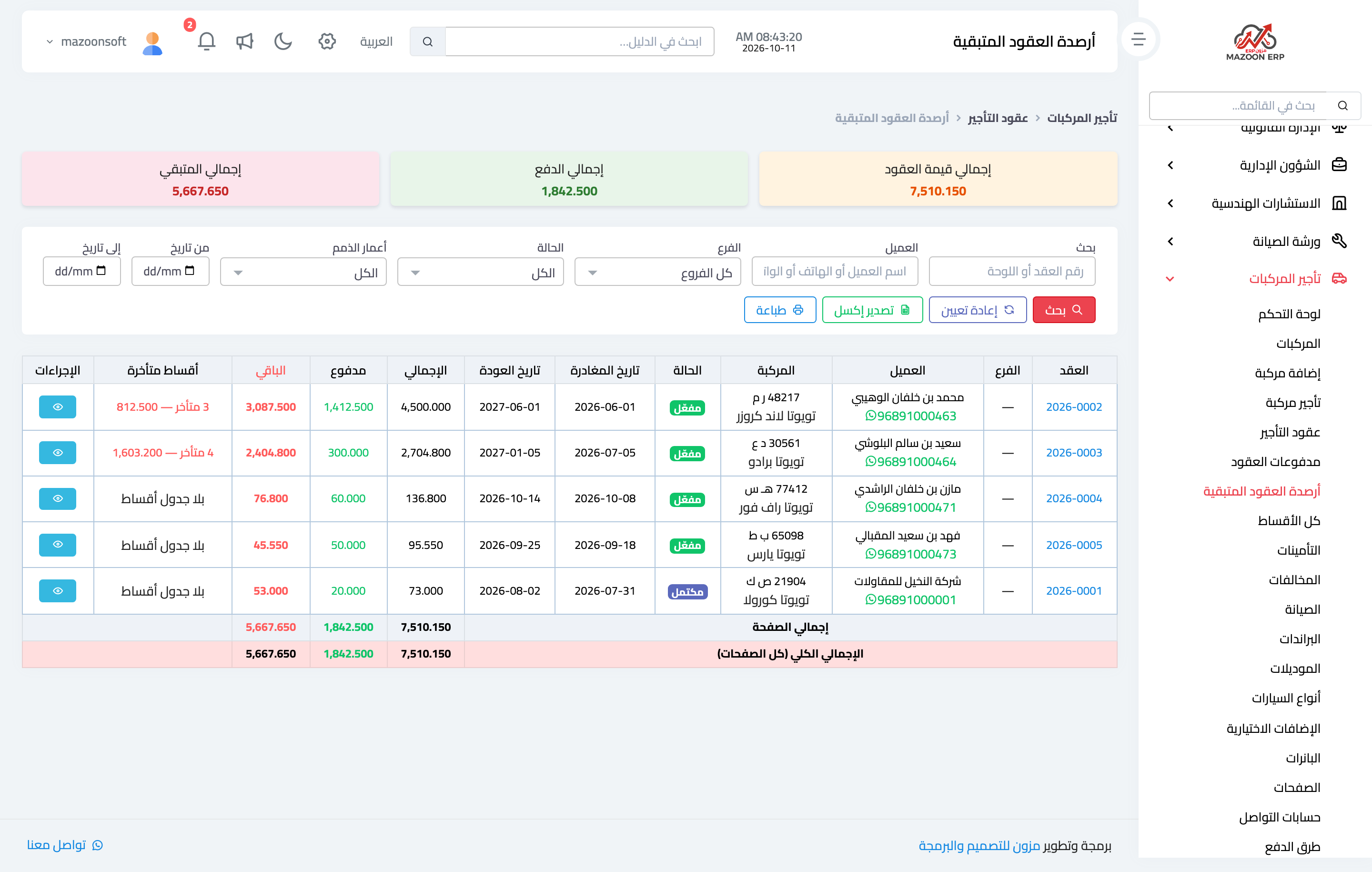
Figure 3
Try what you just read on your own data
Open a free 7-day trial — no credit card, with your own company link in minutes.