
How do I set rental prices, duration tiers and the kilometre limit?
A rental price is not one number but four working together: the daily rate, the minimum allowed rate, the duration tiers, and the extra-kilometre price. They all live in one place.
Steps
- Open the vehicle from Vehicle Rental → Vehicles → Edit, then the Duration-based pricing tiers tab — Figure 1.
- Enter the daily rate, the advertised price for a single day.
- Enter the minimum allowed daily rate; counter staff cannot discount below it. Leave it empty if you want no floor.
- Under pricing tiers, add a row per duration: from how many days and the daily price at that length. For example 1 day = 18, 7 days = 14, 30 days = 12.
- Enter the extra kilometre price, charged for every kilometre over the daily limit.
- The allowed km per day itself is set on the Basic information tab.
- Save. The price appears straight away on the vehicle page of the public website — Figure 2.
How a tier is applied
When a contract is created the system measures the number of days and takes the highest tier the contract reaches. With the example above, a ten-day contract is priced at 14 per day, not 18, because it passed the seven-day tier but not the thirty-day one. With no tiers at all, the daily rate applies to every duration.
Notes
- Prices are set per vehicle, not per model or category; two cars of the same model can differ by year and condition.
- A contract’s price is fixed the moment it is created, so changing the tariff today does not alter running contracts.
- Revisit the tiers each season; the monthly tier is the strongest lever for lifting fleet utilisation in a slow month.
Screenshots
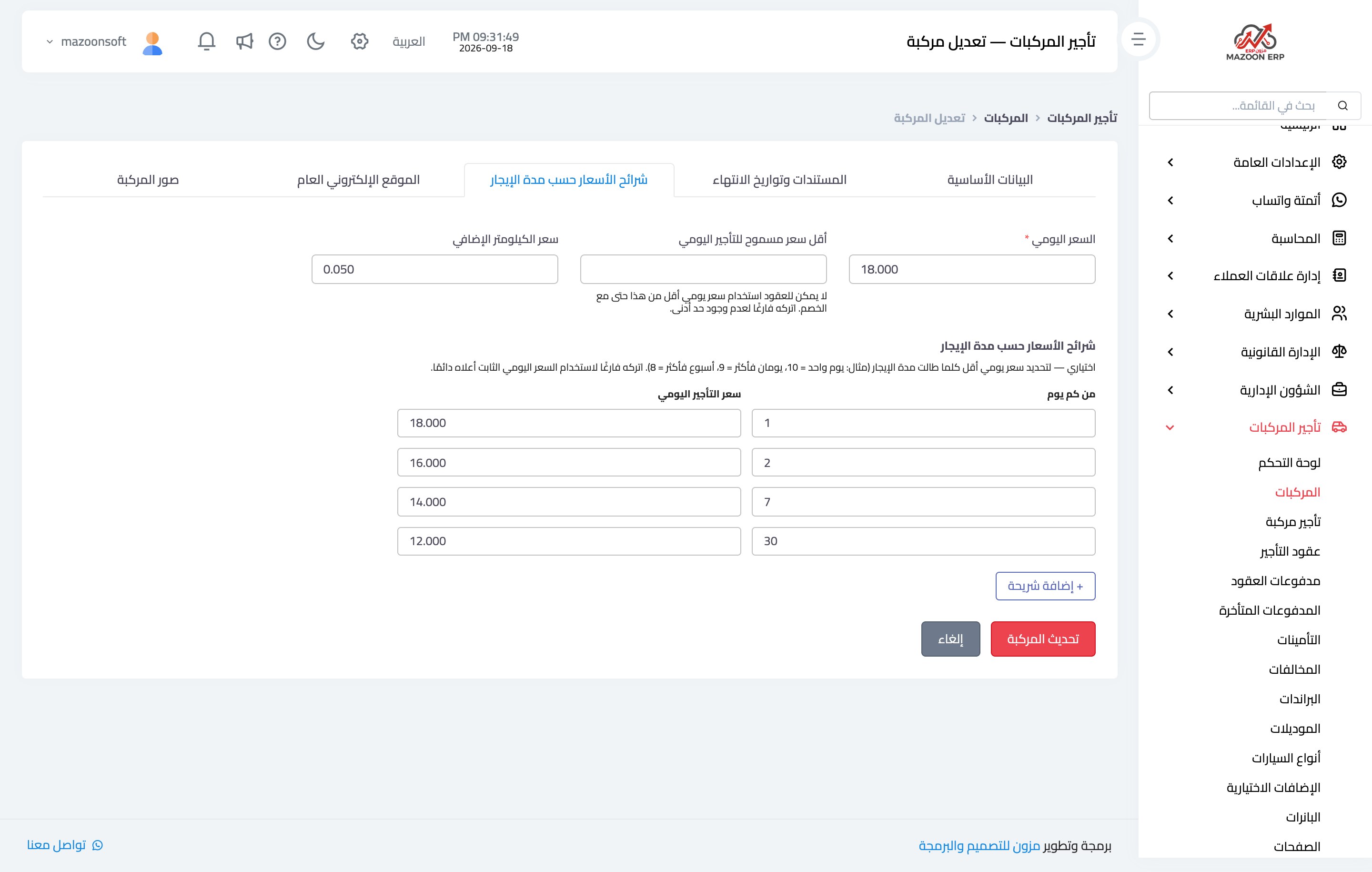
Figure 1
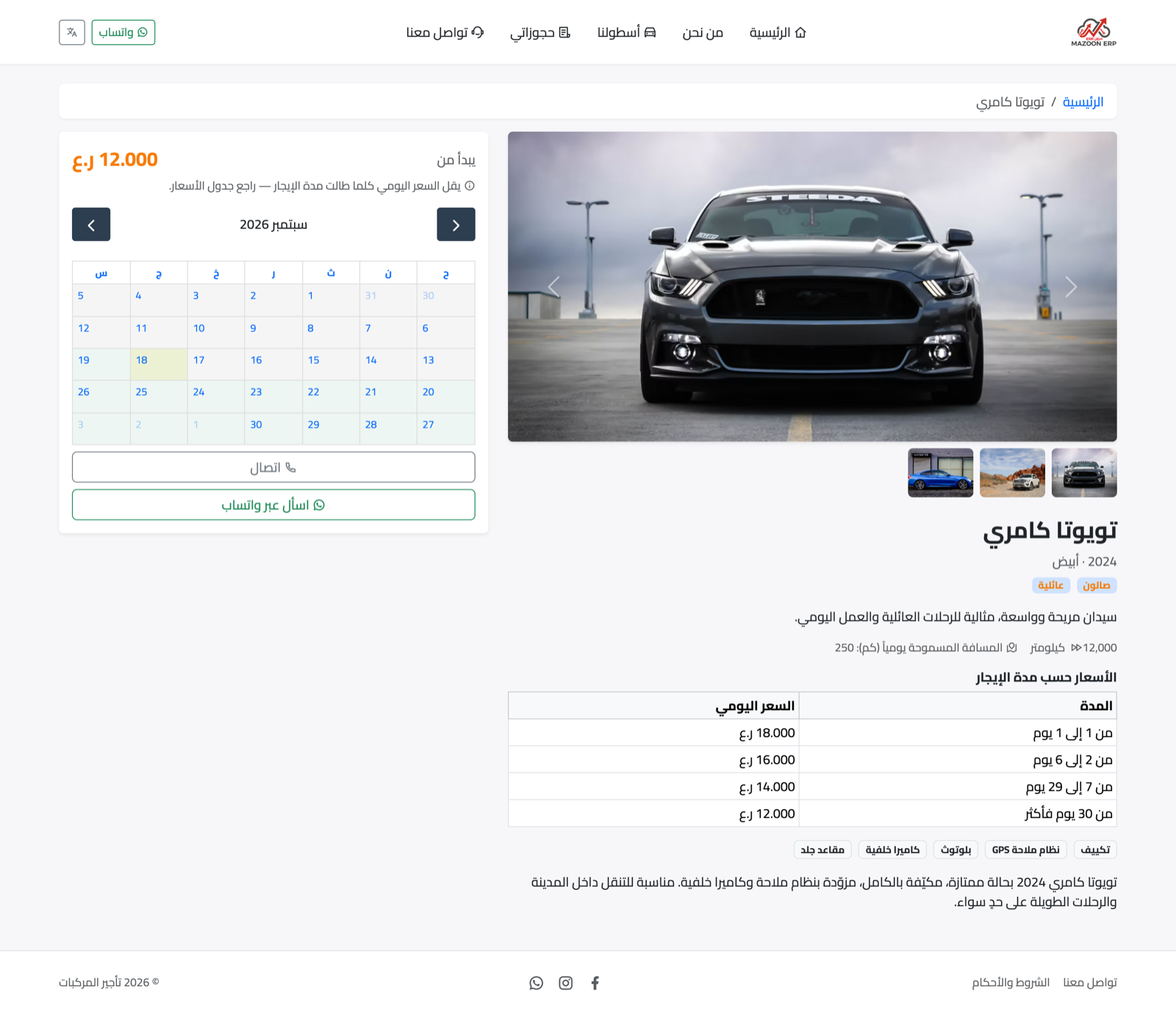
Figure 2
Try what you just read on your own data
Open a free 7-day trial — no credit card, with your own company link in minutes.