
How do I take a security deposit and refund or deduct from it?
A deposit is not income; it is money you hold in trust and either return or deduct from. That is why it has its own screen inside the contract, an accounting entry in a liability account rather than in revenue, and a global list showing everything you are holding.
Taking the deposit
- Open the contract and press Security deposit — Figure 1.
- Enter the amount, choose the payment method from those defined in Accounting, add a reference and notes if any, then press Receive.
- The entry is posted automatically: debit the account of the payment method you chose (the branch cash box or the bank), credit the Vehicle Rental Security Deposits Liability account.
- Print the Security Deposit Receipt for the customer from the Print voucher button in the movements log.
At contract close
- To refund in full: press Refund, enter the amount and choose the payment method it is paid from. The entry is reversed through the same liability account.
- To deduct: press Deduct, enter the amount and the reason (damage, violation, missing fuel), then refund the remainder. Only the deducted amount becomes income, in the Vehicle Rental Deposit Forfeiture Revenue account.
- To settle what the customer still owes from the deposit: press Deduct and choose Settle contract balance under Deduction for. The amount is recorded as a payment on the contract that lowers the balance, posted from the deposits account to the customer's account rather than to revenue. Voiding that payment returns the amount to the deposit.
- Every movement has its printed voucher — a receipt, a refund voucher or a deduction notice — showing the deposit balance after it.
Tracking every deposit
Open Vehicle Rental → Security deposits — Figure 2 — to see everything received, refunded and deducted in one place, with search by customer and branch, Excel export and print.
The deposit also appears on the customer statement, in a separate Security deposits held section: it is held for the customer and returned to them, so it does not reduce the balance they owe.
Notes
- Never mix the deposit with a rent payment; the first is held in trust and returned, the second is income you have earned.
- A deduction without a written reason is a dispute postponed; always record the reason.
- Do not refund the deposit on the day of return; a fine can arrive a week later. But do not leave it hanging past the customary period either: money left hanging shows in your books as a liability, not as cash of yours.
- Review the deposits list monthly to catch closed contracts whose deposits were never returned.
Screenshots
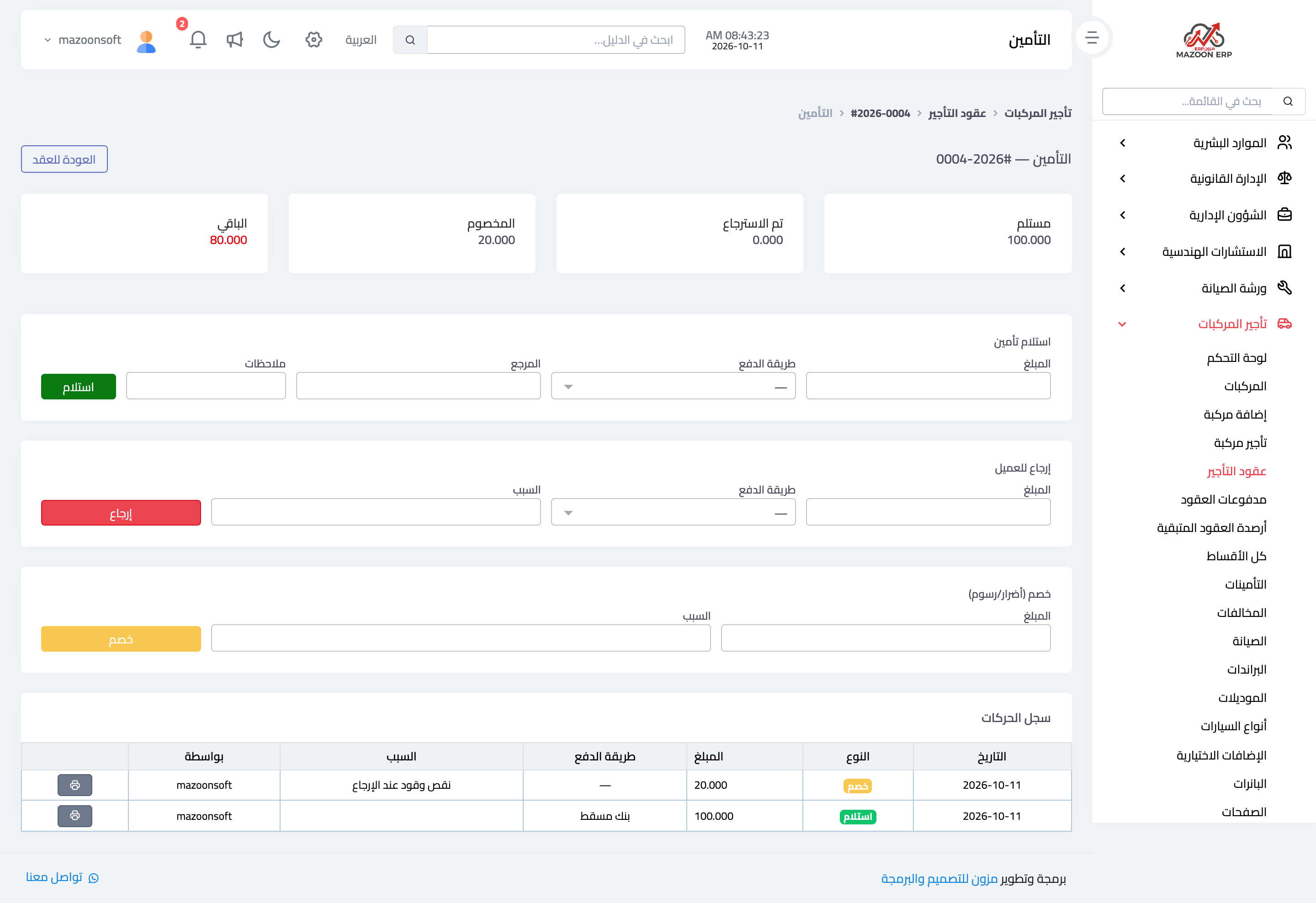
Figure 1
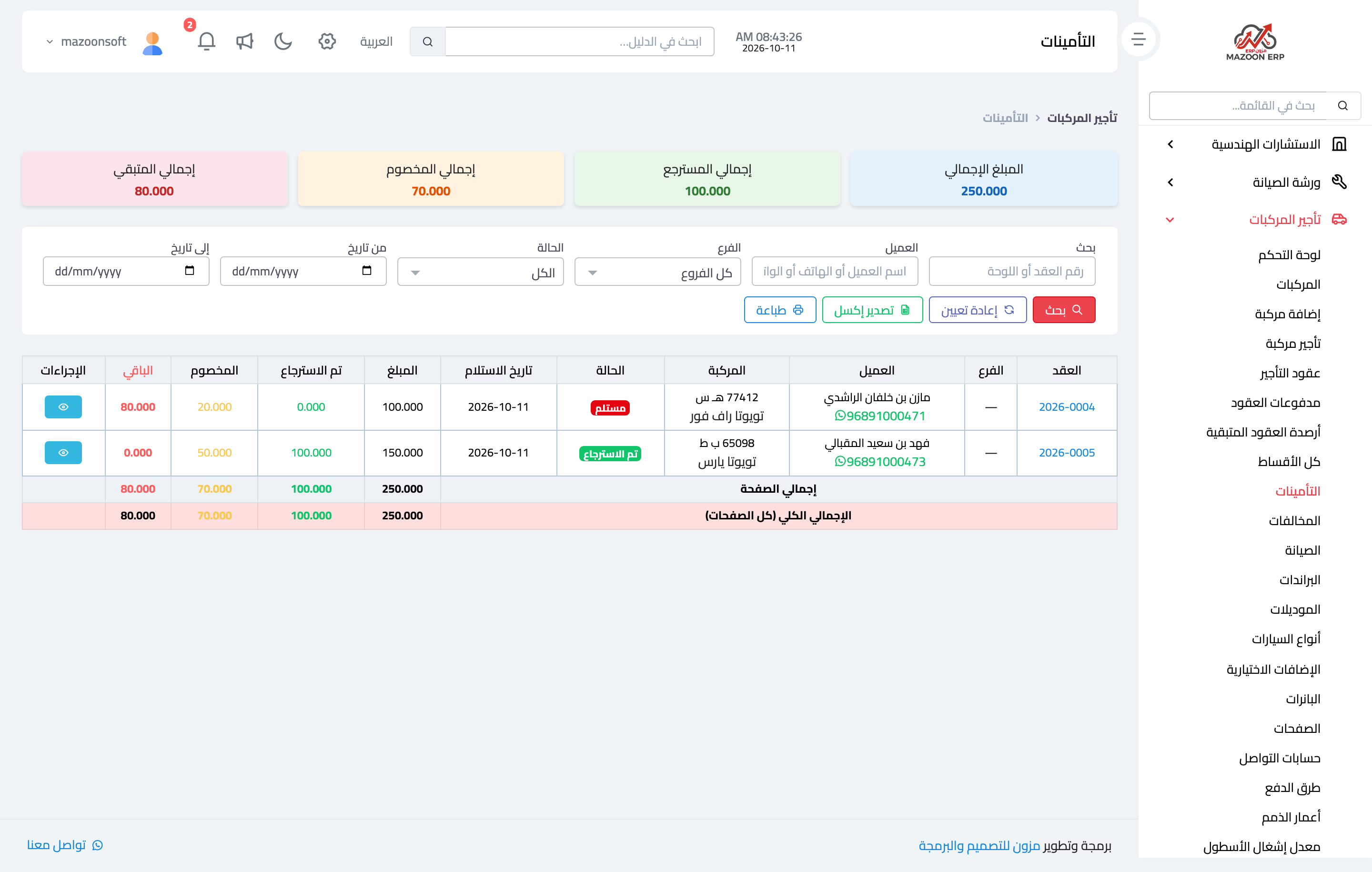
Figure 2
Try what you just read on your own data
Open a free 7-day trial — no credit card, with your own company link in minutes.