
How do I record a traffic violation and charge it to the renter?
A fine usually arrives days after the vehicle comes back, which is why it is recorded against the contract rather than the vehicle alone — so you know who was driving that day.
Recording it from the contract
- Open the contract and go to the Violations tab — Figure 1.
- Press Add violation and enter the name, the amount and the violation date.
- Save; the total violations in the contract summary rises and is added to what the customer owes.
- Collect it with the Pay button next to the violation: a payment is recorded for that fine alone and it shows as Paid. Or settle it from the security deposit if you are still holding one.
Tracking every violation
Open Vehicle Rental → Violations — Figure 2 — to see the fines across all contracts, with filters by customer, branch and date, and an export.
Notes
- Record the violation date, not the date the notice reached you; it is what proves the vehicle was with that customer.
- Put the notice number in the name, or attach the notice; the customer will certainly ask for it.
- A fine that arrives after the contract is closed is recorded on the closed contract itself, so there is no need to keep it open. A cancelled contract takes no fines.
- A paid violation cannot be edited or deleted; to correct it, void its payment first.
- Repeated fines from one customer are commercial information, not just an amount to collect.
Screenshots
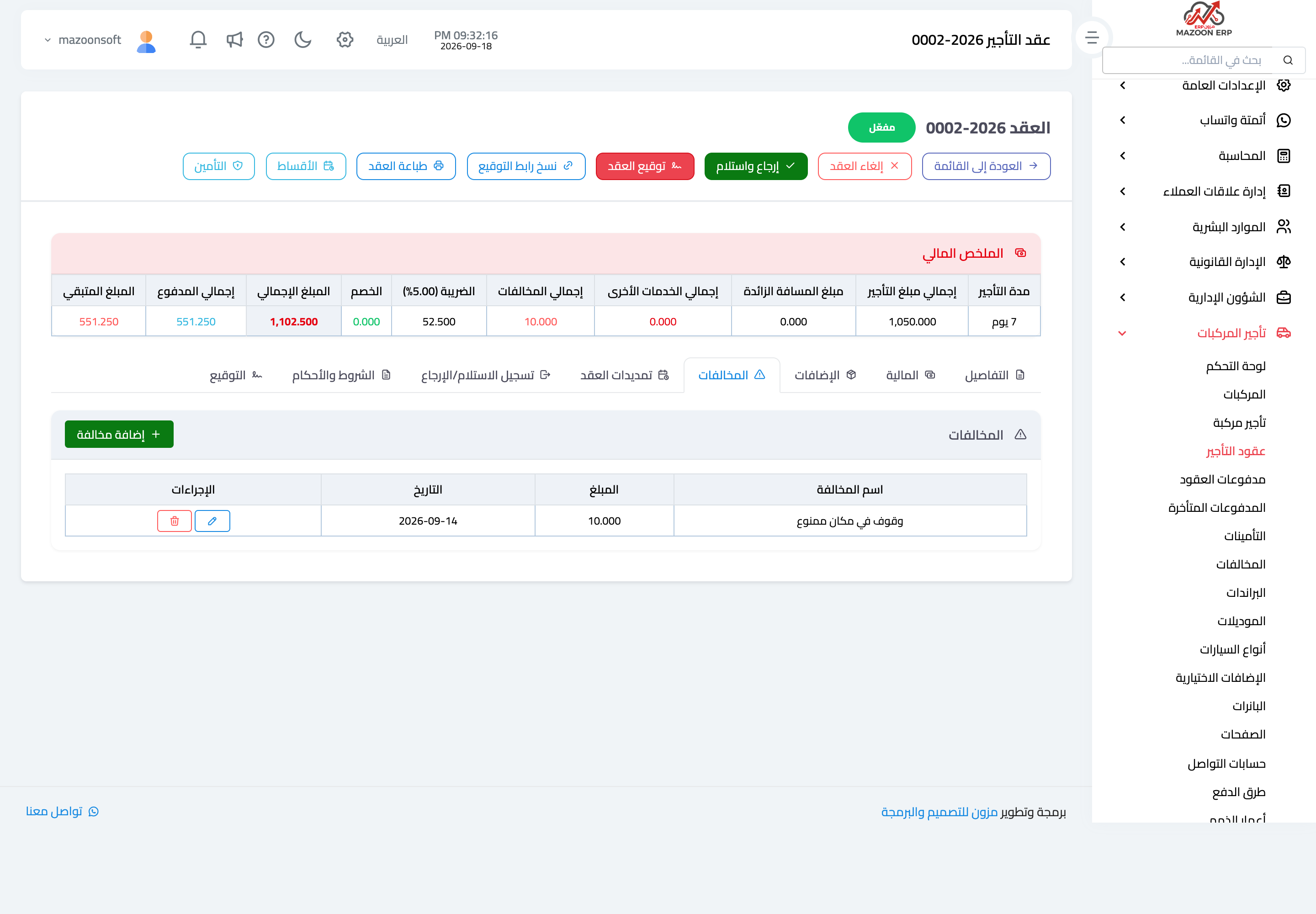
Figure 1
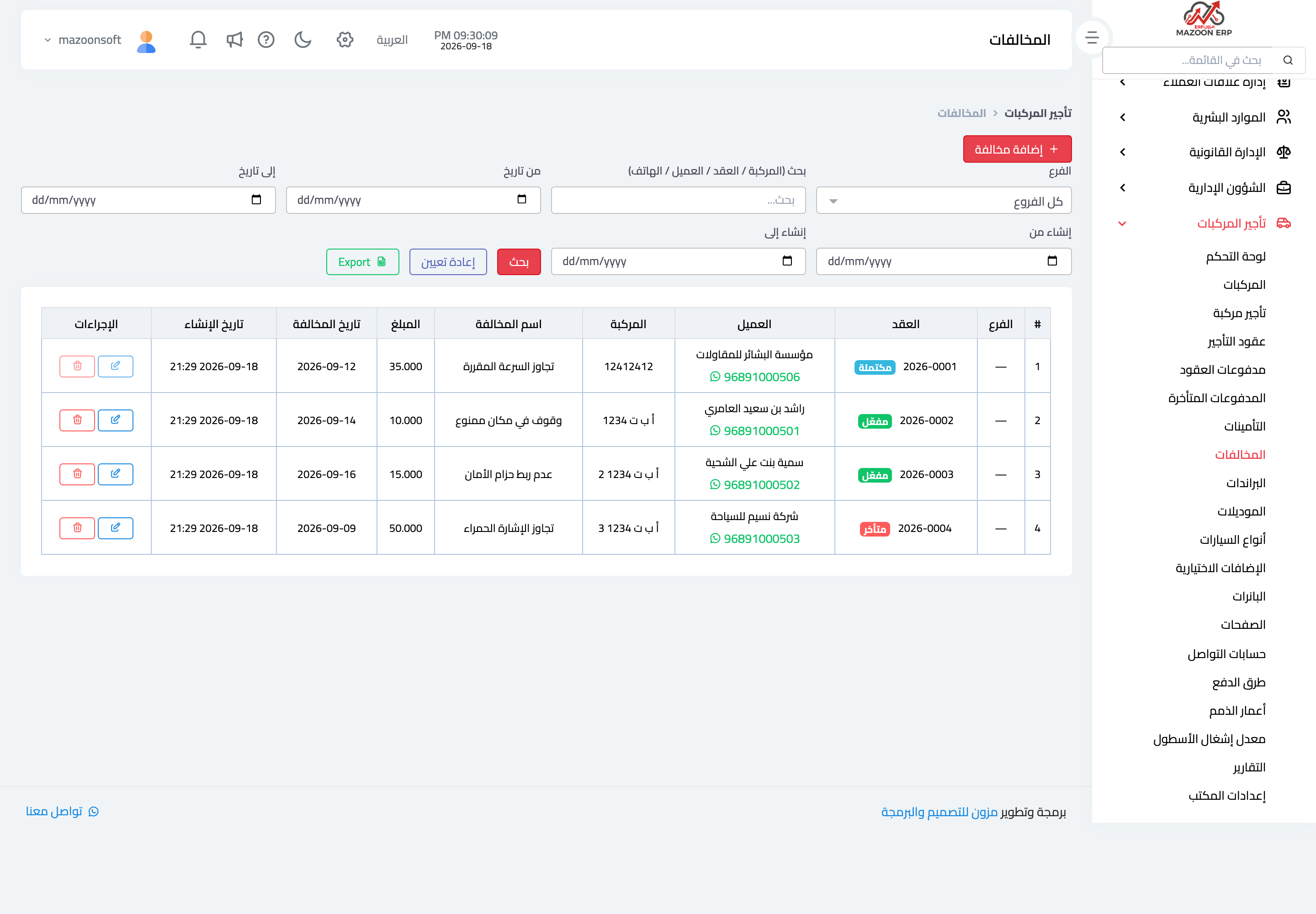
Figure 2
Try what you just read on your own data
Open a free 7-day trial — no credit card, with your own company link in minutes.