
How do I extend a running rental contract?
The customer calls and asks for another week. Do not open a new contract and do not edit the return date by hand — use Contract extensions, so the original dates stay on record alongside the extension.
Steps
- Open the contract from Vehicle Rental → Rental contracts.
- Go to the Contract extensions tab — Figure 1.
- The extension always starts where the contract currently ends, so set only To and enter the added amount agreed with the customer.
- Press Add extension. The contract total rises by the added amount and the vehicle stays held to the new date.
- Repeat for any later extension; the table keeps them all in order.
Notes
- An extension does not cancel earlier payments; the added amount simply shows in the customer’s outstanding balance until it is paid.
- Record the extension when it happens, not after the vehicle comes back; a contract past its date with the car still out shows as overdue and distorts your fleet reports.
- An overdue contract can be extended too, and it becomes active again if the new date is in the future. The system refuses an extension that clashes with another booking or a blackout period of the same vehicle.
- If the customer asks for a long period that earns a lower tier, compute the added amount at the right tier price rather than the original daily rate.
- If the customer simply overran without telling you, the return tab — not the extension tab — is where you settle it.
Screenshots
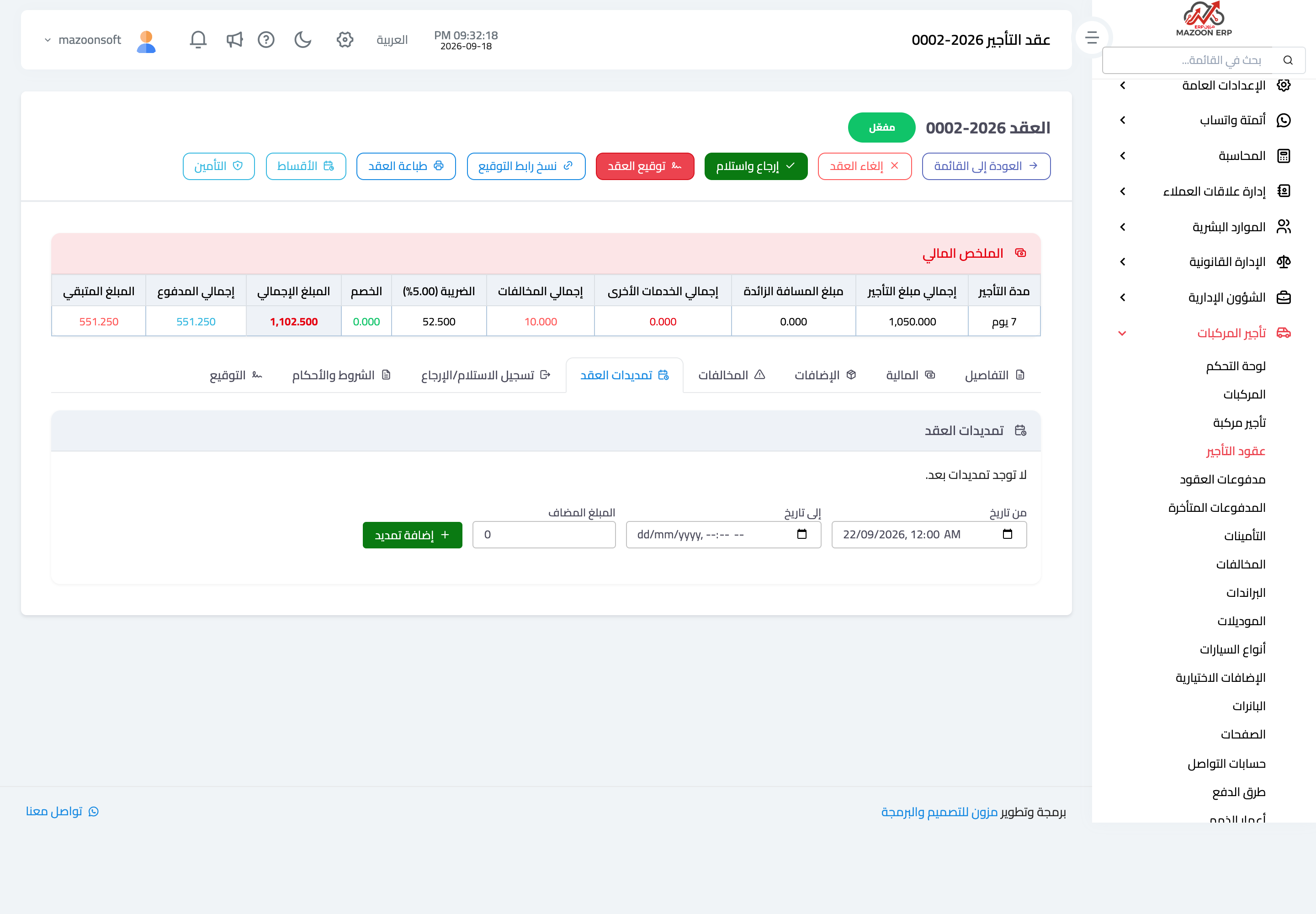
Figure 1
Try what you just read on your own data
Open a free 7-day trial — no credit card, with your own company link in minutes.