
Technician commissions, service reminders, and workshop reports
What separates a successful workshop from another is not the repair alone, but three things that come after it: the technician knowing what they earned, the customer coming back on time, and you knowing where your profit actually goes.
Technician commissions
Commission is calculated automatically: the technician’s rate from their record, applied to the value of the approved repair invoices assigned to them.
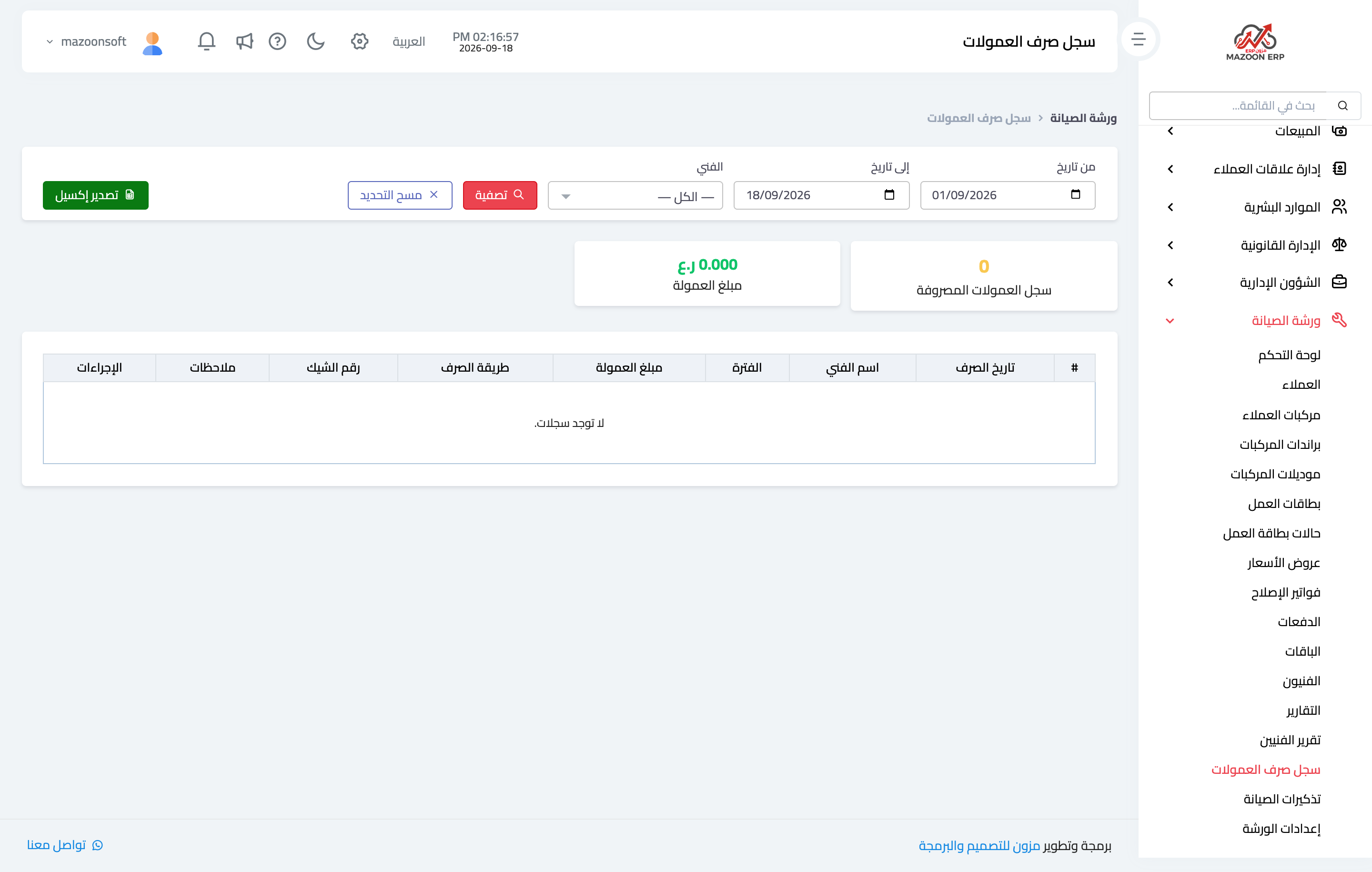
The commission payment log — Figure 1 — records what was actually paid out: the technician, the amount, the period it covers, and the payment method. If paid by cheque, its details are recorded: number, date, due date, and bank.
Each payment has a printable document for the technician to sign, and posts an accounting entry that clears the amount from the accrued commissions account.
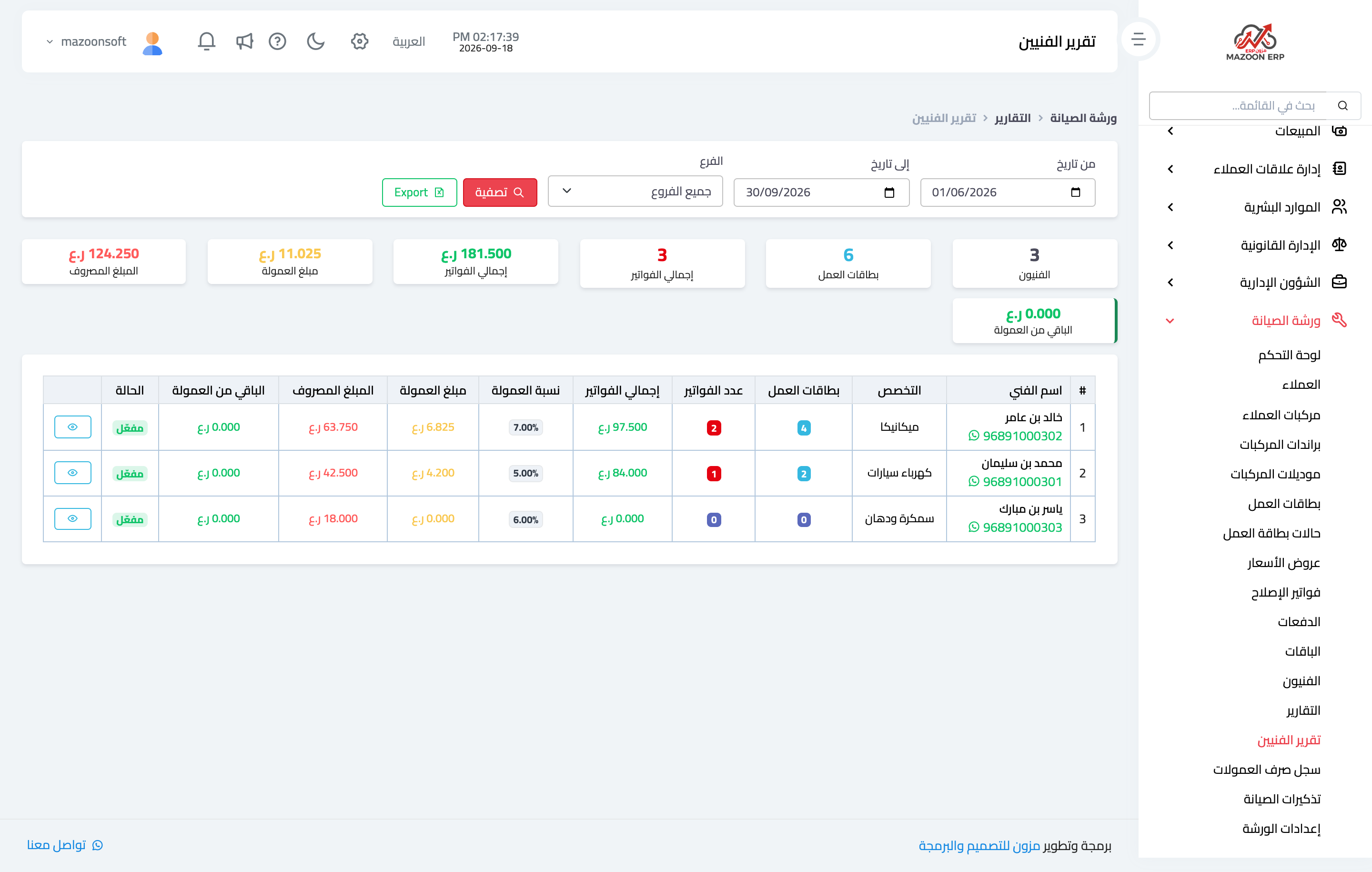
The technicians report — Figure 2 — shows the full picture per technician for a period you choose: number of job cards, number of invoices, their total value, the commission rate, the commission accrued, the amount paid, and the commission balance. That last column is what you review at each monthly payout.
The cards at the top summarise the whole team: technicians, job cards, invoices, their total, and the sum of commissions accrued, paid, and outstanding. The Export button sends the report to Excel.
Service reminders
Here the module turns from record-keeping into marketing. Every vehicle has a service interval in months, and the system computes its next service date from it.
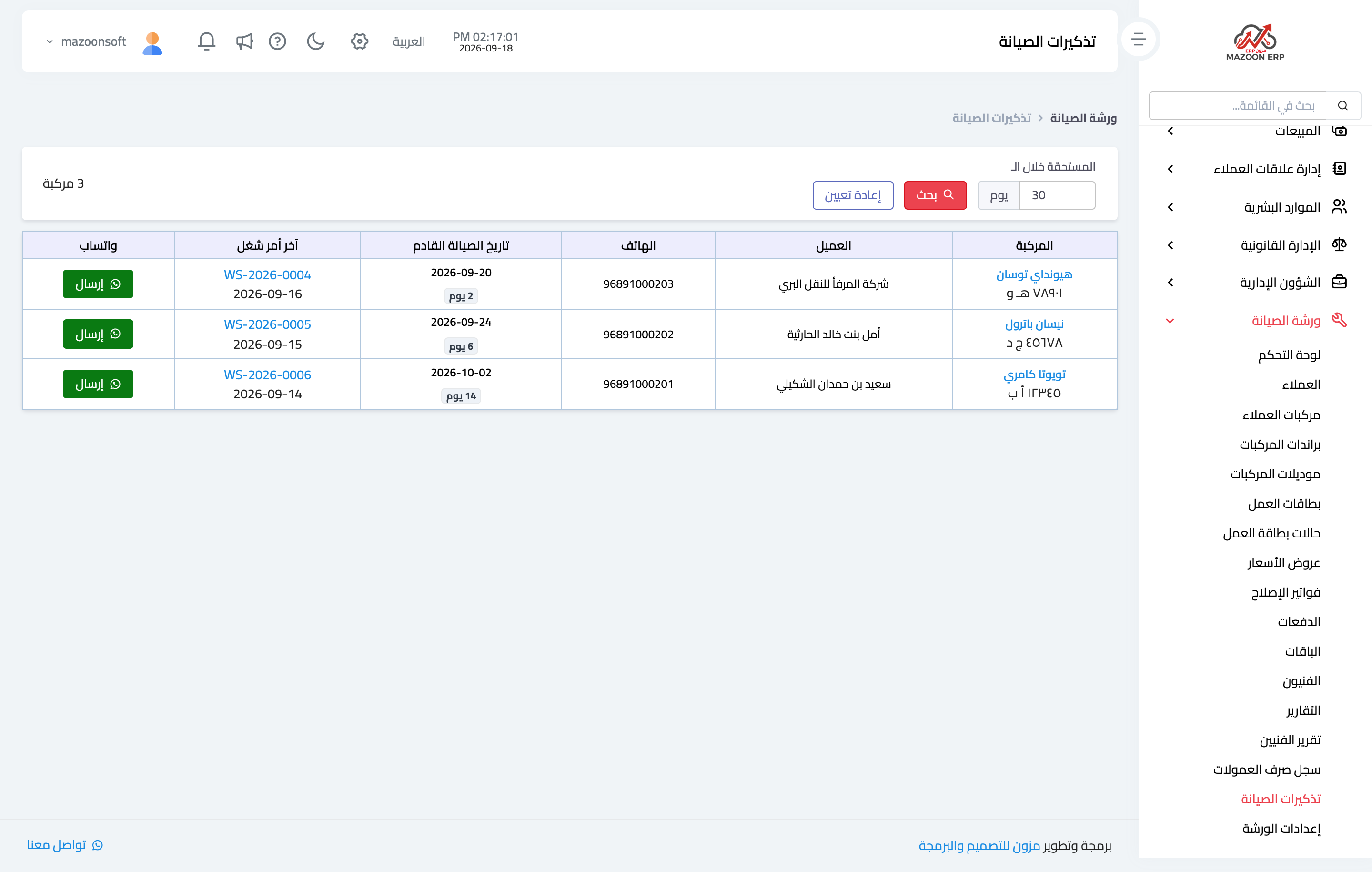
The Service reminders screen — Figure 3 — lists the vehicles due within a number of days you set (thirty by default): the vehicle with its plate number, the customer, their phone, the next service date with a countdown in days, and the last job card as a link.
Beside each row is a Send button over WhatsApp, which opens a conversation with the customer carrying a ready message reminding them their vehicle is due. No copying numbers, no rewriting the message each time.
This screen is the cheapest channel for bringing a customer back: they are already your customer, the vehicle genuinely is due, and the message is a service rather than a nuisance.
Workshop reports
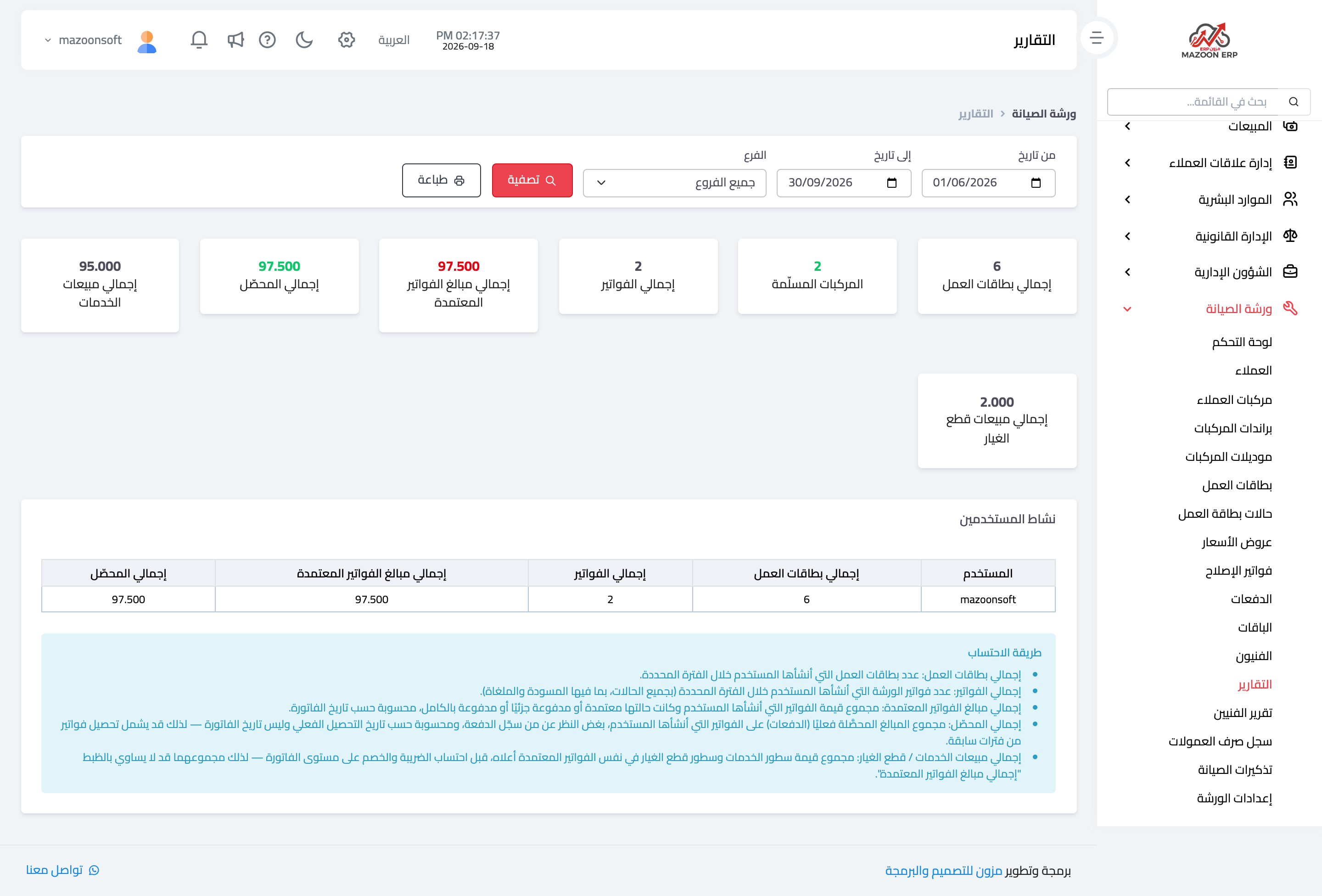
The Reports screen — Figure 4 — shows the workshop’s performance for a period and branch you choose:
- Total job cards — how many vehicles came in.
- Vehicles delivered — and how many actually went out.
- Total invoices and their count, and the total value of approved invoices.
- Total collected — which differs from approved, because an invoice may be approved today and collected a month later. The gap between them is what your customers owe you.
- Service sales and spare-part sales separately — this split is what tells you where the real profit is: in the technician’s hands or on the parts shelf.
- User activity — a table of what each member of staff produced in cards, invoices, and collections.
Below the table, a how these are calculated box explains precisely how each figure was derived, which prevents misreading the numbers instead of guessing at their meaning.
Notes
- “Total collected” is measured by the payment date, not the invoice date, so it may include collections against invoices from earlier periods.
- Set the service interval per vehicle; a fleet car running daily is not the same as one used at weekends.
- Check the “commission balance” column before every payout, since it is the difference between what the technician earned and what they have been paid.
Screenshots
Try what you just read on your own data
Open a free 7-day trial — no credit card, with your own company link in minutes.