
What does the workshop dashboard show and how do I use it daily?
The dashboard is not decoration; it is what you open first thing in the morning to know what you have before you hand out the work.
What it shows
Open Workshop → Dashboard — Figure 1 — and you get the open job cards broken down by status, the revenue, the unpaid invoices, and the services now due.
A suggested morning routine
- Look at in progress: is there a card that has not moved in two days?
- Then waiting for parts: call the supplier before the customer calls you.
- Then waiting for approval: these are today’s phone calls, and every day of delay is a bay standing idle.
- Then service reminders: calls that bring in new work at no marketing cost.
- Finally unpaid invoices: do not let them pile up to month end.
Notes
- The dashboard numbers are only honest if the technicians keep the card statuses up to date.
- The dashboard shows you the present, the reports show you the trend; use each for what it is.
- With more than one branch, mind the branch filter before you build a decision on a number.
Screenshots
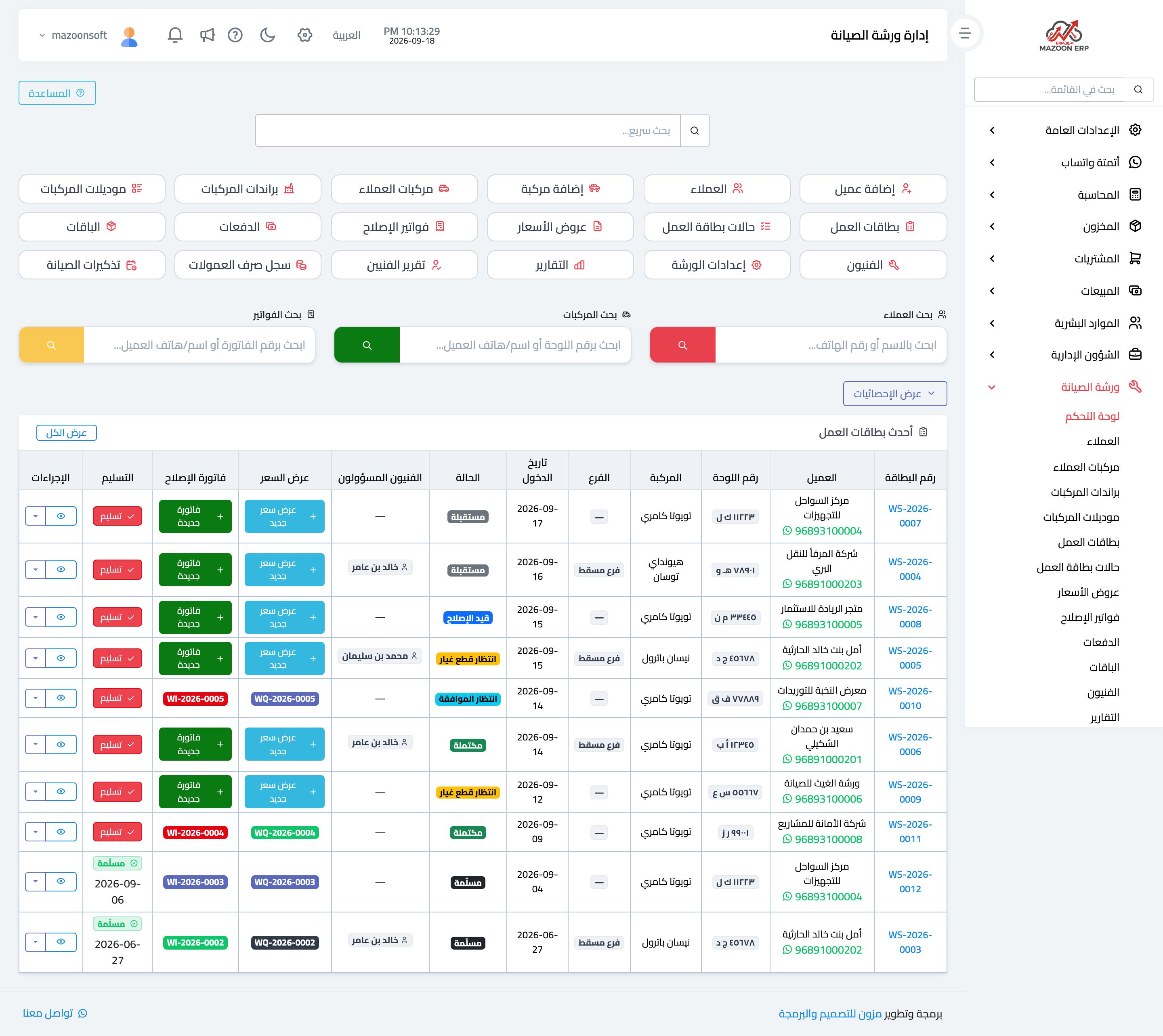
Figure 1
Try what you just read on your own data
Open a free 7-day trial — no credit card, with your own company link in minutes.