
How do I add a vehicle brand or model?
The brand and model are the base of every vehicle record, and later they are how you learn which makes actually fill your workshop.
Brands
- Open Workshop → Vehicle brands — Figure 1.
- Add the brand with both its Arabic and English name — both are required.
Models
- Open Vehicle models — Figure 2 — and add the model under a specific brand.
- The list ships pre-filled with the common brands and models, so search before you add.
The faster route
Inside the customer vehicle form you will find an Add brand and an Add model button beside the two lists; they add the item immediately without leaving the page or losing what you typed.
Notes
- Standardise the naming from the start; “Toyota” and “Toyota Japan” are two different brands to the system even if they are one to you.
- Do not merge brand and model into one field; keeping them apart is what makes the filters and reports work.
- The English name is required because quotations and invoices print in both languages.
Screenshots
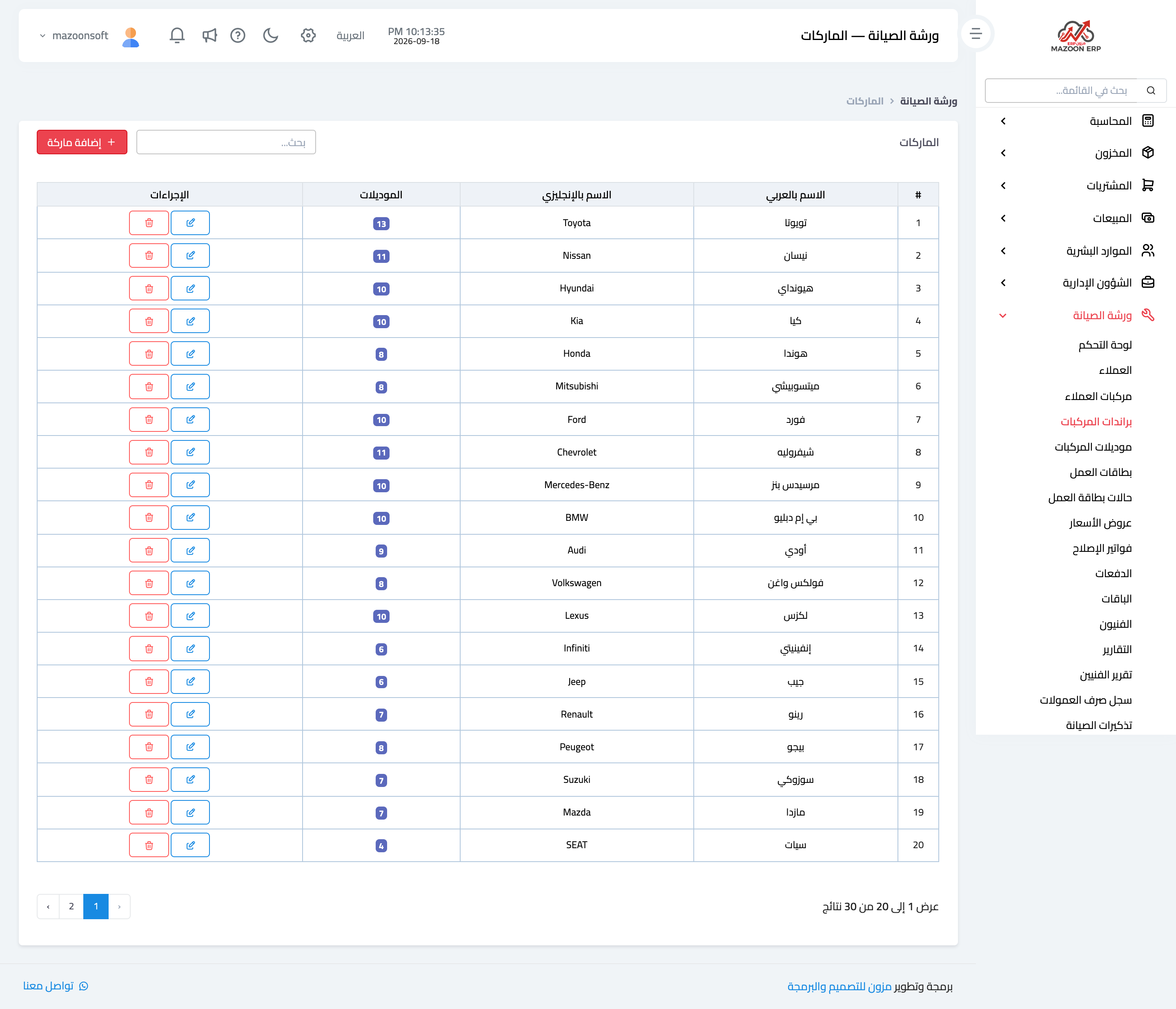
Figure 1
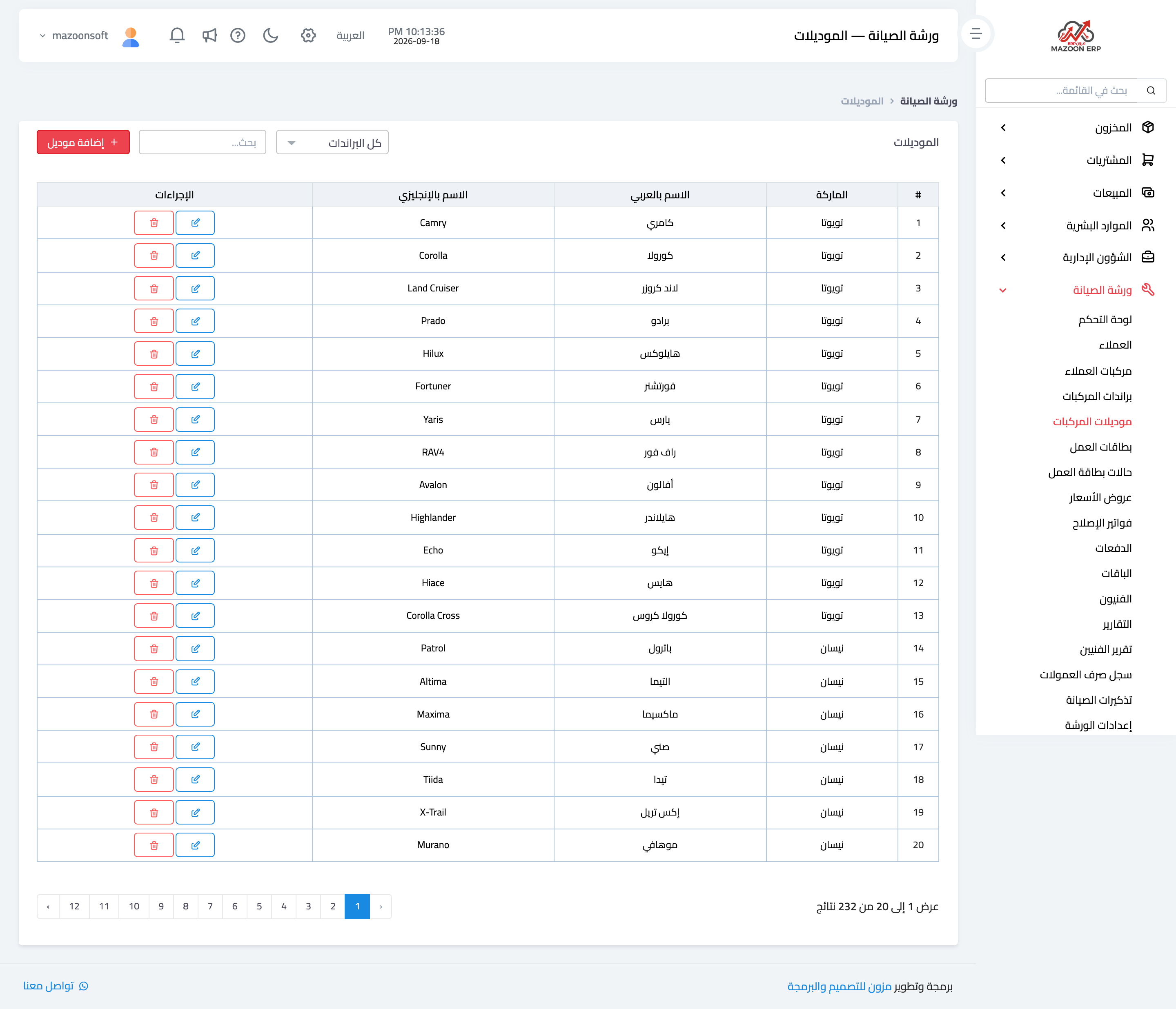
Figure 2
Try what you just read on your own data
Open a free 7-day trial — no credit card, with your own company link in minutes.