
How do I read the workshop reports and technician performance?
The workshop reports answer three questions: how much did we take, who produced most, and what is still uncollected?
The workshop report
- Open Workshop → Reports — Figure 1.
- Set the period and branch, then apply the filter.
- You see the period’s revenue, the number of job cards and invoices, and collected against outstanding.
- Press Print for a paper copy or for a meeting.
The technicians report
- Open Technicians report — Figure 2.
- Per technician you get the number of jobs assigned, their value, and the commission due.
- Click a technician’s name for an invoice-by-invoice breakdown, and export it when you need to.
How to read the numbers
- High revenue, low collection — your problem is collection, not production; go through the unpaid invoices.
- A technician with no jobs — usually they were never assigned on the invoices, not that they did nothing.
- Many cards, few invoices — work done in the workshop that has not been billed yet, and that is the most dangerous thing the report exposes.
Notes
- The report is only as accurate as your habit of approving invoices as you go rather than at month end.
- Compare against the same period last year rather than last month; workshop work is seasonal.
- Use the technicians report to motivate, not only to audit; it is the clearest picture of who carries the workshop.
Screenshots
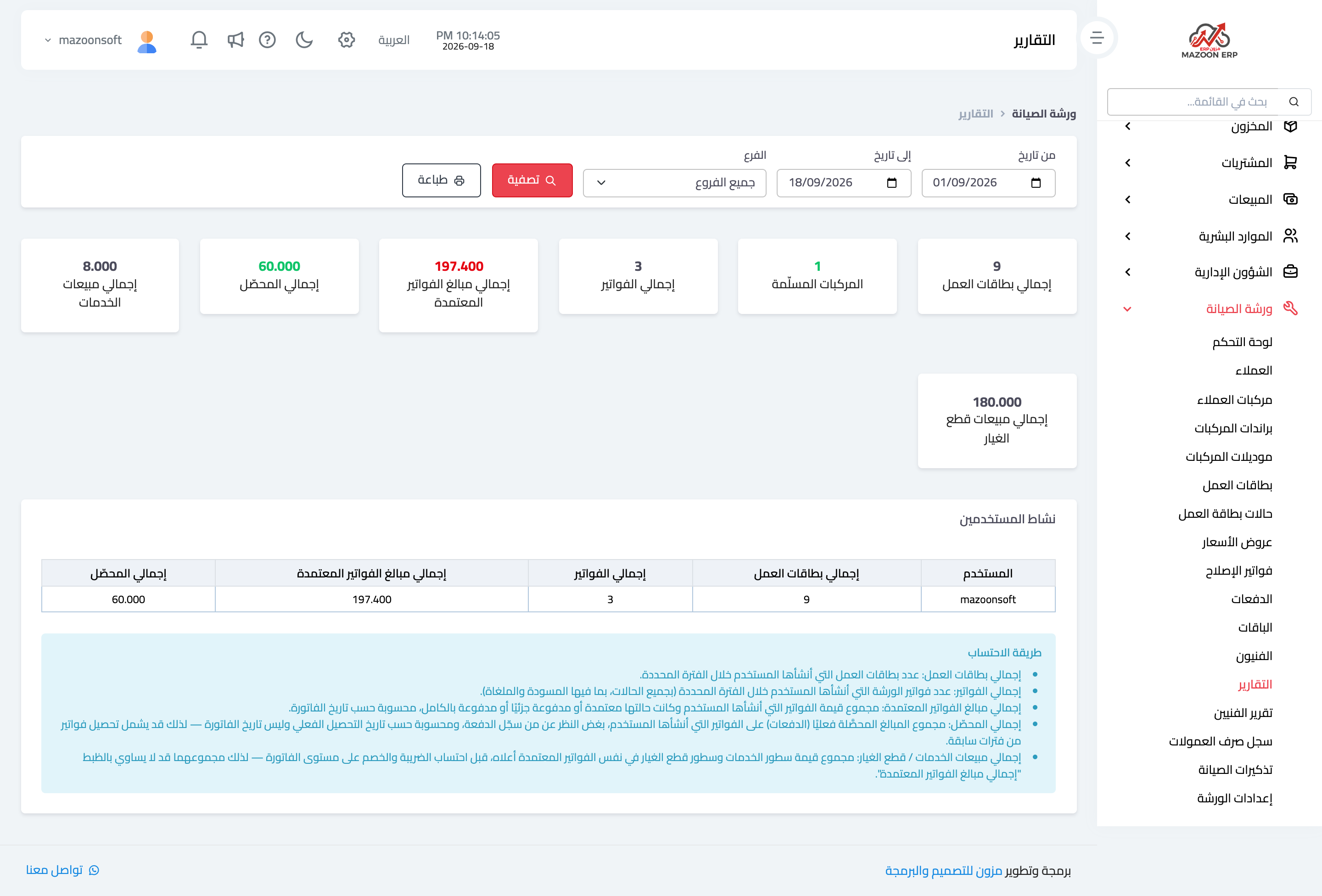
Figure 1
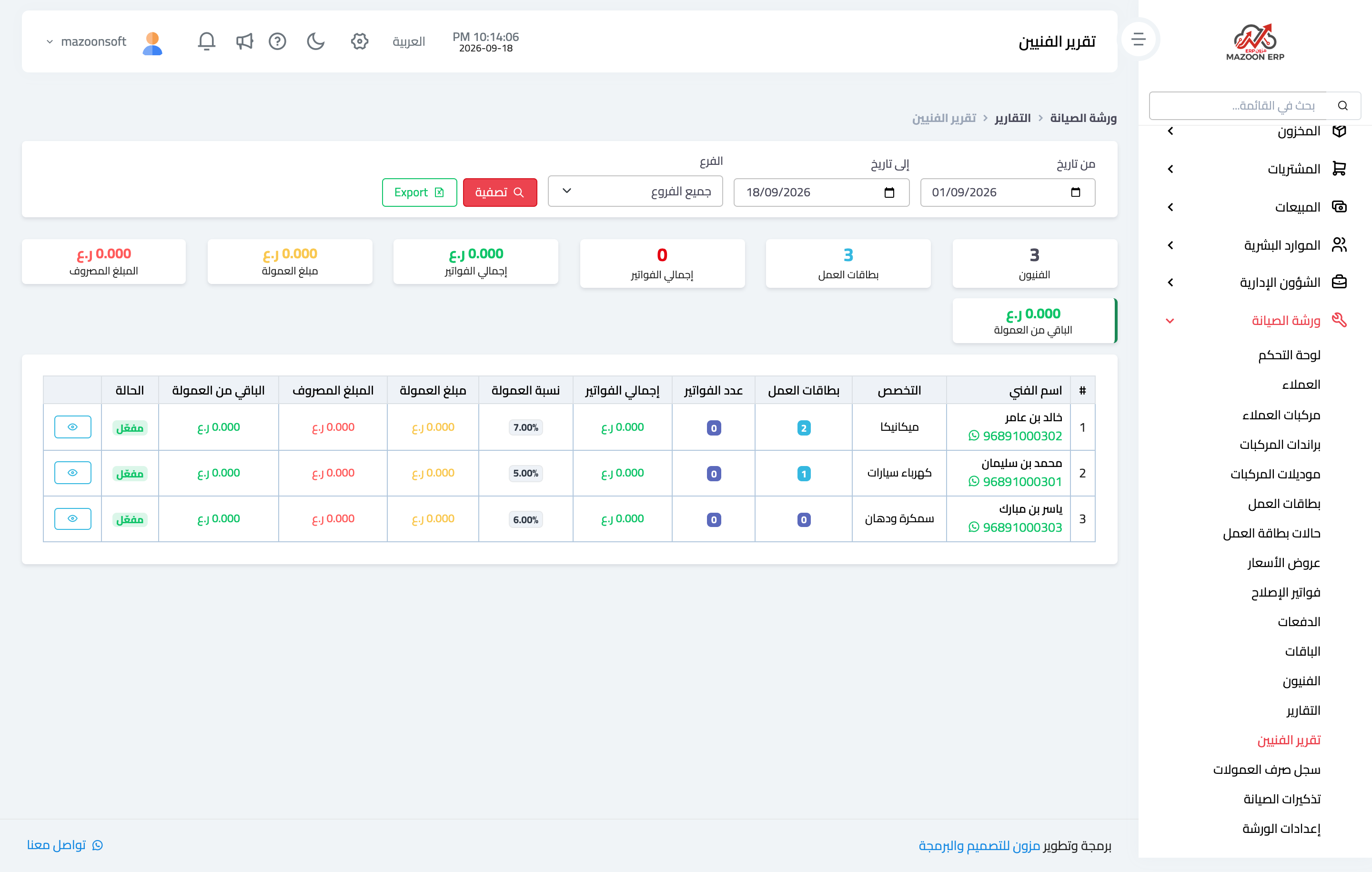
Figure 2
Try what you just read on your own data
Open a free 7-day trial — no credit card, with your own company link in minutes.