
Vehicle workshop overview and setup
The Vehicle Workshop module follows a car from the moment it enters the gate to the moment it is handed back: a job card recording its condition and the owner’s complaint, then a quotation they sign, then a repair invoice and collection, a commission for the technician, and a reminder for the next service.
The dashboard
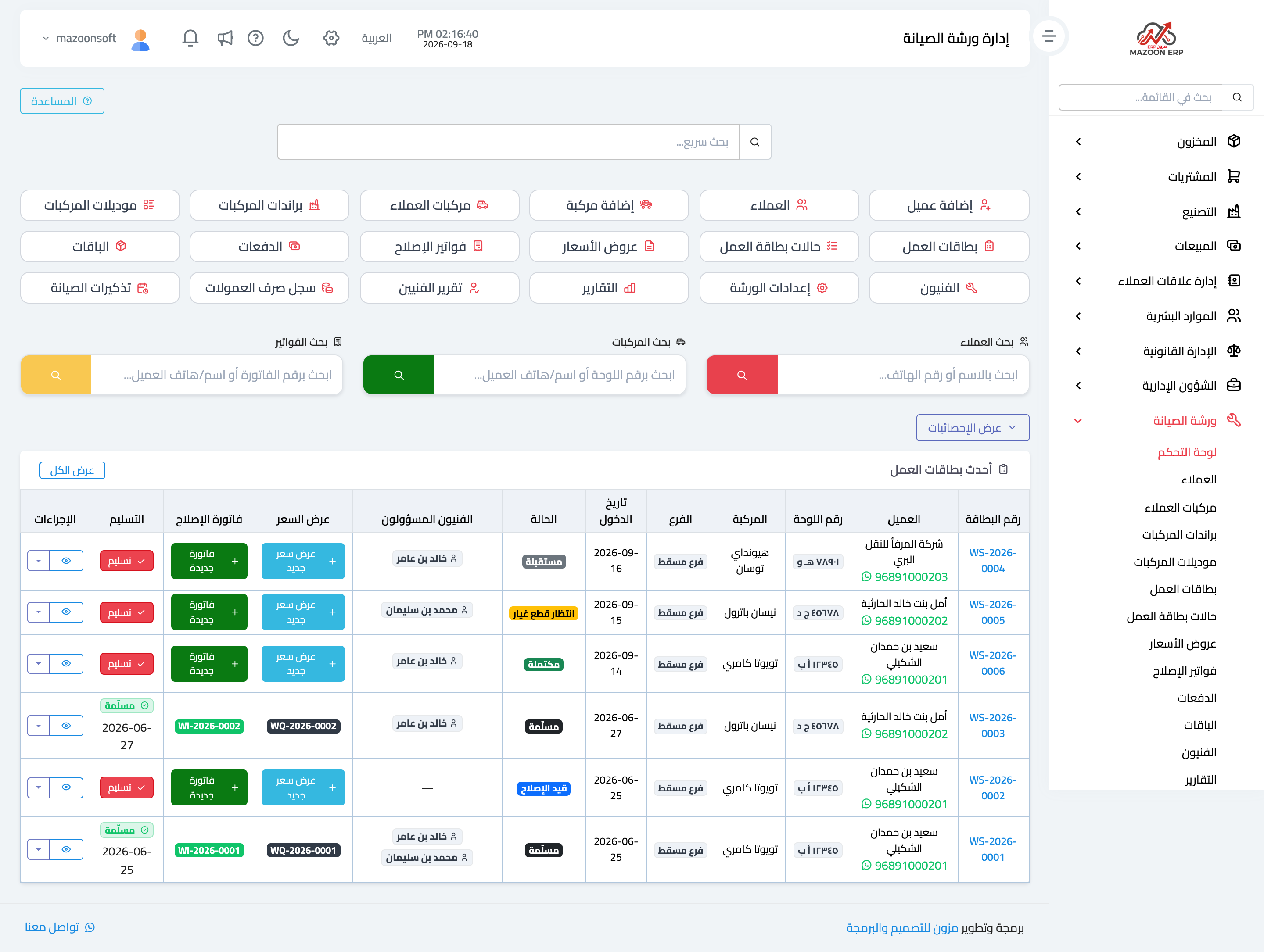
Open Workshop → Dashboard, as in Figure 1. Three rows of shortcuts at the top open every screen in the module, and below them three colour-coded quick searches: customers by name or phone, vehicles by plate number or customer, and invoices by number.
At the bottom is the latest job cards table, the daily working screen: card number, customer with phone and a WhatsApp button, plate number, vehicle, branch, entry date, colour-coded status, assigned technicians, and then the action buttons — New quotation, New invoice, and Deliver.
A card with no quotation yet shows the button to create one; a card already invoiced shows the invoice number as a link. That way you act straight from the dashboard without opening each card.
Workshop settings
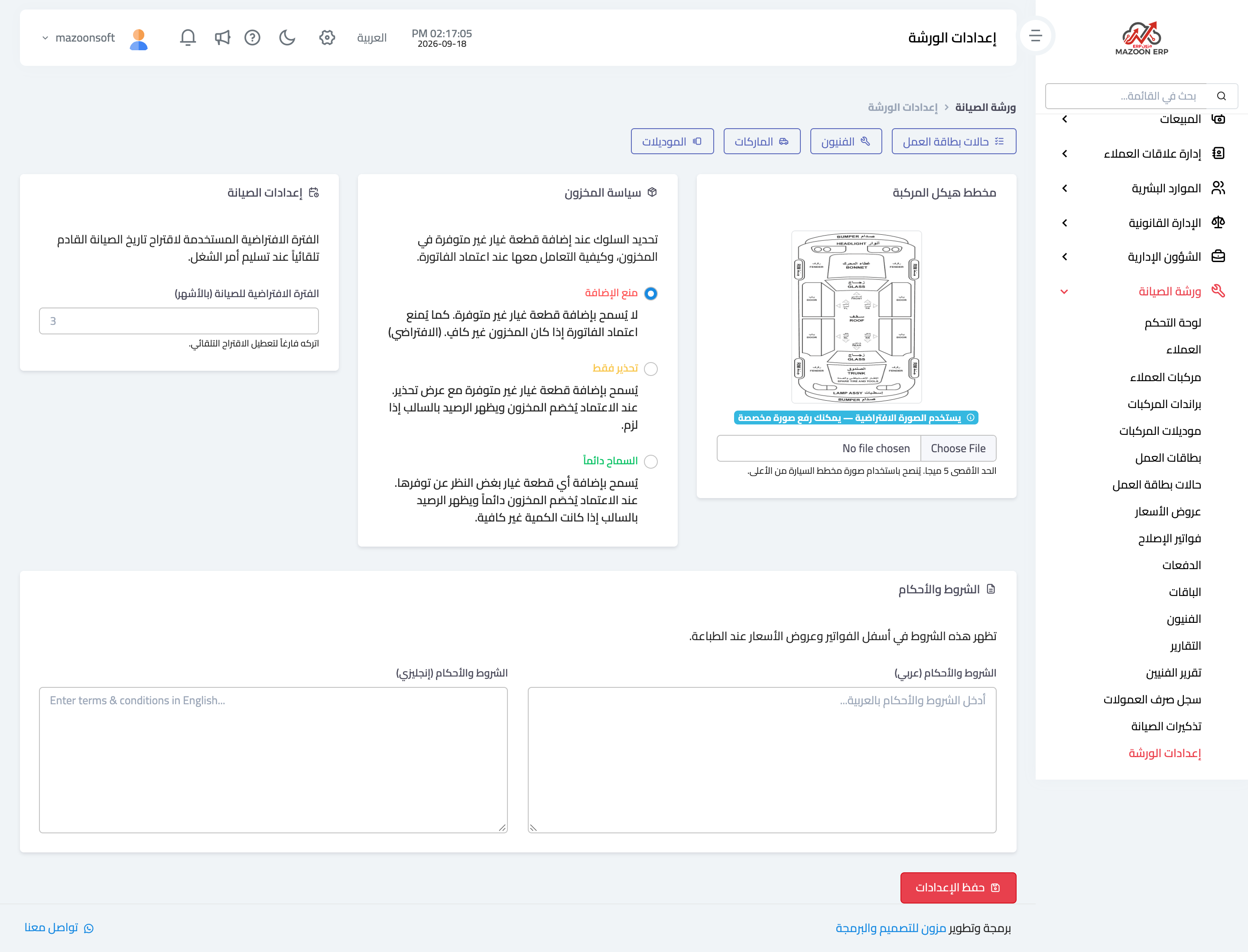
Under Workshop settings — Figure 2 — you set what governs the whole module:
- Stock policy — what the system does when a spare part is short in the warehouse: block the save, or warn and allow it.
- Vehicle diagram — the drawing damage is marked on in the job card.
- Default service interval — in months; it is proposed for every new vehicle and the next service date is calculated from it.
- Terms and conditions — in Arabic and English, printed at the foot of quotations and invoices.
- Accounting accounts — receivables, service revenue, spare-parts revenue, and tax. Repair invoice entries are built on these.
Settings are per branch, so one branch can block selling from short stock while another only warns.
Technicians
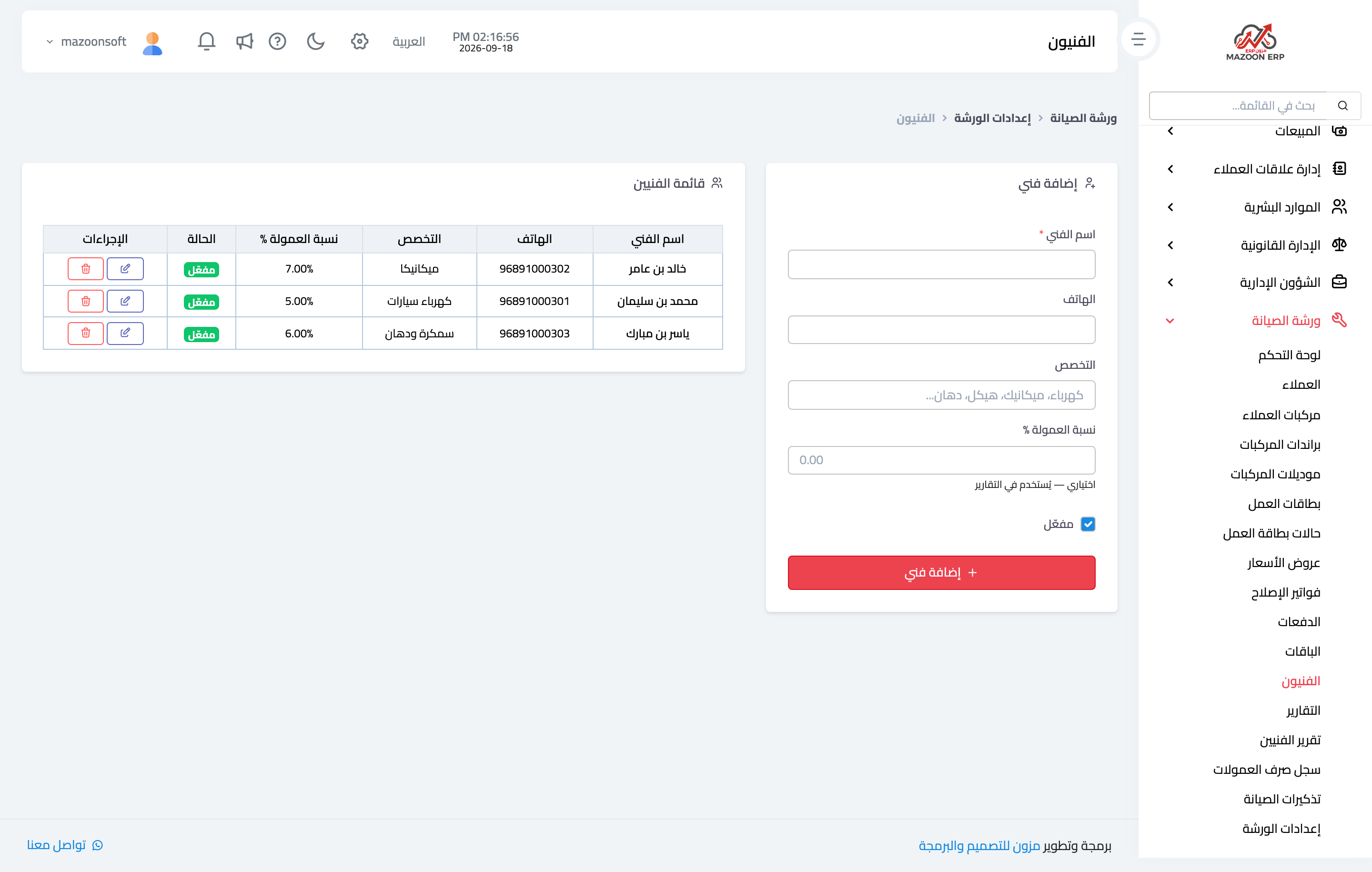
Record the workshop technicians as in Figure 3: name, phone, specialisation (mechanics, auto electrics, bodywork and paint), commission rate, and active flag.
The commission rate is what turns a technician’s work into a number: when a repair invoice assigned to them is approved, their commission is calculated from it and appears in the technicians report and the commission payment log.
Packages
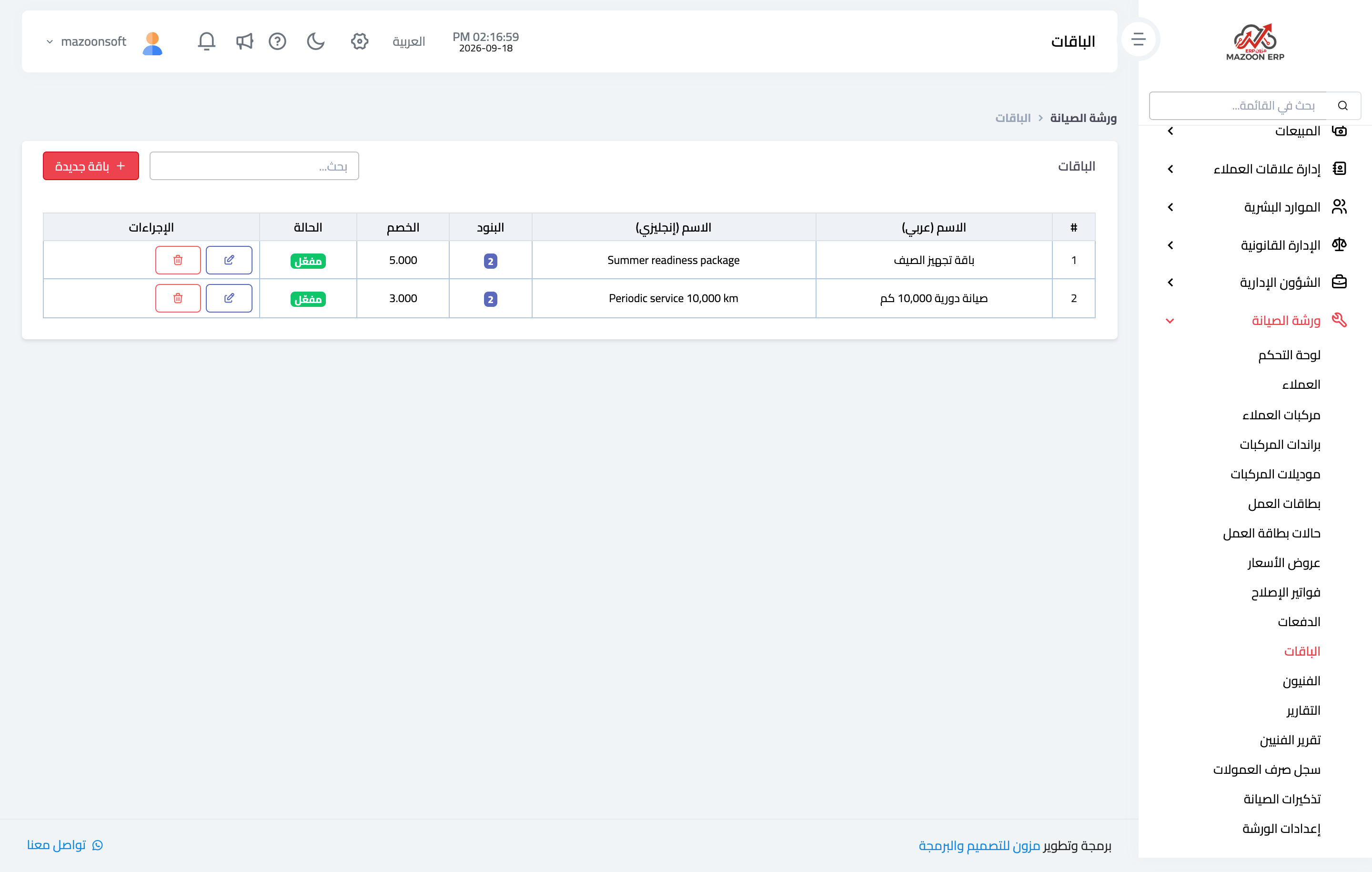
A package is a set of services and parts sold together at one price — a 10,000 km periodic service, for example — as in Figure 4. Each package has an Arabic and English name, a description, a discount, and line items: a service or a part, with quantity, unit price, and tax rate.
Its value is that picking a package in a quotation adds all its lines at once instead of entering them one by one each time, which keeps pricing consistent and reduces omissions.
Vehicle brands and models
The system ships with a ready list of brands and their models, and you can add to it. Getting it right matters because a vehicle is recorded by brand and model rather than as free text, so you can later tell how many cars of a given model you service.
Job card statuses
Six statuses ship ready: received, in progress, waiting for parts, waiting for approval, completed, and delivered. Each has a colour shown in the tables, and you can deactivate the ones you do not use or add one that fits your workflow.
Screenshots
Try what you just read on your own data
Open a free 7-day trial — no credit card, with your own company link in minutes.