
How do I follow up service reminders and bring customers back?
The cheapest customer is one you have already served. The service reminders screen is your daily call list, if you use it properly.
Steps
- Open Workshop → Maintenance reminders — Figure 1.
- Set due within the next to the number of days you want to look at — thirty, say.
- Vehicles are listed by next service date with the customer, the phone and the last job card, tagged overdue, today or tomorrow.
- Press the WhatsApp button on a row and a ready message opens reminding the customer of the date and their plate number.
- When the customer turns up, open a job card; at delivery the next date is suggested automatically and the cycle starts again.
Where does the date come from?
From the service interval in months and the next service date on the vehicle record — Figure 2. You can set a default interval for the whole workshop in the workshop settings.
Notes
- A vehicle with no next service date never shows here, so make sure it gets filled at every delivery.
- Make this one person’s daily job rather than everyone’s; what nobody owns does not get done.
- Call a few days before the date, not after; a customer who is already late has usually gone to another workshop.
Screenshots
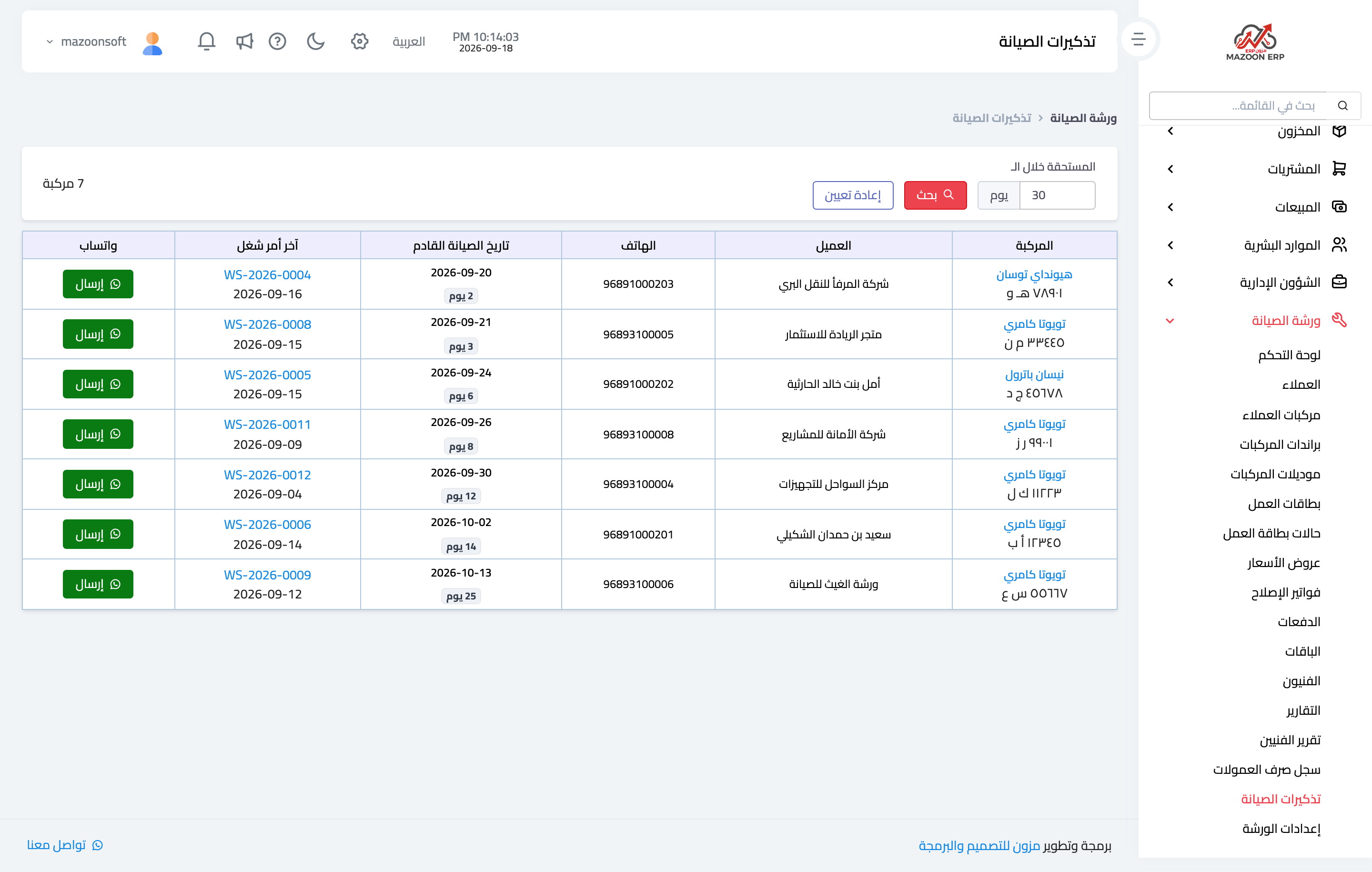
Figure 1
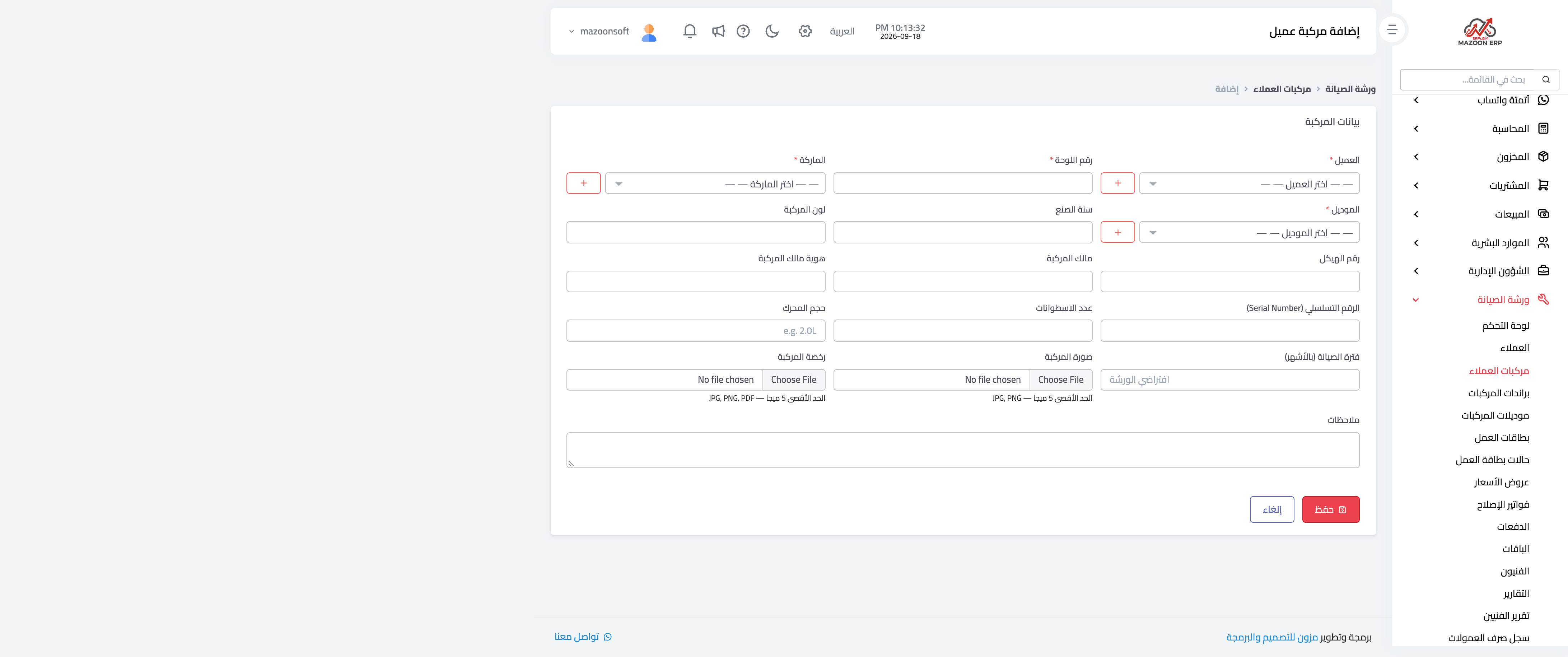
Figure 2
Try what you just read on your own data
Open a free 7-day trial — no credit card, with your own company link in minutes.